To design a dual-purpose gaming and cinema room, focus on strategic acoustic treatments like bass traps and panels to minimize echoes and sound leakage, ensuring immersive audio. Proper placement of speakers, screens, and lighting controls boosts both sound quality and visual clarity, while adjustable lighting enhances mood without glare. Balance the space for comfortable viewing and gaming, incorporating automation to switch scenes effortlessly. Keep exploring to discover how thoughtful details can transform your room into the perfect entertainment hub.
Key Takeaways
- Incorporate acoustic treatments like bass traps and panels behind screens and in corners to minimize echoes and improve sound clarity.
- Strategically position speakers and screens to optimize sound quality and viewing angles, ensuring an immersive experience.
- Use adjustable, layered lighting with dimmable fixtures to prevent glare, enhance mood, and facilitate seamless activity transitions.
- Balance room layout for effective sound diffusion and visual comfort, considering both gaming and cinematic viewing needs.
- Automate lighting and sound systems to easily switch between modes, maintaining functionality and ambiance for each activity.
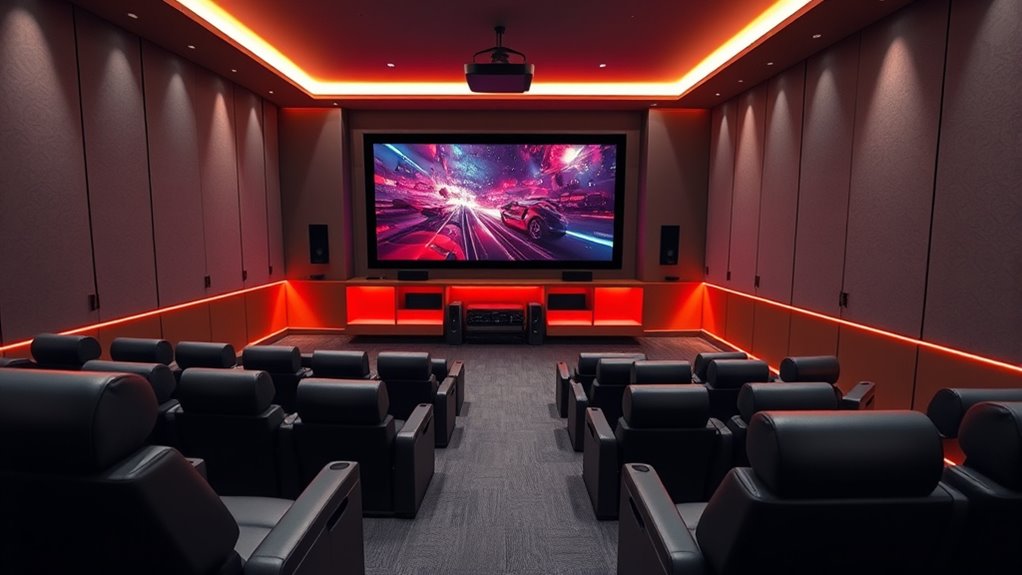
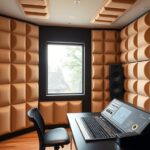
Creating a dual-purpose gaming and cinema room allows you to enjoy the best of both worlds without sacrificing space or comfort. The key to achieving this balance lies in thoughtful design choices that enhance sound quality and visual control. Acoustic treatments are indispensable here; they help you create a space where sound is clear and immersive, whether you’re gaming or watching a movie. By adding materials like bass traps, acoustic panels, or diffusers, you can minimize echoes and reduce unwanted noise reflections. This ensures crisp audio and prevents sound from bleeding into other areas of your home, which is especially important if you share the space with others. Proper acoustic design also allows for better sound staging, so you can hear every detail in your favorite game or film. Additionally, considering the placement of speakers and screens is crucial for optimal sound quality and viewing angles, further enhancing your experience.
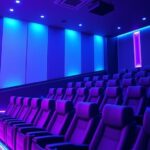
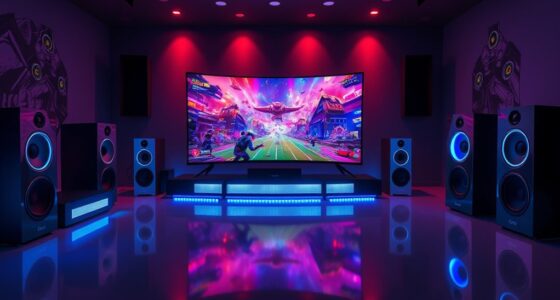
Lighting control plays an equally crucial role in establishing the right atmosphere. You don’t want harsh, unadjustable lighting ruining your viewing or gaming experience. Instead, incorporate dimmable lights or smart lighting systems that you can easily control with a remote or app. This way, you can adjust brightness levels to suit your activity—bright enough for setup or maintenance, soft and ambient for movie time, or dynamic lighting effects for gaming. Using layered lighting, such as wall sconces, LED strips, or spotlights, adds versatility and mood flexibility. Proper lighting control also helps eliminate glare on screens, which can strain your eyes and diminish picture quality.
When designing a dual-purpose room, consider placement carefully. Acoustic treatments should be installed at strategic points—behind the screen, on sidewalls, and in corners—to optimize sound quality. For lighting, position fixtures so that they don’t cast unwanted shadows or reflections on screens. Automated systems that adapt lighting scenes based on activity can enhance convenience and immersion, allowing you to switch seamlessly from gaming to cinema mode.

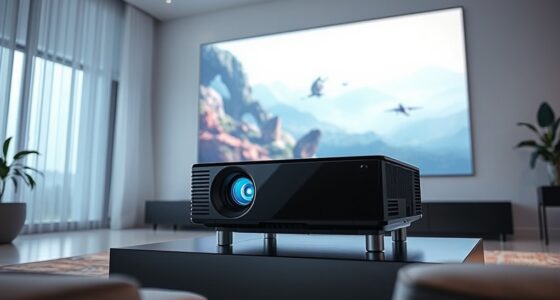
2000 ANSI 4K Decoding Projector with WiFi and Bluetooth, HAPPRUN Movie Home Theater with Auto Focus, 300'' Display for Indoor/Outdoor, Smart Proyector Compatible with Phone/TV Stick/PC/PS5
[EASIER OPERATION: AI Smart Screen Adjustment] HAPPRUN projector comes with auto focus and 6D auto-keystone technology, enjoy a...
As an affiliate, we earn on qualifying purchases.
Frequently Asked Questions
How Can I Soundproof the Room Effectively?
To soundproof your room effectively, start by adding soundproof materials like acoustic panels, mass-loaded vinyl, or foam to walls, ceilings, and doors. Seal gaps around windows and door frames with weatherstripping or door sweeps to prevent noise leaks. Use thick curtains or rugs to absorb sound and enhance noise reduction. These steps create a barrier that minimizes noise transfer, making your gaming and cinema experience more immersive and disturbance-free.
What Lighting Options Are Best for Both Gaming and Cinema?
You should opt for smart lighting with adjustable ambiance to suit both gaming and cinema needs. These lights let you customize brightness and color temperature easily, creating a cozy or vibrant atmosphere as needed. Consider install dimmable LED fixtures or smart bulbs that sync with your entertainment system. This way, you can effortlessly switch from energetic gaming vibes to relaxing movie scenes, enhancing your dual-purpose room experience.
How Do I Manage Room Acoustics for Optimal Sound?
You should start by installing acoustic paneling strategically on walls and ceilings to absorb sound reflections and reduce echo. Proper speaker placement is essential; position speakers at ear level and ensure they’re directed toward your seating area for balanced sound. Avoid placing speakers near walls or corners to prevent bass booms. Regularly test and adjust these elements to achieve clear, immersive audio for both gaming and cinematic experiences.
What’s the Ideal Seating Arrangement for Multi-Purpose Use?
You should arrange your seating to maximize comfort and flexibility, using ergonomic design principles. Place your main seats facing the screen for ideal viewing, with additional seating options on the sides or at angles for gaming or casual viewing. Incorporate adjustable chairs or sofas with plush cushions to guarantee seating comfort. Keep pathways clear, and consider tiered arrangements if space allows, so everyone has a clear view and easy access.
How Can I Hide Cables for a Clean Look?
To hide cables for a clean look, focus on effective wire concealment and cable management. Use cable raceways or conduits along walls and behind furniture to hide wires neatly. Opt for in-wall cable management solutions to keep cords out of sight entirely. Velcro straps or cable clips help organize and secure cables, preventing clutter. Regularly check and adjust your cable routes to maintain a sleek, clutter-free environment.

HAPPRUN Native 1080P Projector, Bluetooth Home Theater Movie Projector with Built-in Speaker, Compatible with Smartphone, HDMI, Fire Stick, PS5, Indoor & Outdoor Use -With Google TV System
[ Built-in Official Licensed Google TV ] - Without additional equipment, the smart projector can directly access Netflix,...
As an affiliate, we earn on qualifying purchases.
Conclusion
So, after all that effort, you’ve created the perfect space to game and relax with a movie. Ironically, now you might find yourself spending more time debating which to do—play or watch—than actually doing either. But hey, isn’t that the beauty of a dual-purpose room? It’s not just about entertainment; it’s about the endless choices, the compromise, and the luxury of having it all—just when you thought you’d finally settle down.

【2200ANSI & Officially-Licensed APP】Smart 4K Projector with WiFi and Bluetooth, VISSPL 3D Dolby Audio and Auto Focus Portable Outdoor Projector, Movie Home Theater Proyector with 360° Adjustable Stand
[ Compatible with Netflix - No Extra Devices Needed ] - VISSPL Smart Projector: Hollywood in the palm...
As an affiliate, we earn on qualifying purchases.

Epson Home Cinema 980 3-Chip 3LCD 1080p Projector 4,000 Lumens Color and White Brightness, Streaming/Gaming/ Media Room, Built-In Speaker, Auto Picture Skew, 16000:1 Contrast, 2 HDMI Ports
Exceptional Picture Quality — Provides stunning, detailed 1080p images and fast data processing that’s optimized for fast-action sports,...
As an affiliate, we earn on qualifying purchases.