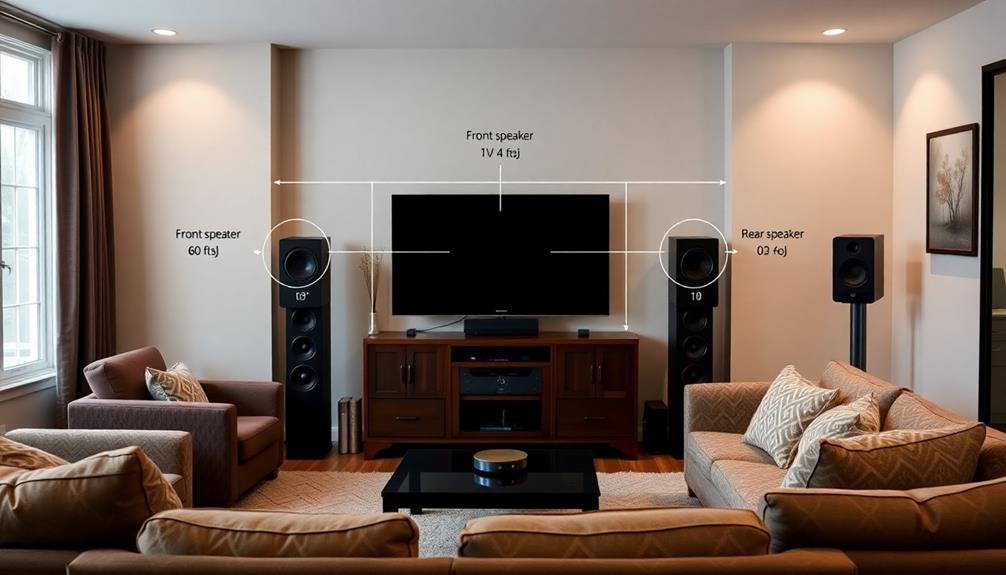
To manage heat and ventilation in your home theater, prioritize proper equipment placement to guarantee good airflow and avoid clutter that blocks vents. Use strategically placed vents, fans, and open shelving to promote a convection cycle that moves cool air in and warm air out. Sealing gaps and insulating windows help reduce external heat gain. Regularly monitor temperatures and clean vents to keep airflow efficient. Keep these tips in mind to enhance your setup’s performance—more insights await if you explore further.

Get business pricing on your home office setup
- Business-only prices and quantity discounts
- Tax-exempt purchasing
- Multiple users, one account, clear invoices
Key Takeaways
- Position AV equipment to promote natural airflow and avoid clutter blocking vents.
- Use strategically placed vents, fans, or exhaust systems to facilitate continuous air exchange.
- Seal gaps and insulate windows to reduce external heat transfer and maintain consistent room temperature.
- Regularly clean vents, filters, and fans to ensure optimal airflow and prevent dust buildup.
- Monitor room temperature with thermostats and adjust ventilation strategies accordingly.

A well-designed home theater room requires effective heat management and ventilation to guarantee ideal performance and comfort. When you’re immersed in your favorite movie or gaming session, the last thing you want is for heat buildup to distract you or for equipment to overheat. Proper airflow optimization is essential to keep the environment cool, ensuring that your AV components operate smoothly and with minimal noise. By focusing on airflow, you prevent hot spots and stagnant air pockets that can compromise both your comfort and your gear’s longevity.
Effective airflow keeps your home theater cool, quiet, and prevents overheating of equipment.
To achieve optimal equipment cooling, you need to think carefully about how air moves through the space. Start by positioning your AV equipment in a way that promotes natural airflow, avoiding clutter that might block vents or restrict circulation. Use open shelving or ventilated racks to facilitate better heat dissipation. Incorporate dedicated vents, air returns, or exhaust fans to encourage a steady exchange of air, pulling in cooler air from outside and expelling warmer air from the room. This continuous circulation helps maintain a consistent temperature, preventing equipment from overheating during extended use.
You should also consider the placement of your cooling devices. Ceiling or wall-mounted vents can substantially enhance airflow, ensuring cool air reaches all corners of the room. If you opt for portable fans or oscillating units, position them strategically to direct airflow toward heat-generating equipment. Remember, the goal is to create a convection cycle where cool air enters and warm air exits seamlessly, maintaining a balanced environment.
In addition to mechanical ventilation, insulating the room can help manage heat transfer and reduce the workload on your cooling systems. Seal gaps around doors and windows to prevent warm air infiltration and cold air leakage, which can cause temperature fluctuations. Installing reflective window films or blackout curtains can also reduce heat gain from sunlight, especially if your theater room has windows.
Monitoring temperature levels with a reliable thermostat or thermal sensor is a smart move. This allows you to make real-time adjustments to your ventilation strategy, ensuring that your equipment stays within safe operating temperatures. Regularly cleaning vents, filters, and fans also plays a vital role in maintaining airflow efficiency and preventing dust buildup, which can insulate heat and diminish cooling performance.
Furthermore, choosing preppy dog names that reflect a refined aesthetic can inspire a sense of sophistication in your room’s decor, subtly enhancing the overall environment. In the end, managing heat and ventilation isn’t a one-time setup; it’s an ongoing process. By prioritizing airflow optimization and equipment cooling, you create a comfortable, high-performance environment where your home theater equipment can thrive and deliver the immersive experience you crave.
Products Worth Considering

Google Nest Learning Thermostat (4th Gen, 2024) with Nest Temperature Sensor, Polished Gold

Blueair 2-in-1 Air Purifier and Humidifier for Rooms up to 1,726 sq. ft.

Bose Lifestyle Ultra Wireless Home Speaker, White Smoke
As an affiliate, we earn on qualifying purchases.
Frequently Asked Questions
How Do I Prevent Mold Growth Due to Humidity?
To prevent mold growth caused by humidity, you should focus on humidity control and mold prevention strategies. Use a dehumidifier to maintain indoor humidity levels between 30-50%, and guarantee proper ventilation with exhaust fans or air purifiers. Regularly monitor humidity levels, fix leaks promptly, and keep your home theater room dry. These steps will help you stay ahead of mold and create a healthier, more comfortable environment.
What Are the Best Quiet Cooling Options for Theaters?
Think of soundproof fans or ductless cooling as your modern-day silent knights. You should opt for quiet cooling options like ductless mini-split systems, which are energy-efficient and produce minimal noise. Soundproof fans are also great for maintaining a peaceful environment. Both options guarantee your theater stays cool without disrupting your viewing experience, giving you a true home theater ambiance—quiet, comfy, and undisturbed.
How Often Should I Clean Air Filters?
You should clean your air filters every 1 to 3 months, depending on dust accumulation and your home’s environment. Regular cleaning helps extend the air filter lifespan and guarantees ideal airflow, keeping your theater cool and quiet. If you notice increased dust or reduced airflow, clean the filters sooner. Proper maintenance prevents overheating and maintains a comfortable viewing experience, so stay on top of your filter cleaning schedule.
Can Plants Improve Ventilation in the Room?
Indoor plants can indeed improve ventilation by acting as natural air purifiers and increasing humidity. They filter pollutants, absorb carbon dioxide, and release oxygen, helping to refresh your room naturally. While they don’t replace mechanical ventilation, they work alongside it, creating a lush, breathing environment. Picture plants as living fans, gently circulating air and adding a touch of nature’s calm, making your home theater space more comfortable and healthier.
How Do I Monitor Temperature Levels Effectively?
You should use a reliable digital thermometer or smart thermostat to monitor temperature levels effectively. Focus on airflow optimization by placing sensors in key areas to track hot spots. Implement thermal zoning to divide your room into sections with independent climate control. Regularly check these zones to guarantee consistent temperatures, adjust vents or fans as needed, and maintain ideal comfort while preventing overheating during movies or gaming sessions.
Conclusion
By mastering heat and ventilation, you turn your home theater into a sanctuary where technology and comfort dance in harmony. Proper airflow acts like a gentle breeze whispering through your space, preventing overheating and ensuring your equipment performs at its peak. When you create this balanced environment, your cinematic experience becomes a symphony of clarity and tranquility. In the end, a well-ventilated room isn’t just functional—it’s the stage where your home theater truly shines.