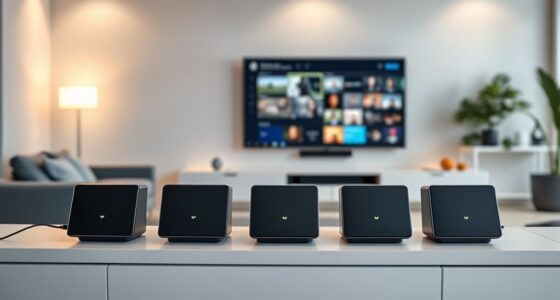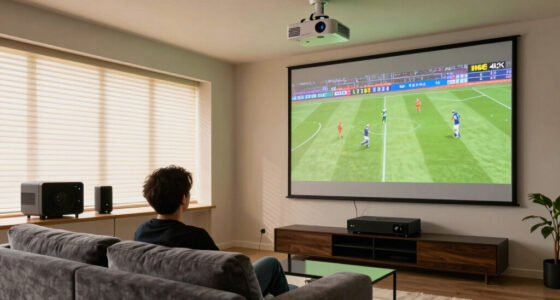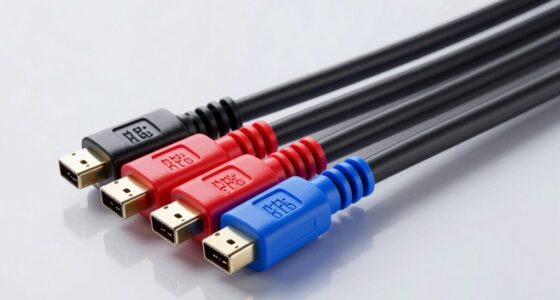
Creating the perfect home media room involves balancing comfort, quality, and functionality. Whether you’re setting up a dedicated space for movie nights, gaming, or streaming your favorite shows, this checklist is designed to guide you through essential components that enhance your experience. From choosing the right projector to optimizing sound and lighting, each section highlights key considerations to help you make informed decisions.

Get business pricing on your home office setup
- Business-only prices and quantity discounts
- Tax-exempt purchasing
- Multiple users, one account, clear invoices
This guide is organized into specific categories, focusing on the most important elements of a media room setup. For each, you’ll find detailed explanations, common pitfalls to avoid, and expert advice on what to look for when selecting your gear. Use this as a handy reference to streamline your shopping process and ensure your media space is both practical and enjoyable.
Remember, every home media room is unique, so prioritize items based on your space, budget, and entertainment preferences. Take your time to compare options, read reviews, and consider future upgrades. With the right planning, you’ll create a cozy, high-performance environment perfect for relaxing and entertaining.
Projectors
The projector is often the centerpiece of a home media room, especially if you aim for a true cinematic experience. The Sony VPL-XW5000ES 4K HDR Laser Home Theater Projector stands out for its native 4K resolution and HDR support, delivering vibrant images and sharp details. When choosing a projector, consider the brightness level (measured in lumens) to ensure clear visibility even in ambient light, and check for compatibility with your screen size and room dimensions.
Common mistakes include underestimating the room size and selecting a projector with insufficient brightness, leading to dull or washed-out images. Proper placement and ceiling mounting can optimize image quality and minimize shadows. Always verify the throw distance to match your space, and consider future-proof features like HDR and 4K support for longevity.
What to look for:
- Native 4K resolution
- High lumen output (at least 2000 lumens)
- Lens shift and keystone correction
- Compatibility with your screen size
- Connectivity options like HDMI and USB
Sony VPL-XW5000ES 4K HDR Laser Home Theater Projector with Native 4K SXRD Panel,
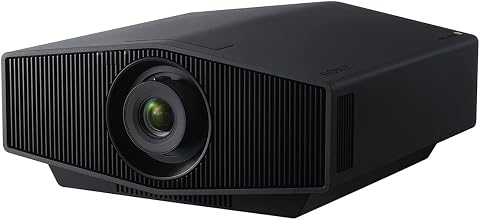
The Sony VPL-XW5000ES is a compact 4K HDR laser projector featuring a native 4K SXRD panel, delivering vibrant, detailed images with up to 2,000 lumens brightness. It offers advanced color reproduction with TRILUMINOS PRO and high dynamic range optics for immersive viewing.
Pros:
- Vivid 4K HDR images with high brightness and color accuracy
- Compact and lightweight design for easy installation
- Long-lasting laser light source with up to 20,000 hours of use
- Smooth motion processing for clear video playback
Cons:
- High price may be prohibitive for some users
- Requires a dedicated space for optimal setup
- Limited input options may require additional accessories
Best for: Dedicated home cinemas
Not ideal for: Small or bright rooms
Bottom line: High-quality projection elevates your media experience.
Sound Systems
While no specific sound system is listed here, selecting the right audio setup is crucial for immersive entertainment. Consider a soundbar with multiple channels or a full surround sound system, depending on your room size and your audio preferences. Proper placement of speakers, whether mounted on walls or positioned on stands, can dramatically improve sound clarity and depth.
Common pitfalls include choosing a system that’s too small for the room or neglecting to calibrate speaker levels. To avoid this, measure your space and select a system with enough power and speaker options to fill it without distortion. Wireless options can reduce clutter, but ensure they have a reliable connection for seamless audio streaming. Future upgrades like adding a subwoofer can enhance bass performance.
What to look for:
- Multiple channels (5.1, 7.1, or Dolby Atmos)
- Compatibility with your media sources
- Ease of setup and calibration
- Wireless connectivity options
- Adequate wattage for room size
Seating
The media storage cabinet with tempered glass doors offers both style and function, making it a smart choice for organizing your media essentials. The 3 adjustable shelves provide flexibility for storing devices, remotes, or decorative items, keeping your space tidy and accessible. Proper storage solutions help maintain a clutter-free environment, which is essential for a relaxing media experience.
When selecting seating or storage options, consider the size of your media components and the overall layout. Ensure the cabinet fits comfortably in your space without obstructing views or access. Materials like tempered glass add a modern touch, but verify the durability and ease of cleaning. Keep in mind that your media room should balance aesthetics with practicality for everyday use.
What to look for:
- Adjustable shelves for flexibility
- Durable tempered glass doors
- Ample storage capacity
- Compatibility with room decor
Media Storage Cabinet with Tempered Glass Door, 3 Adjustable Shelves, Cable Mana

This media storage cabinet features three adjustable shelves and a tempered glass door, providing stylish and functional storage for audio and video equipment. Made of eco-friendly materials with cable management for a tidy setup, it is suitable for living rooms, gaming setups, and home studios.
Pros:
- Stylish tempered glass door with impact and dust resistance
- Adjustable shelves for customizable storage
- Effective cable management system keeps cords organized
- Durable and eco-friendly construction
Cons:
- Limited to medium-sized equipment due to dimensions
- Glass door may require careful handling
- No wheels for mobility
Best for: Organized media rooms
Not ideal for: Very small or cluttered spaces
Bottom line: Smart storage enhances room organization and style.
Lighting
Wall Treatments
The TONOR 8 Pack Large Acoustic Panels are essential for improving sound quality and reducing echo in your media room. Measuring 47.2 x 23.6 inches, these self-adhesive panels are easy to install and customize to your space. Proper acoustic treatment can make a noticeable difference in audio clarity, especially if your room has hard surfaces that reflect sound.
Many users overlook the importance of wall treatments, leading to diminished sound performance. To get the most out of your panels, install them at ear level and strategically around the room, particularly behind seating and near speakers. Avoid over-cluttering with panels—aim for a balanced coverage that enhances acoustics without overwhelming your aesthetic. Regularly check adhesion and reposition if needed to maintain optimal sound quality.
What to look for:
- Large surface area (at least 8 panels)
- Self-adhesive backing for easy installation
- Good coverage for echo reduction
- Material that absorbs mid and high frequencies
TONOR 8 Pack Large Acoustic Panels, 47.2 x 23.6 inches, Self-Adhesive Soundproof

These large acoustic panels are designed to absorb sound and reduce echo, making them ideal for home studios, offices, and living spaces. They feature a stylish stripe pattern and easy peel-and-stick installation for quick setup.
Pros:
- Effective sound absorption and echo reduction
- Easy peel-and-stick installation
- Stylish decorative design
Cons:
- Limited color options (only black)
- May not adhere well to textured surfaces
- Large size may require ample wall space
Best for: Clearer dialogue and immersive sound
Not ideal for: Rooms with existing soundproofing
Bottom line: Acoustic panels are a smart upgrade for better sound.
Streaming Devices
The Google TV Streamer 4K with Voice Remote is a versatile choice for streaming your favorite content. Its 4K support ensures sharp visuals, while the voice remote adds convenience with hands-free search and control. Compatibility with popular apps and services makes it a flexible addition to your media setup, streamlining your entertainment options.
When choosing a streaming device, consider ease of use, remote functionality, and compatibility with your existing smart home ecosystem. Avoid devices with limited app support or complicated interfaces. The Google TV Streamer 4K is a reliable choice that offers seamless streaming and simple navigation, making it ideal for a wide range of users. Upgrading your streaming device can significantly enhance your overall media experience.
What to look for:
- 4K streaming support
- Voice remote functionality
- Compatibility with major streaming apps
- Easy setup and user interface
- Wi-Fi connectivity
Google TV Streamer 4K with Voice Remote

The Google TV Streamer (4K) provides fast, personalized entertainment with 4K HDR quality, Dolby Vision, and Dolby Atmos support. It offers tailored content recommendations, a redesigned voice remote, smart home controls, and the ability to cast content from compatible devices.
Pros:
- Fast performance with quick navigation and app switching
- Supports 4K HDR, Dolby Vision, and Dolby Atmos for immersive viewing
- User-friendly voice remote with smart home controls and customizable buttons
- Organized content with personalized recommendations
Cons:
- Requires an HDMI 2.1 cable (sold separately)
- Limited internal storage (32 GB) may require external options for many apps
- Some users may find the setup process complex
Best for: All-in-one media access
Not ideal for: Older TVs without HDMI ports
Bottom line: Upgrade your streaming device for better content access.
Starting with a focus on your projector and audio setup ensures you get the most immersive experience in your media room. Remember to prioritize quality components that suit your room size and entertainment needs, and don’t forget the finishing touches like acoustic panels and storage solutions to keep everything organized and functional.
Enjoy the process of creating your ideal media space—every choice you make enhances your viewing comfort and enjoyment. With careful planning and the right equipment, you’ll turn your media room into a favorite spot for relaxation and entertainment for years to come.
Columbus Day / Indigenous Peoples' Day Picks
long weekend sales
As an affiliate, we earn on qualifying purchases.