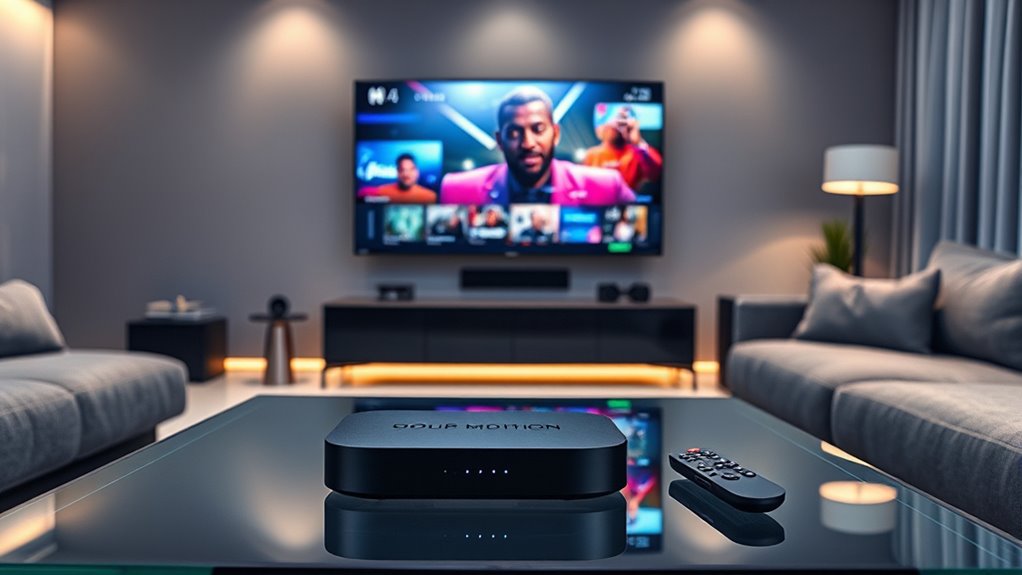

When searching for a wireless streaming device, the goal is to find a product that combines smooth performance, broad app support, and easy setup. The Amazon Fire TV Stick 4K Select stands out as the best overall pick for its balanced features and reliability. The Roku Streaming Stick Plus offers a great balance of 4K support and user-friendly interface, making it ideal for most users. However, buyers face tradeoffs between price, performance, and compatibility, which can make choosing the right device challenging. Keep reading for a detailed breakdown of the top options and what sets them apart.
Open a free Amazon Business account
Business pricing, bulk buying and tax-exempt orders.
Create a free accountAs an affiliate, we earn on qualifying purchases.
Complete the kit


Key Takeaways
- The best overall device balances performance, ease of use, and broad app support, with the Amazon Fire TV Stick 4K Select leading in all categories.
- Roku devices tend to excel in user interface simplicity and compatibility, making them ideal for those new to streaming or with mixed-brand TVs.
- Premium options like Roku Ultra or Fire TV Stick 4K Plus with Wi-Fi 6 offer better performance for high-resolution streams but come at a higher cost.
- Device versatility matters—features like voice control, smart home integration, and HDR support can sway preferences based on user needs.
- Price differences often reflect the added features or performance enhancements, but mid-range models typically deliver excellent value for most users.
| Amazon Fire TV Stick 4K Select (Newest Model) |  | Best Overall Streaming Device for Versatility and Content Access | Size: 3.9” x 1.2” x 0.6” | Weight: 1.5 oz | Processor: Quad-core 1.7 GHz | VIEW ON AMAZON | See Our Full Breakdown |
| Roku Streaming Stick HD with Voice Remote |  | Best Budget-Friendly Streaming Device for Simplicity | Resolution: 1080p | HDR: None | Remote: Voice remote | VIEW ON AMAZON | See Our Full Breakdown |
| Fire TV Stick 4K Plus (2026 Model) with Alexa+ and Wi-Fi 6 |  | Best for Cinematic Quality and Future-Proof Streaming | Size: 99 mm x 30 mm x 14 mm | Weight: 43.5 g | Processor: Quad-core 1.7GHz | VIEW ON AMAZON | See Our Full Breakdown |
| Roku Streaming Stick Plus with Voice Remote – 4K & HDR10+ |  | Best 4K HDR Visuals and Ease of Use | Resolution: 4K | HDR: HDR10+ | Remote: Voice remote | VIEW ON AMAZON | See Our Full Breakdown |
| Roku Streaming Stick 4K with Voice Remote – HDR10+ & Dolby Vision |  | Best for Premium Visuals and User-Friendly Streaming | Resolution: 4K | HDR: Dolby Vision, HDR10+ | Remote: Voice remote | VIEW ON AMAZON | See Our Full Breakdown |
| Google TV Streamer 4K with Voice Search Remote, HDR, and Smart Home Control |  | Best for Integrated Smart Home Control | Storage: 32 GB | HDR: Yes | Dolby Vision: Yes | VIEW ON AMAZON | See Our Full Breakdown |
| Roku Ultra Streaming Player – 4K, HDR10+, Dolby Vision, Dolby Atmos |  | Best for Speed and Versatile Connectivity | Resolution: 4K | HDR: HDR10+ | Audio: Dolby Atmos | VIEW ON AMAZON | See Our Full Breakdown |
| wireless streaming device | HDR | Remote | Resolution |
|---|---|---|---|
| Amazon Fire TV Stick 4K Select | — | — | — |
| Roku Streaming Stick HD with V | None | Voice remote | 1080p |
| Fire TV Stick 4K Plus | — | Alexa Voice Remote | — |
| Roku Streaming Stick Plus with | HDR10+ | Voice remote | 4K |
| Roku Streaming Stick 4K with V | Dolby Vision, HDR10+ | Voice remote | 4K |
| Google TV Streamer 4K with Voi | Yes | — | — |
| Roku Ultra Streaming Player | HDR10+ | Rechargeable with voice control and backlit buttons | 4K |
More Details on Our Top Picks
Amazon Fire TV Stick 4K Select (Newest Model)
The Fire TV Stick 4K Select stands out as the best choice for those seeking a comprehensive streaming experience, thanks to its support for 4K Ultra HD, HDR10+, and access to a broad array of apps including Prime Video and Netflix. Its compact design and Alexa voice remote make navigation straightforward, especially if you already use Amazon’s ecosystem. Compared to the Roku Streaming Stick 4K, it offers deeper Amazon integration, but may fall short for users who prioritize more versatile smart home control or broader app support. The main tradeoff is that full 4K HDR features require a compatible TV, and some services might not be available in all regions or in HDR. Gaming via Xbox Game Pass adds extra value, but this feature needs an extra subscription and controller. Overall, it’s ideal for users wanting a reliable, all-in-one streaming hub with integrated voice control.
Pros:- Supports 4K Ultra HD and HDR content for sharp visuals
- Includes Alexa Voice Remote for intuitive control
- Access to a wide range of streaming apps and services
- Compact design fits easily behind TVs
Cons:- Requires compatible 4K HDR TV for full features
- Some services may lack HDR content or regional availability
- Gaming features need additional subscriptions and controllers
Best for: Amazon Prime subscribers and users who want a seamless, all-in-one streaming device with smart home integration.
Not ideal for: Those with non-4K HDR TVs or who prefer extensive smart home ecosystem support beyond Amazon’s offerings.
- Size:3.9” x 1.2” x 0.6”
- Weight:1.5 oz
- Processor:Quad-core 1.7 GHz
- Storage:8 GB
- WiFi:Dual-band, dual-antenna Wi-Fi (MIMO)
- HDR Support:HDR10, HDR10+, HLG
Our verdict“This device makes the most sense for Amazon ecosystem users wanting a versatile, high-quality streaming experience.”
Roku Streaming Stick HD with Voice Remote
The Roku Streaming Stick HD offers a straightforward way to upgrade any TV to HD streaming with access to over 500 free channels, including live news and sports. Its simple setup, powered directly from the TV’s HDMI port, makes it ideal for those who want a no-fuss device. Compared to the Fire TV Stick 4K Select, it sacrifices 4K resolution, but for many viewers, HD is sufficient and more affordable. The voice remote adds convenience, but its features are basic compared to more advanced remotes with smart home controls. Its limited resolution and platform-specific app support mean it’s best for casual viewers who prioritize ease of use over 4K quality. This makes it perfect for secondary TVs or for users new to streaming.
Pros:- Supports over 500 free HD channels
- Compact, unobtrusive design that stays out of sight
- Simple setup with TV power from USB port
- Includes a voice remote for easy navigation
Cons:- Limited to 1080p resolution, not 4K
- Requires a TV with a compatible HDMI port
- Remote features are relatively basic
Best for: Casual viewers seeking an affordable, easy-to-use device for HD streaming on secondary TVs.
Not ideal for: Those wanting 4K resolution or advanced smart home integration, as it’s limited to HD and basic remote features.
- Resolution:1080p
- HDR:None
- Remote:Voice remote
- Power Source:TV USB port
Our verdict“This device is ideal for budget-conscious users who want easy, reliable HD streaming on secondary TVs.”
Fire TV Stick 4K Plus (2026 Model) with Alexa+ and Wi-Fi 6
The Fire TV Stick 4K Plus (2026) elevates streaming with support for Dolby Vision, Dolby Atmos, and Wi-Fi 6, ensuring crisp visuals and smooth playback even in busy households. Its support for Dolby Atmos creates immersive sound, making it ideal for cinephiles. Compared to the Amazon Fire TV Stick 4K Select, this model adds Wi-Fi 6 for better connectivity, especially with multiple devices, reducing buffering. The included Alexa remote offers voice control and smart home compatibility, but internal storage remains limited at 8 GB, which could restrict app downloads. It’s best suited for users with compatible 4K TVs who want future-ready streaming with superior audio and wireless tech, although it might be overkill for casual viewers or those on a tight budget.
Pros:- Supports 4K Ultra HD with Dolby Vision and Atmos
- Wi-Fi 6 ensures fast, reliable streaming in busy networks
- Includes Alexa Voice Remote with smart home controls
- Access to extensive content library and free ad-supported content
Cons:- Requires a compatible 4K TV for full experience
- Limited internal storage may restrict app downloads
- Higher price point compared to basic models
Best for: Home theater enthusiasts and tech-savvy users seeking premium 4K, Dolby Vision, and Wi-Fi 6 support.
Not ideal for: Casual streamers or users with older TVs not supporting 4K or Dolby Vision, as they won’t fully benefit from this model’s features.
- Size:99 mm x 30 mm x 14 mm
- Weight:43.5 g
- Processor:Quad-core 1.7GHz
- Wi-Fi:Wi-Fi 6 dual-band 802.11 a/b/g/n/ac/ax
- Remote:Alexa Voice Remote
- Audio Support:Dolby Atmos, 7.1 surround
Our verdict“This pick suits users wanting a cutting-edge, cinematic streaming experience with future-proof connectivity.”
Roku Streaming Stick Plus with Voice Remote – 4K & HDR10+
The Roku Streaming Stick Plus offers excellent 4K picture quality enhanced by HDR10+, making it a great choice for viewers who prioritize vibrant visuals. Its compact design powers from the TV’s USB port, minimizing clutter and making it suitable for travel or secondary rooms. Compared to the Fire TV Stick 4K Select, it emphasizes picture quality with HDR10+ support but lacks some of Amazon’s ecosystem integrations. The voice remote provides straightforward control, but the remote features are more basic than premium smart remotes. If you’re seeking a device that maximizes visual quality without complex setup or high price, this is a solid option, especially for Roku fans or those who want a simple, reliable streaming device.
Pros:- Supports 4K and HDR10+ for vivid visuals
- Compact, portable design that stays out of the way
- Easy setup with power from TV USB port
- Includes a voice remote for quick control
Cons:- Limited to HDMI-compatible TVs
- Requires a TV with a USB port for power
- Remote features are basic compared to high-end remotes
Best for: Users who want excellent 4K HDR visuals and a simple interface for primary or secondary TVs.
Not ideal for: Those seeking deep smart home integration or advanced remote features, as it focuses on picture quality and simplicity.
- Resolution:4K
- HDR:HDR10+
- Remote:Voice remote
- Power Source:TV USB port
Our verdict“This device is perfect for viewers wanting crisp 4K visuals with straightforward operation and minimal fuss.”
Roku Streaming Stick 4K with Voice Remote – HDR10+ & Dolby Vision
The Roku Streaming Stick 4K combines exceptional 4K picture quality with Dolby Vision and HDR10+ support, making it ideal for viewers who crave vibrant, detailed visuals. Its long-range Wi-Fi receiver helps maintain a stable connection across rooms, ensuring seamless streaming even in larger homes. Compared with the Roku Streaming Stick Plus, it offers the same high-quality visuals but with improved Wi-Fi range. The remote features voice control, but remains simple, lacking advanced smart home integration. It’s perfect for users who prioritize picture quality and easy setup, without the need for complex configurations. However, a stable Wi-Fi connection is essential for optimal performance, and it’s best suited for HDMI-compatible TVs.
Pros:- Stunning 4K picture quality with Dolby Vision and HDR10+
- Long-range Wi-Fi receiver for stable streaming
- Easy setup and user-friendly interface
- Voice remote included for convenience
Cons:- Requires a stable Wi-Fi connection for best performance
- Limited to HDMI-compatible TVs
- Remote features are basic for advanced smart home control
Best for: Homeowners seeking premium 4K streaming with Dolby Vision and reliable Wi-Fi connectivity.
Not ideal for: Users with unreliable Wi-Fi networks or those wanting extensive smart home features beyond Roku’s platform.
- Resolution:4K
- HDR:Dolby Vision, HDR10+
- Remote:Voice remote
- Wi-Fi:Long-range Wi-Fi receiver
Our verdict“This model is well-suited for viewers who want high-quality visuals paired with simple, reliable operation.”
Google TV Streamer 4K with Voice Search Remote, HDR, and Smart Home Control
The Google TV Streamer 4K stands out for its seamless integration with smart home devices and a broad content library, making it ideal for those who want a unified entertainment and automation hub. Compared with the Roku Ultra, it offers more personalized content recommendations and voice search capabilities, but its reliance on additional accessories like the HDMI 2.1 cable can add to setup complexity. Its support for 4K HDR with Dolby Vision ensures vibrant visuals, while Dolby Atmos enhances sound immersion. However, the need to purchase an extra HDMI cable and the limited internal storage of 32 GB might pose inconveniences for heavy app users or those seeking a fully integrated out-of-the-box experience.
Pros:- Supports 4K HDR with Dolby Vision for crisp, vivid visuals
- Includes a voice search remote for easier navigation
- Offers smart home control capabilities
Cons:- HDMI 2.1 cable sold separately, adding to initial cost
- Limited internal storage of 32 GB may restrict app downloads
Best for: Smart home enthusiasts who want a streaming device that doubles as a control hub for their connected devices.
Not ideal for: Casual viewers seeking a plug-and-play setup without additional purchases, as it requires accessories and setup effort.
- Storage:32 GB
- HDR:Yes
- Dolby Vision:Yes
- Dolby Atmos:Yes
- Connectivity:HDMI 2.1 (cable sold separately)
Our verdict“This device is best suited for users who prioritize smart home integration alongside high-quality streaming, accepting some setup complexity.”
Roku Ultra Streaming Player – 4K, HDR10+, Dolby Vision, Dolby Atmos
The Roku Ultra excels in delivering ultra-fast streaming with a user interface that’s approximately 30% quicker than many competitors, making it ideal for viewers who value speed and responsiveness. Its support for 4K, HDR10+, and Dolby Vision ensures vibrant, detailed images, while Dolby Atmos provides immersive sound. The rechargeable remote with backlit buttons and voice controls adds convenience, especially for dark-room viewing, and Bluetooth headphones support offers private listening. Compared to the Google TV streamer, it emphasizes speed and connectivity, with Wi-Fi 6 and Ethernet for flexible setup. However, its remote can seem overly complex for casual users, and frequent charging may be inconvenient for those who prefer a simple remote experience.
Pros:- Fast interface with around 30% quicker navigation
- Supports high-quality 4K picture and Dolby Atmos sound
- Rechargeable remote with voice control and backlit buttons
- Supports Wi-Fi 6 and Ethernet for reliable connectivity
Cons:- Remote may be overly complex for some users
- Requires frequent charging for remote operation
- Premium features may be unnecessary for casual viewers
Best for: Tech-savvy viewers who want a fast, feature-rich streaming device with flexible connectivity options.
Not ideal for: Casual users or those who prefer a straightforward remote without the need for regular charging and additional features.
- Resolution:4K
- HDR:HDR10+
- Audio:Dolby Atmos
- Remote:Rechargeable with voice control and backlit buttons
- Connectivity:Wi-Fi 6, Ethernet
Our verdict“This pick is ideal for users seeking quick, high-performance streaming with flexible connection options and are comfortable with a more advanced remote.”

How We Picked
These products were evaluated based on performance, usability, build quality, compatibility, and value. We prioritized devices that reliably support 4K and HDR content, with easy setup and broad app availability. Devices were ranked considering user experience, future-proofing features like Wi-Fi 6, and additional functionalities such as voice control and smart home integration. Our selection aims to provide options suitable for different budgets and technical comfort levels, ensuring that every buyer can find a device aligned with their needs.| wireless streaming device | HDR | Remote |
|---|---|---|
| Amazon Fire TV Stick 4K Select | — | — |
| Roku Streaming Stick HD with V | None | Voice remote |
| Fire TV Stick 4K Plus | — | Alexa Voice Remote |
| Roku Streaming Stick Plus with | HDR10+ | Voice remote |
| Roku Streaming Stick 4K with V | Dolby Vision, HDR10+ | Voice remote |
| Google TV Streamer 4K with Voi | Yes | — |
| Roku Ultra Streaming Player | HDR10+ | Rechargeable with voice control and backlit buttons |
Factors to Consider When Choosing Wireless Streaming Device
Choosing the right wireless streaming device involves understanding several key factors that influence usability, performance, and longevity. Beyond just brand names, evaluating features like resolution support, connectivity options, and interface simplicity can help prevent costly mistakes. A well-chosen device should seamlessly integrate with your existing setup, support your favorite apps, and fit within your budget. Being aware of these broader considerations ensures you get the best value and satisfaction from your purchase.Performance and Compatibility
Look for devices that support 4K resolution and HDR formats like Dolby Vision for the best picture quality. Compatibility with your TV’s ports and operating system is crucial—most devices use HDMI, but confirming this with your TV model can prevent surprises. Devices with Wi-Fi 6 support tend to deliver more stable streaming, especially in busy networks. Avoid devices that lack broad app support or have limited software updates, as these can diminish your experience over time.
User Interface and Ease of Use
A simple, intuitive interface makes navigating streaming apps less frustrating. Roku’s interface is often praised for its straightforward design, while Fire TV’s Alexa integration offers voice control that can speed up content search. Consider whether setup involves complex steps or if the device offers guided instructions. A device that is easy to operate will save time and reduce the learning curve, especially for less tech-savvy users.
Smart Home Integration
If smart home control is a priority, choose a device that supports Alexa, Google Assistant, or other ecosystems. Devices like the Fire TV Stick 4K Plus integrate tightly with Alexa-enabled devices, offering voice commands for lights, thermostats, and more. Not all streaming devices have this capability, so evaluating your smart home setup upfront can help you pick a compatible device and avoid additional hubs or gadgets.
Price and Value
Higher-priced models often add features like better remote controls, faster processors, or additional ports. However, mid-range devices typically deliver excellent performance for most users without overspending. Consider your actual needs—if you only stream occasionally, a basic model may suffice. Conversely, if you want the best picture quality and future-proofing, investing in a premium device can be worthwhile, provided it aligns with your budget.
Additional Features and Future-Proofing
Features like Dolby Atmos support, Ethernet ports, or remote controls with voice assistants can enhance your experience. Devices supporting Wi-Fi 6 are more prepared for future network upgrades, reducing the need for replacements soon. Think about your long-term needs—if you plan to upgrade your smart home or entertainment system, choosing a device with expandability and ongoing software support is wise.
Frequently Asked Questions
Can I use a wireless streaming device with any TV?
Most wireless streaming devices connect via HDMI, making them compatible with virtually all modern TVs that have an HDMI port. If your TV is older and lacks HDMI, you might need an adapter or a different setup. Confirming the port type and resolution support before purchasing ensures the device will work seamlessly with your existing equipment.
Do I need a fast internet connection for good streaming quality?
Yes, a stable and reasonably fast internet connection—preferably 25 Mbps or higher—is recommended for smooth 4K streaming. Slower connections can cause buffering, lower resolutions, or interruptions during playback. Upgrading your Wi-Fi router or using a wired Ethernet connection, if possible, can improve streaming stability and quality.
Is it better to buy a device with voice control?
Devices with voice control, like those with Alexa or Google Assistant, offer added convenience for searching content, controlling smart home devices, and multitasking. If you frequently use voice commands, opting for a device with integrated voice control can streamline your entertainment experience. However, if voice features are rarely used, a simpler remote might suffice and save some money.
Which device offers the best value for money?
Mid-range devices like the Roku Streaming Stick Plus or the Fire TV Stick 4K Select often provide the best balance of features and price. They support 4K HDR, have user-friendly interfaces, and include essential remote controls without the premium cost. These models are generally the most cost-effective for most viewers seeking reliable performance without unnecessary extras.
Should I prioritize a device with smart home features?
If smart home integration is a priority, choosing a device like the Fire TV Stick 4K Plus, which works seamlessly with Alexa, makes sense. It allows you to control compatible devices with your voice and access smart home routines directly from your streaming interface. If smart home control is less important, focusing on picture quality and ease of use might be a better strategy.
Conclusion
For most users, the Amazon Fire TV Stick 4K Select offers an excellent combination of performance, affordability, and ease of use, making it the best overall choice. Those seeking the simplest interface and broad compatibility might favor the Roku Streaming Stick Plus. If you’re looking for premium features, the Roku Ultra or Fire TV Stick 4K Plus with Wi-Fi 6 deliver top-tier performance. Beginners or casual viewers should prioritize user-friendly options, while advanced users interested in future-proofing should consider models with higher specs and additional features. Tailoring your choice to your specific needs ensures a satisfying streaming experience in 2026.
As an affiliate, we earn on qualifying purchases.Fall yard work Picks
leaf blowers