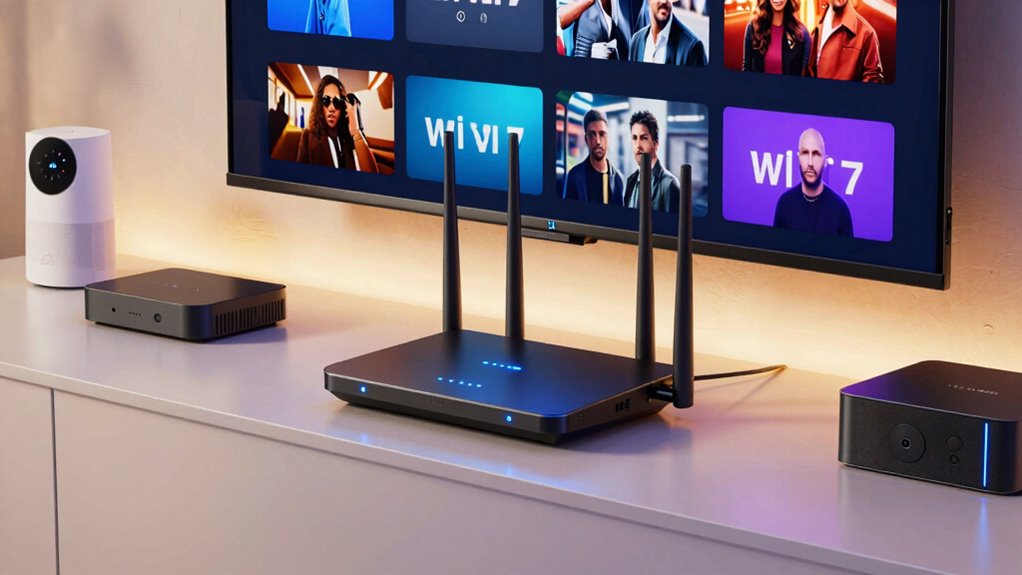

Choosing the right Wi Fi 7 router for home theater streaming can be challenging, as many options promise high speeds but differ significantly in performance, coverage, and features. The TP-Link Archer BE12000 stands out for its tri-band setup and 10G connectivity, making it ideal for demanding streaming setups. The NETGEAR Nighthawk RS90 provides excellent dual-band performance at a more accessible price, while the TP-Link Deco 7 BE25 offers reliable mesh coverage for larger homes. These options highlight the main tradeoffs: either prioritizing raw speed, coverage, or ease of expansion. Continue reading for a full breakdown of the best Wi Fi 7 routers for home theater streaming, tailored to different needs.

Get business pricing on your home office setup
- Business-only prices and quantity discounts
- Tax-exempt purchasing
- Multiple users, one account, clear invoices
Complete the kit


Key Takeaways
- Tri-band routers generally provide better performance for multiple devices streaming simultaneously, especially in larger homes.
- Mesh systems like TP-Link Deco 7 offer expanded coverage, reducing dead zones during high-bandwidth activities.
- High-end models such as the TP-Link Archer BE12000 include multi-gig ports and advanced features, but come at a premium cost.
- Dual-band routers remain viable for smaller setups or less demanding streaming, often at a better price point.
- Prioritization of security features like VPN and HomeShield can be a deciding factor for privacy-conscious users.
| TP-Link Deco 7 BE25 Dual-Band WiFi 7 Mesh Router (4-Stream, 240 MHz Channels, Covers 2,600 sq ft, 2x 2.5G Ports, VPN, HomeShield, MLO, Easy Setup, 1-Pack) |  | Best Overall for Whole-Home Streaming and Ease of Use | WiFi Standard: WiFi 7 | Speed: up to 4324 Mbps | Coverage: up to 2,600 sq ft | VIEW ON AMAZON | See Our Full Breakdown |
| NETGEAR Nighthawk Dual-Band WiFi 7 Router (RS90) |  | Best for High-Speed Streaming with Larger Coverage | WiFi Standard: WiFi 7 Dual-Band | Speed: up to 3.6 Gbps | Coverage: up to 2,000 sq ft | VIEW ON AMAZON | See Our Full Breakdown |
| TP-Link Archer BE12000 Tri-Band Wi-Fi 7 Router with 6GHz Band and 10G Connectivity |  | Best for Ultra-High Speed and Large Smart Home Integration | Wi-Fi Bands: Tri-band (6 GHz, 5 GHz, 2.4 GHz) | Max Speed: 5,765 Mbps on 6 GHz and 5 GHz | Ports: 10 Gbps WAN, 2.5 Gbps WAN, 3 Gbps LAN, USB 3.0 | VIEW ON AMAZON | See Our Full Breakdown |
| TP-Link Deco 7 BE23 Dual-Band WiFi 7 Mesh Router, 4-Stream, 3.6 Gbps, Covers 2,500 sq.ft, 2× 2.5G Ports, VPN, HomeShield, 1-Pack |  | Best for Secure Mesh Coverage in Large Homes | Wi-Fi Technology: Wi-Fi 7 | Speed: up to 3.6 Gbps | Coverage: up to 2,500 sq ft | VIEW ON AMAZON | See Our Full Breakdown |
| NETGEAR Nighthawk Tri-Band WiFi 7 Router (RS700S) – Router Only |  | Best for High-End Gaming and Multi-Gig Streaming | WiFi Speed: up to 19 Gbps | Coverage: up to 3,500 sq ft | Ports: 1× 10G Ethernet, 4× 1G LAN | VIEW ON AMAZON | See Our Full Breakdown |
| GL.iNet GL-BE6500 Flint 3e Wi-Fi 7 Router with VPN for Home and Gaming |  | Best for Extensive Coverage and Device Capacity | Wi-Fi Standard: Wi-Fi 7 | Maximum Speed: 6.5 Gbps | Coverage Area: 2,500 sq ft | VIEW ON AMAZON | See Our Full Breakdown |
| GL.iNet GL-BE9300 Flint 3 Tri-Band Wi-Fi 7 Router |  | Best for Ultra-High-Speed 8K Streaming and Gaming | Wi-Fi Standard: Wi-Fi 7 | Wireless Speed: up to 9 Gbps | Bands: Tri-Band (including 6GHz) | VIEW ON AMAZON | See Our Full Breakdown |
| ASUS RT-BE58U WiFi 7 Router – Dual-WAN, 3.6 Gbps, Mesh + VPN Compatible |  | Best for Versatile Network Setup and Smart Home Integration | WiFi Standard: WiFi 7 (802.11be) | Max Speed: 3600 Mbps | Bands: Dual-band | VIEW ON AMAZON | See Our Full Breakdown |
| TP-Link Deco 7 Pro BE63 Tri-Band WiFi 7 Mesh System (1-Pack) |  | Best for Whole-Home Seamless Coverage | WiFi Standard: WiFi 7 | Coverage: 3,000 sq ft | Speed: up to 5,188 Mbps | VIEW ON AMAZON | See Our Full Breakdown |
| NETGEAR Nighthawk WiFi 7 Router (BE9300) |  | Best for High-Demand Gaming and Streaming | Wireless Speed: 9.3Gbps | WiFi Bands: Tri-band | Coverage: 2,500 sq ft | VIEW ON AMAZON | See Our Full Breakdown |
| TP-Link Deco 7 Pro BE63 Tri-Band WiFi 7 Whole Home Mesh System (2-Pack) |  | Best Overall for Large, Seamless Coverage | Coverage: 5,800 sq.ft. | WiFi Speed: up to 10 Gbps | WiFi Bands: Tri-band (6 GHz, 5 GHz, 2.4 GHz) | VIEW ON AMAZON | See Our Full Breakdown |
| TP-Link Tri-Band WiFi 7 Router (Archer BE600) with 10G Port and HomeShield Security |  | Best for High-Performance Mid-Sized Homes | WiFi Technology: WiFi 7 | Max Speed: 5,765 Mbps | Coverage: 2,600 sq.ft. | VIEW ON AMAZON | See Our Full Breakdown |
| wi fi 7 routers for home theater streaming | Coverage | Security | Ports |
|---|---|---|---|
| TP-Link Deco 7 BE25 Dual-Band | up to 2,600 sq ft | HomeShield, VPN support | — |
| NETGEAR Nighthawk Dual-Band Wi | up to 2,000 sq ft | WPA3, NETGEAR Armor | — |
| TP-Link Archer BE12000 Tri-Ban | up to 3,000 sq ft | Advanced cybersecurity | 10 Gbps WAN, 2.5 Gbps WAN, 3 Gbps LAN, USB 3.0 |
| TP-Link Deco 7 BE23 Dual-Band | up to 2,500 sq ft | HomeShield, VPN | 2× 2.5G Ethernet |
| NETGEAR Nighthawk Tri-Band WiF | up to 3,500 sq ft | — | 1× 10G Ethernet, 4× 1G LAN |
| GL.iNet GL-BE6500 Flint 3e Wi- | — | — | — |
| GL.iNet GL-BE9300 Flint 3 Tri- | up to 2,000 sq ft | — | — |
| ASUS RT-BE58U WiFi 7 Router | Variable, suitable for large homes | — | 2.5G port, USB port |
| TP-Link Deco 7 Pro BE63 Tri-Ba | 3,000 sq ft | HomeShield, VPN, IoT security | Four 2.5G WAN/LAN |
| NETGEAR Nighthawk WiFi 7 Route | 2,500 sq ft | NETGEAR Armor | — |
| TP-Link Deco 7 Pro BE63 Tri-Ba | 5,800 sq.ft. | HomeShield | 4x 2.5G WAN/LAN, 1x USB 3.0 |
| TP-Link Tri-Band WiFi 7 Router | 2,600 sq.ft. | HomeShield Security | 1x 10 Gbps WAN/LAN, 1x 2.5 Gbps WAN/LAN, 3x 2.5 Gbps LAN |
More Details on Our Top Picks
TP-Link Deco 7 BE25 Dual-Band WiFi 7 Mesh Router (4-Stream, 240 MHz Channels, Covers 2,600 sq ft, 2x 2.5G Ports, VPN, HomeShield, MLO, Easy Setup, 1-Pack)
The TP-Link Deco 7 BE25 shines as the most balanced option for those seeking reliable WiFi 7 coverage across large homes. It supports high speeds up to 4.324 Gbps, ensuring smooth 4K and even some 8K streaming, while its mesh design handles over 150 devices with ease. Compared to the NETGEAR Nighthawk RS700S, it offers simpler setup and management, making it ideal for less tech-savvy users. However, it requires a separate modem and relies on multiple units for backhaul, which could increase overall cost and complexity. Its security features, including VPN support and HomeShield, add peace of mind for security-conscious users. Overall, this pick makes the most sense for families or shared spaces needing seamless streaming without technical headaches.
Pros:- High-speed WiFi 7 with extensive coverage up to 2,600 sq ft
- Supports over 150 devices simultaneously
- Easy setup and management via Deco App
- Includes advanced security features like VPN and HomeShield
Cons:- Requires a separate modem for internet access
- Backhaul depends on mesh nodes, adding to cost
- Price may be higher for a single-pack solution
Best for: Large households or multi-device environments seeking straightforward setup and reliable coverage
Not ideal for: Tech enthusiasts wanting multi-gigabit wired connections or advanced customization without additional hardware
- WiFi Standard:WiFi 7
- Speed:up to 4324 Mbps
- Coverage:up to 2,600 sq ft
- Number of Ports:2x 2.5G Ethernet
- Supported Devices:over 150
- Security:HomeShield, VPN support
Our verdict“This router is ideal for families prioritizing reliable, simple WiFi 7 coverage over advanced wired features.”
NETGEAR Nighthawk Dual-Band WiFi 7 Router (RS90)
The NETGEAR Nighthawk RS90 is tailored for users who need fast, reliable internet over larger areas, supporting speeds up to 3.6 Gbps. Its dual-band configuration balances performance and coverage, making it suitable for busy households with many devices. When compared to the TP-Link Deco 7 BE25, it offers a more traditional router experience with four gigabit LAN ports and a dedicated WAN port, providing more wired options. However, it lacks mesh capabilities, so users should be aware it’s less flexible for expanding coverage. Its advanced security features like WPA3 and NETGEAR Armor make it appealing for security-minded households. This model suits those who want high-performance WiFi in sizable homes but don’t need mesh expansion or multi-gig wired ports.
Pros:- Fast dual-band WiFi 7 performance up to 3.6 Gbps
- Supports multiple devices efficiently
- Includes four gigabit LAN ports for wired connectivity
- Enhanced security with WPA3 and Armor
Cons:- No mesh support—less flexible in coverage expansion
- Coverage may vary depending on home layout
- Requires a separate modem for internet access
Best for: Homeowners with large living spaces who prioritize high-speed WiFi with stable wired connections
Not ideal for: Users seeking mesh coverage or simple plug-and-play setups in smaller apartments
- WiFi Standard:WiFi 7 Dual-Band
- Speed:up to 3.6 Gbps
- Coverage:up to 2,000 sq ft
- WAN Port:2.5 Gigabit Ethernet
- LAN Ports:4 Gigabit Ethernet
- Security:WPA3, NETGEAR Armor
Our verdict“Ideal for large home setups needing fast WiFi with wired options, but less suited for those wanting mesh coverage or ease of expansion.”
TP-Link Archer BE12000 Tri-Band Wi-Fi 7 Router with 6GHz Band and 10G Connectivity
The TP-Link Archer BE12000 is built for users demanding top-tier performance, supporting speeds over 5.7 Gbps across three bands, including the latest 6GHz. Its extensive port array, including a 10G WAN port, makes it a prime candidate for multi-gig internet plans and heavy smart home setups. Unlike the Deco 7 BE25, which emphasizes mesh simplicity, this model offers targeted wired connectivity and multi-gig speeds for demanding applications like 4K/8K streaming, gaming, and AR/VR. Its setup can be complex for novices, and it’s incompatible with mesh systems, which could limit expansion options. This router is best for tech-savvy users who need premium speeds and wired versatility in a large space.
Pros:- Ultra-fast speeds up to 5,765 Mbps per band
- Supports extensive smart home and gaming devices
- Multiple high-speed ports including 10G WAN
- Large coverage area up to 3,000 sq ft
Cons:- Setup complexity may deter non-technical users
- No mesh support—expansion requires additional equipment
- Higher price point for advanced features
Best for: Power users with multi-gig internet plans aiming for maximum speed and integrated smart home features
Not ideal for: Users seeking simple, plug-and-play mesh setups or those on smaller budgets
- Wi-Fi Bands:Tri-band (6 GHz, 5 GHz, 2.4 GHz)
- Max Speed:5,765 Mbps on 6 GHz and 5 GHz
- Ports:10 Gbps WAN, 2.5 Gbps WAN, 3 Gbps LAN, USB 3.0
- Coverage:up to 3,000 sq ft
- Compatibility:Alexa, Google Assistant, WiFi providers
- Security:Advanced cybersecurity
Our verdict“Best suited for tech enthusiasts and large homes needing top-tier wired and wireless performance with multi-gig capabilities.”
TP-Link Deco 7 BE23 Dual-Band WiFi 7 Mesh Router, 4-Stream, 3.6 Gbps, Covers 2,500 sq.ft, 2× 2.5G Ports, VPN, HomeShield, 1-Pack
The TP-Link Deco 7 BE23 offers a compelling mix of speed and security, with dual-band WiFi 7 supporting up to 3.6 Gbps. Its mesh architecture covers up to 2,500 sq ft, making it suitable for large homes, especially where seamless device roaming is desired. Compared with the Archer BE12000, it’s less focused on ultra-high speeds but excels in ease of deployment and security features like VPN and HomeShield. Setup is relatively straightforward, though higher-end features and mesh expansion can come with a higher price tag. This makes it a strong choice for users who need reliable, secure WiFi coverage with simple management.
Pros:- Fast dual-band WiFi 7 speeds up to 3.6 Gbps
- Wide coverage with mesh support up to 2,500 sq ft
- Supports multiple devices with reliable connections
- Includes VPN and HomeShield security features
Cons:- Requires compatible modem for full gigabit internet
- Higher price due to security features and mesh capabilities
- Setup may be challenging for non-technical users
Best for: Homeowners wanting secure, seamless WiFi coverage in large spaces without complex setup
Not ideal for: Power users seeking multi-gig wired speeds or mesh systems with many nodes
- Wi-Fi Technology:Wi-Fi 7
- Speed:up to 3.6 Gbps
- Coverage:up to 2,500 sq ft
- Ports:2× 2.5G Ethernet
- Security:HomeShield, VPN
- Additional Features:AI-Roaming, Mesh
Our verdict“This device suits users needing secure, extensive WiFi coverage with easy management and strong security, but without the complexity of multi-gig wired setups.”
NETGEAR Nighthawk Tri-Band WiFi 7 Router (RS700S) – Router Only
The NETGEAR Nighthawk RS700S sets itself apart with speeds reaching 19 Gbps, making it ideal for ultra-demanding applications like 4K/8K streaming, gaming, and VR. Its wide coverage of up to 3,500 sq ft coupled with a 10 Gig port ensures excellent performance for large, tech-heavy homes. When compared to the TP-Link Archer BE12000, it offers more raw speed and a sleeker design, but it’s a router-only device requiring a separate modem, which could add to overall setup complexity and cost. Its high price reflects its premium performance, making it suitable for users who want the best possible wireless experience and are comfortable with advanced setup requirements.
Pros:- Blazing fast WiFi speeds up to 19 Gbps
- Large coverage area up to 3,500 sq ft
- Includes a 10 Gigabit Ethernet port for ultra-fast wired connections
- Sleek, high-performance antennas
Cons:- Requires a separate modem—additional hardware needed
- High cost compared to standard routers
- Router only, with no integrated modem
Best for: Tech-savvy users seeking maximum speed and coverage for demanding streaming, gaming, or AR/VR setups
Not ideal for: Casual users or those with smaller homes who don’t need ultra-high speeds or extensive wired features
- WiFi Speed:up to 19 Gbps
- Coverage:up to 3,500 sq ft
- Ports:1× 10G Ethernet, 4× 1G LAN
- Compatibility:Any ISP, requires separate modem
- Additional Features:High-performance antennas, sleek design
Our verdict“This router is best for high-end homes where demanding applications require maximum speed and coverage, and users are comfortable with complex setups.”
GL.iNet GL-BE6500 Flint 3e Wi-Fi 7 Router with VPN for Home and Gaming
The GL.iNet GL-BE6500 Flint 3e stands out for delivering high-speed Wi-Fi 7 with an impressive coverage area of 2,500 sq ft. Compared to the NETGEAR Nighthawk BE9300, it supports over 100 devices simultaneously, making it ideal for large households or small offices. Its support for advanced features like MLO and 4K-QAM ensures low latency and stable streaming, but actual VPN speeds may fluctuate depending on external factors—so it’s not the best choice for users prioritizing consistent VPN throughput. Setup can be complex for those without technical skills, which might limit its appeal to advanced users or tech-savvy households. If your priority is broad coverage and multi-device support with built-in parental controls, this is a solid pick; however, VPN performance variability is a tradeoff to consider.
Pros:- High-speed Wi-Fi 7 with ultra-low latency
- Wide coverage of 2,500 sq ft
- Supports over 100 devices simultaneously
- Built-in parental controls and ad-blocking features
Cons:- VPN speeds may vary due to external factors
- Setup may require technical knowledge
Best for: Large households or small offices needing extensive coverage and support for many devices
Not ideal for: Non-technical users or those primarily seeking straightforward VPN performance without complex setup
- Wi-Fi Standard:Wi-Fi 7
- Maximum Speed:6.5 Gbps
- Coverage Area:2,500 sq ft
- VPN Speed:up to 680 Mbps
- Device Capacity:Over 100 devices
- Memory:DDR4 1GB
Our verdict“This router is well-suited for tech-savvy users needing broad coverage and device capacity, with some tradeoffs in VPN consistency.”
GL.iNet GL-BE9300 Flint 3 Tri-Band Wi-Fi 7 Router
The GL.iNet GL-BE9300 Flint 3 offers tri-band Wi-Fi 7 speeds up to 9 Gbps, making it a prime choice for 8K streaming, gaming, and multiple high-bandwidth tasks. It features support for extensive device connectivity, advanced MLO technology, and parental controls, putting it ahead of dual-band options like the ASUS RT-BE58U for sheer speed and bandwidth. However, it may require firmware updates for optimal performance, and its advanced features can be overwhelming for beginners. Setup is relatively straightforward for experienced users, but those new to networking might find it complex. If your focus is on maximum throughput and future-proofing for demanding media or gaming, this model makes the most sense, though the complexity could be a barrier for some.
Pros:- Supports ultra-fast 9 Gbps speeds
- Tri-band with 6GHz support for less congestion
- Supports many devices with advanced MLO technology
- Includes parental controls and security features
Cons:- Setup may require firmware updates
- Advanced features might be complex for novices
Best for: Power users streaming 8K content or gaming at high speeds in a busy household
Not ideal for: Casual users or those unfamiliar with configuring advanced networking features
- Wi-Fi Standard:Wi-Fi 7
- Wireless Speed:up to 9 Gbps
- Bands:Tri-Band (including 6GHz)
- VPN Speed:up to 680 Mbps
- Coverage:up to 2,000 sq ft
- Memory:DDR4 1GB / eMMC 8GB
Our verdict“Ideal for demanding users needing maximum streaming and gaming performance with advanced features, but setup complexity could be a hurdle.”
ASUS RT-BE58U WiFi 7 Router – Dual-WAN, 3.6 Gbps, Mesh + VPN Compatible
The ASUS RT-BE58U combines fast Wi-Fi 7 speeds up to 3,600 Mbps with dual-band support, making it suitable for households needing reliable streaming, gaming, and smart home management. Its support for Multi-link operation and mesh features enhances stability, especially in multi-story homes, outperforming simpler dual-band routers like the TP-Link Deco 7 Pro. However, its setup can be complex for users unfamiliar with networking configurations, and premium features may require additional effort to optimize. The router is best for those who want a flexible, secure network with advanced management options, though the initial configuration might be daunting for some.
Pros:- High-speed WiFi 7 with 3.6 Gbps
- Supports dual-WAN and mesh configurations
- Includes smart home management features
- Enhanced security with AiProtection Pro
Cons:- Complex setup process
- Premium features may need detailed configuration
Best for: Tech-savvy households needing flexible, multi-WAN setups and smart home features
Not ideal for: Less technical users seeking plug-and-play simplicity
- WiFi Standard:WiFi 7 (802.11be)
- Max Speed:3600 Mbps
- Bands:Dual-band
- Ports:2.5G port, USB port
- Features:Mesh, VPN, AiProtection
- Coverage:Variable, suitable for large homes
Our verdict“Best suited for users who want a versatile, secure network with advanced management, despite a challenging setup process.”
TP-Link Deco 7 Pro BE63 Tri-Band WiFi 7 Mesh System (1-Pack)
The TP-Link Deco 7 Pro BE63 mesh system excels in providing expansive coverage up to 3,000 sq ft, supporting over 200 devices with WiFi 7 speeds exceeding 5 Gbps. Its AI-driven seamless roaming outperforms simpler mesh systems like the TP-Link Deco 7 BE25, making it ideal for large homes or setups with multiple streaming zones. The system’s multiple 2.5G ports and support for wired and wireless backhaul boost its performance, but it requires a separate modem for internet access. Setup can be intricate for users unfamiliar with mesh networking, and environmental factors may influence performance. It’s an excellent choice for those needing reliable, whole-home coverage with future-proof features, at the cost of some initial complexity.
Pros:- Coverage up to 3,000 sq ft
- Supports over 200 devices
- Supports wired and wireless backhaul
- Includes advanced AI roaming
Cons:- Requires separate modem
- Setup may be complex for beginners
Best for: Homeowners seeking expansive, reliable Wi-Fi coverage with seamless roaming
Not ideal for: Users with small apartments or those seeking a simple, standalone router
- WiFi Standard:WiFi 7
- Coverage:3,000 sq ft
- Speed:up to 5,188 Mbps
- Ports:Four 2.5G WAN/LAN
- Mesh Coverage:Supports multiple units
- Security:HomeShield, VPN, IoT security
Our verdict“Ideal for large or multi-zone homes needing stable, seamless Wi-Fi coverage with advanced features, despite the setup effort.”
NETGEAR Nighthawk WiFi 7 Router (BE9300)
The NETGEAR Nighthawk BE9300 offers tri-band Wi-Fi 7 speeds up to 9.3 Gbps, making it a top contender for demanding households with intensive streaming and gaming needs. Its coverage of 2,500 sq ft and multiple high-speed wired ports support a wide array of devices, surpassing many dual-band options like the ASUS RT-BE58U in raw throughput. The security package with NETGEAR Armor adds peace of mind. Yet, it requires a separate modem, and its US-only compatibility limits its global appeal. Additionally, the high speed and coverage come with a higher price point, which might not suit budget-conscious buyers. This router is best for users who prioritize maximum speed and security, but the need for external modem and higher cost are tradeoffs.
Pros:- Fast WiFi 7 speeds up to 9.3 Gbps
- Wide coverage of 2,500 sq ft
- Multiple high-speed wired ports
- Enhanced security with NETGEAR Armor
Cons:- Requires a separate modem
- Limited to US market
Best for: High-demand households focused on gaming, streaming, and security
Not ideal for: Budget-conscious users or those outside the U.S. needing an all-in-one solution
- Wireless Speed:9.3Gbps
- WiFi Bands:Tri-band
- Coverage:2,500 sq ft
- Internet Port:2.5 Gigabit
- Number of Devices Supported:up to 100
- Security:NETGEAR Armor
Our verdict“Best for households demanding maximum speed, coverage, and security, with the consideration of additional costs and regional limitations.”
TP-Link Deco 7 Pro BE63 Tri-Band WiFi 7 Whole Home Mesh System (2-Pack)
The TP-Link Deco 7 Pro BE63 stands out for its ability to cover up to 5,800 sq.ft., making it ideal for expansive homes that demand stability across multiple rooms. When compared to the TP-Link Archer BE600, it offers significantly broader coverage and support for over 200 devices, which is essential for households with many smart devices or multiple users streaming simultaneously. However, this extensive coverage comes with the tradeoff of a more complex setup process and the need for a separate modem. Its tri-band design ensures that high-bandwidth activities like 4K streaming and gaming are prioritized without lag, but premium features such as advanced security may require a subscription.
Pros:- Provides coverage up to 5,800 sq.ft. with fast Wi-Fi 7 speeds
- Supports over 200 devices simultaneously without performance drops
- Includes multiple wired ports for versatile connectivity
- Seamless AI-driven roaming ensures stable connections
Cons:- Requires a separate modem for internet access
- Setup can be complex for non-technical users
- Premium features may require additional subscription fees
Best for: Large households needing reliable, extensive WiFi coverage for multiple streaming devices and smart home gadgets
Not ideal for: Small apartments or users with simple internet needs, as the setup complexity and cost may outweigh benefits
- Coverage:5,800 sq.ft.
- WiFi Speed:up to 10 Gbps
- WiFi Bands:Tri-band (6 GHz, 5 GHz, 2.4 GHz)
- Ports:4x 2.5G WAN/LAN, 1x USB 3.0
- Device Support:Over 200 devices
- Security:HomeShield
Our verdict“This mesh system is best suited for large homes where seamless, high-speed WiFi coverage is a priority and users are comfortable with advanced setup.”
TP-Link Tri-Band WiFi 7 Router (Archer BE600) with 10G Port and HomeShield Security
The TP-Link Archer BE600 offers a compelling balance of speed and coverage, supporting up to 5,765 Mbps across three bands, making it suitable for streams of 4K content and gaming on multiple devices. Compared to the Deco 7 Pro BE63, it provides a smaller coverage area of around 2,600 sq.ft., ideal for large but not sprawling homes or apartments, with the convenience of easy setup via the Tether app. Its multiple gigabit ports—including a 10 Gbps WAN port—enable fast wired connections for smart TVs and gaming consoles. However, its more limited coverage and larger size could be drawbacks for users in very large or multi-story homes, and the price point might be high for those with modest needs.
Pros:- Supports WiFi 7 for fast, reliable connections with latest devices
- Provides extensive coverage up to 2,600 sq.ft.
- Multiple gigabit ports for fast wired connections, including a 10 Gbps port
- Advanced security with HomeShield
Cons:- Setup can be complex for non-technical users
- Price may be high for users with basic needs
- Large size might require significant space
Best for: Homeowners with high-speed internet needs in a large but not sprawling space, who prioritize fast wired and wireless performance
Not ideal for: Users with extremely large homes or complex network setups, as coverage may fall short and setup could be challenging without technical skills
- WiFi Technology:WiFi 7
- Max Speed:5,765 Mbps
- Coverage:2,600 sq.ft.
- Ports:1x 10 Gbps WAN/LAN, 1x 2.5 Gbps WAN/LAN, 3x 2.5 Gbps LAN
- Antennas:6
- Security:HomeShield Security
Our verdict“This router makes the most sense for tech-savvy users seeking high-speed WiFi in a mid-sized home who value wired connectivity.”

How We Picked
The products in this roundup were selected based on their compatibility with high-bandwidth streaming, coverage area, ease of setup, and feature set. Prioritizing models that support Wi Fi 7’s advanced capabilities ensures future-proof performance. We evaluated build quality, user interface, and security features to determine overall usability, while also considering value for money. The ranking reflects a balance between raw performance, coverage, expandability, and price, helping buyers find a router suited to their home theater needs without overpaying for unnecessary extras.Factors to Consider When Choosing Wi Fi 7 Routers For Home Theater Streaming
When selecting a Wi Fi 7 router for home theater streaming, several factors come into play beyond just raw speed. Understanding these can help you avoid common pitfalls and make a smarter choice tailored to your setup. From coverage to security, each element impacts your overall experience and long-term satisfaction.Coverage and Scalability
Home theater setups often require extensive coverage, especially if your space is large or has multiple rooms. Mesh systems or routers with multiple bands tend to provide more reliable coverage, reducing buffering and dead zones. Consider future expansion—if you plan to add more devices or extend coverage, a mesh system or a router with compatibility for additional nodes offers better scalability.
Performance and Bandwidth
Streaming 4K or even 8K content demands high throughput and low latency. Wi Fi 7’s multi-gig ports and wide channels improve performance, but not all routers utilize these features equally. Pay attention to the number of streams supported simultaneously, and whether the router can handle multiple high-bandwidth devices without slowdowns. Prioritize routers with robust processing power for demanding setups.
Ease of Setup and Management
A complicated setup process can deter users from fully utilizing their router’s capabilities. Look for models with user-friendly interfaces, clear instructions, and mobile apps that simplify management. Features like automatic updates and simple QoS controls help maintain optimal streaming performance without constant manual intervention.
Security Features
High-quality security is vital in protecting your home network, especially with multiple devices streaming sensitive content. Routers offering built-in VPN support, WPA3 encryption, and security services like HomeShield provide peace of mind. Consider whether the router’s security features are comprehensive enough to safeguard your streaming setup and connected devices.
Price and Future-Proofing
While premium models come with advanced features, they aren’t always necessary for every user. Balance your budget with the features you need—investing in Wi Fi 7’s full capabilities makes sense if you have multiple 4K streams or smart home devices. Conversely, smaller setups or casual streamers might find more value in mid-range models that still support Wi Fi 7 but at a lower cost.
Frequently Asked Questions
Will a Wi Fi 7 router improve my streaming quality if I already have a Wi Fi 6 setup?
Upgrading to a Wi Fi 7 router can significantly enhance your streaming experience, especially if you have multiple devices or demand higher bandwidth for 4K or 8K content. Wi Fi 7 offers wider channels, higher data rates, and better handling of multiple streams, reducing buffering and lag. However, to realize these benefits fully, your devices must also support Wi Fi 7, and your internet plan should provide sufficient bandwidth.
Is mesh Wi Fi 7 better than a single-router setup for home theater streaming?
Mesh systems often outperform single routers in large or multi-room environments because they extend coverage and reduce dead zones. For home theater setups in expansive spaces, mesh Wi Fi 7 can provide more consistent signal strength and faster speeds across multiple devices. Nonetheless, for smaller spaces or when coverage isn’t an issue, a high-quality single router may suffice, often at a lower cost.
How important are multi-gig ports on a Wi Fi 7 router for streaming?
Multi-gig ports enable wired connections at speeds beyond 1 Gbps, which can be crucial if you’re streaming high-bitrate content or transferring large files between devices. For home theater streaming, wired connections reduce interference and latency, ensuring smooth playback. If your setup involves multiple wired devices, choosing a router with multi-gig ports adds value and future-proofs your network.
Should I prioritize security features when choosing a Wi Fi 7 router for streaming?
Yes, security features like WPA3 encryption, VPN support, and built-in security services protect your network from threats, especially with multiple connected devices streaming sensitive content. A router with robust security features not only safeguards your data but also prevents interruptions caused by malware or unauthorized access. For a home theater setup, secure and stable connectivity is essential for uninterrupted streaming.
Is it worth paying extra for a Wi Fi 7 router with advanced features like 10G ports?
Investing in a router with 10G ports and advanced features makes sense if your internet plan supports very high speeds and your devices are compatible. These features can eliminate bottlenecks, providing a smoother streaming experience and faster local data transfers. However, if your current internet speed or devices don’t leverage these capabilities, a more affordable Wi Fi 7 model may meet your needs without unnecessary expense.
Conclusion
For users seeking the best overall balance of speed, coverage, and ease of use, the TP-Link Archer BE12000 stands out. Those on a budget or with smaller spaces might prefer the NETGEAR Nighthawk RS90 for solid performance at a lower price. If you’re looking for a premium experience with the latest features, the TP-Link Archer BE12000 Tri-Band offers future-proofing and top-tier performance. Beginners or less demanding setups should consider simpler models that support Wi Fi 7 without overwhelming complexity. For larger homes or multi-device streaming, mesh systems like the TP-Link Deco series deliver reliable coverage and scalability, making them ideal for seamless home theater experiences.
Halloween Picks

10-Foot Halloween Inflatable Double-Headed Dragon Archway

Spirit Halloween 4 ft 6 in Scary Sitting Scarecrow Animatronic

9 ft Halloween Inflatable Haunted Castle with Dragon and Ghost
As an affiliate, we earn on qualifying purchases.