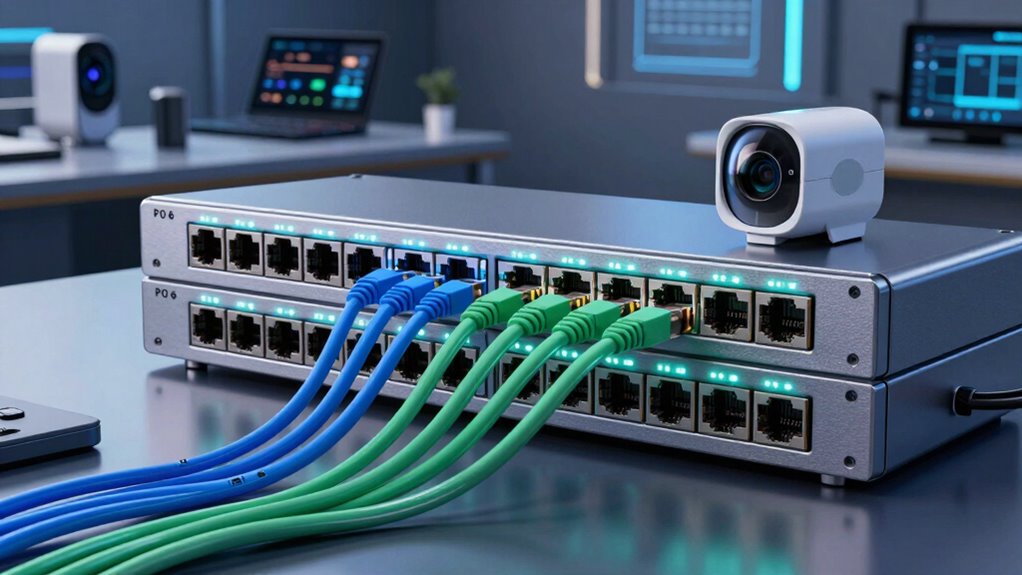
For a smart home camera and AV network, I’d make the TP-Link TL-SG1428PE my best overall pick: its 28 ports and easy-smart controls suit larger installs that need room to grow. The NETGEAR GS308EP is a more manageable fit for a smaller setup where VLANs and port controls matter, while the TP-Link LS108GP offers eight PoE ports without the complexity of a managed interface. The main tradeoffs are port count, PoE power budget, network management, and whether camera traffic or AV equipment needs faster links. A large switch can leave useful capacity unused, while a small one may force an early upgrade. Read on for the full breakdown and guidance on matching a switch to your devices.

Get business pricing on your home office setup
- Business-only prices and quantity discounts
- Tax-exempt purchasing
- Multiple users, one account, clear invoices
Complete the kit


Key Takeaways
- The TP-Link TL-SG1428PE stands out for larger mixed systems: its 28-port layout and easy-smart features offer more room and control than the compact unmanaged picks.
- Management matters as much as port count: the NETGEAR GS308EP and other smart-managed models suit buyers who want to separate or monitor traffic, while unmanaged models favor plug-and-play simplicity.
- Eight-port models cover distinct needs: the TP-Link LS108GP favors straightforward expansion, while the NUBASA 2.5Gb PoE++ switch is the lineup’s outlier for higher-speed connections and greater PoE capability.
- High port counts bring practical tradeoffs: the 48-port Reidubo and rackmount YuanLey target large deployments, but their scale and power capacity can be excessive for a few home cameras.
- Uplink choices affect future flexibility: several Lcantve and other switches include SFP or separate uplink ports, which can help connect a recorder, router, or faster network segment without using a camera port.
| Lcantve 4-Port Gigabit PoE+ Managed Switch with 1 SFP Slot |  | Best for Compact Managed Camera Networks | RJ45 ports: 4 × Gigabit | SFP slot: 1 × Gigabit | PoE standard: IEEE 802.3af/at | VIEW ON AMAZON | See Our Full Breakdown |
| NETGEAR 5-Port PoE Gigabit Ethernet Unmanaged Essentials Switch (GS305P) |  | Best for Simple, Silent Setups | Ethernet ports: 5 × 1.0 Gbps | PoE+ ports: 4 | Total PoE budget: 63W | VIEW ON AMAZON | See Our Full Breakdown |
| TP-Link TL-SG1005P 5-Port Gigabit PoE+ Switch |  | Best for Camera Traffic Prioritization | Ethernet ports: 5 × Gigabit | PoE+ ports: 4 | Non-PoE ports: 1 | VIEW ON AMAZON | See Our Full Breakdown |
| Lcantve 5-Port AI Managed PoE+ Switch with 4 Gigabit RJ45 Ports and 1 SFP Slot |  | Best for High-Power Managed Cameras | RJ45 ports: 4 × 10/100/1000 Mbps | SFP slot: 1 × Gigabit | PoE standard: IEEE 802.3af/at | VIEW ON AMAZON | See Our Full Breakdown |
| TP-Link LS108GP 8-Port PoE Gigabit Ethernet Switch |  | Best for Longer Camera Runs | Ethernet ports: 8 | Port speed: Gigabit | PoE standard: IEEE 802.3af/at (PoE+) | VIEW ON AMAZON | See Our Full Breakdown |
| Linksys LGS116P 16-Port Gigabit Unmanaged PoE+ Switch |  | Best for a Simple Mixed Camera and AV Network | Total ports: 16 Gigabit Ethernet | PoE+ ports: 8 (ports 1–8) | PoE power budget: 80 W | VIEW ON AMAZON | See Our Full Breakdown |
| Reidubo 48-Port Gigabit PoE+ Switch with 2 SFP Uplinks and 900W Power |  | Best for High-Density Camera Installations | Total ports: 50 (48 RJ45 and 2 SFP) | PoE standard: IEEE 802.3af/at (PoE+) | Total PoE power: 900 W | VIEW ON AMAZON | See Our Full Breakdown |
| TP-Link TL-SG1428PE 28-Port Gigabit Easy Smart PoE+ Switch |  | Best for Managed, Expandable Camera Networks | Total ports: 28 Gigabit ports | PoE+ ports: 24 | Additional non-PoE ports: 2 Gigabit | VIEW ON AMAZON | See Our Full Breakdown |
| TP-Link TL-SG1016PE 16-Port Gigabit PoE+ Switch |  | Best for Camera Segmentation and Power Headroom | Total ports: 16 Gigabit RJ45 | PoE+ ports: 8 | Non-PoE ports: 8 | VIEW ON AMAZON | See Our Full Breakdown |
| REOLINK RLA-PS1E 4+1-Port Gigabit PoE Switch |  | Best Compact Switch for a Small Camera Cluster | Total ports: 5 (4 downlink and 1 uplink) | Data rate: 10/100/1,000 Mbps | PoE standards: IEEE 802.3af/at (PoE+) | VIEW ON AMAZON | See Our Full Breakdown |
| NUBASA 2.5Gb PoE++ Unmanaged Ethernet Switch, 8 Ports |  | Best for High-Power, Faster Camera Links | Ports: 8 total: 4 PoE++ and 4 non-PoE data ports | PoE standard: IEEE 802.3bt | Maximum PoE power: 96W total; up to 60W per PoE++ port | VIEW ON AMAZON | See Our Full Breakdown |
| NETGEAR GS308EP 8-Port Gigabit Ethernet Easy Smart Managed PoE+ Switch |  | Best for Managed Camera Segmentation | Model: GS308EP | Ethernet ports: 8 × 1Gbps | PoE ports: 8 × PoE+ | VIEW ON AMAZON | See Our Full Breakdown |
| Goalake 10-Port Managed PoE Ethernet Switch with 8 PoE Ports and 2 Gigabit Uplinks |  | Best for Budget-Conscious 100Mbps Camera Runs | Total ports: 10 | PoE ports: 8 × 100Mbps | Uplink ports: 2 × 1Gbps | VIEW ON AMAZON | See Our Full Breakdown |
| Tenveo 8-Port Gigabit PoE+ Switch with 2 Uplink Ports |  | Best for Simple Gigabit Camera Expansion | PoE+ ports: 8 | Uplink ports: 2 non-PoE Gigabit | Port speeds: 10/100/1000Mbps | VIEW ON AMAZON | See Our Full Breakdown |
| YuanLey 26-Port Unmanaged PoE+ Network Switch with 2 Gigabit Uplink Ports, Rackmount, 400W |  | Best for Large Camera Installations | Total ports: 26 | PoE ports: 24 × 10/100Mbps | Uplink ports: 2 × Gigabit Ethernet | VIEW ON AMAZON | See Our Full Breakdown |
More Details on Our Top Picks
Lcantve 4-Port Gigabit PoE+ Managed Switch with 1 SFP Slot
For a small camera setup that needs more than basic plug-and-play, this Lcantve pairs four Gigabit PoE+ ports with a Gigabit SFP slot and app or web management. Its 120W power budget gives connected cameras and access points more headroom than the NETGEAR GS305P’s 63W, while the visual dashboard and VLAN isolation make it easier to monitor and separate devices. The SFP connection can also suit a network with a fiber uplink. The tradeoff is scale: there are only four RJ45 ports, so the SFP slot does not add a fifth copper camera connection. Advanced settings also depend on app or web access, unlike the straightforward TP-Link TL-SG1005P. I’d choose it when monitoring and network controls matter more than a larger port count.
Pros:- 120W total PoE budget offers more power headroom than the NETGEAR GS305P.
- Visual LED dashboard reports temperature, voltage, and optical power.
- App and web management include scheduled reboots and alarm thresholds.
- Gigabit SFP slot supports a fiber uplink.
Cons:- Only four RJ45 ports are available for cameras and other wired devices.
- Advanced management requires Android app or web UI access.
- The 9–54V DC input range may require a separate compatible power source.
Best for: Homeowners or small-office installers with up to four PoE cameras who want VLAN isolation, status monitoring, and a fiber uplink option.
Not ideal for: Buyers who expect to add many cameras or want a simple unmanaged switch without app or web configuration.
- RJ45 ports:4 × Gigabit
- SFP slot:1 × Gigabit
- PoE standard:IEEE 802.3af/at
- Total PoE budget:120W
- Maximum power per port:30W
- Management:Android app and web UI
- Input voltage:9–54V DC
- Case material:Aluminum
Our verdict“Choose this Lcantve for a small camera network that benefits from active monitoring and VLAN controls, but skip it if you need more copper ports.”
NETGEAR 5-Port PoE Gigabit Ethernet Unmanaged Essentials Switch (GS305P)
The GS305P suits buyers who want cameras online with minimal setup: connect the devices and it runs without management software or VLAN configuration. Its fanless metal enclosure keeps operation silent, a useful fit near a home AV rack or desk, and dynamic PoE allocation can direct unused power capacity where connected devices need it. Compared with the TP-Link TL-SG1005P, it offers a similar four-PoE-port layout but a slightly smaller 63W budget versus 65W. Neither is a managed camera switch, so the GS305P is less suited than the Lcantve 4-Port Managed model to buyers who want port controls or monitoring. The fifth port is data-only, too. I’d pick this NETGEAR for a modest camera system where quiet, uncomplicated Gigabit networking matters more than fine-grained control.
Pros:- Plug-and-play operation avoids software setup and network configuration.
- Four PoE+ ports share a 63W budget with dynamic power allocation.
- Fanless metal design operates silently.
- Desktop and wall-mount placement options suit compact installations.
Cons:- The fifth Ethernet port does not provide PoE.
- Unmanaged design lacks VLAN, port-control, and monitoring features.
- Its 63W budget is lower than the TP-Link TL-SG1005P’s 65W.
Best for: Home users setting up a few PoE cameras or access points who want silent operation and no configuration steps.
Not ideal for: Installers who need VLAN isolation, per-port management, more than four PoE connections, or a larger power budget.
- Ethernet ports:5 × 1.0 Gbps
- PoE+ ports:4
- Total PoE budget:63W
- Power allocation:Dynamic redistribution of unused PoE capacity
- Management:Unmanaged, plug and play
- Enclosure:Fanless metal
- Mounting:Desktop or wall-mount
- Energy efficiency:IEEE 802.3az Energy Efficient Ethernet
Our verdict“Choose the GS305P for a quiet, low-maintenance setup with up to four PoE devices, not for a network that needs active management.”
TP-Link TL-SG1005P 5-Port Gigabit PoE+ Switch
The TL-SG1005P is a simple switch with a useful extra for mixed camera and AV traffic: QoS and IGMP Snooping. Those features can help prioritize traffic and manage multicast streams without requiring the app-based setup of the Lcantve managed switches. It provides four PoE+ ports with a 65W total budget, a small step above the NETGEAR GS305P’s 63W, plus one non-PoE Gigabit port for an uplink or other wired device. That makes it a practical middle ground when a buyer wants more than plain power delivery but not full management. Its limits are clear: only four devices can receive PoE, and the listed features do not provide VLAN controls or advanced monitoring. I’d favor it for a straightforward camera-and-AV setup where basic traffic handling matters.
Pros:- QoS and IGMP Snooping add basic traffic-handling tools for camera and AV networks.
- Four PoE+ ports support up to 30W per port.
- 65W total budget slightly exceeds the NETGEAR GS305P’s 63W.
- Fanless metal case supports quiet desktop or wall-mounted use.
Cons:- Only four of the five Ethernet ports supply PoE+.
- No advanced management software or monitoring is listed.
- The 65W shared budget can constrain a group of higher-power devices.
Best for: Home AV or surveillance users with up to four PoE cameras who want basic QoS and IGMP Snooping without managed-switch configuration.
Not ideal for: Buyers who need VLAN isolation, remote monitoring, extensive port controls, or PoE for all five connected devices.
- Ethernet ports:5 × Gigabit
- PoE+ ports:4
- Non-PoE ports:1
- PoE standard:IEEE 802.3af/at
- Maximum power per PoE port:30W
- Total PoE budget:65W
- Traffic features:802.1p/DSCP QoS, IGMP Snooping, IEEE 802.3X flow control
- Warranty:3 years
Our verdict“Pick the TL-SG1005P when basic QoS and multicast support matter more than app-based management or a larger PoE budget.”
Lcantve 5-Port AI Managed PoE+ Switch with 4 Gigabit RJ45 Ports and 1 SFP Slot
This Lcantve is aimed at a small installation that needs unusually generous PoE capacity, not a large number of camera ports. Its 240W total PoE budget is twice the 120W listed for the other Lcantve four-port model, giving compatible devices more shared power headroom. App and web management, scheduled reboots, port controls, and optical power alerts also provide more oversight than the unmanaged TP-Link LS108GP. A DIP switch adds VLAN isolation or extended-range mode, which can help with separated or distant camera runs. The catch is that it still has only four RJ45 ports; the SFP slot is not another copper camera port. Its high budget only helps if the power supply and connected devices fit the system, so I’d verify those needs before choosing it over a higher-port-count switch.
Pros:- 240W total PoE budget exceeds the other listed four-port Lcantve model’s 120W.
- App and web management include port controls, scheduled reboots, and optical power alerts.
- DIP switch supports VLAN isolation and extended-range mode up to 250m.
- Aluminum enclosure and included DIN rail bracket support equipment installations.
Cons:- Only four RJ45 ports are available for wired devices.
- Management features require app or web access rather than simple unmanaged operation.
- The high power budget does not increase the number of PoE connections.
Best for: Installers with up to four PoE cameras or other devices whose combined power needs call for a high-budget switch and management controls.
Not ideal for: Buyers adding many cameras, anyone needing multiple extra copper ports, or users who prefer an unmanaged plug-and-play device.
- RJ45 ports:4 × 10/100/1000 Mbps
- SFP slot:1 × Gigabit
- PoE standard:IEEE 802.3af/at
- Total PoE budget:Up to 240W
- Management:Android app and web UI
- Extended-range mode:Up to 250m
- Input voltage:9–54V DC
- Case material:Aluminum
- Warranty:2 years
Our verdict“Choose this model when four camera ports are enough but the connected PoE devices need substantially more shared power and management options.”
TP-Link LS108GP 8-Port PoE Gigabit Ethernet Switch
When camera placement matters more than network controls, the LS108GP brings eight Gigabit ports and an Extend Mode rated for PoE transmission up to 820 feet. That longer reach can reduce the need for an intermediate switch on distant camera runs, while the fanless metal housing keeps a small AV or surveillance area quiet. Compared with the four-PoE-port NETGEAR GS305P, this TP-Link gives a larger port layout and extended-distance feature, but its 65W total PoE budget is shared across connected devices. It is also unmanaged, so the app-managed Lcantve models are better fits for VLAN isolation, alerts, and port controls. The listed specs do not clarify how Extend Mode affects data speed, so I’d confirm the required link performance for distant devices before relying on it.
Pros:- Eight Gigabit ports offer more connection capacity than the four-PoE-port NETGEAR GS305P.
- Extend Mode supports PoE transmission up to 820 feet.
- Plug-and-play setup avoids network configuration.
- Fanless metal design suits quiet desktop or wall-mounted installations.
Cons:- Unmanaged operation lacks VLAN, port-control, and monitoring features.
- The 65W shared PoE budget may limit the number of high-power devices used together.
- The supplied data does not specify data speed in Extend Mode.
Best for: Homeowners and small offices connecting several cameras across long runs who want silent operation and do not need managed controls.
Not ideal for: Users who need VLANs or remote port management, or who expect several high-power devices to draw near the maximum per-port output at once.
- Ethernet ports:8
- Port speed:Gigabit
- PoE standard:IEEE 802.3af/at (PoE+)
- Maximum power per port:30W
- Total PoE budget:65W
- Switching capacity:16 Gbps
- Extended transmission distance:Up to 820ft with Extend Mode
- Operation and case:Fanless, metal
- Mounting:Desktop or wall-mount
Our verdict“Pick the LS108GP for a quiet, unmanaged camera network that needs more ports or longer PoE runs, provided its shared 65W budget fits.”
Linksys LGS116P 16-Port Gigabit Unmanaged PoE+ Switch
The Linksys LGS116P makes sense when a camera-and-AV setup needs plenty of wired connections but only some devices need PoE. Eight of its 16 Gigabit ports supply PoE+, while the other eight can connect recorders, a router, or other non-PoE equipment. Its 80 W shared budget is more modest than the TP-Link TL-SG1016PE’s 150 W, so the Linksys is a better fit for a lighter camera load than for several power-hungry devices. In return, its unmanaged operation keeps setup straightforward, and the metal case supports desktop or wall mounting. The 32 Gbps switching capacity suits ordinary Gigabit traffic, but there are no VLAN or QoS controls for separating camera traffic from AV devices. I’d choose it for uncomplicated mixed-device wiring, not for a growing network that needs traffic management.
Pros:- Sixteen Gigabit ports provide room for both PoE cameras and non-PoE network equipment.
- Eight PoE+ ports support compatible cameras and access points without separate injectors.
- Metal housing can sit on a desktop or mount on a wall.
- 32 Gbps switching capacity supports simultaneous Gigabit connections.
Cons:- The 80 W PoE budget is lower than the TP-Link TL-SG1016PE’s 150 W, limiting headroom for higher-power devices.
- Unmanaged operation offers no VLAN, QoS, or traffic-monitoring controls.
- Only eight of the 16 ports provide PoE+.
Best for: Homeowners wiring several PoE cameras alongside non-PoE recorders, TVs, or AV equipment who want a simple unmanaged switch.
Not ideal for: Buyers powering many high-draw cameras or needing VLANs and QoS, since the shared PoE budget is 80 W and the switch has no advanced configuration.
- Total ports:16 Gigabit Ethernet
- PoE+ ports:8 (ports 1–8)
- PoE power budget:80 W
- Switching capacity:32 Gbps
- Maximum data rate:Up to 1,000 Mbps
- Housing:Metal
- Mounting:Desktop or wall mount
- Operating temperature:0–50°C (32–122°F)
Our verdict“Choose the LGS116P for straightforward mixed camera and AV wiring when eight PoE+ ports and an 80 W budget are enough.”
Reidubo 48-Port Gigabit PoE+ Switch with 2 SFP Uplinks and 900W Power
The Reidubo is the capacity pick here: 48 Gigabit PoE+ ports and a stated 900 W total budget target installations with far more cameras than a typical home switch can support. Two SFP uplinks also give an installer options for fiber connections to another network point. Against the TP-Link TL-SG1428PE, it offers twice as many PoE ports and a much larger stated power budget, but it gives up that model’s web-based management and VLAN features. The unmanaged design keeps basic setup simple, yet it also means less control over isolating camera traffic or diagnosing network behavior. AI Watchdog recovery and intelligent powered-device detection are useful safeguards, but they don’t replace active monitoring. This is a fit for a large camera deployment where port and power capacity lead the decision; its rack-mountable size and potential heat output call for planned placement and ventilation.
Pros:- Forty-eight PoE+ ports can power a dense camera or device installation.
- The stated 900 W total PoE budget offers substantial power capacity.
- Two 1,000 Mbps SFP uplinks provide fiber connection options.
- AI Watchdog recovery and intelligent device detection add automatic safeguards.
Cons:- Unmanaged operation provides no VLAN configuration or traffic monitoring.
- High power capacity can produce heat, so the installation needs adequate ventilation.
- The large port count and rack-mountable form factor are excessive for many home networks.
Best for: Installers and property managers connecting dozens of PoE cameras, access points, or phones who need high port and power capacity.
Not ideal for: Small home camera systems or buyers who need VLAN segmentation and traffic monitoring; its capacity may be excessive, and the switch is unmanaged.
- Total ports:50 (48 RJ45 and 2 SFP)
- PoE standard:IEEE 802.3af/at (PoE+)
- Total PoE power:900 W
- Maximum power per port:30 W
- Switch type:Unmanaged
- SFP uplinks:2 × 1,000 Mbps
- Lightning protection:4 kV
- Mounting:Desktop, wall-mounted, or 19-inch rack
Our verdict“Pick the Reidubo when a large installation needs many PoE+ ports and high stated power capacity more than managed network controls.”
TP-Link TL-SG1428PE 28-Port Gigabit Easy Smart PoE+ Switch
The TL-SG1428PE is the strongest fit in this group for buyers who want many PoE ports plus basic network management. It has 24 PoE+ ports, two additional non-PoE Gigabit ports, and two SFP slots, so it can connect a sizable camera system while leaving options for other equipment or an uplink. Its web interface and VLAN features offer more control than the unmanaged Linksys LGS116P, making it easier to separate camera traffic from AV devices. The tradeoff is that 250 W is shared across 24 PoE ports; the per-port maximum of 30 W doesn’t mean every port can draw that much at once. Only 24 of the 28 ports supply PoE, and automatic PoE recovery requires configuration. I’d favor this over the smaller TP-Link TL-SG1016PE when camera count is the priority, provided the total power budget matches the device load.
Pros:- Twenty-four PoE+ ports support larger camera and access-point deployments.
- Web-based management and VLAN features offer more traffic control than an unmanaged switch.
- Two SFP slots provide options for uplink connections.
- Automatic PoE recovery can reboot unresponsive devices once configured.
Cons:- The 250 W total budget is shared across all PoE ports.
- Four of the 28 ports do not provide PoE.
- PoE auto recovery requires configuration rather than working as a ready-to-use default.
Best for: Home and small-business installers who need to connect many PoE cameras and want VLAN features and web-based management.
Not ideal for: Buyers who need PoE on every port or whose connected devices collectively require more than the 250 W budget.
- Total ports:28 Gigabit ports
- PoE+ ports:24
- Additional non-PoE ports:2 Gigabit
- SFP slots:2
- Total PoE power budget:250 W
- Maximum power per PoE port:30 W
- Management:Web-based; VLAN features
- Dimensions:17.3 × 8.7 × 1.73 in
Our verdict“Choose the TL-SG1428PE for a larger camera network that benefits from VLAN controls and can stay within its 250 W PoE budget.”
TP-Link TL-SG1016PE 16-Port Gigabit PoE+ Switch
The TL-SG1016PE stands out for buyers who have a moderate camera count but want more PoE headroom and control than the Linksys LGS116P provides. Both switches offer 16 Gigabit ports and eight PoE+ connections, but the TP-Link’s 150 W PoE budget gives compatible cameras more shared capacity. Its Easy Smart web management adds VLAN and QoS controls, which can help organize camera traffic alongside an AV network without requiring command-line configuration. Basic plug-and-play use is also available, so those controls need not be part of every setup. The tradeoff is that only half the ports provide PoE, and the web interface lacks the feature depth of a fully managed switch. Its rack-mountable metal case suits a wiring cabinet better than a small desktop setup. I’d pick it over the Linksys when power margin and traffic organization matter more than unmanaged simplicity.
Pros:- A 150 W shared budget offers more PoE capacity than the Linksys LGS116P.
- Web-based Easy Smart management supports VLAN and QoS configuration.
- Eight PoE+ ports and eight non-PoE ports suit a mixed camera and AV setup.
- Metal rack-mountable construction fits a wiring cabinet.
Cons:- Only eight of the 16 ports supply PoE+.
- Easy Smart management has fewer features than fully managed enterprise switches.
- The rack-mount form factor may be less convenient for a compact desktop installation.
Best for: Home-network installers with up to eight PoE cameras who want VLAN or QoS controls and extra shared power capacity.
Not ideal for: Buyers needing more than eight PoE ports, advanced enterprise management, or a small switch intended mainly for desktop placement.
- Total ports:16 Gigabit RJ45
- PoE+ ports:8
- Non-PoE ports:8
- PoE power budget:150 W
- PoE standard:IEEE 802.3at/af (PoE+)
- Management:Easy Smart web-managed
- Form factor:Rackmount
- Dimensions:11.57 × 7.09 × 1.73 in
Our verdict“Choose the TL-SG1016PE when eight PoE+ ports are sufficient and you want more power headroom and traffic controls than the Linksys LGS116P offers.”
REOLINK RLA-PS1E 4+1-Port Gigabit PoE Switch
The REOLINK RLA-PS1E is the compact option for a few cameras near a recorder or network drop: it provides four PoE+ downlink ports and one Gigabit uplink, without the footprint of the 16- and 28-port switches above. Fanless operation and a metal case suit locations where fan noise is unwelcome, while Recovery Mode can reboot unresponsive PoE devices. Its 65 W power threshold calls for checking the combined device load; the TP-Link TL-SG1016PE, by comparison, offers a 150 W budget and eight PoE ports for a larger system. Extend Mode can reach up to 820 ft on ports 1–2, but speed drops to 10 Mbps, so it’s intended for long-reach compatible devices rather than high-throughput AV links. I’d choose this for a small camera cluster, not as the central switch for a mixed, expanding home network.
Pros:- Four PoE+ downlink ports and one Gigabit uplink suit a small camera cluster.
- Fanless cooling keeps operation silent.
- Recovery Mode can automatically reboot unresponsive PoE devices.
- Metal housing, surge protection, and desktop or wall mounting support flexible placement.
Cons:- The 65 W power threshold limits the total connected-device load.
- Extend Mode reduces ports 1–2 to 10 Mbps.
- Five total ports provide little room for expansion compared with the TP-Link TL-SG1016PE.
Best for: Reolink camera owners or homeowners connecting up to four PoE devices in a quiet spot near a recorder or network connection.
Not ideal for: Buyers building a larger camera-and-AV network, needing more than four PoE ports, or relying on full Gigabit speeds over the extended-distance links.
- Total ports:5 (4 downlink and 1 uplink)
- Data rate:10/100/1,000 Mbps
- PoE standards:IEEE 802.3af/at (PoE+)
- Power budget threshold:65 W
- Extend Mode distance:Up to 820 ft (250 m)
- Extend Mode speed:10 Mbps on ports 1–2
- Surge protection:4 kV
- Cooling and mounting:Fanless; desktop or wall mount
Our verdict“Choose the RLA-PS1E for a quiet, compact four-camera setup, but use a larger switch for broader camera and AV expansion.”
NUBASA 2.5Gb PoE++ Unmanaged Ethernet Switch, 8 Ports
For a small camera-and-AV setup with devices that need more than standard PoE+, the NUBASA stands out for its four 2.5GbE PoE++ ports and up to 60W per PoE++ port. That extra link capacity suits compatible high-throughput cameras or networked AV gear better than the 1GbE PoE+ ports on the NETGEAR GS308EP. The tradeoff is a split layout: only four of its eight ports deliver power, and its 96W total budget is shared rather than providing 60W to every powered device at once. This is also an unmanaged switch, so I would choose it for straightforward plug-and-play wiring, not for VLANs or traffic controls. Its silent fanless aluminum case is a practical fit near living spaces, though buyers needing extensive camera segmentation should look at a managed option instead.
Pros:- Four 2.5GbE PoE++ ports support compatible higher-power devices and faster links.
- Fanless aluminum enclosure runs quietly and supports passive heat dissipation.
- Desktop and wall-mount installation options suit compact network locations.
- Built-in 6kV surge protection adds a layer of protection for connected equipment.
Cons:- Only four of the eight ports provide PoE++ power.
- The 96W total power budget is shared across powered devices.
- Unmanaged operation offers no VLAN or traffic configuration.
Best for: Small smart-home camera or AV installations with a few higher-power devices that can benefit from 2.5GbE and need quiet, simple operation.
Not ideal for: Buyers powering more than four PoE devices or needing VLAN configuration, port monitoring, or other switch management tools.
- Ports:8 total: 4 PoE++ and 4 non-PoE data ports
- PoE standard:IEEE 802.3bt
- Maximum PoE power:96W total; up to 60W per PoE++ port
- Data rate:2.5Gbps
- Switch type:Unmanaged
- Interfaces:RJ45, SFP+
- Mounting and cooling:Desktop or wall mount; fanless
- Surge protection:6kV
- Dimensions:6.14 × 3.7 × 1.18 in
Our verdict“Choose the NUBASA for a quiet, simple network with a handful of higher-power devices; skip it if you need more powered ports or managed camera segmentation.”
NETGEAR GS308EP 8-Port Gigabit Ethernet Easy Smart Managed PoE+ Switch
The GS308EP makes the most sense when camera traffic needs basic control without moving to a larger managed switch. Its eight Gigabit PoE+ ports can power cameras across the same switch, while VLANs can separate camera traffic from household devices and traffic prioritization can help manage competing network demands. That flexibility sets it apart from the unmanaged NUBASA, which offers faster 2.5GbE on some ports but no software controls. The NETGEAR’s main limit is its 62W shared PoE budget: eight powered ports do not mean eight devices can all draw their maximum at once. The Easy Smart tools also require a software interface, so setup is less immediate than a plug-and-play switch. I would favor this for a modest, mostly standard-power camera system where management matters more than 2.5GbE speed.
Pros:- All eight Gigabit Ethernet ports support PoE+.
- VLAN, traffic prioritization, and port monitoring provide useful network controls.
- Fanless metal design supports quiet desktop or wall-mounted placement.
- IEEE 802.3az Energy Efficient Ethernet is supported.
Cons:- The 62W PoE budget is shared across all ports.
- Management features require configuration through the software interface.
- Gigabit ports are slower than the NUBASA’s 2.5GbE links.
Best for: Homeowners with several Gigabit PoE cameras who want VLAN separation, traffic prioritization, and port monitoring in a compact switch.
Not ideal for: Installations with high-draw PoE devices or buyers who want 2.5GbE connections or a completely unmanaged, software-free setup.
- Model:GS308EP
- Ethernet ports:8 × 1Gbps
- PoE ports:8 × PoE+
- PoE power budget:62W
- Management:Easy Smart Managed
- Network controls:VLAN configuration, traffic prioritization, port monitoring, and security controls
- Cooling and housing:Fanless metal design
- Mounting:Desktop or wall mount
Our verdict“Pick the GS308EP when VLANs and monitoring matter for a standard Gigabit camera setup, but not when your devices need a larger PoE budget or faster-than-Gigabit links.”
Goalake 10-Port Managed PoE Ethernet Switch with 8 PoE Ports and 2 Gigabit Uplinks
The Goalake is aimed at camera layouts that need eight powered connections and network controls, but do not need Gigabit speed at each camera. Its eight PoE ports run at 100Mbps, while two Gigabit uplinks connect the switch to a router, recorder, or wider network. VLAN, QoS, storm control, and port mirroring offer more control than the plug-and-play Tenveo, and the 120W power budget gives it a larger stated reserve than the NETGEAR GS308EP. The compromise is clear: its camera-facing ports are slower than Tenveo’s Gigabit PoE+ ports, which can constrain higher-bitrate cameras or other networked AV devices. I would choose it for standard IP camera endpoints where management and port count matter more than per-camera bandwidth, not for a network built around fast video links.
Pros:- Eight PoE ports support up to 30W per port under the listed specifications.
- 120W total PoE budget exceeds the NETGEAR GS308EP’s stated budget.
- VLAN, QoS, storm control, port mirroring, and static MAC addressing provide management options.
- Fanless metal housing supports quiet desktop or wall-mounted placement.
Cons:- The eight PoE ports are limited to 100Mbps.
- Only two ports provide Gigabit uplinks.
- The one-year replacement warranty is shorter than the Tenveo’s listed three-year warranty.
Best for: Home camera installers with up to eight standard-bandwidth PoE cameras who want VLAN and traffic-management features plus Gigabit uplinks.
Not ideal for: Buyers connecting high-bitrate cameras, networked AV equipment, or any endpoint that needs Gigabit speed on its PoE port.
- Total ports:10
- PoE ports:8 × 100Mbps
- Uplink ports:2 × 1Gbps
- PoE standards:IEEE 802.3af/at
- PoE power:120W total; up to 30W per PoE port
- Management features:VLAN, QoS, storm control, port mirroring, and static MAC addressing
- Housing and cooling:Metal; fanless
- Mounting:Desktop or wall
- Dimensions:7.5 × 5.5 × 1.6 in
Our verdict“Choose the Goalake for managed, standard-bandwidth cameras that need several powered ports, but select a Gigabit-per-port switch for faster cameras or AV endpoints.”
Tenveo 8-Port Gigabit PoE+ Switch with 2 Uplink Ports
Tenveo pairs eight Gigabit PoE+ ports with a 120W total budget, making it a straightforward choice when a home camera system is outgrowing a small five-port switch. Unlike the Goalake, all eight camera-facing ports support Gigabit speeds, which leaves more room for higher-resolution streams and other traffic. Its VLAN mode adds a basic path to separating network traffic, but the supplied details do not describe the deeper controls found on the NETGEAR GS308EP, such as port monitoring or traffic prioritization. Two non-PoE Gigabit uplinks handle connections to the wider network, though they do not offer extra powered device ports. Fanless cooling keeps placement quiet, while plug-and-play operation favors buyers who want a simpler setup over extensive configuration.
Pros:- Eight PoE+ ports provide Gigabit connections for cameras and other network devices.
- 120W total PoE budget supports multiple powered endpoints.
- VLAN mode offers a basic way to separate network traffic.
- Fanless metal housing supports quiet operation and heat dissipation.
Cons:- Only two Gigabit uplink ports are available, and neither supplies PoE.
- Advanced management options are not specified.
- Its PoE+ capability is less suited to devices needing PoE++ power than the NUBASA.
Best for: Homeowners adding several Gigabit PoE cameras who want a quiet, plug-and-play switch with a high shared power budget and basic VLAN mode.
Not ideal for: Buyers who need advanced monitoring and traffic controls, more than two uplinks, or a high-power standard beyond PoE+.
- PoE+ ports:8
- Uplink ports:2 non-PoE Gigabit
- Port speeds:10/100/1000Mbps
- PoE standards:IEEE 802.3af/at
- Total PoE budget:120W
- Maximum power per PoE port:30W
- Network features:Plug-and-play and VLAN mode
- Housing and cooling:Metal; fanless
- Warranty:3 years
Our verdict“Choose Tenveo for quiet, simple Gigabit expansion across several PoE+ cameras; look elsewhere if you need detailed management controls or PoE++ output.”
YuanLey 26-Port Unmanaged PoE+ Network Switch with 2 Gigabit Uplink Ports, Rackmount, 400W
When a camera network needs many powered endpoints, the YuanLey’s 24 PoE/PoE+ ports and 400W power budget put it in a different class from the eight-port Tenveo or NETGEAR switches. Its rackmount metal chassis suits a central wiring location, and plug-and-play operation avoids the setup work of a managed switch. The central limitation for a smart-home camera and AV network is speed: the 24 PoE ports are 10/100Mbps, with only two Gigabit uplinks. That may fit many standard camera streams, but it offers less bandwidth per device than Tenveo’s Gigabit PoE+ ports and can constrain higher-bitrate video or AV traffic. Although VLAN isolation is listed, the switch is described as unmanaged, so buyers should not expect the configuration depth of a dedicated managed model.
Pros:- Twenty-four PoE/PoE+ ports support large camera installations.
- 400W total power budget provides substantial capacity across connected devices.
- Plug-and-play operation avoids switch configuration.
- Metal rackmount chassis includes a built-in fan for cooling.
Cons:- The 24 PoE ports are limited to 10/100Mbps.
- Only two Gigabit uplinks are available for connections to the wider network.
- Unmanaged operation limits configuration options despite the listed VLAN isolation feature.
Best for: Owners wiring a large number of standard-bandwidth IP cameras to a central rack and prioritizing powered port count over Gigabit access-port speeds.
Not ideal for: Small homes, higher-bitrate camera or AV networks, and buyers who need Gigabit speeds on each PoE port or detailed software management.
- Total ports:26
- PoE ports:24 × 10/100Mbps
- Uplink ports:2 × Gigabit Ethernet
- PoE standards:IEEE 802.3af/at
- Power budget:400W
- Maximum power per port:30W; listed simultaneous power is 15.4W
- Voltage:48V
- Chassis:Metal rackmount; built-in fan
- Dimensions and weight:10.6 × 7.1 × 1.7 in; 2.04 kg
Our verdict“Pick the YuanLey for a large rack-based camera system that values powered port count and power capacity, not Gigabit speeds at every camera.”

How We Picked
I compared these switches for the jobs a home camera and AV network actually asks them to do: power compatible devices over Ethernet, provide enough Gigabit ports for current endpoints, and connect reliably to a router, recorder, or wider network. I also weighed PoE class and stated power capacity, management features, uplink options, physical scale, and how much setup knowledge each model is likely to require. A higher port count alone did not earn a higher position; an oversized switch can add complexity without helping a small installation.
The ranking favors useful balance for typical home systems, then gives distinct places to simpler, smaller, managed, higher-speed, and large-installation options. Managed models rank well when their controls solve a real need, but I distinguish easy-smart configuration from advanced network administration. Product specifications and stated feature sets guide this comparison; buyers should verify the exact PoE budget, per-port limits, noise, mounting style, and management functions for their intended hardware before purchase.
Factors to Consider When Choosing Poe Switches For Smart Home Camera Av Network
Choosing a switch is less about buying the biggest unit and more about matching power, bandwidth, and control to the devices you plan to connect. I’d inventory cameras, access points, recorders, and AV endpoints first, then leave practical room for additions without paying for unused scale.
Count Devices, Then Leave Room for Growth
Count every wired device that will connect to the switch, not just cameras: an access point, recorder, television, or AV controller may also need a port. Add a few spare ports for likely additions, but avoid jumping to a rack-size model if the installation will remain small. A switch with separate uplinks can preserve regular ports for endpoints, though the uplink still needs a matching connection on the router or core switch. When planning multiple switches, account for the links between them as well as the devices at each location. This prevents the common mistake of counting camera ports while forgetting the network connection back to the router.
Calculate PoE Budget, Not Just PoE Port Count
PoE port count does not tell you how many powered devices a switch can support at once. Add the maximum power draw of the devices you expect to run, then compare that total with the switch’s overall PoE budget and per-port limits. Leave a buffer for startup draw, replacement cameras, or accessories that use more power than current models. Check which PoE standard each endpoint requires; a switch that supplies PoE+ may not meet the needs of equipment that calls for a higher-power class. A generous total-wattage figure is useful only if the switch can also deliver the required power on the ports you plan to use.
Decide Whether Managed Controls Solve a Real Problem
Unmanaged switches suit a basic camera cluster that needs power and connectivity with little configuration. Managed or easy-smart models can add tools such as VLANs, traffic prioritization, port monitoring, and remote recovery, depending on the specific unit. Those tools can help separate camera traffic from household devices or diagnose a disconnected endpoint, but they also add setup choices and maintenance. Do not assume every switch labeled managed supports the same features or offers a full enterprise-style interface. If you will not configure or maintain those controls, a simpler switch may be the more dependable fit for your household.
Match Uplink Speed to the Network Path
Gigabit Ethernet is sufficient for many camera and home AV installations, but the switch’s uplink can become a bottleneck when several high-bandwidth devices share one connection. Check the speed of the router, recorder, network adapter, and any upstream switch; a faster port on only one device cannot speed up a slower link elsewhere. SFP and dedicated uplink ports may help keep endpoint ports available or connect equipment over a suitable fiber or copper module. The 2.5Gb option in this lineup is relevant when the rest of the network can use that speed, not simply because it sounds faster. For surveillance, camera bitrate and simultaneous viewing or recording loads matter more than a headline port speed in isolation.
Plan Placement, Noise, and Installation
A switch hidden near a television or in a living area has different requirements from one installed in a utility closet or network rack. Fan noise, ventilation, mounting options, cable access, and power-adapter placement all affect whether the device fits the intended location. High-power and high-port-count switches need adequate airflow and a stable power source, even if the network traffic itself is modest. Long cable runs to outdoor cameras should use suitable Ethernet cabling and follow local electrical and installation guidance. Before buying, check the physical dimensions and mounting approach so a capable switch does not become awkward to place or service.
Keep Camera and AV Reliability in the Plan
For a camera network, continuous operation may matter more than peak throughput, so consider how the switch behaves after a power interruption and whether managed controls can help recover a stuck device. A PoE switch does not replace a battery backup; the switch, router, recorder, and any essential storage need coordinated backup if recording must continue during an outage. AV equipment can be sensitive to network congestion or configuration errors, so avoid changing VLANs or traffic rules without checking what the endpoints support. Keep a record of port assignments and device power needs to make later troubleshooting easier. Paying for management is most useful when someone will maintain the configuration and use it to solve actual reliability or separation needs.
Frequently Asked Questions
Can I mix PoE cameras and non-PoE AV devices on the same switch?
Yes, provided the switch has enough ordinary Ethernet ports and the non-PoE devices connect at compatible network speeds. A PoE switch supplies power to supported devices through Ethernet, while non-PoE equipment can still use the data connection without drawing power. Check the switch’s documentation and port behavior rather than assuming every port can be configured identically. For AV equipment that is sensitive to traffic congestion, consider whether management features or a separate network would help. Also confirm that any device needing PoE receives the correct standard and power level.
How much PoE power do I need for several cameras?
Add the listed maximum power draw for each camera and other powered endpoint, then compare the sum with the switch’s total PoE budget. Check the per-port limit as well: a sufficient total budget does not help if one device needs more than an individual port can provide. Leave some spare capacity for startup demand, accessories, or future camera replacements. If a camera uses heaters, infrared lighting, or other power-hungry features, use its maximum specified draw rather than its typical idle figure. Confirm the required PoE standard for every endpoint before choosing a switch.
Do I need a managed switch to keep camera traffic separate from home devices?
Not always, but a managed switch with VLAN support can help separate compatible cameras from other household devices. VLANs need matching configuration on the router or firewall, so buying a managed switch alone does not create isolation. If you do not plan to configure and maintain the network, an unmanaged model may be simpler, while router-level controls may meet your needs. Check the exact switch feature list because basic monitoring or priority controls do not necessarily mean VLAN support is included. For remote access, keep the router and camera security settings in view as well.
Will a 2.5Gb switch make my cameras or AV streams faster?
Only when the connected devices and the rest of the network path can use 2.5Gb links. If cameras, recorder, router, or uplink connections are limited to Gigabit Ethernet, the faster switch port will not raise their link speed. Higher-speed networking can still help when a capable NAS, workstation, or upstream switch handles heavy simultaneous traffic. For camera systems, bitrate, recording load, and the speed of the connection to the recorder often matter more than the switch’s maximum link rate. Check every link in the path before paying for capacity your devices cannot use.
Should I buy one large PoE switch or several smaller switches?
One larger switch can simplify central management and keep a group of cameras on a single device, but it may require longer cable runs and a suitable rack or utility space. Smaller switches placed near device clusters can reduce cabling distance, though their uplinks and power arrangements add another point to plan. Compare the total port and PoE needs across locations, not just the number of cameras in the whole home. A central switch also concentrates the effect of a failure, while multiple switches can isolate some problems to one area. Choose based on wiring layout, backup plans, and who will maintain the network.
Conclusion
For most larger smart home camera and AV installations, I’d choose the TP-Link TL-SG1428PE as best overall for its combination of port capacity and easy-smart controls. For best value in a compact setup, the TP-Link LS108GP is a straightforward eight-port direction; buyers who want more configuration should look at the NETGEAR GS308EP instead. The best option for beginners is an unmanaged model such as the TP-Link TL-SG1005P when only a few powered devices need connections. For best premium or higher-power needs, the NUBASA 2.5Gb PoE++ switch is the specialized pick, but only if the connected equipment can use its capabilities. For a large rack-based installation, compare the Reidubo 48-port and YuanLey 26-port models against your real power, space, and maintenance needs before choosing their added scale.
Fall Picks
fall essentials
As an affiliate, we earn on qualifying purchases.