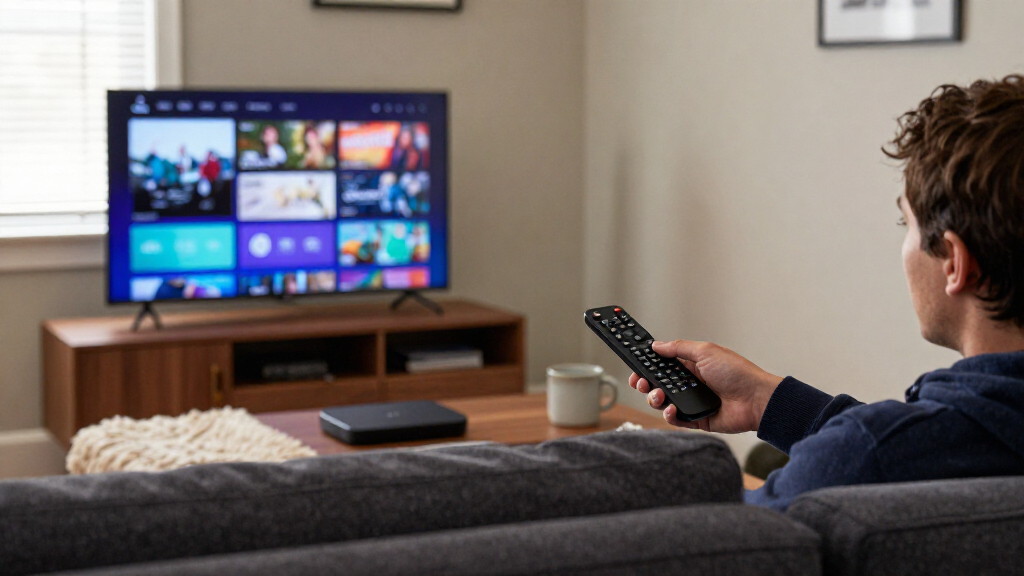

The Roku Ultra is my best overall pick among the best TV streaming devices, thanks to its 4K support, straightforward Roku interface, and feature-rich remote. For a more powerful streaming hub, the Amazon Fire TV Cube adds hands-free Alexa and Wi-Fi 6E, while the Roku Streaming Stick 4K suits viewers who want a compact setup. The main tradeoffs are platform preference, 4K and HDR support, device speed, and whether you need a portable stick or a box with more connections. A lower-cost HD model can be enough for an older or secondary TV, but it gives up 4K playback. Continue reading for the full breakdown of all 15 options and the buyer each one suits.

Get business pricing on your home office setup
- Business-only prices and quantity discounts
- Tax-exempt purchasing
- Multiple users, one account, clear invoices
Complete the kit


Key Takeaways
The Roku Ultra leads for balanced everyday use: it combines 4K streaming and a more capable remote without requiring the hands-free smart-home setup of the Fire TV Cube.
Form factor changes the setup: streaming sticks such as the Roku Streaming Stick 4K and Fire TV Stick 4K Max keep the area around a TV tidy, while box-style players offer a separate unit to place nearby.
Platform preference matters as much as hardware: Roku, Fire TV, and Google TV organize apps and voice control differently, so the interface that suits a household can matter more than small spec differences.
Not every TV needs 4K: the Fire TV Stick HD can suit a secondary 1080p screen, while 4K models make more sense for a 4K television or a planned upgrade.
There are overlapping models within each family: several Roku Ultra LT and Xiaomi 4K options appear here, so compare the exact model and included accessories rather than relying on the family name alone.
| Roku Ultra 4K Streaming Player with Voice Remote Pro |  | Best Overall | Resolution: 4K (2160p) | HDR formats: Dolby Vision, HDR10, HDR10+, HLG | Audio: Dolby Atmos | VIEW LATEST PRICE | See Our Full Breakdown |
| Amazon Fire TV Stick 4K Select with Alexa Voice Remote |  | Best Value Pick | Output resolution: 2160p, 1080p, and 720p up to 60 fps | Video formats: HDR10, HDR10+, HLG, H.265, H.264, VP9, AV1 | Processor: Quad-core 1.7 GHz | VIEW LATEST PRICE | See Our Full Breakdown |
| Xiaomi TV Stick 4K (2nd Gen) Streaming Device with Google TV |  | Best for Google TV and Casting | Resolution: 3840 × 2160 pixels | Connectivity: Wi-Fi 6, Bluetooth, HDMI, USB | Processor: 6 nm quad-core, 2.5 GHz | VIEW LATEST PRICE | See Our Full Breakdown |
| Amazon Fire TV Cube (3rd Gen) 4K Streaming Media Player with Alexa and Wi-Fi 6E |  | Best for Hands-Free Entertainment Control | Generation: 3rd Gen | Processor: Octa-core: 4 × 2.2 GHz and 4 × 2.0 GHz | Memory and storage: 2 GB memory; 16 GB storage | VIEW LATEST PRICE | See Our Full Breakdown |
| NVIDIA SHIELD TV Pro 4K HDR Streaming Media Player |  | Best for Plex and Local Media | Processor: NVIDIA Tegra X1+ | Memory: 3 GB RAM | Storage: 16 GB | VIEW LATEST PRICE | See Our Full Breakdown |
| onn Android TV 4K UHD Streaming Device with Voice Remote and HDMI Cable |  | Best Budget 4K Pick | Resolution: 3840 × 2160 pixels (4K UHD) | Operating system: Android TV | Connectivity: HDMI, Wi-Fi | VIEW LATEST PRICE | See Our Full Breakdown |
| Amazon Fire TV Stick HD with Alexa Voice Remote |  | Best for Full HD and Travel | Resolution: Full HD | Wi-Fi: Wi-Fi 6 | Connection: HDMI | VIEW LATEST PRICE | See Our Full Breakdown |
| Xiaomi TV Stick 4K (2nd Gen) Streaming Media Player |  | Best Compact Premium-Format Stick | Resolution: 4K (3840 × 2160 pixels) | Processor: 2.5 GHz quad-core A55, 6 nm platform | RAM and storage: 2 GB RAM, 8 GB storage | VIEW LATEST PRICE | See Our Full Breakdown |
| Roku Ultra LT (2023) 4K Streaming Player with Dolby Vision, Voice Remote, Headphones, and HDMI Cable |  | Best for Wired Networking and Private Listening | Model number: 4801RW | Resolution: Up to 3840 × 2160 (4K UHD); also supports 720p | HDR formats: HDR, Dolby Vision | VIEW LATEST PRICE | See Our Full Breakdown |
| Xiaomi TV Box S (3rd Gen) 4K Streaming Media Player |  | Best for Built-In Storage | Resolution: 4K UHD (3840 × 2160) at 60 fps | Operating system: Google TV | Processor and GPU: Quad-core CPU up to 2.5 GHz; ARM G310 V2 GPU | VIEW LATEST PRICE | See Our Full Breakdown |
| Roku Streaming Stick 4K with Voice Remote |  | Best Compact Roku Pick | Brand: Roku | Model: 3820R2 | Resolution: 4K UHD, up to 2160p at 60 fps | VIEW LATEST PRICE | See Our Full Breakdown |
| Amazon Fire TV Stick 4K Plus with Alexa Voice Remote |  | Best for Wi-Fi 6 Homes | Processor: Quad-core 1.7 GHz | Storage: 8 GB | Wi-Fi: Wi-Fi 6 dual-band, 2.4 GHz and 5 GHz | VIEW LATEST PRICE | See Our Full Breakdown |
| Roku Ultra LT 4K Streaming Device with Voice Remote |  | Best Roku Pick for Private Listening | Connectivity: HDMI, Wi-Fi, Ethernet | Video resolution: 4K | Video formats: Dolby Vision, HDR10+, H.264, H.265/HEVC | VIEW LATEST PRICE | See Our Full Breakdown |
| Amazon Fire TV Stick 4K Max (2nd Gen) Streaming Device |  | Best Premium Fire TV Stick | Generation: 2nd Gen | Processor: Quad-core 2.0 GHz | GPU: 850 MHz | VIEW LATEST PRICE | See Our Full Breakdown |
| Amazon Fire TV Stick 4K with Alexa+ and Wi-Fi 6 |  | Best for Alexa+ Voice Control | Resolution: 4K | HDR: HDR10+ | Connectivity: Wi-Fi 6, Bluetooth | VIEW LATEST PRICE | See Our Full Breakdown |
| TV streaming device | Resolution | Connectivity |
|---|---|---|
| Roku Ultra 4K Streaming Player | 4K (2160p) | — |
| Amazon Fire TV Stick 4K Select | — | — |
| Xiaomi TV Stick 4K | 3840 × 2160 pixels | Wi-Fi 6, Bluetooth, HDMI, USB |
| Amazon Fire TV Cube | — | — |
| NVIDIA SHIELD TV Pro 4K HDR St | — | Gigabit Ethernet, dual-band AC Wi-Fi, Bluetooth 5.0 |
| onn Android TV 4K UHD Streamin | 3840 × 2160 pixels (4K UHD) | HDMI, Wi-Fi |
| Amazon Fire TV Stick HD with A | Full HD | — |
| Xiaomi TV Stick 4K | 4K (3840 × 2160 pixels) | Dual-band Wi-Fi 6, Bluetooth, HDMI, Micro USB |
| Roku Ultra LT | Up to 3840 × 2160 (4K UHD); also supports 720p | Wi-Fi, Ethernet, Bluetooth, HDMI |
| Xiaomi TV Box S | 4K UHD (3840 × 2160) at 60 fps | Dual-band Wi-Fi, Bluetooth 5.2, HDMI 2.1, USB 2.0 |
| Roku Streaming Stick 4K with V | 4K UHD, up to 2160p at 60 fps | Wi-Fi |
| Amazon Fire TV Stick 4K Plus w | — | — |
| Roku Ultra LT 4K Streaming Dev | — | HDMI, Wi-Fi, Ethernet |
| Amazon Fire TV Stick 4K Max | — | — |
| Amazon Fire TV Stick 4K with A | 4K | Wi-Fi 6, Bluetooth |
More Details on Our Top Picks
Roku Ultra 4K Streaming Player with Voice Remote Pro
The Roku Ultra is my strongest all-around pick for viewers who want premium picture and sound without making Alexa or Google TV the center of the experience. Its 4K support includes Dolby Vision and HDR10+, while Dolby Atmos and Wi-Fi 6 round out a capable setup for compatible TVs, audio gear, and networks. Compared with the Amazon Fire TV Cube, it gives up hands-free control of the room and the Cube’s HDMI input, but its rechargeable remote adds backlit buttons, voice control, and a locator—useful everyday conveniences without needing a separate smart speaker. Ethernet and USB also give it more connection options than a basic HDMI stick. The tradeoff is that it is a dedicated player rather than a hub for cable boxes or consoles, so buyers who want one device to manage an entire entertainment setup should look at the Cube.
Pros:- Supports 4K with Dolby Vision, HDR10+, HDR10, and HLG
- Dolby Atmos support for compatible audio systems
- Rechargeable remote has backlit buttons, voice control, and a remote locator
- Includes Wi-Fi 6, Ethernet, and USB connectivity
Cons:- Does not provide the Fire TV Cube’s built-in Alexa microphones or HDMI input
- Some picture and audio formats require compatible TV and sound equipment
Best for: Viewers who want a full-featured 4K player, wired-network support, and a rechargeable remote for regular TV watching.
Not ideal for: Buyers who want hands-free Alexa control or HDMI passthrough for a cable box or game console; the Fire TV Cube is better suited to that setup.
- Resolution:4K (2160p)
- HDR formats:Dolby Vision, HDR10, HDR10+, HLG
- Audio:Dolby Atmos
- Wireless:Wi-Fi 6, Bluetooth
- Ports:HDMI, Ethernet, USB
- Remote:Rechargeable Voice Remote Pro with backlit buttons, voice control, and remote locator
- Smart assistant compatibility:Apple HomeKit, Amazon Alexa, Google Assistant
- Dimensions and weight:5 × 4.9 × 1 in; 0.2 kg
Our verdict“Choose the Roku Ultra for a well-connected 4K setup with a particularly useful remote, but choose the Fire TV Cube if hands-free control and device passthrough matter more.”
Amazon Fire TV Stick 4K Select with Alexa Voice Remote
The Fire TV Stick 4K Select makes the most sense when you want 4K streaming and Alexa search in a compact HDMI stick, without moving up to a box-style player. It handles HDR10+, HDR10, and HLG, and its remote can also control compatible TVs and audio devices, which cuts down on remote juggling. Compared with the Roku Ultra, it lacks Dolby Vision, Ethernet, and a rechargeable remote, but its stick design keeps the installation simple and out of sight. Alexa smart-home controls and access to cloud gaming services add flexibility, though some services and features require subscriptions or compatible equipment. The 8 GB of internal storage and Wi-Fi 5-class connectivity are more modest than the Fire TV Cube’s 16 GB and Wi-Fi 6E, so this is a better fit for straightforward streaming than for a high-demand home media setup.
Pros:- Streams up to 4K at 60 fps with HDR10+, HDR10, and HLG
- Alexa Voice Remote supports voice search and compatible TV and audio controls
- Compact HDMI stick design avoids a separate player box
- Offers access to streaming apps and cloud gaming services
Cons:- No Dolby Vision support
- 8 GB storage and 802.11ac Wi-Fi are more limited than the Fire TV Cube’s hardware
- Some content and features require separate subscriptions or compatible devices
Best for: Viewers with a 4K TV who want an unobtrusive HDMI stick, Alexa voice search, and basic control of compatible TV or audio equipment.
Not ideal for: Buyers who need Dolby Vision, wired Ethernet, or newer Wi-Fi; the Roku Ultra and Fire TV Cube offer stronger connectivity or format support.
- Output resolution:2160p, 1080p, and 720p up to 60 fps
- Video formats:HDR10, HDR10+, HLG, H.265, H.264, VP9, AV1
- Processor:Quad-core 1.7 GHz
- Storage:8 GB
- Wi-Fi:Dual-band 802.11a/b/g/n/ac
- Bluetooth:Bluetooth 5.0 and Bluetooth Low Energy
- Ports:HDMI output, micro-USB power
- Dimensions and weight:3.9 × 1.2 × 0.6 in; 1.5 oz
Our verdict“Pick the Fire TV Stick 4K Select for compact 4K streaming and Alexa basics, but step up to the Roku Ultra for Dolby Vision and Ethernet.”
Xiaomi TV Stick 4K (2nd Gen) Streaming Device with Google TV
The Xiaomi TV Stick 4K (2nd Gen) is the compact choice for viewers who prefer Google TV’s app-based home screen and want Google Cast built in. Its 4K picture support includes Dolby Vision and HDR10+, with Dolby Atmos and DTS:X available for compatible equipment. Wi-Fi 6 is a useful step up from the Fire TV Stick 4K Select’s 802.11ac Wi-Fi, particularly in homes with a newer router, while the stick form keeps the TV area tidy. It also offers a stronger format list than the Fire TV Stick, which does not support Dolby Vision. The compromise is just 8 GB of storage, and its HDMI-stick form does not provide the Ethernet and USB connections found on the Roku Ultra. Buyers who want expandable local media connections should choose a box-style player instead.
Pros:- Supports 4K, Dolby Vision, and HDR10+
- Dolby Atmos and DTS:X support for compatible audio equipment
- Google TV and Google Cast offer app browsing and casting options
- Compact stick design with Wi-Fi 6 and a Bluetooth voice remote
Cons:- 8 GB storage leaves limited room for apps
- Stick form offers fewer physical connections than the Roku Ultra
- Requires an HDMI-equipped TV and an internet connection
Best for: Google TV users who want a small 4K streamer with Google Cast, Wi-Fi 6, and broad HDR and audio-format support.
Not ideal for: Viewers who need Ethernet, multiple physical connections, or extra storage; a box-style device such as the Roku Ultra is a better match.
- Resolution:3840 × 2160 pixels
- Connectivity:Wi-Fi 6, Bluetooth, HDMI, USB
- Processor:6 nm quad-core, 2.5 GHz
- Memory:2 GB RAM
- Storage:8 GB
- Video support:Dolby Vision, HDR10+, H.265
- Audio support:Dolby Atmos, DTS:X
- Weight and dimensions:28 g; 10.68 × 2.94 × 1.68 in
Our verdict“Choose the Xiaomi stick for Google TV, casting, and Wi-Fi 6 in a compact device, but pick the Roku Ultra if wired connections matter more.”
Amazon Fire TV Cube (3rd Gen) 4K Streaming Media Player with Alexa and Wi-Fi 6E
The Fire TV Cube (3rd Gen) is the most capable pick here for viewers who want streaming and entertainment-device control in one Alexa-led hub. Built-in microphones and speakers allow hands-free voice commands, while its HDMI input can connect a cable box or game console; that makes it more versatile for a crowded setup than the Roku Ultra, which is a dedicated streamer. The Cube also pairs 4K video, Dolby Vision, HDR10+, Dolby Atmos, and Wi-Fi 6E with an octa-core processor and 16 GB of storage. Those strengths come with a larger, heavier enclosure than either HDMI stick, and its benefits depend on compatible equipment and connections. If you only need an app streamer and remote, the Fire TV Stick 4K Select is a simpler fit; the Cube earns its place when hands-free control and passthrough are genuinely useful.
Pros:- Built-in microphones and speakers support hands-free Alexa commands
- HDMI input and output can integrate compatible entertainment devices
- Supports 4K, Dolby Vision, HDR10+, HLG, and Dolby Atmos
- Wi-Fi 6E and an octa-core processor support a high-capability setup
Cons:- Larger and heavier than HDMI-stick alternatives
- Wi-Fi 6E and 4K benefits depend on compatible equipment and connections
- Some services and content require separate subscriptions
Best for: Alexa households that want hands-free control of streaming, a compatible TV and audio gear, plus a cable box or game console connected through HDMI.
Not ideal for: Viewers seeking a small, simple streamer for one HDMI port; the Fire TV Stick 4K Select takes up less space and has fewer setup demands.
- Generation:3rd Gen
- Processor:Octa-core: 4 × 2.2 GHz and 4 × 2.0 GHz
- Memory and storage:2 GB memory; 16 GB storage
- Video:4K Ultra HD up to 60 fps; Dolby Vision, HDR10, HDR10+, HLG
- Audio:Dolby Atmos, 7.1 surround sound, HDMI audio pass-through up to 5.1
- Wireless:Tri-band Wi-Fi 6E; Bluetooth 5.0 + LE
- Ports:HDMI 2.1 input and output, IR extender, USB-A 2.0, 10/100 Mbps Ethernet
- Dimensions and weight:3.38 × 3.38 × 2.99 in; 513 g
Our verdict“Choose the Fire TV Cube if you want Alexa to control a multi-device entertainment setup, but opt for a stick if you only need basic streaming.”
NVIDIA SHIELD TV Pro 4K HDR Streaming Media Player
The NVIDIA SHIELD TV Pro stands apart from the Roku Ultra and Fire TV models by giving local-media users more ways to build a home entertainment library around the streamer. Its Plex Media Server, two USB 3.0 ports, Gigabit Ethernet, and built-in Chromecast 4K suit households that store or cast their own media, while the Tegra X1+ processor and 3 GB of RAM support that broader role. AI upscaling can improve the appearance of HD video on a 4K screen, a different advantage from the Roku Ultra’s emphasis on HDR formats and remote convenience. Dolby Vision and Dolby Atmos are also supported, but the SHIELD’s supplied storage is 16 GB, and buyers who want to use it for gaming need to purchase a controller separately. It is more specialized than a basic stick, so casual app-only viewers may not benefit from its extra connections.
Pros:- AI upscaling can enhance HD video on a 4K display
- Plex Media Server and two USB 3.0 ports support local-media setups
- Gigabit Ethernet provides a wired network option
- Supports Dolby Vision, Dolby Atmos, and Chromecast 4K
Cons:- 16 GB of internal storage may require USB expansion for larger media libraries
- Game controller is sold separately
- Its extra media and connection features may be unnecessary for app-only streaming
Best for: Plex users and home-media enthusiasts who want USB storage connections, Gigabit Ethernet, Chromecast, and HD-to-4K upscaling in one player.
Not ideal for: Casual streamers who only need major apps on a TV; a compact stick such as the Fire TV Stick 4K Select is simpler and has fewer media-server features to manage.
- Processor:NVIDIA Tegra X1+
- Memory:3 GB RAM
- Storage:16 GB
- Video:4K HDR with Dolby Vision and AI upscaling
- Audio:Dolby Atmos, Dolby Digital Plus
- Ports:2 USB 3.0 ports
- Connectivity:Gigabit Ethernet, dual-band AC Wi-Fi, Bluetooth 5.0
- Model:945-12897-2500-101
Our verdict“Pick the SHIELD TV Pro for Plex, local media, and upscaling, but choose a simpler streamer if your viewing is limited to streaming apps.”
onn Android TV 4K UHD Streaming Device with Voice Remote and HDMI Cable
This onn device makes sense for viewers who want 4K streaming and Google TV-style casting features in a straightforward package. Android TV provides access to apps through the Google Play Store, while Chromecast built in lets viewers send video from Android or iOS phones. The included HDMI cable also means one less connection to source separately. Compared with the Xiaomi TV Box S (3rd Gen), it has less storage and no stated support for advanced HDR formats, so it is a simpler choice rather than a feature-rich one. Its clearest limitation is regional: this model is designed for use in the United States, making it a poor fit for buyers elsewhere. Choose it for basic 4K app streaming, not extensive local storage or premium picture-format support.
Pros:- Supports 4K UHD resolution
- Google Assistant voice remote supports hands-free search
- Chromecast built in works with Android and iOS devices
- HDMI cable is included
Cons:- Designed for use in the United States and not compatible with other regions
- 8 GB of storage is limited for users who install many apps
- No HDR or advanced audio format support is listed
Best for: U.S. viewers who want an affordable-feeling, simple 4K device with Google Play apps, voice search, and phone casting.
Not ideal for: Buyers outside the United States, or home theater users seeking Dolby Vision, advanced audio formats, or more built-in storage.
- Resolution:3840 × 2160 pixels (4K UHD)
- Operating system:Android TV
- Connectivity:HDMI, Wi-Fi
- RAM:2 GB
- Storage:8 GB
- Video codecs:H.264, H.265/HEVC
- Included accessories:Voice remote, HDMI cable
- Regional compatibility:United States
Our verdict“Choose the onn device for basic 4K streaming and casting in the United States, but pick the Xiaomi TV Box S (3rd Gen) for more storage and listed HDR support.”
Amazon Fire TV Stick HD with Alexa Voice Remote
The Fire TV Stick HD is the straightforward pick for a Full HD television, especially when a small device that can move between rooms or travel with you is more useful than 4K capability. Its compact HDMI stick design keeps the setup unobtrusive, and Wi-Fi 6 support can help on compatible networks. The Alexa Voice Remote searches across apps and can control compatible TV volume and power; Bluetooth headphone support adds a practical private-listening option. Compared with the onn Android TV 4K UHD Streaming Device, this model gives up 4K resolution but adds an Amazon-centered setup and specified private listening. The tradeoff is clear: it will not make a 4K TV’s streaming picture sharper, and some shows require paid subscriptions. It also needs an HDMI port and TV-powered USB-C connection.
Pros:- Compact design is easy to move between compatible TVs
- Wi-Fi 6 support for compatible wireless networks
- Alexa voice search works across streaming apps
- Bluetooth headphone support enables private listening
Cons:- Limited to Full HD rather than 4K
- Requires an HDMI port and USB-C power connection
- Some content requires paid subscriptions
Best for: Viewers with a Full HD television who want a compact streaming stick, Alexa voice search, and Bluetooth headphone listening.
Not ideal for: Owners of 4K TVs seeking UHD playback, or viewers who need a device that works without an HDMI port or USB power.
- Resolution:Full HD
- Wi-Fi:Wi-Fi 6
- Connection:HDMI
- Power:TV-powered via included USB-C cable
- Remote:Alexa Voice Remote with power and volume buttons
- Audio:Bluetooth headphone support
Our verdict“Pick this Fire TV Stick for portable Full HD streaming and private listening; choose the onn device if 4K resolution matters more.”
Xiaomi TV Stick 4K (2nd Gen) Streaming Media Player
This Xiaomi stick is for viewers who want a small 4K streamer with strong picture and audio format support without setting a box beside the television. Dolby Vision and HDR10+ give compatible TVs access to two major HDR formats, while Dolby Atmos and DTS:X support can suit a matching sound system. Its Google TV interface, Google Cast, and Wi-Fi 6 make it a more capable compact option than the Full HD Fire TV Stick HD. The tradeoff is its stick-style hardware: it has only 8 GB of storage and requires both an HDMI port and USB power. Compared with the Xiaomi TV Box S (3rd Gen), it is lighter and easier to tuck away, but the box offers 32 GB of storage. Choose this stick for compactness, not app capacity.
Pros:- 4K playback with Dolby Vision and HDR10+ support
- Dolby Atmos and DTS:X audio format support
- Google TV, Google Cast, and Google Assistant voice control
- Compact 28 g design with dual-band Wi-Fi 6
Cons:- 8 GB of storage leaves limited room for apps
- Requires an HDMI port and USB power connection
- Its small stick format offers less storage than the Xiaomi TV Box S (3rd Gen)
Best for: Viewers with a Dolby Vision- or HDR10+-compatible 4K TV who want a lightweight Google TV stick and already have a USB power option.
Not ideal for: People who install many apps, want a box-style device with more storage, or lack a convenient USB power connection near the TV.
- Resolution:4K (3840 × 2160 pixels)
- Processor:2.5 GHz quad-core A55, 6 nm platform
- RAM and storage:2 GB RAM, 8 GB storage
- Connectivity:Dual-band Wi-Fi 6, Bluetooth, HDMI, Micro USB
- HDR formats:Dolby Vision, HDR10+
- Audio formats:Dolby Atmos, DTS:X
- Operating system:Google TV
- Dimensions and weight:4.2 × 1.18 × 0.55 in; 28 g
Our verdict“Choose the Xiaomi TV Stick 4K (2nd Gen) for compact 4K playback with premium format support, but choose the TV Box S if storage capacity matters more.”
Roku Ultra LT (2023) 4K Streaming Player with Dolby Vision, Voice Remote, Headphones, and HDMI Cable
The Roku Ultra LT stands out for viewers who want Ethernet as an alternative to Wi-Fi and a remote setup that includes private listening. It streams up to 4K UHD and supports Dolby Vision, while the included HDMI cable and headphones give buyers useful accessories in the box. That combination makes it a more connection-flexible choice than the Xiaomi TV Stick 4K (2nd Gen), which is smaller and supports Wi-Fi 6 but does not list Ethernet. The Roku’s box format is less discreet than either stick, and its listing also flags a water-damaged box; buyers should weigh that packaging condition before ordering. It suits a fixed TV setup where a wired connection is valuable, but the product details do not claim a broader feature set than the higher-storage Xiaomi TV Box S.
Pros:- Supports 4K UHD and Dolby Vision
- Ethernet provides a wired network option alongside Wi-Fi
- Voice remote supports private listening
- HDMI cable and headphones are included
Cons:- Product listing reports that the box is water damaged
- Larger box-style device is less discreet than the Xiaomi TV Stick 4K
- No internal storage capacity is specified
Best for: Viewers with a 4K Dolby Vision TV who prefer wired Ethernet or want included headphones for private listening.
Not ideal for: Buyers who need pristine packaging, want a compact HDMI stick, or need a stated high-capacity internal storage option.
- Model number:4801RW
- Resolution:Up to 3840 × 2160 (4K UHD); also supports 720p
- HDR formats:HDR, Dolby Vision
- Connectivity:Wi-Fi, Ethernet, Bluetooth, HDMI
- Video codecs:H.264, H.265/HEVC, VP9, Dolby Digital
- Dimensions:6 × 4 × 2 in
- Included accessories:HDMI cable, headphones, voice remote
- Packaging condition:Product listing states the box is water damaged
Our verdict“Choose the Roku Ultra LT for Ethernet and included private-listening accessories, provided the reported packaging damage is acceptable.”
Xiaomi TV Box S (3rd Gen) 4K Streaming Media Player
For viewers who install more than a handful of streaming apps, the Xiaomi TV Box S (3rd Gen) has a clear advantage: 32 GB of internal storage, compared with the 8 GB in the Xiaomi TV Stick 4K (2nd Gen) and the onn Android TV device. It pairs that capacity with 4K at up to 60 fps, Dolby Vision, HDR10+, Google TV, and Google Cast, making it the most storage-friendly Google TV option in this group. Its included HDMI cable and power adapter simplify setup, though the box needs space near the television and a separate power connection. The 2 GB of RAM is a modest allocation, and USB connectivity is limited to USB 2.0. This is a better fit than the stick for app-heavy households, but not for buyers who prioritize a tiny, cable-minimal device.
Pros:- 32 GB of internal storage offers more app space than the Xiaomi TV Stick 4K (2nd Gen)
- 4K UHD playback up to 60 fps with Dolby Vision and HDR10+
- Google TV includes app access, recommendations, voice control, and Google Cast
- Dolby Audio and DTS:X support, with HDMI cable and power adapter included
Cons:- Only 2 GB of RAM
- USB connectivity is limited to USB 2.0
- Box design needs space and a separate power connection
Best for: Google TV users who install multiple streaming apps and want 4K HDR playback without relying on a low-capacity stick.
Not ideal for: Travelers and buyers who want an unobtrusive HDMI stick, or users seeking more than 2 GB of RAM or faster USB connectivity.
- Resolution:4K UHD (3840 × 2160) at 60 fps
- Operating system:Google TV
- Processor and GPU:Quad-core CPU up to 2.5 GHz; ARM G310 V2 GPU
- RAM and internal storage:2 GB RAM; 32 GB internal storage
- Connectivity:Dual-band Wi-Fi, Bluetooth 5.2, HDMI 2.1, USB 2.0
- Video formats:H.265/HEVC, VP9
- Dimensions and weight:3.82 × 3.82 × 0.67 in; 91.2 g
- Included accessories:Voice remote, power adapter, HDMI cable, user manual
Our verdict“Choose the Xiaomi TV Box S (3rd Gen) if app storage and Google TV features matter more than the smaller footprint of a streaming stick.”
Roku Streaming Stick 4K with Voice Remote
The Roku Streaming Stick 4K is a strong fit for viewers who want 4K HDR streaming without a box taking up shelf space. Its stick format plugs directly into HDMI, and its compact body is less likely to block nearby ports than a larger device. Dolby Vision and HDR10+ cover the main premium HDR formats, while long-range Wi-Fi can help when the TV is farther from the router. Compared with the Roku Ultra LT, this model is easier to pack and keep out of sight, but it gives up Ethernet and the remote’s headphone-jack private listening feature. The tradeoff is straightforward: it depends on wireless internet and a compatible 4K TV to deliver its full picture capability. I’d choose it for a tidy, portable Roku setup, not for a wired network or advanced remote features.
Pros:- Compact HDMI stick leaves neighboring ports more accessible
- Supports 4K UHD, Dolby Vision, and HDR10+
- Long-range Wi-Fi receiver suits setups where the router is not close to the TV
- Portable design is convenient for travel
Cons:- No Ethernet connection for wired streaming
- 4K playback requires a compatible 4K TV
- Streaming depends on an internet connection
Best for: Roku users who want a small 4K device for a wall-mounted TV, a crowded entertainment center, or occasional travel
Not ideal for: Viewers who need Ethernet or private listening through a remote headphone jack; the Roku Ultra LT is a better fit for those needs
- Brand:Roku
- Model:3820R2
- Resolution:4K UHD, up to 2160p at 60 fps
- HDR formats:Dolby Vision, HDR10, HDR10+
- Connectivity:Wi-Fi
- Memory:1 GB RAM
- Storage:16 GB
- Dimensions:3.7 × 0.8 × 0.45 in
- Remote:Voice control
Our verdict“Choose this Roku stick for compact, portable 4K streaming, but pick the Roku Ultra LT if you need Ethernet or remote-based private listening.”
Amazon Fire TV Stick 4K Plus with Alexa Voice Remote
The Fire TV Stick 4K Plus makes the most sense for households that share a busy wireless network and want an Alexa-centered streaming setup. Wi-Fi 6 can handle streaming alongside other connected devices when the router supports it, and the remote’s voice search and TV power and volume controls can reduce input switching. It supports Dolby Vision, HDR10+, and Dolby Atmos, giving it a broad picture and audio format mix for a stick in this class. Compared with the Fire TV Stick 4K Max (2nd Gen), it has less storage and a slower listed processor, while the Max adds Wi-Fi 6E and more room for apps and games. That makes this the more restrained pick, not the performance leader. I’d skip its network advantage if your router lacks Wi-Fi 6, since that capability would go unused.
Pros:- Wi-Fi 6 dual-band support for compatible routers
- Supports 4K, Dolby Vision, HDR10+, and Dolby Atmos
- Alexa remote can search by voice and control compatible TV power and volume
- Includes access to free streaming content and cloud gaming
Cons:- Its Wi-Fi 6 benefit requires a compatible router
- 8 GB storage is less than the 16 GB in the Fire TV Stick 4K Max (2nd Gen)
- Some services and titles require separate subscriptions
Best for: Fire TV households with a Wi-Fi 6 router, several active devices on the network, and a compatible 4K TV
Not ideal for: Buyers who want extra app and game storage or Wi-Fi 6E; the Fire TV Stick 4K Max (2nd Gen) has stronger listed hardware
- Processor:Quad-core 1.7 GHz
- Storage:8 GB
- Wi-Fi:Wi-Fi 6 dual-band, 2.4 GHz and 5 GHz
- Bluetooth:Bluetooth 5.2 + BLE
- Supported resolutions:2160p, 1080p, and 720p up to 60 fps
- Video formats:Dolby Vision, HDR 10, HDR10+, HLG, H.265, H.264, VP9, AV1
- Audio support:Dolby Atmos, 7.1 surround sound, stereo, HDMI audio pass-through up to 5.1
- Ports:HDMI 2.1 output with ARC input support; micro USB
- Voice control:Alexa Voice Remote included; Fire TV app supported
Our verdict“Pick the 4K Plus for capable Wi-Fi 6 streaming and Alexa controls; choose the 4K Max if you want more storage and newer wireless support.”
Roku Ultra LT 4K Streaming Device with Voice Remote
The Roku Ultra LT suits viewers who want Roku’s straightforward streaming experience but value a remote with private listening and a wired-network option. Its HDMI-connected player supports 4K, Dolby Vision, and HDR10+, while Ethernet gives buyers an alternative to Wi-Fi when wireless reception is unreliable. The headphone jack on the voice remote is useful for late-night viewing without sending TV audio through the room; headphones are not specified as included, so plan to supply your own. Compared with the Roku Streaming Stick 4K, the Ultra LT is less convenient to hide or pack, but it adds Ethernet and remote listening. Its listing does not provide memory, storage, or specific Wi-Fi details, which makes direct performance comparisons difficult. I’d favor it for a fixed Roku setup over a travel-friendly stick.
Pros:- Supports 4K, Dolby Vision, and HDR10+
- Ethernet provides a wired alternative to Wi-Fi
- Voice remote includes a headphone jack for private listening
- Voice remote can control the streaming device and compatible TV
Cons:- Headphones for private listening are not specified as included
- Larger player is less discreet and portable than a streaming stick
- The listed specifications do not state memory or storage capacity
Best for: Roku viewers who want Ethernet and the option to listen privately through compatible headphones connected to the remote
Not ideal for: Travelers and buyers who want the smallest possible device; the Roku Streaming Stick 4K is more compact
- Connectivity:HDMI, Wi-Fi, Ethernet
- Video resolution:4K
- Video formats:Dolby Vision, HDR10+, H.264, H.265/HEVC
- Remote:Voice remote with headphone jack
- Voice assistant compatibility:Siri, Google Assistant
- Dimensions:6 × 2 × 2 in
- Color:Purple
Our verdict“Choose the Ultra LT for a stationary Roku setup that benefits from Ethernet and remote-based private listening; choose the Streaming Stick 4K for portability.”
Amazon Fire TV Stick 4K Max (2nd Gen) Streaming Device
Among these stick-style options, the Fire TV Stick 4K Max (2nd Gen) is the strongest fit for buyers who want more room for apps and games alongside advanced wireless support. Its 16 GB storage is twice the capacity listed for the Fire TV Stick 4K Plus, and its faster listed processor and GPU suit a more demanding mix of streaming and games. Wi-Fi 6E adds access to the 6 GHz band with a compatible router, which can help keep traffic separate from crowded bands. The device also supports Dolby Vision, HDR10+, and Dolby Atmos, while its enhanced Alexa remote adds recents and channel buttons. The tradeoff is that much of its advantage depends on matching equipment: Wi-Fi 6E needs a compatible router, and 4K needs a compatible TV. It is more than a casual viewer needs, but the clearest Fire TV choice for a feature-rich setup.
Pros:- 16 GB storage offers more room for apps and games than the Fire TV Stick 4K Plus
- Wi-Fi 6E tri-band support includes the 6 GHz band
- Supports Dolby Vision, HDR10+, HDR10, HLG, and Dolby Atmos
- Enhanced Alexa remote includes voice, recents, and channel buttons
Cons:- Wi-Fi 6E requires a compatible router to use the 6 GHz band
- 4K features require a compatible 4K TV
- Some streaming services and content require separate subscriptions
Best for: Fire TV users who install multiple apps or games and already have, or plan to use, a Wi-Fi 6E router and 4K TV
Not ideal for: Casual streamers with basic networking or HD-only TVs; the Fire TV Stick 4K Plus provides the core 4K formats with fewer advanced requirements
- Generation:2nd Gen
- Processor:Quad-core 2.0 GHz
- GPU:850 MHz
- Storage:16 GB
- Wi-Fi:Wi-Fi 6E tri-band, 2.4, 5, and 6 GHz
- Bluetooth:Bluetooth 5.2 + BLE
- Video support:Up to 4K Ultra HD; Dolby Vision, HDR10+, HDR10, HLG
- Audio support:Dolby Atmos, 7.1 surround sound, stereo, HDMI audio pass-through
- Remote:Alexa Voice Remote Enhanced with voice, recents, and channel buttons
Our verdict“Choose the 4K Max for extra storage, stronger listed hardware, and Wi-Fi 6E support, but stick with the 4K Plus if those upgrades would go unused.”
Amazon Fire TV Stick 4K with Alexa+ and Wi-Fi 6
The Fire TV Stick 4K with Alexa+ is aimed at buyers who put voice access and simple TV control ahead of a detailed hardware spec sheet. It connects through HDMI, supports 4K and HDR10+, and includes a remote with TV power and volume controls. Bluetooth headphone support also gives viewers a way to listen privately, a useful distinction from the listed features of the Fire TV Stick 4K Plus, whose specs do not mention headphone listening. On the other hand, this product’s supplied data lists fewer picture formats and less hardware detail: Dolby Vision, Dolby Atmos, storage capacity, and processor information are not stated. Wi-Fi 6 is included, but it still needs compatible network equipment to deliver that connection standard. I’d choose it for Alexa+ access and a simple stick setup, but not for buyers comparing extensive format support or gaming capacity.
Pros:- Supports 4K streaming with HDR10+
- Voice remote controls compatible TV power and volume
- Bluetooth headphone support enables private listening
- Wi-Fi 6 and Alexa+ voice assistant are included
Cons:- Dolby Vision and Dolby Atmos support are not listed
- Storage capacity and processor specifications are not provided
- Some content requires a separate subscription
Best for: Alexa+ users who want a compact HDMI streamer, TV power and volume controls, and Bluetooth headphone listening
Not ideal for: Viewers seeking confirmed Dolby Vision or Dolby Atmos support, or shoppers who need published storage and processor details; the Fire TV Stick 4K Max has a more fully specified feature set
- Resolution:4K
- HDR:HDR10+
- Connectivity:Wi-Fi 6, Bluetooth
- Setup:Connects to a TV’s HDMI port
- Power:Direct power from the TV; no wall adapter necessary
- Voice assistant:Alexa+
- Remote:Voice remote with TV power and volume controls
Our verdict“Pick this model if Alexa+ and Bluetooth headphone listening matter most, but choose the Fire TV Stick 4K Max for a better-documented set of video, audio, and hardware features.”

How We Picked
I ranked these devices around what changes everyday streaming: app access and interface clarity, playback support for 4K and HDR, responsiveness, remote usefulness, and how easily each device fits a TV setup. I also considered form factor and connection needs. A stick is a strong match when space and portability matter; a box or cube can suit a more permanent entertainment setup. Feature claims only matter when they solve a practical problem for the buyer.
The order favors models that balance broad usefulness with a clear advantage over simpler alternatives. The Roku Ultra takes the lead as an all-rounder, while the Fire TV Cube ranks higher for buyers who will use its hands-free control and added connectivity. More specialized or entry-level devices sit lower because their strengths serve a narrower need. Where product names indicate overlapping models or repeated configurations, I recommend checking the exact generation, included remote, and package contents before choosing.
Factors to Consider When Choosing Best TV Streaming Devices
Choosing a streaming device is less about collecting the biggest feature list and more about matching the player to your TV, household, and viewing habits. I would settle the following questions before comparing model names.
Match Resolution and HDR to Your TV
Start with the display you actually use, not the one you might buy someday. A 4K player can still stream to an HD television, but its higher-resolution support will not make that screen show 4K detail. HDR support also depends on the television, the streaming app, and the specific title, so a device’s format list alone does not promise a visible upgrade. If your main screen is 4K, look for a device that supports the formats your TV can display; if the device will serve an older bedroom TV, HD may be enough. Avoid paying extra for video features your screen cannot use unless you expect to replace it soon.
Choose a Platform Your Household Will Use
Roku, Fire TV, and Google TV all provide access to major streaming apps, but their home screens, search tools, recommendations, and voice controls feel different. If more than one person uses the TV, think about whether they can find their apps quickly and whether the interface puts recommendations ahead of the app list. Voice search is most useful when it saves time across the services you subscribe to; it is less valuable if you rarely speak to a remote. Check that the apps you need are available on your chosen platform before buying, especially for niche services or region-specific apps. A familiar interface can make a less powerful device a better household fit than a feature-heavy player everyone finds awkward.
Decide Between a Stick, Box, and Cube
A stick plugs into an HDMI port and usually keeps the installation discreet, making it a natural choice for wall-mounted TVs, travel, or cramped entertainment centers. A box takes more room but can be easier to reach and may suit a permanent setup with other equipment nearby. A cube-style player makes sense when hands-free voice control and its broader smart-home role will be used regularly, rather than just as a way to open streaming apps. Check the space around HDMI ports: neighboring plugs, a wall mount, or a recessed panel can make some devices awkward to fit. Do not choose the smallest shape by default if it blocks access or complicates cable placement.
Spend on Speed Only When It Solves a Problem
More powerful hardware can make menus and app switching feel snappier, but it does not automatically improve the quality of a stream. If you mostly open one service and watch a show, a basic stick may be perfectly workable. Frequent switching, larger app libraries, and demanding playback can make a more capable player easier to live with. Network conditions also affect buffering, so a premium device is not a fix for weak Wi-Fi or an overloaded connection. Before paying for extra processing power, identify the frustration you want it to remove.
Check the Remote and Included Accessories
A remote can shape daily use more than a processor specification: dedicated app buttons, voice input, backlighting, or private listening can change how convenient a device feels. Those features are only useful if they match the household, so consider whether you prefer physical shortcuts or a simpler layout. Confirm what the box includes, such as an HDMI cable, headphones, or a particular remote, rather than assuming accessories are standard across a product family. If your TV already responds to a universal remote or HDMI-CEC controls, some bundled features may add little. Compare the package contents for the exact model and generation, especially when several similar names appear in a lineup.
Treat Wi-Fi and Connectivity as Setup Decisions
Streaming reliability depends on the connection between the device and your home network, not just the device’s advertised Wi-Fi standard. A newer Wi-Fi feature helps only when your router supports it and coverage is strong where the TV sits. For a TV far from the router, improving placement or network coverage may matter more than replacing a working streaming player. Also check whether your setup needs Ethernet, extra ports, or a particular HDMI arrangement before settling on a stick. Map the device to the room and network first; the same model can be a sensible living-room choice and a poor fit for a difficult wireless spot.
Frequently Asked Questions
Should I buy a 4K streaming device if my TV is only HD?
You can use a 4K device with an HD TV, but the picture will be limited by the television’s resolution. That can still make sense if the device has other features you want or you plan to move it to a 4K screen later. If it will stay connected to an older secondary TV, an HD model such as the Fire TV Stick HD may be a more straightforward match. Check the TV’s available HDMI ports and compatibility before ordering. Choose based on the screen this device will serve most often, not a resolution upgrade you may never make.
Is a streaming stick enough, or should I choose a box-style player?
A stick is usually the cleaner choice when you want a small device hidden behind the TV or easy to carry between screens. A box can be preferable when you have room for a separate player and want a more permanent arrangement. The Fire TV Cube goes further by adding hands-free Alexa features, which are worthwhile only if voice control is part of how you use your home setup. Check the TV’s HDMI layout and the room around it before choosing either shape. For basic access to streaming apps, form factor and ease of placement can matter more than buying a larger device.
Which streaming device should I choose if my household uses different services?
First check that every service your household relies on has an app for the device’s platform. Then think about how people find those apps: some viewers prefer a simple app-focused layout, while others may want voice search and personalized recommendations. Roku, Fire TV, and Google TV differ in how they arrange the home screen, so the best fit is the one that makes shared use easier. A household with varied viewing habits may benefit from a remote that makes search and navigation simple. Do not assume that similar access to streaming services means the platforms will feel equally convenient.
Will a premium streaming device fix buffering or poor picture quality?
Not necessarily. Buffering often points to weak Wi-Fi, congestion, or an internet connection that struggles in the TV’s location, rather than a shortage of streaming-device power. Picture quality also depends on the TV, the selected stream, and the service’s playback settings. A more capable player can improve menu responsiveness, but it cannot make an HD screen display 4K detail or repair a weak network. Check your connection near the TV and confirm the app is streaming at the quality you expect before replacing hardware. Pay more for a premium model when its added control or performance addresses a specific need.
How do I choose between the Roku Ultra, Roku Ultra LT, and Roku Streaming Stick 4K?
Start by deciding whether you want a full-size player or a compact HDMI stick, then compare the exact remote and accessories included with each listing. The Roku Ultra is the lead all-rounder in this roundup, while the Streaming Stick 4K is a better fit when keeping the setup small is the priority. Ultra LT models sit in a similar product family, so do not assume every package has the same remote or extras. Verify the listed generation and included components before choosing between close variants. If you do not need an accessory or a particular remote feature, that should weigh less in your decision than the form factor and interface you prefer.
Conclusion
For most households, I recommend the Roku Ultra as the best overall because it balances 4K streaming, an approachable platform, and a capable remote. The best value depends on your screen and setup: the Fire TV Stick HD is a sensible fit for a secondary HD television, while a compact 4K stick suits buyers who want 4K in a small package. For a best premium pick, choose the Fire TV Cube if hands-free Alexa and its extra connectivity will earn regular use; the NVIDIA SHIELD TV Pro is a more specialized option for buyers seeking a powerful streaming device. Beginners who want a simple path to apps should look at Roku’s straightforward options, particularly the Streaming Stick 4K for a tidy setup. For a specific need, choose Xiaomi’s Google TV models if that platform fits your household, or the Fire TV Stick HD when 4K is unnecessary. Match the device to your TV, platform preference, and room before paying for features you will not use.
Fall Picks

Arlo Essential Wireless Security Camera 2K (3rd Gen) – 3-Cam Kit with Yard Sign
As an affiliate, we earn on qualifying purchases.