The BenQ TK710STi is my best overall pick among these short throw projectors, pairing 4K resolution with a laser light source for flexible home viewing and gaming. For a more cinema-focused ultra short throw setup, the Epson EpiqVision LS800 stands out, while the BenQ TH671ST is a straightforward 1080p option for entertainment in smaller rooms. The main tradeoffs are how close the projector can sit to the screen, how much brightness and resolution you need, and whether you want a TV-like smart setup or a more traditional projector. Ultra short throw models can simplify placement but call for a suitable screen and careful positioning; compact models may trade image detail or flexibility for portability. Read on for the full breakdown and help matching a projector to your room and use.

Get business pricing on your home office setup
- Business-only prices and quantity discounts
- Tax-exempt purchasing
- Multiple users, one account, clear invoices
Complete the kit


Key Takeaways
- The BenQ TK710STi is the most balanced home pick in this group: its 4K HDR laser approach offers a stronger mix of detail and modern light-source convenience than the 1080p lamp-based BenQ TH671ST.
- The Epson LS800 and AWOL VISION models are purpose-built for ultra short throw rooms, but their near-wall placement and larger-screen ambitions make them less suitable for buyers who want a portable, easy-to-move projector.
- 1080p short throw models still make sense for gaming and casual viewing: the Optoma GT2400HDR, GT2000HDR, and BenQ TH671ST prioritize Full HD images and short placement over 4K detail.
- Brightness claims need context: commercial-oriented options such as the ViewSonic LSD400HD-ST, Epson PowerLite 760W, and Optoma ZW350ST serve different room and presentation needs than home cinema models.
- Smart features and portability are uneven across this lineup: the iSinbox and VIDAA-equipped projector emphasize built-in convenience, while the Optoma ML1080UST Photon GO is the more clearly portable ultra short throw choice.
| BenQ TH671ST 1080p Short-Throw Home Entertainment Projector |  | Best for Short-Throw Gaming | Display technology: DLP | Native resolution: 1920 × 1080 | Brightness: 3000 ANSI lumens | VIEW LATEST PRICE | See Our Full Breakdown |
| AWOL VISION Aetherion Pro 4K Ultra Short Throw Laser Projector |  | Best Premium Ultra Short Throw | Native resolution: 3840 × 2160 | Maximum image size: 200 inches | Minimum image size: 80 inches | VIEW LATEST PRICE | See Our Full Breakdown |
| ViewSonic LSD400HD-ST 1080p Short Throw Laser Projector |  | Best for Bright Rooms and Installations | Native resolution: 1920 × 1080 | Brightness: 4,000 ANSI lumens | Contrast ratio: 3,000,000:1 | VIEW LATEST PRICE | See Our Full Breakdown |
| iSinbox Short Throw 4K Smart Projector with Netflix, Auto Focus, Dolby Audio, and Dual-Mode Stand |  | Best for Easy Setup and Built-In Streaming | Native resolution: 1080p | 4K support: 4K input and decoding | Throw ratio: 1.1:1 | VIEW LATEST PRICE | See Our Full Breakdown |
| Optoma GT2400HDR Full HD Short Throw Laser Projector |  | Best for Long-Life Laser Gaming | Native resolution: 1920 × 1080 | Maximum supported resolution: 3840 × 2160 | Brightness: 4,200 lumens | VIEW LATEST PRICE | See Our Full Breakdown |
| BenQ TK710STi 4K HDR Short Throw Laser Projector | 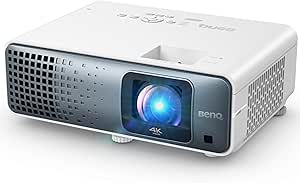 | Best for Short-Throw 4K Gaming | Resolution: 3840 × 2160 | Brightness: 3,200 ANSI lumens | Display type: Laser | VIEW LATEST PRICE | See Our Full Breakdown |
| AWOL VISION LTV-3000 Pro 4K 3D Ultra Short Throw Triple Laser Projector |  | Best for Immersive Ultra-Short-Throw Cinema | Native resolution: 3840 × 2160 | Throw ratio: 0.25:1 | Image size: 80–150 inches | VIEW LATEST PRICE | See Our Full Breakdown |
| Epson PowerLite 760W Ultra Short Throw WXGA 3LCD Laser Projector |  | Best for Bright Classrooms and Group Presentations | Resolution: 1280 × 800 (WXGA) | Brightness: 4,100 lumens, color and white | Display technology: 3LCD | VIEW LATEST PRICE | See Our Full Breakdown |
| Optoma ZW350ST WXGA Short-Throw Laser Projector |  | Best for Rugged, Always-On Installations | Native resolution: 1280 × 800 (WXGA) | Maximum display resolution: 1920 × 1080 | Brightness: 3,600 lumens | VIEW LATEST PRICE | See Our Full Breakdown |
| Optoma GT2000HDR Ultra-Compact Short-Throw Full HD Laser Projector |  | Best Compact Full HD Pick | Native resolution: 1920 × 1080 | Brightness: 3,500 lumens | Throw distance for 120-inch image: 4 ft 4 in | VIEW LATEST PRICE | See Our Full Breakdown |
| 4K Projector with 5000 ANSI Brightness, VIDAA OS, 65W Audio, Voice & Smartphone Control, Short Throw |  | Best for Built-In Entertainment | Resolution: Listed as 4K+ | Brightness: 5000 ANSI lumens | Throw distance: 8 ft for a 100-inch image | VIEW LATEST PRICE | See Our Full Breakdown |
| Optoma GT1080HDR Full HD Short Throw Projector |  | Best for Short-Range Gaming | Native resolution: 1920 × 1080 | Display type: DLP | Brightness: 3,800 lumens | VIEW LATEST PRICE | See Our Full Breakdown |
| Epson EpiqVision LS800 4K PRO-UHD Ultra Short Throw Laser Projector |  | Best for Bright-Room Home Theater | Resolution: 4K PRO-UHD pixel-shifting; listed as 3840 × 2160 | Display type: 3-chip 3LCD | Brightness: Up to 4,000 lumens, color and white | VIEW LATEST PRICE | See Our Full Breakdown |
| Optoma ML1080UST Photon GO Ultra Short Throw 1080p Portable Projector |  | Best Portable Ultra-Short-Throw Pick | Native resolution: 1920 × 1080 | Brightness: 650 ANSI lumens | Throw distance: 0.34–0.81 ft | VIEW LATEST PRICE | See Our Full Breakdown |
| short throw projector | Brightness | Native resolution |
|---|---|---|
| BenQ TH671ST 1080p Short-Throw | 3000 ANSI lumens | 1920 × 1080 |
| AWOL VISION Aetherion Pro 4K U | 3000 lm listed; description also cites 2,600 ISO lumens | 3840 × 2160 |
| ViewSonic LSD400HD-ST 1080p Sh | 4,000 ANSI lumens | 1920 × 1080 |
| iSinbox Short Throw 4K Smart P | — | 1080p |
| Optoma GT2400HDR Full HD Short | 4,200 lumens | 1920 × 1080 |
| BenQ TK710STi 4K HDR Short Thr | 3,200 ANSI lumens | — |
| AWOL VISION LTV-3000 Pro 4K 3D | 2,000 lm; maximum white brightness listed as 3,000 ANSI lumens | 3840 × 2160 |
| Epson PowerLite 760W Ultra Sho | 4,100 lumens, color and white | — |
| Optoma ZW350ST WXGA Short-Thro | 3,600 lumens | 1280 × 800 (WXGA) |
| Optoma GT2000HDR Ultra-Compact | 3,500 lumens | 1920 × 1080 |
| 4K Projector with 5000 ANSI Br | 5000 ANSI lumens | — |
| Optoma GT1080HDR Full HD Short | 3,800 lumens | 1920 × 1080 |
| Epson EpiqVision LS800 4K PRO- | Up to 4,000 lumens, color and white | — |
| Optoma ML1080UST Photon GO Ult | 650 ANSI lumens | 1920 × 1080 |
More Details on Our Top Picks
BenQ TH671ST 1080p Short-Throw Home Entertainment Projector
The BenQ TH671ST is a strong fit when a compact room needs a big screen for both games and films. Its 0.69–0.83 throw ratio can produce a 100-inch image from about five feet, while native 1080p keeps the picture detailed without relying on 4K input compatibility. Low input lag and a gaming-focused refresh rate make it a more direct gaming pick than the iSinbox Short Throw 4K Smart Projector, whose appeal centers on onboard apps and easy setup. The BenQ also offers 3000 ANSI lumens and broad connectivity, including two HDMI ports. The tradeoffs are its modest 5 W speaker and lamp upkeep: rated lamp life can fall to 4,000 hours in normal mode. I’d choose it for responsive play, not as an all-in-one sound system.
Pros:- Short-throw lens can create a 100-inch image from about five feet.
- Native 1080p resolution and 3000 ANSI lumens suit home entertainment.
- Low input lag and gaming-focused refresh rate support responsive play.
- Two HDMI ports plus USB, VGA, audio, and RS-232 connections.
Cons:- Built-in 5 W speaker is limited for room-filling movie or game audio.
- Lamp life can be as low as 4,000 hours in normal mode, so usage mode affects maintenance.
Best for: Console gamers who need a 100-inch-class screen in a smaller room and plan to use external audio.
Not ideal for: Buyers who want built-in streaming apps, powerful onboard sound, or a lamp-free projector.
- Display technology:DLP
- Native resolution:1920 × 1080
- Brightness:3000 ANSI lumens
- Throw ratio:0.69–0.83
- Image size:30–300 inches
- Native contrast ratio:10,000:1
- Speaker:5 W
- Connectivity:2 HDMI, USB Type-A, VGA, audio in/out, RS-232
- Warranty:3-year limited parts and labor
Our verdict“Choose the BenQ TH671ST for short-distance 1080p gaming, but plan for external audio and eventual lamp replacement.”
AWOL VISION Aetherion Pro 4K Ultra Short Throw Laser Projector
The AWOL VISION Aetherion Pro is the premium pick for buyers who want a large 4K image from very close to the screen, with a stated minimum throw distance of 0.5 feet and support for images up to 200 inches. Its 110% Rec.2020 color gamut and Dolby Vision, HDR10+, HDR10, and HLG support give it a wider HDR feature set than the 1080p BenQ TH671ST or Optoma GT2400HDR. Gaming features—1 ms latency, VRR, and ALLM—also make it more versatile than a cinema-only UST option. The tradeoff is that its published brightness and contrast figures vary across the supplied data: brightness is listed as both 2,600 ISO lumens and 3000 lm, with multiple contrast figures. Buyers should verify the exact configuration and measurement claims before choosing it.
Pros:- Native 4K resolution and support for image sizes up to 200 inches.
- Very short stated minimum throw distance of 0.5 feet.
- Supports Dolby Vision, HDR10+, HDR10, and HLG.
- Gaming features include 1 ms latency, VRR, and ALLM.
Cons:- Supplied brightness figures differ, listing 2,600 ISO lumens and 3000 lm.
- Contrast claims vary between native and viewing figures, making direct comparisons difficult.
- Two-year warranty is shorter than the three-year coverage listed for the BenQ TH671ST.
Best for: Home theater buyers seeking a close-placement 4K projector with broad HDR support and advanced gaming features.
Not ideal for: Buyers who want straightforward, consistent published brightness specifications or a lower-complexity 1080p setup.
- Native resolution:3840 × 2160
- Maximum image size:200 inches
- Minimum image size:80 inches
- Brightness:3000 lm listed; description also cites 2,600 ISO lumens
- Color gamut:110% Rec.2020
- Minimum throw distance:0.5 feet
- Light source operating life:25,000 hours
- Supported HDR formats:Dolby Vision, HDR10+, HDR10, HLG
- Gaming features:1 ms latency, VRR, ALLM
Our verdict“Pick the Aetherion Pro for a premium close-placement 4K theater and gaming setup if you are comfortable checking its varied published performance figures.”
ViewSonic LSD400HD-ST 1080p Short Throw Laser Projector
The ViewSonic LSD400HD-ST prioritizes brightness and installation flexibility over premium home-theater features. Its 4,000 ANSI lumens and short-throw lens can help keep a Full HD image visible in rooms where some ambient light remains; the stated distance for a 100-inch image is 1.1 meters. Unlike the lamp-based BenQ TH671ST, its laser light source avoids routine bulb replacement, while an IP6X-sealed optical engine and network control suit fixed installations. Golf Mode gives it a more specialized role than the general-purpose iSinbox, which focuses on streaming and portability. The compromises are a 1080p ceiling and an installation-oriented package: it is designed for ceiling mounting, and the supplied light-source life differs between the description and specifications. I’d favor it for bright-room or golf-simulation use over a casual portable setup.
Pros:- 4,000 ANSI lumens help maintain visibility with some ambient light.
- Short-throw lens supports a 100-inch image from a stated 1.1 meters.
- Lamp-free laser light source reduces bulb-replacement needs.
- Golf Mode, network control, and IP6X-sealed optics support specialized installations.
Cons:- Native resolution is Full HD rather than 4K.
- Listed light-source life is inconsistent: specifications say 20,000 hours while the description claims up to 30,000.
- Ceiling-mount orientation and installation features are less suited to casual portable use.
Best for: Golf-simulation users, schools, and installation buyers who need bright Full HD projection with short placement distance.
Not ideal for: Portable movie viewers seeking built-in streaming apps, a compact travel setup, or native 4K resolution.
- Native resolution:1920 × 1080
- Brightness:4,000 ANSI lumens
- Contrast ratio:3,000,000:1
- Light source:Laser
- Listed light-source operating life:20,000 hours
- Image size:40–300 inches
- Minimum throw distance:0.44 meters
- Connectivity:Ethernet, HDMI, USB, 3.5 mm audio
- Mounting type:Ceiling mount
Our verdict“Choose the ViewSonic for a bright, fixed short-throw installation or golf simulator, not for a portable streaming-first setup.”
iSinbox Short Throw 4K Smart Projector with Netflix, Auto Focus, Dolby Audio, and Dual-Mode Stand
The iSinbox Short Throw 4K Smart Projector is best viewed as a convenient 1080p smart projector, not a native 4K model. It produces a 100-inch image from 7.9 feet, and built-in apps such as Netflix, YouTube, and Disney+ reduce the need to add a streaming stick. Auto focus, 6D keystone correction, obstacle avoidance, and a 360-degree stand make setup less demanding than with the installation-focused ViewSonic LSD400HD-ST. That convenience comes with a resolution tradeoff: it accepts and decodes 4K input, but its native resolution is 1080p. It also lacks the supplied brightness figure that makes the ViewSonic a clearer choice for rooms with ambient light. I’d pick this for bedroom viewing or occasional outdoor use where app access and flexible placement matter more than native 4K detail.
Pros:- Built-in Netflix, YouTube, Prime Video, Disney+, and other streaming apps.
- Projects a stated 100-inch image from 7.9 feet.
- Auto focus, 6D keystone correction, and obstacle avoidance simplify setup.
- 360-degree stand and handle support flexible placement and carrying.
Cons:- Native resolution is 1080p; 4K refers to input and decoding support.
- No brightness figure is provided in the supplied product data.
- Automatic correction and streaming convenience do not replace the installation-focused controls of the ViewSonic LSD400HD-ST.
Best for: Bedroom viewers and casual outdoor users who want built-in streaming, automatic image adjustments, and a portable stand.
Not ideal for: Buyers seeking native 4K resolution, a published brightness level for bright-room planning, or a professionally specified installation projector.
- Native resolution:1080p
- 4K support:4K input and decoding
- Throw ratio:1.1:1
- Screen size and distance:100 inches from 7.9 feet
- Audio:Dolby Audio, DTS decoding, built-in stereo speakers
- Connectivity:Wi-Fi 6, Bluetooth 5.4, eARC, HDMI
- Streaming apps:Netflix, YouTube, Prime Video, Disney+, Max, Paramount+
- Setup features:Auto focus, 6D auto keystone, obstacle avoidance
- Mounting:360° stand/handle, M4 tripod mount
Our verdict“Choose the iSinbox for easy, app-based 1080p viewing in a bedroom or casual setup, but skip it if native 4K is a requirement.”
Optoma GT2400HDR Full HD Short Throw Laser Projector
The Optoma GT2400HDR pairs short placement distance with bright Full HD output and a laser light source rated for up to 30,000 hours. Its stated 2.6–3.7-foot throw distance suits tight rooms and golf-simulation spaces, while 4,200 lumens and IP6X-rated dust protection make it a practical choice for frequent use. Low input lag supports gaming, putting it closer to the BenQ TH671ST than the streaming-led iSinbox, but the Optoma trades lamp replacement for a longer-life sealed laser design. The key resolution distinction is easy to miss: it has native 1080p and accepts 4K HDR input, rather than displaying native 4K. Its warranty also limits light-source coverage to five years or 12,000 hours, below the stated 30,000-hour operating life. Buyers should weigh that coverage against expected use.
Pros:- Bright 4,200-lumen output suits home entertainment and golf-simulation use.
- Short 2.6–3.7-foot throw distance fits tight setups.
- Low input lag supports responsive gaming.
- Laser light source is rated for up to 30,000 hours, with IP6X dust protection.
Cons:- Native resolution is 1080p; 4K is supported as input, not native display resolution.
- Light-source warranty coverage is limited to five years or 12,000 hours.
- The supplied data does not specify a numerical input-lag figure.
Best for: Frequent-use gamers and golf-simulation buyers who need bright short-throw Full HD projection and low-maintenance laser operation.
Not ideal for: Viewers seeking native 4K detail, built-in streaming apps, or warranty coverage matching the full stated laser life.
- Native resolution:1920 × 1080
- Maximum supported resolution:3840 × 2160
- Brightness:4,200 lumens
- Minimum throw distance:2.6 feet
- Maximum throw distance:3.7 feet
- Light source:DuraCore laser
- Light-source operating life:Up to 30,000 hours
- Dust protection:IP6X-rated
- Warranty:1-year limited parts and labor; light source covered for 5 years or 12,000 hours
Our verdict“Choose the GT2400HDR for bright, low-maintenance short-throw gaming in a compact room, as long as native 4K is not a requirement.”
BenQ TK710STi 4K HDR Short Throw Laser Projector
The BenQ TK710STi is the strongest fit here for buyers who want a short-throw setup that can handle both 4K viewing and responsive gaming. Its 3,200 ANSI lumens give it more flexibility in a room with some ambient light than the darker-room-focused AWOL VISION LTV-3000 Pro, while its laser light source is rated for 20,000 hours. The gaming headline has a clear limit: 240Hz and 4ms response are specified at 1080p, not 4K, so competitive players have to choose between resolution and the fastest mode. Built-in Android TV also cuts down on extra streaming hardware. I would skip it if an ultra-short placement is the priority; the Epson PowerLite 760W and AWOL sit much closer to the screen, though the Epson trades home-cinema detail for WXGA.
Pros:- 4K resolution with HDR10 support for detailed movie and game images
- 3,200 ANSI lumens provide more room-light flexibility than the AWOL LTV-3000 Pro
- 1080p gaming supports 240Hz with a stated 4ms response time
- Laser light source rated for 20,000 hours and built-in Android TV
Cons:- The 240Hz gaming mode is specified at 1080p rather than 4K
- Its 8.4-inch minimum throw distance is not as close as an ultra-short-throw design
- The listed 3,200-inch maximum image size is unusually large and may not reflect a practical setup
Best for: Gamers and home-theater buyers who want a bright 4K short-throw image, built-in streaming, and a low-latency 1080p mode.
Not ideal for: Buyers who need an ultra-short-throw unit placed right against the wall, or gamers who require 240Hz at native 4K.
- Resolution:3840 × 2160
- Brightness:3,200 ANSI lumens
- Display type:Laser
- Color coverage:95% Rec.709
- Gaming response:4 ms at 1080p/240Hz
- Throw distance:8.4 inches minimum; 16.3 feet maximum
- Light-source life:20,000 hours
- Features:HDR10, Android TV, autofocus, digital keystone correction
Our verdict“Choose the TK710STi if you want short-throw 4K with bright-room flexibility and fast 1080p gaming, but not if you need an ultra-short-throw placement.”
AWOL VISION LTV-3000 Pro 4K 3D Ultra Short Throw Triple Laser Projector
The AWOL VISION LTV-3000 Pro earns its place for buyers who want a large 4K theater image without putting a projector across the room. Its 0.25:1 throw ratio supports an 80- to 150-inch image, and the triple-laser system pairs wide stated color coverage with Dolby Vision, HDR10+ and 3D. Compared with the BenQ TK710STi, it is the more cinema-focused choice: the BenQ offers higher stated brightness and gaming features, while the AWOL brings ultra-short placement and a built-in center-channel speaker with Dolby Atmos support. That tradeoff matters in real rooms: the AWOL is designed for darker viewing, and brighter spaces may call for an ALR screen. Placement still needs care, and 3D requires compatible content and active-shutter glasses.
Pros:- 0.25:1 throw ratio supports large images from close to the screen
- 4K UHD with Dolby Vision, HDR10+, and 3D support
- Wide stated color gamut of 107% BT.2020 and 147% DCI-P3
- Built-in center-channel speaker with Dolby Atmos support
Cons:- Designed for darker rooms; brighter environments may need an ALR screen
- 3D viewing requires active-shutter glasses and compatible content
- Cabinet depth and close placement call for careful setup
Best for: Home-theater owners who want a large 4K image from a cabinet near the wall, plus support for premium HDR formats and 3D.
Not ideal for: Viewers using a bright, unscreened room, or buyers who want high-refresh gaming and a simple, casual setup.
- Native resolution:3840 × 2160
- Throw ratio:0.25:1
- Image size:80–150 inches
- Brightness:2,000 lm; maximum white brightness listed as 3,000 ANSI lumens
- Contrast ratio:2,500:1
- Color gamut:107% BT.2020; 147% DCI-P3
- Light-source life:25,000 hours
- Supported features:3D, Dolby Vision, Dolby Atmos, HDR10+
Our verdict“Pick the LTV-3000 Pro for a close-placement 4K cinema system in a room you can darken, rather than for bright-room use or gaming-first performance.”
Epson PowerLite 760W Ultra Short Throw WXGA 3LCD Laser Projector
The Epson PowerLite 760W is the practical choice when a short throw is about visibility and collaboration rather than home-cinema detail. Its 4,100 lumens of color and white brightness help keep presentations legible in rooms where lights stay on, and the ultra-short-throw lens reduces the chance of a presenter casting a shadow across the image. Wireless casting for up to 50 devices also suits classrooms and meeting spaces better than the entertainment-focused BenQ TK710STi. The compromise is resolution: WXGA (1280 × 800) is a step below Full HD and far below 4K, so fine text and movie detail will not match the BenQ or AWOL. I would choose it for shared slides and lessons, not as the centerpiece of a high-detail home theater.
Pros:- 4,100-lumen color and white brightness suits rooms with ambient light
- Ultra-short-throw placement helps reduce shadows from presenters
- Wireless casting supports up to 50 devices
- Laser light source is rated for 20,000 hours
Cons:- WXGA resolution is below Full HD and less suited to detailed video
- Maximum image size is 150 inches, smaller than the listed maximum for the Optoma ZW350ST
- Its presentation-focused resolution and feature set are a poor match for a 4K home-cinema build
Best for: Teachers, trainers, and meeting-room teams who need a bright ultra-short-throw display and wireless sharing for many participants.
Not ideal for: Home-theater viewers or users who need Full HD or 4K detail for movies, games, or dense visual content.
- Resolution:1280 × 800 (WXGA)
- Brightness:4,100 lumens, color and white
- Display technology:3LCD
- Image size:60–150 inches
- Throw distance:1.11–3.04 feet
- Light source:Laser diode, rated for 20,000 hours
- Wireless casting:Up to 50 devices
- Connectivity:Ethernet, HDMI, USB, Wi-Fi
Our verdict“Choose the PowerLite 760W for bright classrooms and collaborative presentations, but look to the BenQ TK710STi or AWOL LTV-3000 Pro for detailed home viewing.”
Optoma ZW350ST WXGA Short-Throw Laser Projector
The Optoma ZW350ST is the installation-minded pick in this group: its short-throw lens, IP6X dust resistance, and support for 24/7 and 360-degree operation suit signage, simulators, and rooms where equipment runs for long stretches. It also offers a rated laser life of up to 30,000 hours, plus dual HDMI, Ethernet, RS232, and a 15W speaker for flexible integration. Compared with the Epson PowerLite 760W, it has a longer stated maximum image size and a more rugged operating brief; the Epson counters with higher brightness and wireless casting for group presentations. The ZW350ST’s main limit is its native WXGA resolution, despite accepting up to 1080p input. I would not choose it over the BenQ TK710STi for detailed 4K entertainment or gaming.
Pros:- 0.52:1 throw ratio produces a large image from a relatively short distance
- IP6X dust resistance and support for 24/7 and 360-degree operation
- DuraCore laser light source rated for up to 30,000 hours
- Dual HDMI, Ethernet, RS232, USB-A, and a built-in 15W speaker
Cons:- Native resolution is WXGA, below Full HD despite accepting 1080p input
- No wireless casting is listed, unlike the Epson PowerLite 760W
- Its installation-focused feature set is less suited to a streaming-centered home theater
Best for: Venue operators, educators, and simulator builders who need a dust-resistant short-throw projector for extended or unusual installation use.
Not ideal for: Home-cinema buyers who prioritize native Full HD or 4K detail, or users who want built-in wireless casting.
- Native resolution:1280 × 800 (WXGA)
- Maximum display resolution:1920 × 1080
- Brightness:3,600 lumens
- Throw ratio:0.52:1
- Projection distance:0.3–3.4 m
- Maximum image size:300 inches
- Dust resistance:IP6X
- Light-source life:Up to 30,000 hours
Our verdict“Choose the ZW350ST for durable, extended-use installations where short-throw placement matters more than native high resolution.”
Optoma GT2000HDR Ultra-Compact Short-Throw Full HD Laser Projector
The Optoma GT2000HDR makes the most sense for buyers who want a compact short-throw projector with native Full HD, without stepping up to the 4K BenQ TK710STi or the AWOL’s ultra-short-throw cinema format. It can form a 120-inch image from 4 feet 4 inches, and its 3,500-lumen output and 4K HDR input compatibility give it flexibility for movies and games in a modest-sized room. Input compatibility is not the same as native 4K, though: the GT2000HDR displays at 1920 × 1080. Its DuraCore laser is rated for up to 30,000 hours, and IPX6 dust resistance suits less controlled spaces. The stated maximum image size conflicts with the listed minimum image size, so I would verify the intended range before planning a very large installation.
Pros:- Native 1080p resolution provides more detail than the WXGA Optoma ZW350ST
- Projects a 120-inch image from 4 feet 4 inches
- 3,500 lumens and 4K HDR input compatibility suit flexible movie and gaming use
- Laser light source rated for up to 30,000 hours with IPX6 dust resistance
Cons:- Native resolution is Full HD, not 4K like the BenQ TK710STi
- Maximum image-size information conflicts with the listed minimum image size
- Warranty is listed as one year for parts and labor, with separate light-source coverage
Best for: Apartment and multipurpose-room owners who want a compact projector for a large 1080p image from a short distance.
Not ideal for: Buyers who require native 4K, an ultra-short-throw cabinet setup, or a clearly documented maximum image size for a large fixed installation.
- Native resolution:1920 × 1080
- Brightness:3,500 lumens
- Throw distance for 120-inch image:4 ft 4 in
- Maximum image size:300 inches listed
- Light source:DuraCore laser
- Light-source life:Up to 30,000 hours
- Dust resistance:IPX6
- Connectivity:HDMI, USB, 3.5 mm audio, RCA
Our verdict“Pick the GT2000HDR for compact, short-throw Full HD viewing, but choose the BenQ TK710STi if native 4K is a priority.”
4K Projector with 5000 ANSI Brightness, VIDAA OS, 65W Audio, Voice & Smartphone Control, Short Throw
The GO2 suits buyers who want a short-throw setup with streaming and sound already built in. Its lens makes a 100-inch image from 8 feet, so it fits rooms where a standard projector would need more depth, though the Optoma GT1080HDR can make a similar-size image from much closer. The GO2 counters with claimed 5000 ANSI lumens and 65W stereo speakers, reducing reliance on external audio and helping with some ambient light; the listing still cautions that well-lit rooms hurt performance. VIDAA adds major streaming apps, voice and phone controls, parental controls, and live channels, giving it a more self-contained setup than the gaming-focused GT1080HDR. The tradeoff is that the product data does not specify native resolution or input lag, so buyers prioritizing verified image detail or responsive gaming have clearer alternatives.
Pros:- Projects a 100-inch image from 8 feet
- VIDAA OS includes major streaming apps, voice controls, and parental controls
- 65W stereo speakers can reduce the need for separate speakers
- Two HDMI 2.1 ports with ARC and CEC support
Cons:- The listing says image performance drops in well-lit environments
- Native resolution and input lag are not specified in the supplied product data
- The 8-foot distance for a 100-inch image is less compact than the Optoma GT1080HDR’s setup
Best for: Households wanting a short-throw projector with streaming apps, parental controls, and substantial built-in sound for evening viewing.
Not ideal for: Buyers who need a projector for a brightly lit room or who prioritize documented native resolution and gaming response.
- Resolution:Listed as 4K+
- Brightness:5000 ANSI lumens
- Throw distance:8 ft for a 100-inch image
- Image size range:50–500 inches
- Audio:65W stereo speakers; Dolby-supported
- Operating system:VIDAA OS
- Contrast ratio:50,000:1
- Connections:2× HDMI 2.1, 2× USB, AV, 3.5 mm headphone jack
Our verdict“Choose the GO2 if built-in streaming and powerful onboard audio matter more than the shortest possible throw or clearly documented resolution.”
Optoma GT1080HDR Full HD Short Throw Projector
The GT1080HDR is a strong fit when a gaming or movie setup has little room between the projector and screen. It can produce a 100-inch image from just over 3 feet, a substantially shorter setup than the GO2 requires for the same size. Its low input lag is also a more direct selling point for players than the GO2’s broader smart-TV features. The compromise is resolution: this is a native 1080p projector that accepts 4K HDR input, not a native 4K model like the Epson EpiqVision LS800. At 3,800 lumens, it has useful brightness for some ambient light, but the built-in 10W speaker is modest beside the GO2’s 65W system. Dual HDMI and a stated lamp life up to 15,000 hours support a practical fixed setup, though the maximum image size still depends on room layout.
Pros:- Creates a 100-inch image from just over 3 feet
- Low input lag is suited to gaming
- 3,800 lumens supports viewing with some ambient light
- Dual HDMI inputs and lamp life rated up to 15,000 hours
Cons:- Native resolution is 1920 × 1080; 4K is supported as input
- Built-in speaker is only 10W
- Its short-throw placement is less close to the wall than the Epson LS800 or Optoma Photon GO
Best for: Console gamers and sports viewers who need a large image from a short distance and value responsive play over native 4K detail.
Not ideal for: Buyers seeking native 4K resolution, powerful built-in audio, or an ultra-short-throw unit that sits close to the wall.
- Native resolution:1920 × 1080
- Display type:DLP
- Brightness:3,800 lumens
- HDR compatibility:4K HDR input; HDR10
- Throw distance:1.3–11.5 ft
- Maximum image size:307 inches
- Lamp life:Up to 15,000 hours
- Connections:Dual HDMI, USB power, VGA
Our verdict“Pick the GT1080HDR for responsive gaming in a shallow room, but choose the Epson LS800 if native 4K output matters more.”
Epson EpiqVision LS800 4K PRO-UHD Ultra Short Throw Laser Projector
The LS800 is the most compelling fit here for a dedicated large-screen setup where the projector must sit close to the wall and the room is not fully dark. Its 0.9-to-2-foot throw range supports an 80-to-150-inch image, unlike the GT1080HDR, which needs several feet for a 100-inch picture. Epson’s stated 4,000-lumen color and white brightness and 3LCD design are aimed at preserving a usable image in brighter conditions. The resolution needs a clear distinction: the product is described as 4K PRO-UHD with pixel-shifting, while the specs also list 3840 × 2160; it is not presented as native 4K imaging. The laser light source is rated for 20,000 hours. Compared with the portable Photon GO, this is better suited to a permanent, larger installation, but less convenient to move and still may benefit from an ambient-light-rejecting screen.
Pros:- Projects an 80-to-150-inch image from 0.9 to 2 feet away
- Rated at 4,000 lumens for color and white brightness
- Laser light source rated for 20,000 hours
- Includes Bluetooth, HDMI, USB, Wi-Fi, and built-in speakers
Cons:- Uses 4K PRO-UHD pixel-shifting rather than being described as native 4K
- An ambient-light-rejecting screen may be needed for some rooms
- Less portable than the battery-powered Optoma Photon GO
Best for: Home-theater buyers who want an ultra-short-throw installation, a screen up to 150 inches, and a brighter-room option.
Not ideal for: Renters or portable-entertainment buyers who need a battery-powered projector, or viewers requiring explicitly native 4K imaging.
- Resolution:4K PRO-UHD pixel-shifting; listed as 3840 × 2160
- Display type:3-chip 3LCD
- Brightness:Up to 4,000 lumens, color and white
- Throw distance:0.9–2 ft
- Image size range:80–150 inches
- Light source:Laser
- Light-source life:20,000 hours
- Connectivity:Bluetooth, HDMI, USB, Wi-Fi
Our verdict“Choose the LS800 for a close-to-wall, large-screen home theater in a room with some ambient light, provided pixel-shifted 4K meets your needs.”
Optoma ML1080UST Photon GO Ultra Short Throw 1080p Portable Projector
The Photon GO brings ultra-short-throw projection to people who want to move their screen between rooms or take it outdoors. It makes a 100-inch image from less than one foot away, and its built-in battery is rated for up to 1.5 hours of use. That makes it far easier to relocate than the room-focused Epson LS800, though the Epson offers higher stated brightness and a larger maximum image. The Photon GO’s 650 ANSI lumens and 1080p resolution suit dimmer settings better than daytime viewing, and its 20W speakers offer more onboard audio than the GT1080HDR’s 10W speaker. Google TV, certified streaming apps, auto focus, and auto keystone simplify setup; the tradeoff is that battery runtime limits longer sessions, and its maximum image size is 100 inches. It is the lineup’s mobility-first choice, not a replacement for a bright-room home theater.
Pros:- Projects a 100-inch image from less than one foot away
- Built-in battery provides up to 1.5 hours of use
- Google TV includes certified streaming apps and Google Cast
- Auto focus, auto keystone, and 20W stereo speakers simplify portable use
Cons:- 650 ANSI lumens is better suited to dim environments than bright rooms
- Native resolution is 1080p, with 4K listed as compatible input
- Battery runtime is limited to up to 1.5 hours and maximum image size is 100 inches
Best for: Students, renters, and frequent movers who want a compact ultra-short-throw projector for dim rooms, short viewing sessions, or occasional outdoor use.
Not ideal for: Buyers planning long movie nights away from power, daytime viewing, or a screen larger than 100 inches.
- Native resolution:1920 × 1080
- Brightness:650 ANSI lumens
- Throw distance:0.34–0.81 ft
- Image size range:60–100 inches
- Light source:Triple RGB laser
- Battery life:Up to 1.5 hours
- Audio:20W stereo speakers
- Smart platform:Google TV with Google Cast
Our verdict“Choose the Photon GO for portable, close-to-wall viewing in dim spaces; choose the Epson LS800 for a brighter, larger fixed installation.”
How We Picked
I ranked these projectors by how well their short-throw design solves real placement problems, then weighed image resolution, light-source type, stated brightness, and suitability for the intended setting. A short throw ratio is useful only if it fits the buyer’s screen size and room depth, so I distinguished conventional short throw models from ultra short throw units rather than treating them as interchangeable. I also considered practical ownership factors: smart features, portability, audio and setup aids where specified, plus whether the product’s format appears better suited to home entertainment, gaming, classrooms, or other presentation spaces.
The ranking favors models with a clear, useful role and a strong balance of placement flexibility and viewing capability. That puts the BenQ TK710STi first as a versatile home-oriented option, while the LS800 and AWOL models rank as specialized premium choices rather than universal winners. Native resolution and intended use matter: WXGA projectors can be sensible for presentations but are less compelling for a movie-first setup, and smart functions do not compensate for a poor fit between projector, room, and screen. Where a listing does not provide enough detail to compare a feature reliably, I avoid treating that feature as a proven advantage.
Factors to Consider When Choosing Short Throw Projectors
Short throw describes where a projector can sit, not how bright, detailed, or easy to use its image will be. I’d start with the room and screen, then decide which features matter for the content you watch. These distinctions help prevent common mismatches, such as buying a presentation projector for movies or choosing an ultra short throw model without planning its screen and furniture placement.
Match Throw Distance to Your Room and Screen
Before comparing resolution, measure the distance from the intended projector position to the screen and check the image size that distance can produce. “Short throw” and “ultra short throw” are not interchangeable: an ultra short throw unit sits very close to the wall, while a conventional short throw projector still needs more room. A few inches of placement error can shift the image substantially on some ultra short throw setups, so check the manufacturer’s placement guidance before choosing a cabinet or screen. Do not assume digital keystone correction is a substitute for correct positioning; adjusting the image electronically can reduce usable detail. Also account for ceiling mounts, furniture depth, cable routes, and anyone walking through the beam. A projector that fits the room physically is a better choice than one with impressive specs that cannot land a properly sized image where you need it.
Choose Resolution for Your Viewing Distance
Resolution matters most when the screen is large or viewers sit close enough to see fine image structure. Full HD can be a sensible match for casual viewing and gaming, while 4K-class models make more sense when you want extra detail on a large home cinema image. WXGA models in this lineup target a different job: presentations and general display use, where text and graphics may matter more than cinematic detail. Check whether a model’s 4K label describes its displayed resolution or a processing method, and compare specifications carefully rather than relying on the label alone. Buyers often overspend on resolution while overlooking screen quality, room light, and content quality. If your source material is mostly standard definition or your image is modest in size, a brighter or more convenient projector may improve everyday viewing more than a resolution upgrade.
Think About Ambient Light Before Brightness
Brightness requirements depend on the room, screen size, screen material, and how much control you have over windows and lamps. A projector intended for classrooms or presentations may prioritize visibility in brighter spaces, while a home cinema model may be designed around a more controlled room. Manufacturer brightness figures are useful for narrowing choices, but they do not tell the whole story about perceived contrast, color, or picture quality. A larger image spreads the projector’s light over more area, so the same unit may look less vivid at a bigger screen size. Buyers commonly assume that more brightness will fix every washed-out image; darker walls, a better screen match, or reducing the image size may help more. Decide whether you will watch with lights on, and choose the projector and screen as a pair.
Weigh Laser Convenience Against Lamp Replacement
Laser light sources can reduce the need for routine lamp replacement and are a strong fit for frequent use, but the projector still needs clear ventilation and sensible placement. Lamp-based models may suit buyers who use a projector occasionally and prefer to focus on the initial feature set rather than a newer light-source design. Compare the stated light-source life and replacement guidance in the manufacturer’s documentation, since maintenance costs and service options vary by model. A projector mounted in a hard-to-reach spot makes light-source longevity more valuable than it would be for a unit on a shelf. Do not treat “laser” as a guarantee of better color or contrast; those depend on the full imaging system and viewing conditions. Match the light source to how often you watch and how easy it will be to service the projector.
Decide Whether You Need Built-In Smart Features
Built-in streaming, autofocus, and integrated audio can make setup simpler, especially when the projector is used in more than one room. Those features can also add little value if you already use a streaming device, receiver, or dedicated speakers. Check which apps and connection options are actually supported, and whether the projector receives the software updates you expect. A projector with built-in speakers can be convenient for casual use, but a large image may call for external audio to feel balanced. Avoid choosing a model solely because it advertises an operating system or voice control; the quality and compatibility of those features matter more than their presence. For a permanent theater, prioritize image placement and connections first, then treat smart functions as a convenience rather than a substitute for a sound system.
Plan for Screen, Setup, and Everyday Use
A short throw projector can work on a wall, but a suitable screen often gives a more consistent surface and can improve the result in rooms with ambient light. Ultra short throw projectors are particularly sensitive to surface bumps and alignment, so a flat, compatible screen may be a worthwhile part of the setup. Portable models trade some fixed-installation convenience for easier movement, but check their power, input, audio, and setup requirements before expecting a cable-free experience. Also think about fan noise, ventilation clearance, and whether you can reach the controls after installation. A common mistake is budgeting for the projector alone and forgetting the screen, mount, cables, or audio needed for the finished setup. Choose a package that fits how you will actually use the room, not just the projector’s headline features.
Frequently Asked Questions
Can I use a short throw projector in a small living room?
Yes, short throw models can produce a large image from less distance than standard projectors, which can help in compact rooms. The right fit depends on the exact throw ratio and the screen size you want, so measure the available distance rather than relying on the category name. An ultra short throw projector can sit close to the wall, but it needs precise alignment and a suitable surface. Also check where people will sit and walk, since a short throw beam can still be interrupted depending on placement. Compare the projector’s placement chart with your room measurements before buying.
Is an ultra short throw projector better than a regular short throw model?
Neither format is automatically better; they solve different placement problems. Ultra short throw models sit close to the screen and can create a television-like arrangement, while conventional short throw models can work better on a ceiling mount or shelf farther back. Ultra short throw units often demand more careful alignment and a flatter screen surface, which can make installation less forgiving. Regular short throw projectors may be easier to reposition, though they still need a suitable distance and clear beam path. Choose based on your room layout and installation plan, not the “ultra” label alone.
Should I choose 4K or 1080p for a short throw projector?
Choose based on the image size, viewing distance, and type of content rather than resolution alone. A 4K-class projector can show more detail on a large screen, especially when viewers sit relatively close, while 1080p can be a practical fit for gaming and everyday viewing. Source quality matters too: a high-resolution projector cannot add genuine detail to low-resolution content. Check how the manufacturer describes the projector’s displayed resolution, since 4K terminology can refer to different imaging approaches. If your room is bright or your screen choice is poor, those issues may have more effect on the picture than moving from 1080p to 4K.
Do I need a special screen for an ultra short throw projector?
A special screen is not always required, but a flat and properly positioned surface is especially helpful for an ultra short throw setup. Because the projector sends its image upward at a steep angle, wall imperfections can become more visible than they would with a conventional projector. A compatible screen can improve image uniformity and may help manage ambient light, depending on its design. Check the projector and screen makers’ compatibility guidance before choosing a screen material. If you plan to project directly onto a wall, assess its flatness and color before assuming the wall will give a theater-quality result.
Are classroom-oriented WXGA projectors a good choice for movies?
They can display movies, but WXGA models are generally a stronger match for presentations, classroom graphics, and text than for a home cinema focused on fine image detail. Their lower resolution relative to Full HD and 4K models becomes more apparent on a large screen or with viewers seated close. Their brightness and installation features may still be useful in a multipurpose room that is not fully darkened. Compare the content you watch most often with the projector’s resolution and intended setting. If movies are the priority, a home-oriented Full HD or 4K-class option is usually a better starting point.
Conclusion
For most home viewers, I’d choose the BenQ TK710STi as the best overall because it balances 4K-class detail, laser convenience, and short throw placement. The BenQ TH671ST is my best value-style pick for buyers who want a direct 1080p home entertainment option and do not need a laser light source. Beginners who want a more self-contained setup should compare the iSinbox smart features with the setup needs of other models, while checking app support and audio expectations before buying. For a premium, near-wall theater installation, look at the Epson LS800 or an AWOL VISION ultra short throw model; for presentations, consider the WXGA-focused ViewSonic, Epson PowerLite, or Optoma ZW350ST. If portability is the priority, the Optoma ML1080UST Photon GO has the clearest role, while dedicated Full HD gaming buyers can narrow their shortlist to the Optoma GT2400HDR, GT2000HDR, and BenQ TH671ST. Match the projector to your room and use first, then choose the model whose tradeoffs you can live with.
Fall Picks

Philips Hue Essential Starter Kit with Bridge and 4 E26 Smart Bulbs
As an affiliate, we earn on qualifying purchases.