
When your picture freezes mid-movie, it’s often due to internet issues, device glitches, or outdated software. Slow or unstable internet can cause buffering while hardware problems like overheating or outdated components might lead to pauses. Restarting your device or router, checking your internet speed, and closing other apps can help. Updating drivers and software can also improve playback. Keep going to discover more tips to resolve this common problem quickly.

Get your home office setup delivered free — and shop member deals
- Fast, free delivery on millions of items
- Access to Prime Big Deal Days deals on October 6–7
- Prime Video, Amazon Music and more included
Key Takeaways
- Streaming buffering issues from slow or unstable internet can cause mid-movie picture freezes.
- Hardware glitches or overheating may lead to temporary freezes during playback.
- Outdated device drivers or software conflicts can disrupt video streaming and cause freezes.
- Insufficient hardware performance or incompatibility can result in picture freezes mid-movie.
- Restarting devices, checking internet speed, updating software, and cleaning hardware can often fix the issue.
Many viewers have experienced the frustration of their screen freezing mid-movie, disrupting the entire viewing experience. It’s a common problem that can stem from various issues, but two of the most frequent culprits are streaming buffering and hardware glitches. When your screen freezes unexpectedly, it’s often because your device is struggling to keep up with the data being transmitted or because something isn’t functioning correctly internally.
Streaming buffering is a typical cause of picture freezes. If your internet connection is slow or unstable, the streaming service can’t deliver data smoothly, causing constant pauses and freezes in the video. You might notice that your movie stalls at the same spot repeatedly or takes a long time to load before playing again. To fix this, start by checking your internet speed. Run a speed test and verify it meets the streaming service’s recommended bandwidth. If it’s slow, try restarting your modem or router, or switch to a wired connection for more stability. Closing other devices or apps using bandwidth can also help free up resources. Additionally, lowering the video quality settings can reduce buffering issues, making it easier for your device to stream the content without interruption.
Check your internet speed and try lowering video quality to reduce buffering and prevent freezes.
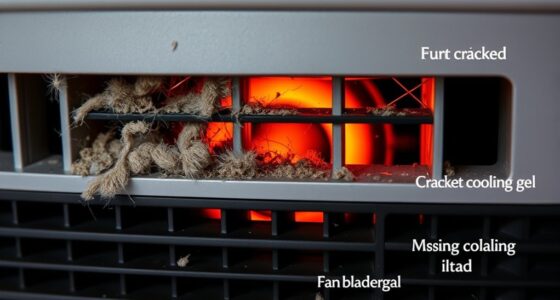
Hardware glitches are another common reason for picture freezes. Your device’s internal components, such as the graphics card, RAM, or storage, might be malfunctioning or overwhelmed. Over time, hardware can overheat or become outdated, leading to performance issues. If your device is overheating, make sure it has proper ventilation and isn’t clogged with dust. Updating your device’s drivers and software can also resolve compatibility issues that cause freezes. Sometimes, a simple restart can clear temporary glitches, but if problems persist, you might need to contemplate hardware upgrades or repairs. For example, adding more RAM or replacing an aging graphics card can considerably improve playback stability. Ensuring your device’s hardware is compatible with your streaming content is an important concept that can influence performance.
In many cases, addressing streaming buffering issues and assessing your hardware is in good shape can prevent those frustrating freezes. Keep your internet connection solid, optimize your device’s performance, and stay updated with the latest software. If you’ve tried these steps and still experience freezes, it might be worth reaching out to technical support or pondering a different device for streaming. Taking these proactive measures can help you enjoy your movies uninterrupted, turning those frustrating freezes into distant memories.
Frequently Asked Questions
Can Internet Speed Affect Picture Freezes During Streaming?
Yes, internet speed can affect picture freezes during streaming. Slow or inconsistent speeds cause buffering delays, making your video pause or freeze unexpectedly. This can also lead to screen tearing, where the image appears torn or distorted. To fix this, guarantee your connection is fast and stable, possibly by upgrading your plan, using a wired connection, or reducing other devices’ bandwidth usage. These steps help minimize freezing and improve your streaming experience.
Do Outdated Drivers Cause Video Playback Issues?
Outdated drivers can definitely cause video playback issues. When driver updates aren’t installed, your graphics card might not work efficiently with current media formats, leading to freezes or choppy playback. To fix this, regularly check for driver updates from your manufacturer’s website or use device management tools. Keeping your drivers current guarantees smoother streaming and prevents those frustrating picture freezes during your movies or videos.
How Does Overheating Impact My Device’s Video Performance?
When your device overheats, it can cause your video to freeze or stutter. For example, if you’re gaming during a hot day, the device cooling system might struggle, triggering thermal throttling. This process slows down your processor to prevent damage, which impacts video performance. To fix this, guarantee proper device cooling, like cleaning vents or using a cooling pad, so thermal throttling doesn’t reduce your viewing experience.
Is Hardware Acceleration Related to Picture Freezes?
Yes, hardware acceleration is related to picture freezes. When hardware acceleration is enabled, your device uses dedicated hardware for video rendering, which usually improves performance. However, if your hardware or drivers are outdated or incompatible, it can cause glitches or freezes during video playback. Turning off hardware acceleration might help stabilize video rendering and prevent picture freezes, especially if your device struggles with processing high-quality videos smoothly.
Can Background Apps Interfere With Smooth Video Playback?
A busy digital environment can sometimes cause your video to stutter. Background app conflicts and multitasking overload often sneak in, consuming resources and slowing down playback. When you have multiple apps running, your device struggles to allocate enough power to stream smoothly. To fix this, close unnecessary programs, pause background activities, and give your media player priority. This way, your movie experience stays fluid and enjoyable.
Conclusion
When your movie suddenly freezes, it’s like a spell of silence in a lively conversation, breaking the magic of your viewing experience. But don’t worry—most issues are just temporary hiccups waiting to be fixed. By checking connections, updating software, or giving your device a gentle restart, you can breathe life back into your movie. Soon, your screen will dance with motion again, restoring the story’s flow and turning the freeze into just a fleeting shadow in the grand cinematic journey.
Halloween Picks
halloween
As an affiliate, we earn on qualifying purchases.