
To set up 8K streaming, make certain you have a compatible 8K TV or monitor and use high-speed HDMI 2.1 cables. Upgrade to a fast internet plan with at least 50-100 Mbps for smooth playback, preferably wired for stability. Optimize your network by minimizing interference and placing routers close to devices. Make sure your streaming devices have powerful GPUs and updated software. Keep exploring to learn more about perfecting your 8K experience!
Key Takeaways
- Use an 8K-compatible device like a smart TV or monitor with supporting hardware.
- Ensure your internet connection is at least 50-100 Mbps for smooth 8K streaming.
- Employ high-speed HDMI 2.1 cables and keep firmware updated for optimal compatibility.
- Prefer wired Ethernet connections over Wi-Fi to improve stability and reduce latency.
- Verify content supports advanced codecs like HEVC or AV1 for efficient and high-quality playback.
With the rapid advancement of technology, setting up 8K streaming capabilities has become more accessible than ever. However, to truly enjoy seamless 8K content, you need to understand the significance of video compression and internet bandwidth. These two factors are fundamental in delivering high-quality 8K streams without interruptions or buffering issues. Video compression plays a pivotal role in reducing file sizes while maintaining image quality. Modern codecs like HEVC (H.265) or AV1 are designed to optimize this process, allowing 8K videos to be compressed efficiently, so they require less data to transmit. When selecting a streaming platform or configuring your setup, make sure it supports these advanced codecs to maximize your streaming experience.
Next, consider your internet bandwidth. Streaming in 8K demands an incredibly high data transfer rate. Typically, you’ll need at least 50 Mbps for stable playback, but for the best quality, aiming for 100 Mbps or higher is recommended. If your internet connection isn’t fast enough, even the most sophisticated compression won’t prevent buffering or poor image clarity. To verify your bandwidth, run speed tests regularly, especially during peak usage times, to ensure your connection can handle 8K streams. Upgrading your internet plan might be necessary if your current speeds fall short, especially if multiple devices are sharing your network.
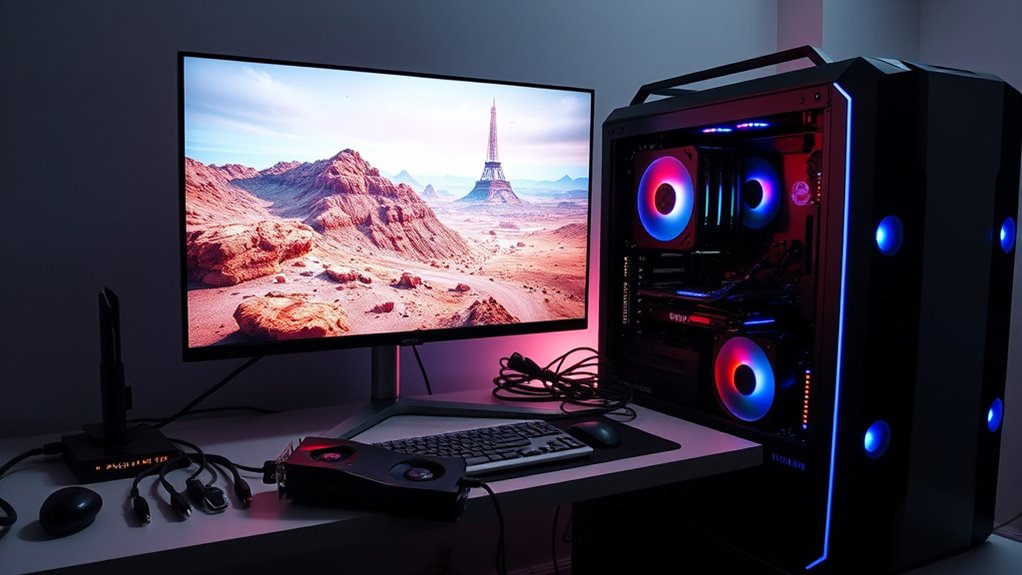
Additionally, your hardware setup matters. Invest in a smart TV or monitor capable of displaying 8K resolution, along with a compatible, high-speed HDMI cable (preferably HDMI 2.1). Your streaming device or computer should also be equipped with a powerful GPU to decode high-resolution video streams efficiently. Make sure your device’s firmware and software are up to date to support the latest codecs and streaming protocols. Achieving optimal content quality depends not just on your internet connection but also on your hardware’s ability to handle high-density video data.
Finally, optimize your network environment. Use wired Ethernet connections instead of Wi-Fi whenever possible, as wired connections offer more stability and consistent bandwidth. If you must use Wi-Fi, position your router close to your streaming device and minimize interference from other wireless devices. This setup reduces latency and packet loss, guaranteeing smoother streaming. By paying attention to video compression techniques, securing sufficient internet bandwidth, and optimizing your hardware and network environment, you set yourself up for a successful 8K streaming experience free of frustrating interruptions.
Frequently Asked Questions
What Are the Minimum Internet Speed Requirements for 8K Streaming?
To stream 8K content smoothly, your internet speed should be at least 50 Mbps. The bandwidth requirements for 8K streaming are higher than lower resolutions, so a fast, stable connection is vital. Make sure your internet plan can handle this speed consistently, especially during peak times. Upgrading your internet plan guarantees you enjoy seamless 8K streaming without buffering or interruptions.
Which Devices Are Compatible With 8K Streaming?
A wise man once said, “Know your tools before you build.” When it comes to 8K streaming, device compatibility is key. You need a compatible smart TV, a powerful media player, or a gaming console that supports 8K resolution. Make certain your device meets the hardware requirements, like a capable GPU and sufficient processing power. Keep up with the latest updates to enjoy seamless 8K streaming without hiccups.
How Does 8K Streaming Impact Data Usage and Bandwidth Costs?
You’ll notice that 8K streaming increases data usage substantially due to the high resolution, which demands more bandwidth. Data compression helps reduce this impact, but it still requires robust bandwidth management to avoid buffering. Expect higher bandwidth costs as your internet provider needs to support the larger data flow. To optimize, prioritize efficient compression and monitor your data consumption regularly to prevent surprises on your bill.
Are There Specific Content Providers Offering 8K Streams?
Did you know only a handful of streaming platforms currently offer 8K content? Content providers like YouTube, Vimeo, and some specialized services are beginning to showcase 8K streams. These platforms are pushing the boundaries of resolution, giving you ultra-high-definition experiences. Keep an eye on major streaming services, as more providers are expected to roll out 8K content soon, enhancing your viewing quality considerably.
What Troubleshooting Steps if 8K Stream Buffering Issues Occur?
If you experience buffering issues during 8K streams, start by checking your connection stability and verify your internet speed meets the required bandwidth. Try buffering solutions like reducing other device usage and lowering streaming quality settings. Restart your router to improve connection stability, and consider wired connections over Wi-Fi for a more reliable signal. Updating your streaming device’s firmware can also help resolve persistent buffering problems.
Conclusion
By setting up 8K streaming, you’re not just upgrading your picture quality—you’re embracing the future of digital entertainment. The theory that higher resolution always equals better viewing isn’t entirely true; it’s about how you use the technology to enhance your experience. When you focus on proper setup and bandwidth, you activate the true potential of 8K. Remember, it’s not just about the pixels, but how you connect with the content that truly matters.