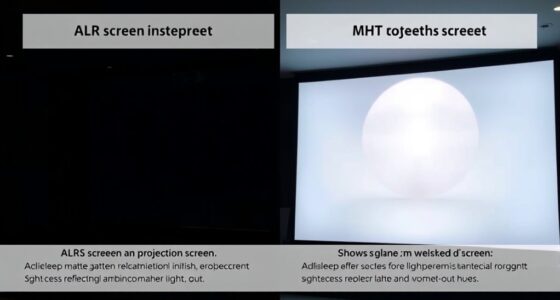
For short-throw projectors, the best screen type depends on your room’s lighting conditions. If you have control over lighting, a matte surface with moderate gain (around 1.0 to 1.3) works well for bright and controlled environments. In spaces with ambient light or windows, consider ambient light rejecting screens or high-gain surfaces to boost brightness and contrast. To learn more about which screen fits your setup perfectly, keep exploring the options that suit your needs.

Get business pricing on your home office setup
- Business-only prices and quantity discounts
- Tax-exempt purchasing
- Multiple users, one account, clear invoices
Key Takeaways
- Ambient light rejecting screens enhance contrast and color in bright environments by absorbing or diffusing excess light.
- Matte surfaces minimize glare and reflections, ensuring clear images across various angles and lighting conditions.
- Moderate gain screens (1.0 to 1.3) balance brightness and image fidelity, ideal for controlled lighting environments.
- High-gain screens (above 1.3) are suitable for rooms with significant ambient light, boosting brightness and contrast.
- Specialized materials and coatings can improve color saturation and brightness, especially in challenging lighting conditions.
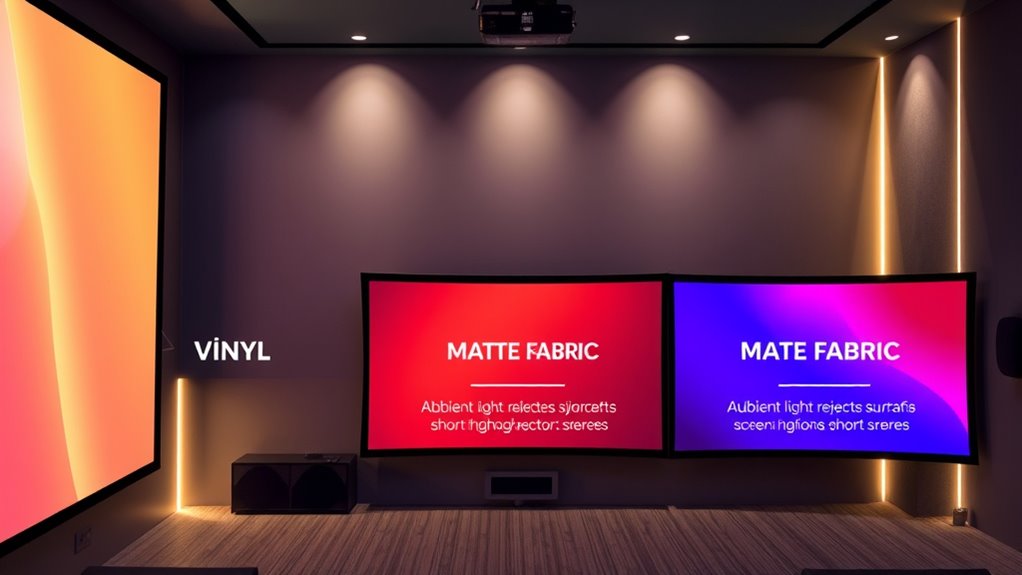
Choosing the right screen type is essential when setting up a short-throw projector, as it directly impacts image quality and clarity. One of the most important factors to weigh is how ambient lighting affects your viewing experience. In a room with lots of natural or artificial light, you’ll want a screen with a higher gain to maintain brightness and contrast. Higher gain screens reflect more light back to your eyes, making the image appear brighter even in well-lit environments. Conversely, if your space is darker or you prefer a more cinematic look, a lower gain screen can provide better black levels and color accuracy, reducing glare and preventing washed-out images.
Select higher gain screens for bright rooms; opt for lower gain for darker, cinematic spaces.
When selecting a screen type, pay close attention to the screen gain. For short-throw projectors, a gain between 1.0 and 1.3 is usually ideal, offering a good balance between brightness and image fidelity. Higher gain screens, such as 1.5 or above, are more suitable if you have significant ambient lighting, as they help compensate for the light that would otherwise diminish image contrast. However, these screens can introduce hot spots—areas that are brighter than others—and may cause viewing angles to narrow, so they’re best used in more controlled environments or for specific applications like presentations.
On the other hand, matte or ambient light rejecting screens are designed specifically to handle ambient lighting conditions. These screens are coated with materials that absorb or diffuse excess light, preventing it from washing out the image. If your room has windows, multiple light sources, or you can’t control the lighting environment, investing in an ambient light rejecting screen can dramatically improve visibility and color accuracy. This type of screen allows you to enjoy vibrant images without needing to dim the lights constantly. Additionally, understanding the materials used in screens can help you choose one that best suits your specific lighting and viewing needs.
In addition to ambient lighting and screen gain, consider the screen material and surface texture. A smooth, matte surface minimizes reflections and glare, ensuring your image remains sharp and clear from different angles. Some screens come with specialized coatings to boost brightness or enhance color saturation, which can be especially beneficial in rooms with challenging lighting conditions.
Ultimately, choosing a screen type for your short-throw projector hinges on your specific environment and viewing preferences. If you have control over lighting, a standard matte screen with moderate gain might suffice. But if ambient lighting is unavoidable, a high-gain or ambient light rejecting screen will help you achieve the best possible image quality. By carefully weighing these factors, you can ensure your projector setup delivers vibrant, crisp visuals that truly impress.
Frequently Asked Questions
How Do Ambient Light Conditions Affect Screen Choice?
Ambient light markedly influences your screen choice because it affects how well you can see the projected image. In bright environments, opt for a screen with high gain or matte finish to reduce reflection and improve brightness. For darker rooms, you can choose a screen with lower gain for better contrast. Controlling ambient light minimizes reflection and enhances image quality, making your viewing experience clearer and more vibrant.
Are There Eco-Friendly Screen Options for Short-Throw Projectors?
You’ll find eco-friendly screens for short-throw projectors made from sustainable materials like recycled fabrics and biodegradable plastics. These options often come from companies committed to sustainable manufacturing, reducing environmental impact. By choosing such screens, you align your tech use with eco-conscious values, turning the coincidence of innovation and responsibility into a practical decision. You get high-quality visuals while supporting sustainability efforts, making your setup both effective and environmentally mindful.
What Maintenance Is Required for Different Screen Types?
You should regularly clean your screen with a soft, lint-free cloth and gentle screen cleaner to prevent dust and smudges. For fabric or matte screens, avoid harsh chemicals that could damage the surface. Check the frame’s durability periodically, especially for retractable or portable options, ensuring it remains sturdy and functional. Proper maintenance keeps your screen clear and extends its lifespan, providing ideal picture quality over time.
Can Screen Materials Influence Projector Lifespan?
Your screen material can be a double-edged sword, like a knight’s shield, impacting your projector’s lifespan. Choosing the right material for durability and ensuring compatibility with your projector’s specifications helps prevent damage and prolongs its life. Higher-quality screens resist wear and tear better, reducing the risk of scratches or warping that could harm the projector’s light source over time. So, select wisely to keep both your screen and projector in top shape.
How Do Curved Screens Impact Image Quality?
Curved screens enhance image quality by reducing glare and minimizing distortion, providing a more immersive viewing experience. They offer benefits like better uniformity and wider viewing angles compared to flat screens. When comparing curved vs flat screens, the curved design often delivers a more natural, consistent image, especially with short-throw projectors. This makes curved screens ideal for home theaters, ensuring you get vibrant, distortion-free visuals from different positions.
Conclusion
Choosing the right screen for your short-throw projector is like finding the perfect canvas for a masterpiece. With options like matte white, high-contrast, or specialized screens, you can turn any wall into a window to stunning visuals. Think of your screen as the stage where your projector’s light dances and dazzles. Pick wisely, and watch your home theater transform into a mesmerizing theater of illusions—your personal spotlight on a world of entertainment.
Halloween Picks
halloween
As an affiliate, we earn on qualifying purchases.