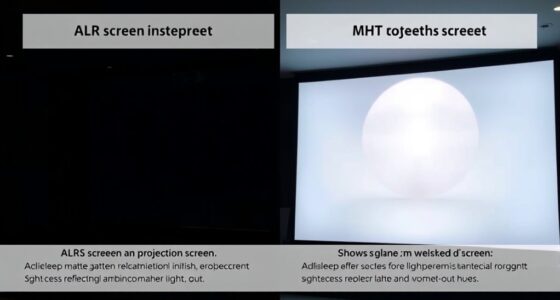
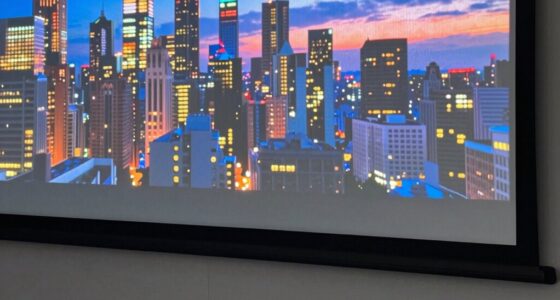
Screen gain affects how bright and vivid your projected images appear by controlling the amount of reflected light. A higher gain makes the screen reflect more light, boosting brightness and contrast, but can cause glare or hot spots if viewed off-angle. Lower gain surfaces diffuse light for softer images, ideal in darker rooms. Understanding how gain and surface reflection influence visuals helps you optimize image quality for your environment. Keep exploring to learn how to choose the best screen for your needs.

Get business pricing on your home office setup
- Business-only prices and quantity discounts
- Tax-exempt purchasing
- Multiple users, one account, clear invoices
Key Takeaways
- Screen gain measures how much light the surface reflects compared to a standard matte white, affecting brightness and image vividness.
- Higher gain screens produce brighter images but can create glare and hot spots when viewed off-angle.
- Reflection properties vary: glossy surfaces reflect more light, increasing brightness but also glare, while matte screens diffuse light for softer images.
- Ambient light levels influence the ideal gain: high-gain screens suit bright environments, low-gain screens are better for darker rooms.
- Proper alignment and environment consideration optimize reflection, minimize glare, and ensure consistent image quality.

When choosing a projector or display screen, understanding screen gain and reflection is essential for achieving the best image quality. Screen gain refers to how much light the screen reflects compared to a standard matte white surface. A higher gain indicates the screen reflects more light, resulting in a brighter image, while a lower gain produces a softer, more diffuse picture. This factor becomes particularly important when considering your projection environment, especially regarding the projection angle and ambient light. The projection angle, or the angle at which the projector’s light hits the screen, interacts with the screen’s gain to influence how vivid and uniform the image appears. If you have a high-gain screen, you need to be mindful of the projection angle because viewing from off-center positions can cause hot spots or glare, diminishing image quality. Conversely, low-gain screens tend to distribute light more evenly, reducing these issues but often sacrificing brightness.
Ambient light plays a pivotal role in how well your projected image will perform. In brightly lit rooms, a high-gain screen can help counteract the washout caused by ambient light, making the image appear clearer and more vibrant. However, if you have a darker environment, a lower-gain screen might be preferable, as it can provide a more natural and balanced picture without the glare or reflection problems associated with high-gain surfaces. The reflection characteristics of the screen directly impact how ambient light affects your viewing experience. Screens with a glossy or semi-gloss finish tend to reflect more light, increasing glare but boosting brightness in well-controlled lighting conditions. Matte screens, with their diffusing properties, minimize reflections and glare, providing a more comfortable viewing experience when ambient light cannot be controlled. Additionally, understanding the reflection characteristics of different screen surfaces can help you select the best option for your specific setup.
Understanding the relationship between projection angle, ambient light, and screen gain helps you choose a screen that matches your environment and viewing preferences. If you often watch in a bright room, a high-gain screen aligned properly with your projection setup can improve visibility. If your space is darker or you want a more natural image, a lower-gain, matte finish screen will serve you better. Always consider the typical projection angle you’ll use and the ambient lighting conditions, as these factors will influence how reflections and light levels affect your overall viewing experience. By paying attention to these elements, you can select a display setup that delivers sharp, bright images without unwanted glare or shadows, ensuring you get the most out of your projector.
Frequently Asked Questions
How Does Ambient Lighting Affect Screen Reflection?
Ambient lighting considerably impacts screen reflection by increasing glare, making it harder to see your display clearly. When there’s too much ambient light, reflections and glare reduction become challenging, causing eye strain and discomfort. To improve visibility, you should control ambient light, use anti-glare screens, or position your screen to minimize reflections. Proper lighting setup helps you enjoy a clearer view and reduces eye fatigue during extended use.
Can Screen Gain Values Change Over Time?
Absolutely, screen gain values can change over time, sometimes dramatically! As your screen experiences wear and tear, its reflective surface can degrade, causing the gain to fluctuate. This isn’t just minor; it can feel like your display’s brightness and reflection capabilities are transforming daily. Factors like dirt, scratches, and aging materials contribute to screen degradation, which directly impacts the reflective surface and, consequently, the gain values you see.
What Are the Best Screens for Outdoor Use?
For outdoor use, you want screens with high-quality screen materials that resist glare and weather, like specially coated fabrics or vinyl. Look for screens compatible with your projector, ensuring they support high brightness levels for daylight viewing. Portable, matte finishes reduce reflections, improving visibility. By choosing durable, weather-resistant screens designed for outdoor environments, you’ll get clear, vibrant images even in bright sunlight.
How Do I Measure My Screen’s Gain at Home?
Imagine you’re in your living room, ready to test your screen’s gain. To do home testing, gather a light meter or a smartphone app designed for screen measurement. Position your device at a consistent distance from the screen, then turn on a white screen or a bright scene. Record the brightness levels, and compare readings to determine your screen’s gain. This simple method helps you understand how your screen reflects and amplifies light.
Are Higher Gain Screens Suitable for All Projector Types?
Higher gain screens aren’t suitable for all projector types because their screen material reflects more light, which can cause hotspots and reduce viewing angles. If you have a wide seating area or a projector with a narrow throw, a high-gain screen might not be ideal. Consider your projector’s brightness and your room’s layout to choose a screen with appropriate gain and best viewing angles for a better experience.
Conclusion
Now that you understand screen gain and reflection, you can picture your ideal viewing experience. Imagine a bright room, where high gain screens reflect every flicker like a mirror, creating vivid but sometimes harsh images. Conversely, low gain screens soften reflections, like a calm lake, offering comfort in bright environments. By choosing wisely, you control whether your screen becomes a dazzling stage or a gentle whisper of images, shaping your perfect cinematic escape.
Fall Picks
fall essentials
As an affiliate, we earn on qualifying purchases.