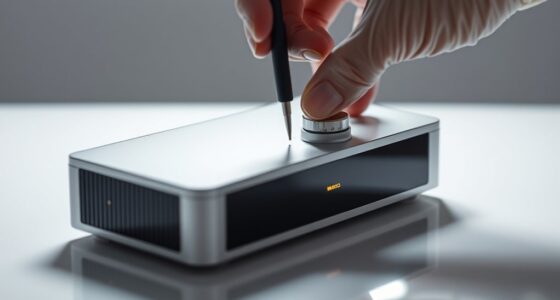

To guarantee a flat, distortion-free image, you need proper tensioning combined with a sturdy fixed frame. Auto tension systems automatically adjust the fabric to keep it taut, while the frame provides a stable structure that prevents sagging or warping. Choosing materials with elasticity helps absorb environmental changes, maintaining a smooth surface. When these elements work together, you get sharp, vibrant images every time. Keep exploring to discover how to optimize your screen setup even further.

Get your home office setup delivered free — and shop member deals
- Fast, free delivery on millions of items
- Access to Prime Big Deal Days deals on October 6–7
- Prime Video, Amazon Music and more included
Key Takeaways
- Proper tensioning prevents wrinkles and distortions, ensuring a sharp, flat projection surface.
- Auto tension systems continuously adjust fabric tautness to compensate for environmental changes.
- Fixed frames provide structural support, maintaining fabric flatness over time.
- Combining fixed frames with auto tension mechanisms enhances stability and reduces manual adjustments.
- Selecting elastic materials allows the fabric to adapt to environmental shifts, preserving image quality.

A properly tensioned screen is essential for delivering clear, sharp images, and choosing the right framing system plays a crucial role in achieving this. When it comes to maintaining a perfectly flat surface, auto tension systems are your best allies. These systems automatically adjust tension across the screen, compensating for any slack or unevenness that might develop over time. They work by applying consistent force, ensuring the fabric remains taut and smooth without manual intervention. This technology is particularly useful because it reduces the risk of wrinkles, warping, or sagging that can distort your image. With auto tension systems, you gain a reliable, hands-free way to keep your screen in optimal condition, which is especially important for high-quality projection or display setups.
Material elasticity plays a crucial role in how well your screen maintains its tension. The fabric or material used in the screen is designed with a certain level of elasticity to allow for slight stretching and flexibility. This elasticity helps absorb environmental changes such as temperature fluctuations and humidity, which can cause materials to expand or contract. A material with good elasticity can stretch slightly when tension is applied, then return to its original shape when tension is released, maintaining a consistent flatness. Choosing a material with the right elasticity means your screen can adapt to these external factors without becoming loose or developing wrinkles. It also enables auto tension systems to function more effectively since the material can accommodate small adjustments without damage.
Material elasticity allows screens to adapt to environmental changes, maintaining flatness and enhancing auto tension system effectiveness.
When selecting a framing system, you want one that complements these features. Fixed frames provide a stable, rigid structure that naturally keeps the material taut once installed. However, they require precise measurement and installation to ensure the fabric is evenly stretched from the start. In contrast, systems with auto tension mechanisms provide ongoing tension adjustments, making them more forgiving if the material shifts or if environmental conditions change. Combining a fixed frame with an auto tension system can give you the best of both worlds: a stable structure and an adaptable tensioning method that actively maintains flatness over time. This synergy guarantees your projection surface remains smooth and free of distortions, resulting in clearer, sharper images.
Ultimately, understanding how auto tension systems and material elasticity work together helps you choose the right framing approach. Proper tensioning isn’t a one-time task; it’s an ongoing process that ensures your screen stays flat, delivering the high-quality visuals you expect. Investing in the right technology and materials means fewer adjustments, less maintenance, and a consistently excellent viewing experience. Whether you’re setting up a home theater or a professional presentation space, paying attention to these details guarantees your screen remains perfectly flat, providing crisp, vibrant images that captivate your audience.
Frequently Asked Questions
How Often Should Screen Tension Be Checked and Adjusted?
You should check and adjust screen tension regularly, ideally during periodic inspections every few months, to maintain ideal image quality. If your screen has automatic tensioning systems, rely on them, but still perform manual checks to ensure proper tension. Consistent maintenance prevents sagging or warping, keeping your display flat and clear. Regularly monitoring tension guarantees a crisp, professional-looking image, whether you’re using fixed frames or other setup types.
Can Improper Tension Cause Long-Term Damage to the Screen Frame?
Yes, improper tension can cause long-term damage to your screen frame. When tension is uneven, it may lead to frame warping over time, compromising the flatness of your image. Additionally, consistent stress on the frame material can cause fatigue, weakening its structure. Regularly checking and maintaining proper tension helps prevent these issues, ensuring your screen stays flat and functional for years to come.
What Materials Are Best for Maintaining Tension Over Time?
You should choose materials like high-quality steel, durable aluminum, or synthetic fibers for maintaining tension over time. These materials excel in material longevity and tension retention, guaranteeing your screen stays flat and stable. Opt for options that resist stretching, warping, and environmental damage. By selecting these reliable materials, you ensure consistent tension, prolonging your screen’s performance and preventing sagging or distortions over the years.
Are There Specific Tools Recommended for Tensioning Screens?
You should use specialized tension tools designed for screen stretching, such as tensioning clamps, roller bars, or tensioning ratchets. These tools help you evenly apply force, ensuring your screen remains taut and flat over time. Always follow manufacturer instructions for proper tensioning. Investing in quality tension tools makes the process easier and results in a smoother, more professional-looking screen that stays flat, preventing sagging or warping.
How Do Environmental Factors Affect Screen Tension Stability?
Environmental factors like climate impact and material aging can substantially affect your screen’s tension stability. Humidity, temperature fluctuations, and prolonged exposure to sunlight cause materials to expand, contract, or degrade over time. This leads to sagging or warping, reducing image quality. To maintain tension, you should regularly inspect your screen, control environmental conditions, and replace aging components promptly to guarantee a consistently flat and ideal display.
Conclusion
By mastering meticulous tensioning and firm fixed frames, you guarantee a glossy, glare-free display. Properly prepared screens prevent puckering, protruding, or poor presentation, providing pristine, professional perfection. When you prioritize precise pressure and perfect positioning, you assure a flawlessly flat film that fosters flawless visuals. Focus on fixing, tensioning, and fine-tuning, and you’ll foster a fabulous, foolproof frame that fully functions, fights flaws, and fulfills your visual vision with finesse.
Fall Picks
fall essentials
As an affiliate, we earn on qualifying purchases.