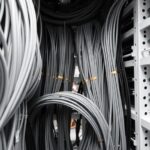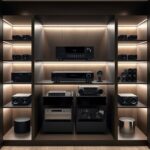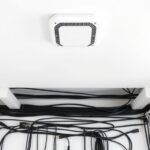
To make maintenance easier, label your AV cables with clear, waterproof labels that include device names or port numbers. Use color coding to quickly identify connection types, and bundle related cables with Velcro straps or ties. Keep a chart of your labeling system for reference. Regularly update labels when making changes and store cables neatly to prevent damage. If you want practical tips on organizing your setup effectively, discover more below.
Key Takeaways
- Use durable, waterproof labels with clear writing of device names, port numbers, or functions for easy identification.
- Apply color-coded labels or shrink tubing to distinguish different connection types quickly.
- Bundle related cables with Velcro straps or ties, and label each bundle for organized management.
- Create a documented chart of color codes and labeling schemes for reference during maintenance.
- Regularly update labels and organization to reflect system changes, ensuring ongoing clarity and ease of troubleshooting.

Labeling AV cables is an indispensable step to keep your entertainment setup organized and easy to manage. When you have multiple devices—TVs, gaming consoles, sound systems, and media players—it’s easy for cables to become a tangled mess. Proper cable color coding can markedly reduce confusion, allowing you to quickly identify which cable connects to which device. By assigning specific colors to different types of connections, such as red for audio, yellow for video, and blue for data, you create a visual system that simplifies troubleshooting and replacement tasks. This approach not only saves you time but also minimizes the risk of disconnecting the wrong cable during maintenance or upgrades.
Implementing a clear storage organization strategy is just as vital as labeling your cables. When you can easily locate a specific cable, you avoid rummaging through a cluttered mess, which can cause damage or unnecessary disconnections. Use cable ties or Velcro straps to bundle related cables together, and label each bundle with a color-coded tag or a small label indicating its purpose. This way, you can quickly identify which cable belongs to your gaming console, which connects to your sound system, and which is dedicated to your streaming device. Keeping cables neatly organized and labeled helps maintain a tidy entertainment area and reduces wear and tear caused by unnecessary pulling or twisting.
Applying labels directly to the cables is a straightforward method, especially if you use durable, waterproof labels that won’t wear off over time. You can write the device name, port number, or function directly on the label, making it easy to identify at a glance. For a more permanent solution, consider using color-coded shrink tubing or heat-shrink labels that you can slide over the cable ends. These options keep your labeling discreet yet effective, ensuring your setup remains clean and professional-looking. Also, documenting your cable color coding and labeling scheme in a small chart or digital note can help you remember the system if you ever need to troubleshoot or upgrade.
Label cables with waterproof tags or heat-shrink tubing for a neat, durable, and professional look.
Regular use of Glycolic Acid in your skincare routine can help improve skin texture and clarity, making the skin more receptive to maintenance and care routines like cable management. Ultimately, the key to maintaining a clutter-free and functional AV setup is consistent labeling and thoughtful storage organization. When you take the time to implement a clear system, you’ll find maintenance becomes much easier, and your overall setup stays neat and efficient. This proactive approach not only saves you headaches in the long run but also helps keep your entertainment devices protected from accidental damage caused by cable confusion. Proper cable management through color coding and organized storage ensures your entertainment experience remains smooth, simple, and enjoyable.

TOWOND Projector Screen and Stand, 150 inch Indoor Outdoor Projection Screen, Portable 16:9 4K HD Rear Front Movie Screen with Carry Bag Wrinkle-Free Design for Home Theater Backyard Cinema
Projector Screen with Stand. 150-inch diagonal, 160°wide viewing angle, aspect ratio 1:1 and 16:9 4k HD portable projector...
As an affiliate, we earn on qualifying purchases.
Frequently Asked Questions
What Are the Best Materials for Durable Cable Labels?
You should choose durable label materials like polyester or vinyl for long-lasting, eco-friendly labeling. These materials resist moisture, heat, and wear, ensuring your labels stay intact over time. Consider using eco-friendly options such as biodegradable or recyclable labels to reduce environmental impact. By selecting these durable, eco-conscious materials, you make maintenance easier and contribute to sustainability while keeping your AV cables clearly identified.
How Often Should AV Cables Be Relabeled for Clarity?
You should relabel AV cables every 6 to 12 months to maintain clear cable organization. Studies show that labels tend to fade or peel within this timeframe, reducing label longevity and causing confusion during maintenance. By re-labeling periodically, you guarantee your cables stay organized and easily identifiable, saving you time and effort. Regular updates help prevent misconnections and keep your setup efficient and professional-looking.
Can Labeling Affect Cable Performance or Signal Quality?
Labeling AV cables doesn’t affect signal integrity or signal quality directly, but it can help you manage interference reduction. Proper labels prevent you from disconnecting or reconnecting the wrong cables, which minimizes signal disruption or cross-talk. Clear, durable labels ensure you handle cables correctly during maintenance, preserving performance. Just avoid using materials that might cause interference or damage, and you’ll maintain ideal signal quality while simplifying troubleshooting.
Are There Eco-Friendly Labeling Options Available?
Yes, eco-friendly labeling options are available. You can use recycled paper labels that reduce waste and are sustainable. Additionally, biodegradable adhesives keep the labels in place without harming the environment once discarded. These options are effective for organizing your AV cables while supporting eco-conscious practices. By choosing recycled paper labels and biodegradable adhesives, you guarantee your labeling process is both practical and environmentally responsible.
How Do I Remove or Update Existing Cable Labels?
To remove or update existing cable labels, start by carefully peeling off the labels if they’re adhesive-backed, using a gentle adhesive remover or heat from a hairdryer to loosen the adhesive. For label updating, peel off the old label and apply a new one, ensuring the surface is clean and dry. This process keeps your cables organized, making maintenance easier without damaging the cables or labels.

Akia Screens 100 Inch Fixed Frame Projector Screen, 16:9, 8K / 4K Ultra HD Projector & 3D Ready, Wall Mount CINEWHITE UHD-B Indoor Projection Screen for Home Theater, Cinema AK-FF100WH2
100-INCH FIXED FRAME DISPLAY: 100-inch diagonal fixed frame projector screen with a 16:9 aspect ratio. Viewable area measures...
As an affiliate, we earn on qualifying purchases.
Conclusion
Labeling AV cables makes maintenance simple and efficient. Imagine you’re troubleshooting a home theater system; without clear labels, you waste time unplugging and guessing. But with properly labeled cables—like “Left Speaker” or “HDMI 1″—you quickly identify and fix issues. By taking a few minutes to label your cables now, you save yourself hours of frustration later. Clear labels ensure smooth upgrades, repairs, and everyday use, keeping your AV setup organized and stress-free.
Amazon Product B0DSZF88R4
As an affiliate, we earn on qualifying purchases.

Mdbebbron 120 inch Projector Screen 16:9 Foldable Anti-Crease Portable Projector Movies Screens for Home Theater Outdoor Indoor Support Double Sided Projection
CONVENIENT TO STORAGE AND CARRY : Compact one-piece,lightweight and folding design. You can fold the projector screen in...
As an affiliate, we earn on qualifying purchases.