To reduce the rainbow effect on your DLP projector, start by calibrating the color wheel accurately through your projector’s settings and guarantee it’s spinning at the correct speed. Regularly clean the lens and internal components to prevent dust from affecting performance. Consider updating your firmware or upgrading to a model with a faster or more advanced color wheel for smoother images. Using softer brightness and contrast levels and taking breaks can also help. Continue exploring to discover more tips for a clearer picture.
Key Takeaways
- Calibrate the projector’s color wheel settings and ensure proper alignment to minimize color flickering.
- Regularly clean the lens and internal components to prevent dust buildup that disrupts color wheel rotation.
- Adjust brightness and contrast settings to softer levels to reduce eye strain from flashing colors.
- Update the projector’s firmware for improved color wheel performance and reduced rainbow effect.
- Consider upgrading to newer models with faster or advanced color wheels for better color stability.

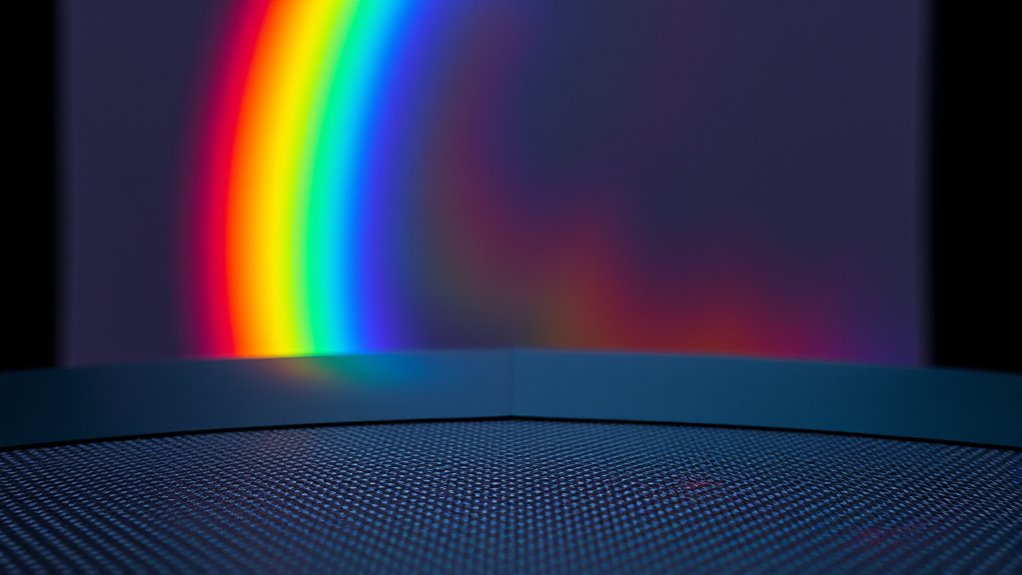
If you’ve noticed rainbow effects shimmering across your DLP projector’s display, you’re not alone. Many users experience this colorful flickering, which can be distracting and even tiring over time. The rainbow effect occurs because DLP projectors use a spinning color wheel to create the full spectrum of colors. When the color wheel isn’t properly calibrated, the flashes of red, green, and blue become more noticeable, making the rainbow effect more prominent. To reduce this, one of the most effective steps is color wheel calibration. Proper calibration ensures that the color wheel spins at the correct speed and that the color segments align precisely with the projector’s internal timing. This minimizes the visible color flashes, making the image smoother and more natural. You might need to access your projector’s settings menu or consult the user manual to find calibration options or firmware updates that can enhance color wheel performance.
In addition to calibration, you should consider how the rainbow effect impacts your eye health. Continuous exposure to flashing colors can lead to eye strain, headaches, and fatigue. To prevent this, try adjusting the projector’s brightness and contrast settings to softer levels, reducing the intensity of the flashes. Taking regular breaks during extended viewing sessions also helps prevent eye strain. Keep your viewing environment well-lit to reduce the contrast between the bright projector image and surrounding space, which can lessen the visual discomfort caused by the rainbow effect. If possible, use glasses fitted with special filters designed for DLP projectors; these can help diminish the visibility of color flashes and reduce eye fatigue. Additionally, understanding how AI technology improves the precision of color management systems in newer projectors can help you select models that inherently minimize the rainbow phenomenon.
Another practical tip involves maintaining your projector’s hardware. Dust and debris can interfere with the spinning of the color wheel, causing irregularities that enhance the rainbow effect. Regularly clean your projector’s lens and internal components, following the manufacturer’s instructions. Also, ensure your projector is mounted securely and that it’s not vibrating or shaking, as this can disturb the color wheel’s rotation. If calibration and cleaning don’t fully resolve the rainbow effect, consider upgrading to a model with a faster or more advanced color wheel. Many newer DLP projectors come equipped with improved color management systems that markedly reduce or eliminate the rainbow phenomenon altogether.

Valerion StreamMaster Plus 4K Laser Projector - 300" IMAX Enhanced Home Theater, 4ms |240Hz Response, Gaming Projector with 3D & Dolby Vision, HDR10, GTV, Smart Home & AI Assistant
Speed and Power Like Never Before - Experience unmatched speed with the AI-9618 chipset, 4GB RAM/ 128GB ROM—delivering...
As an affiliate, we earn on qualifying purchases.
Frequently Asked Questions
Can Adjusting the Color Wheel Speed Eliminate Rainbow Effects?
Adjusting the color wheel speed in your DLP projector can help reduce rainbow effects, but it might not eliminate them entirely. Faster color wheel speeds, common in DLP technology, minimize color separation that causes rainbows. However, if you’re still experiencing issues, consider other options like using e-shift technology or choosing a projector with a higher refresh rate. Ultimately, increasing the color wheel speed is a good step toward reducing rainbow effects.
Do Different Brands of DLP Projectors Have Varying Rainbow Effects?
Different brands of DLP projectors do have varying rainbow effects because of manufacturer differences in color wheel design and quality. You might notice that some brands, like BenQ or Optoma, produce less rainbow effect due to advanced technology or faster color wheel speeds. When comparing brands, consider their reputation for image quality and rainbow mitigation features to find a projector that minimizes this distracting effect for you.
Is the Rainbow Effect More Noticeable in Certain Types of Content?
Imagine vivid colors swirling around, making you notice the rainbow effect more in certain scenes. You’ll find it more noticeable during content with high color sensitivity or low contrast, where bright or rapidly changing hues stand out sharply. When scenes are darker or have muted tones, the rainbow effect diminishes, blending into the background. So, your viewing experience varies with the content’s color intensity and contrast, highlighting the rainbow effect’s prominence.
How Does Ambient Lighting Influence the Visibility of Rainbow Artifacts?
Ambient light considerably impacts the visibility of rainbow artifacts. When there’s more ambient light, the contrast decreases, making rainbow effects less noticeable and easier to ignore. Conversely, in darker rooms, rainbow visibility becomes more apparent, drawing your attention. To minimize rainbow artifacts’ distraction, keep the ambient lighting low. This enhances image clarity and reduces the likelihood that you’ll notice rainbow effects, providing a better viewing experience overall.
Are There Specific Settings to Minimize Rainbow Effects During Setup?
Did you know that adjusting projector settings can cut rainbow effects by up to 50%? To minimize these artifacts, you should fine-tune color calibration and experiment with projector placement. Use a low-latency mode and enable any available rainbow reduction features. Position the projector so that the light hits the screen evenly, avoiding direct reflections, and make sure calibration aligns with your screen’s color profile for the best results.

Aurzen Roku TV Smart Projector with Wifi and Bluetooth, Roku Streaming Experience Built-in, 1080P FHD, Dolby Audio, Auto Focus & Keystone, Zoom, Movie Portable Outdoor Mini Projector, White
A Roku account and internet connection are required for activation (Creating an account is free)
As an affiliate, we earn on qualifying purchases.
Conclusion
By applying these tips, you’ll notice less rainbow effect and smoother images. Think of it like clearing a foggy window—your viewing experience sharpens and becomes more immersive. While some may chase perfect color accuracy, the real goal is comfort and clarity. Remember, reducing rainbow effect isn’t about perfection, but about enjoyment. So, embrace these simple changes, and turn your projector into a more seamless window to your favorite content.

【Built-in APPS & Electric Focusing & 210° Rotation】Mini Projector With Wifi And Bluetooth, 1080P Portable Projector, Movie Projector for Bedroom, Supports Smartphones/TV Stick/iPad/PS5/Laptop/HDMI/USB
【The Latest WIFI 6 Technology And Bluetooth 5.3】This projector with Wi-Fi and Bluetooth is equipped with the latest...
As an affiliate, we earn on qualifying purchases.

NothingProjector Motorized ALR Screen for Ultra Short Throw Projector, 95% Ambient Light Rejecting, 100 inch, Floor Rising, 4K/8K UHD, Active 3D, Anti Daylight, Electric Retractable Automatic NothPJ
✔ Adjustable Height, Zero Installation – Effortlessly adjust the screen to any height with a single press of...
As an affiliate, we earn on qualifying purchases.