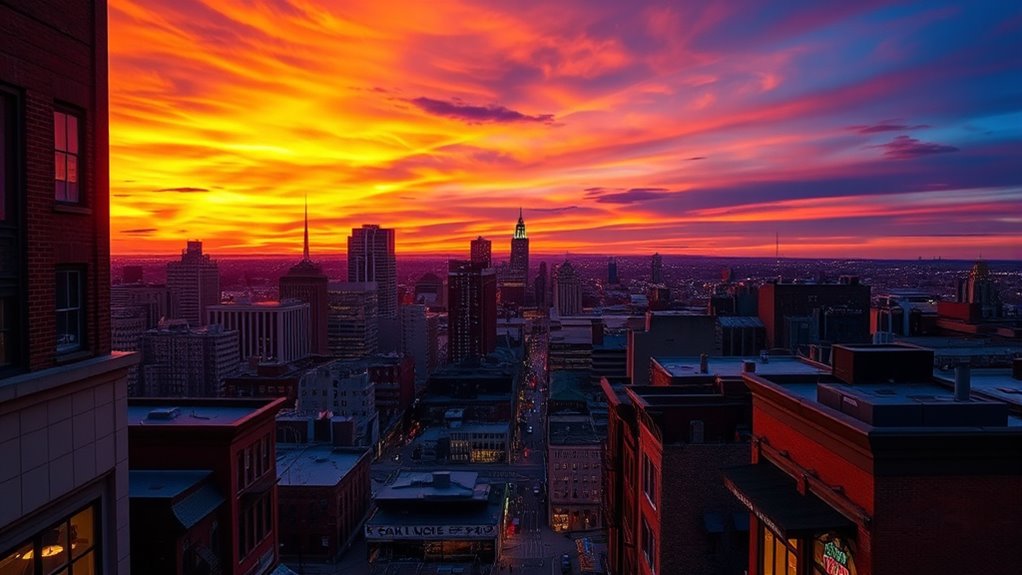

Understanding HDR and brightness mapping means knowing how your display adjusts luminance levels to show bright highlights and deep shadows accurately. Brightness algorithms analyze incoming signals to compress and map high dynamic range content, making images more vivid and lifelike. Proper calibration guarantees that your display reproduces colors and brightness levels faithfully, preserving artistic intent and enhancing overall picture quality. Keep exploring to discover how these processes work together for the best viewing experience.
Key Takeaways
- HDR calibration ensures accurate brightness and color reproduction, maintaining image detail in both highlights and shadows.
- Brightness algorithms dynamically adjust luminance to produce natural contrast and prevent images from appearing flat or overly harsh.
- Proper brightness mapping preserves artistic intent by accurately rendering dark blacks and bright highlights across different content.
- Calibration is an ongoing process that helps maintain display performance and visual fidelity as the display ages and environment changes.
- Combining HDR calibration with advanced brightness algorithms enhances immersive viewing experiences and true-to-source image quality.

High Dynamic Range (HDR) has transformed the way you experience visuals by providing greater contrast and a wider range of colors. It makes images look more vivid and lifelike, but to achieve this effect, your display needs proper calibration. HDR calibration is essential because it ensures your screen accurately reproduces the intended brightness levels and color accuracy. When your display is correctly calibrated, highlights won’t look washed out, and shadows will retain detail without losing contrast. Proper calibration also helps prevent colors from appearing oversaturated or dull, allowing you to enjoy the true depth of HDR content. Calibration isn’t a one-time task; it’s an ongoing process that maintains the visual fidelity of your display as it ages or as your viewing environment changes. Additionally, understanding color gamut can help you optimize your display settings for the most accurate and vibrant HDR experience.
Brightness algorithms play a pivotal role in delivering an ideal HDR experience. These algorithms manage how brightness levels are mapped from the source content to your display, ensuring that the darkest blacks and brightest highlights are rendered correctly. They analyze the incoming signal and adjust the luminance dynamically, so the image maintains natural contrast and detail across all scenes. This mapping process is essential because HDR content often contains extreme luminance values that standard displays struggle to reproduce accurately. Brightness algorithms help bridge this gap by intelligently scaling brightness levels, making sure highlights pop without sacrificing shadow detail. The goal is to preserve the content creator’s artistic intent while adapting it to your display’s capabilities.
Understanding how brightness algorithms work can help you better appreciate the technology behind HDR. These algorithms often use complex tone-mapping techniques to compress the wide range of luminance information into what your display can handle. This process involves balancing the contrast between bright and dark areas without losing crucial details. If the algorithms aren’t well-tuned, you might notice images that look artificially flat or overly harsh. That’s why manufacturers invest heavily in refining brightness algorithms to produce smooth, natural-looking images. When combined with proper HDR calibration, these algorithms ensure your viewing experience is consistent, immersive, and visually striking.
Amazon Product B0FSX34SR7
As an affiliate, we earn on qualifying purchases.
Frequently Asked Questions
How Does HDR Impact Gaming Performance?
HDR gaming enhances your gaming performance by delivering stunning visuals and improved visual immersion, making scenes look more realistic and vibrant. While it may demand a more powerful GPU and affect frame rates slightly, the overall experience becomes more engaging, helping you focus better and react faster. Embracing HDR boosts your gaming immersion, providing richer colors and deeper contrasts that elevate your gameplay and make every moment more enthralling.
Can Brightness Mapping Cause Color Distortion?
Think of brightness mapping as a tightrope walk—balancing brightness and color. Yes, it can cause color distortion if your display isn’t properly calibrated, leading to compromised color accuracy. When your brightness levels aren’t aligned with the display’s capabilities, colors may appear washed out or overly saturated. To avoid this, you need precise display calibration, ensuring brightness mapping enhances visuals without distorting the true colors you want to see.
What Devices Support Advanced HDR Features?
You’ll find that many modern devices support advanced HDR features, but device compatibility depends on the HDR standards they adhere to, like HDR10, Dolby Vision, or HLG. Most high-end TVs, monitors, gaming consoles, and streaming devices now support these standards, ensuring vibrant visuals. Always check your device’s specifications to confirm compatibility, as support for specific HDR standards varies, revealing the full potential of advanced HDR features.
Is HDR Necessary for Professional Photo Editing?
Think HDR is optional? Think again. For professional photo editing, HDR isn’t just a fancy feature; it’s your secret weapon for perfect color accuracy and seamless editing workflows. Without it, you’re like a painter working in black and white—missing the depth and vibrancy. HDR guarantees your images pop with real-life brilliance, making every detail count. So, yes, HDR is essential if you want your work to stand out.
How Do I Calibrate My Display for Optimal HDR?
To calibrate your display for ideal HDR, start with proper display calibration using a hardware calibration tool. Focus on adjusting brightness, contrast, and gamma to guarantee accurate luminance levels. Aim for high color accuracy by setting the color temperature to 6500K and matching the display’s color profile to industry standards. Regular calibration maintains consistent quality, helping you achieve true HDR performance and vibrant, precise images.

Heiman Matter Smoke Detector, Smart Photoelectric Fire Alarm, UL217-10th Certified, Battery Powered, Real-Time Notification, Compatible with Smartthings, Home Assistant, Mini Portable for Home Travel
Smart Home Integration via Matter & Thread — As a smart smoke detector, it supports Matter over Thread,...
As an affiliate, we earn on qualifying purchases.
Conclusion
Now that you understand HDR and brightness mapping, you can appreciate how they enhance your viewing experience. You see, they bring images to life, add depth to colors, and make every scene feel real. You notice details you’d otherwise miss, enjoy visuals that pop, and experience content more vividly. With HDR and brightness mapping working together, you don’t just watch—you feel immersed, you don’t just see—you experience. Embrace these technologies and transform your viewing journey today.
Amazon Product B0DZGWGT1L
As an affiliate, we earn on qualifying purchases.

WARROXIDE WiFi Smoke Detectors for Home,Photoelectric Wireless Fire Alarms Replaceable Battery Powered,Portable Smoke Alarm with Test/Mute Button,Attic Smoke Detector,2 PCS(Battery Not Included)
Real-Time Alerts to Your Smartphone: Stay informed no matter where you are! Receive instant push notifications on your...
As an affiliate, we earn on qualifying purchases.