Creating a VR movie theater lets you experience films in an immersive environment you control. You’ll need a VR headset like Oculus Quest or HTC Vive, along with a powerful computer or console. Set up your virtual space by selecting themes, uploading your movies, and positioning screens at comfortable eye level. Customize lighting and sound to enhance realism. Continue exploring how to craft your perfect virtual cinema for the ultimate cinematic escape.
Open a free Amazon Business account
Business pricing, bulk buying and tax-exempt orders.
As an affiliate, we earn on qualifying purchases.
Key Takeaways
- Choose compatible VR hardware like Oculus Quest or HTC Vive and ensure it meets performance requirements.
- Select or create a virtual environment, upload your movies, and position screens for comfortable viewing.
- Customize lighting, sound, and environment themes to enhance immersion and personal comfort.
- Invite friends to join shared virtual theaters for social movie-watching experiences.
- Adjust settings regularly for optimal visuals, audio, and comfort during extended VR movie sessions.
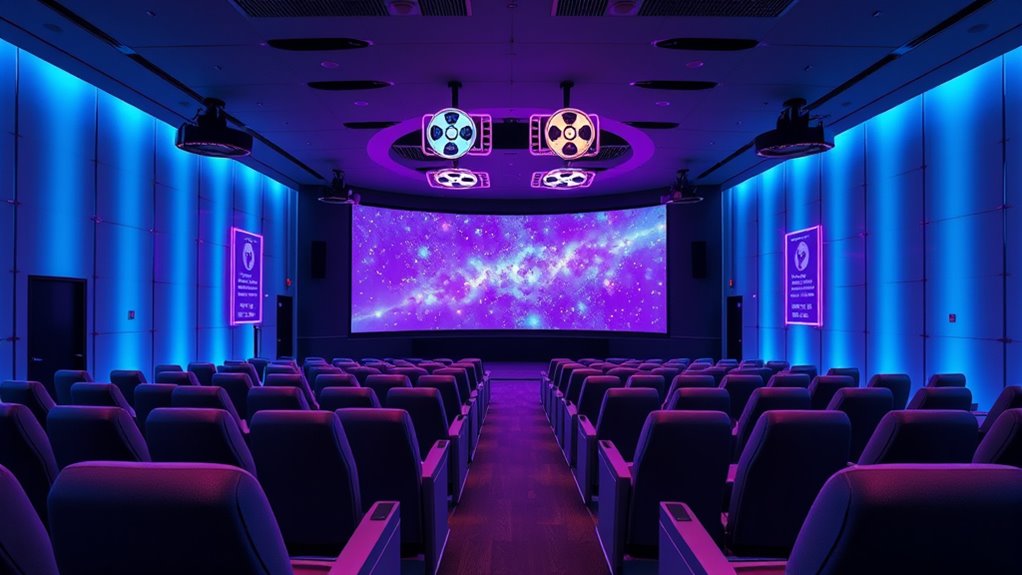
Creating a VR movie theater allows you to immerse yourself in a cinematic experience like never before. When you step into this virtual environment, you’re transported beyond your living room or traditional theater, surrounded by a vast, lifelike space designed specifically for viewing films. Instead of sitting passively in a fixed seat, you become part of a three-dimensional world where the screen is all around you, giving you the sensation that you’re in the middle of the action. This feeling of presence and immersion is what makes creating your own VR movie theater so exciting and revolutionary.
Step into a virtual world where the screen surrounds you, immersing you in a revolutionary cinematic experience.
To start, you’ll need the right hardware. A good VR headset, like Oculus Quest, HTC Vive, or Valve Index, is essential for a smooth experience. These devices deliver high-resolution visuals and wide fields of view, fundamental for creating an authentic theater atmosphere. Pair your headset with quality headphones for immersive audio, so you can hear every whisper, explosion, or musical note with clarity. Make sure your computer or console has enough processing power to run VR applications smoothly, avoiding lag or motion sickness that can ruin the experience. Once your setup is ready, you can explore various VR theater apps and platforms that allow you to customize your environment. You might choose a classic movie theater, a modern cinema, or even a sci-fi space station—each setting adds a different flavor to your viewing experience.
Creating your virtual theater involves not just choosing a location but also setting up the ideal viewing conditions. Many VR platforms let you upload your own movies in formats like MP4 or MKV, giving you control over what you watch. Position your virtual screen at eye level, and adjust the size to match your preferences—large enough to mimic a theater screen but not so overwhelming that it causes discomfort. Some applications even let you bring friends into the space, so you can watch movies together in a shared virtual environment, enhancing the social aspect of film viewing.
Additionally, you’ll want to fine-tune the lighting and sound settings to make the experience more realistic. Dimming the virtual lights or adjusting the sound environment helps you focus on the film and reduces distractions. As you get more comfortable, you can experiment with different environments or even create your own custom theaters, adding personal touches that make each viewing session special. Moreover, understanding the importance of balanced nutrition is crucial for maintaining overall health, which can indirectly support your energy and focus during long viewing sessions. Creating a VR movie theater offers a customizable, immersive, and truly engaging way to watch films—one that puts you at the center of the story and transforms how you experience cinema.
Frequently Asked Questions
What Are the Best VR Headsets for Movie Viewing?
You’re wondering about the best VR headsets for movie viewing. You should look for headsets with high-resolution displays, wide field of view, and comfortable fit. Options like the Oculus Quest 2, HTC Vive Pro 2, and Valve Index offer excellent visuals and immersive sound. Consider your budget and space, and choose a headset that balances quality with ease of use to enjoy your films in virtual reality.
How Do I Ensure Comfortable Long-Duration VR Movie Sessions?
To guarantee comfortable long-duration VR movie sessions, you should start by choosing a lightweight headset with adjustable straps and good padding. Take regular breaks to prevent fatigue and eye strain. Adjust the fit to avoid pressure points and ensure clear visuals. Stay in a cool, well-ventilated space, and consider using prescription lens inserts if needed. Keep hydrated and listen to your body for signs of discomfort.
Can I Watch 3D and 4K Movies in a VR Theater?
Yes, you can watch 3D and 4K movies in a VR theater. Many VR apps support high-resolution videos and 3D content, providing immersive experiences that mimic real theaters. Make certain your VR headset supports the required resolution and 3D formats. You’ll want to select compatible media players and make sure your device has enough processing power for smooth playback. Enjoy stunning visuals and realistic depth right from your virtual cinema!
What Are the Costs Involved in Setting up a VR Movie Theater?
Setting up a VR movie theater involves several costs. You’ll need a powerful VR headset, which can range from $300 to $1,000, and a compatible high-performance computer costing around $1,000 to $2,500. You might also invest in software licenses, comfortable seating, and space setup. Expect to spend approximately $2,000 to $4,500 or more, depending on the quality and scale of your setup.
Are There Social or Multiplayer Options in VR Movie Theaters?
You’ll find that many VR movie theaters offer social and multiplayer options, allowing you to watch films with friends or other users in real-time. These platforms often include voice chat and shared viewing experiences, making it feel like you’re all in the same room. You can join virtual screenings, chat during the film, and even customize your avatar, enhancing the social aspect of your VR movie experience.
Conclusion
Now that you’ve built your own VR movie theater, you’re stepping into a world where movies leap off the screen and surround you like a velvet curtain. It’s like having a personal cinema that hugs you with immersive sights and sounds. With just a headset and a bit of setup, you bring the magic of the big screen right into your living room. Get ready to experience films in a way that feels as real as a shared adventure with friends.
Fall Picks
fall essentials
As an affiliate, we earn on qualifying purchases.