Network Optimization for Online Gaming and Streaming
Achieve seamless online gaming and streaming by optimizing your network—discover essential tips that can revolutionize your connection quality and performance.
To optimize your network for gaming and streaming, prioritize traffic with Quality of Service (QoS) settings, ensuring critical applications get the bandwidth they need. Use wired connections where possible, manage your bandwidth during peak times, and upgrade your internet plan if necessary. Monitoring device activity helps prevent congestion and lag issues. With proper setup, you’ll enjoy smoother gameplay and uninterrupted streams—keep exploring how to fine-tune your network for the best experience.
Enable QoS settings on your router to prioritize gaming and streaming traffic over other activities.
Use wired Ethernet connections for more stable, less congested internet performance during gaming and streaming.
Upgrade to higher bandwidth internet plans to better handle multiple devices and high-data activities.
Schedule bandwidth-heavy tasks like downloads and updates during off-peak hours to reduce network congestion.
Regularly monitor device and application priorities to ensure critical activities receive sufficient bandwidth.
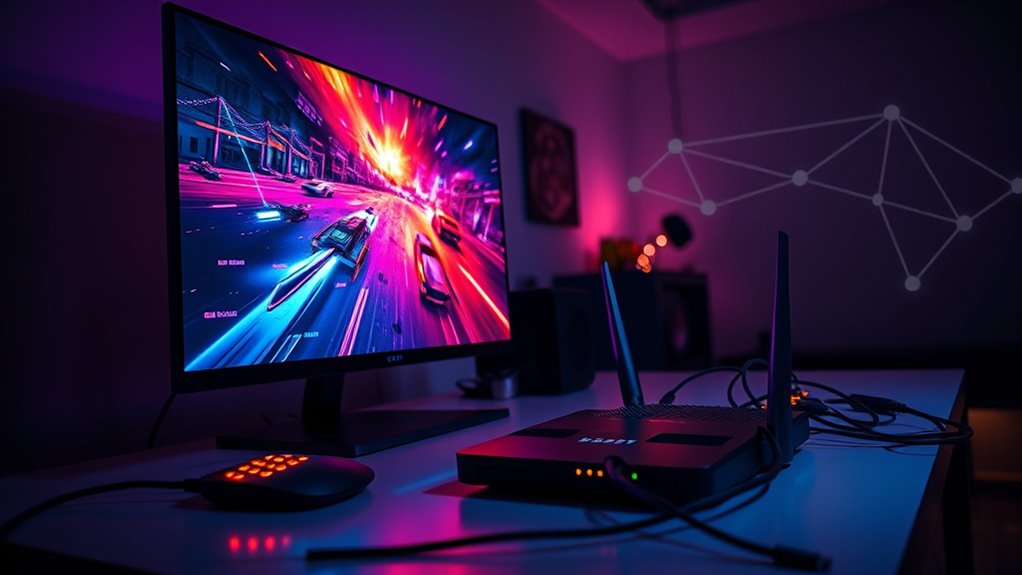
In today’s digital landscape, seamless online gaming and streaming depend on a well-optimized network that minimizes lag, buffering, and disconnects. One of the most effective ways to achieve this is through QoS prioritization, which allows you to manage which applications or devices receive bandwidth priority. When you prioritize gaming traffic over other activities like web browsing or file downloads, your gaming experience becomes smoother with less latency. Streaming services also benefit from QoS by ensuring high-quality video playback without interruptions. Without proper prioritization, network congestion can occur, especially when multiple devices are competing for bandwidth. This congestion causes delays, buffering, and disconnections, ruining your experience. To prevent this, you need to set rules that recognize and prioritize critical traffic, ensuring your gaming packets get through first. Many routers have built-in QoS settings, making it easier to assign priority levels. You simply identify which devices or applications matter most—like your gaming console or streaming device—and set them to high priority. This way, your network automatically allocates resources where they’re needed most, even during peak usage times. Additionally, understanding network congestion and how it impacts your connection can help you make better decisions about managing your bandwidth effectively.
Network congestion is a common challenge, especially in households with multiple connected devices. When everyone streams videos, downloads files, or participates in video calls simultaneously, your bandwidth gets divided thin. This division leads to increased latency and buffering, which can be frustrating during intense gaming sessions or when trying to watch a high-definition stream. To combat this, you should consider upgrading your internet plan to a higher bandwidth package or optimizing your network setup. Using wired connections instead of Wi-Fi can also considerably reduce congestion and improve stability. Additionally, scheduling bandwidth-heavy activities during off-peak hours can help ease congestion during prime gaming or streaming times. Managing your network traffic effectively involves not just upgrading your hardware but also configuring your network settings intelligently. Implementing QoS prioritization helps ensure that your gaming and streaming traffic gets the bandwidth it needs, even when your network is busy. This proactive approach reduces lag spikes, prevents buffering, and keeps your connection stable, providing a much more enjoyable experience.
In essence, understanding how QoS prioritization works and taking steps to reduce network congestion can dramatically improve your online gaming and streaming experiences. By managing your bandwidth wisely and setting up your network to prioritize essential traffic, you ensure smoother gameplay and uninterrupted streaming. This way, you can fully enjoy your digital entertainment without constant interruptions or frustrating lag. Proper network optimization isn’t just a luxury; it’s a necessity for anyone serious about high-quality online gaming and streaming in today’s connected world.
ViewSonic LS901-4K UHD 4K Laser Projector with 5500 Lumens, 1.7X Optical Zoom, 4K HDR/HLG Support, 4 Corner Adjustment, H/V Keystone, 360 Degrees Projection for Home Theater and Commercial Venues
4K Home Theater Laser Projector: UHD (3840x2160p) 4K resolution with a 1.2-2.0 throw ratio and 5,500 ANSI lumens,...
As an affiliate, we earn on qualifying purchases.
Frequently Asked Questions
How Does Latency Specifically Affect Online Gaming Performance?
Latency directly impacts your online gaming experience by causing delays between your actions and in-game responses. When latency is high, buffer management struggles to keep up, leading to lag and stuttering. Server proximity plays an essential role; the closer you are to the server, the lower your latency. Reducing latency guarantees smoother gameplay, faster reaction times, and a more enjoyable gaming experience overall.
What Hardware Improvements Can Enhance Streaming Quality?
Upgrading to fiber optics can drastically improve your streaming quality by providing faster, more stable internet speeds. Investing in a high-end router also helps by reducing buffering and ensuring a strong, consistent connection. These hardware improvements allow you to handle higher data loads efficiently, minimize latency, and enjoy smoother streaming experiences without interruptions, so your content looks sharp and plays seamlessly every time.
How Can I Reduce Packet Loss During Gaming Sessions?
Imagine you’re in a vital gaming match, but packet loss disrupts your gameplay. To reduce this, prioritize gaming packets through packet prioritization settings, ensuring they’re sent first. Additionally, enable jitter buffering to smooth out variations in packet arrival times. These steps help maintain a steady flow of data, minimizing lag and preventing packet loss, so you stay focused and competitive during every session.
Are There Specific ISPS Better for Gaming and Streaming?
You should choose an ISP that offers reliable connections, low latency, and strong network prioritization for gaming and streaming. Look for providers known for prioritizing gaming traffic and minimizing congestion during peak hours. An ISP with good customer reviews for stability and support can make a difference. Research local options, and consider plans that offer dedicated bandwidth or QoS features, ensuring your gaming and streaming experience stays smooth and responsive.
What Software Tools Optimize Network Performance for Gamers?
You can optimize your network performance with software tools like QoS settings and network monitoring tools. QoS settings prioritize gaming traffic, ensuring your gameplay stays smooth and lag-free. Network monitoring tools help you identify bandwidth hogs and troubleshoot issues quickly. By actively managing your network with these tools, you enhance your gaming experience, reduce latency, and enjoy more stable connections. Take control of your network and elevate your gaming sessions today.
ViewSonic LS741HD 5000 Lumens 1080p Laser Projector with H/V Keystone, 4 Corner Adjustment, 360 Degree Projection, 1.6X Optical Zoom, LAN Control, and 24/7 Operation
High Brightness FHD Laser Projector: Full HD (1920x1080p) resolution with a 1.4-2.2 throw ratio and 5,000 ANSI lumens...
As an affiliate, we earn on qualifying purchases.
Conclusion
By optimizing your network, you transform your gaming and streaming experience from a mere activity into an unstoppable, adrenaline-pumping adventure. Say goodbye to lag, buffering, and disconnections—you’re now the master of a lightning-fast, ultra-smooth connection that dominates every game and stream. With these tweaks, you’ll feel like you have a superpower, controlling the digital universe at your fingertips. Get ready to conquer online worlds and streaming battles like never before—your network’s greatness is just a tweak away!
ViewSonic LS740W 5000 Lumens WXGA Laser Projector with 1.3X Optical Zoom, H/V Keystrone, 360 Degrees Projection for Auditorium, Conference Room, and Education
High Brightness Laser Projector: WXGA (1280x800p) resolution with a 1.2-1.5 throw ratio and 5,000 ANSI lumens for clear,...
As an affiliate, we earn on qualifying purchases.
Aurzen Roku TV Smart Projector with Wifi and Bluetooth, Roku Streaming Experience Built-in, 1080P FHD, Dolby Audio, Auto Focus & Keystone, Zoom, Movie Portable Outdoor Mini Projector, White
A Roku account and internet connection are required for activation (Creating an account is free)
Using Gaming Consoles as Media Centers: Tips and Tricks
Transform your gaming console into a versatile media center with these tips and tricks that will elevate your entertainment experience—discover how inside.
Designing a Convertible Media Room for Movies and Video Games
Unlock the secrets to transforming your space into a versatile media room for movies and gaming—discover how to create the perfect environment that adapts seamlessly.