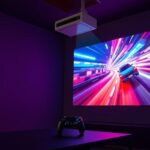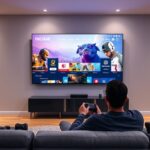
To set up cloud gaming on a projector, make sure you have a high-speed, stable internet connection for smooth streaming. Calibrate your projector properly by adjusting keystone, focus, brightness, contrast, and color settings for the best image quality. Connect your gaming device via reliable wired or wireless methods supported by your projector. Confirm input sources and match resolutions for seamless gameplay. For detailed tips and step-by-step guidance, continue exploring how to optimize your setup effectively.
Key Takeaways
- Ensure a high-speed, stable internet connection with minimal latency for smooth cloud gaming on projectors.
- Properly calibrate the projector’s keystone, focus, brightness, contrast, and color settings for optimal image quality.
- Use compatible cables or wireless methods like Wi-Fi or Miracast to connect gaming devices to the projector seamlessly.
- Match the device resolution with the projector’s native resolution to maintain clarity and prevent distortion.
- Regularly verify input source settings and maintain a clutter-free network to reduce lag and enhance gaming responsiveness.

Have you ever wondered how to enjoy high-quality cloud gaming experiences on a projector? It’s entirely possible, but to get the best results, you need to focus on a few key steps. The core of a successful setup lies in understanding game streaming and guaranteeing your projector is properly calibrated. When you stream games from the cloud, your internet connection becomes the backbone of your experience. A high-speed, stable connection minimizes lag and buffering, so you can enjoy smooth gameplay without frustrating interruptions. Make sure your Wi-Fi or ethernet connection is robust enough to handle the data demands of game streaming, especially if you’re playing graphically intensive titles. Reducing network congestion by disconnecting unnecessary devices can also help improve performance.
Once your internet is sorted, your attention should turn to projector calibration. Proper calibration is vital because it directly affects how your game visuals are displayed. Start by adjusting the projector’s keystone correction to ensure the image is rectangular and centered. Next, fine-tune the focus to make the picture sharp and clear. Brightness and contrast settings should be optimized based on your room’s lighting conditions to maximize image clarity and color accuracy. If your projector has color calibration options, use them to enhance the vibrancy and realism of the game graphics. This step is essential because distorted or washed-out images can diminish your gaming experience and cause eye strain over time. Additionally, selecting a projector with a high contrast ratio can significantly improve the depth and detail in dark scenes, making your gaming experience more immersive.
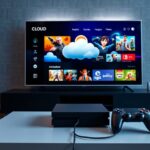
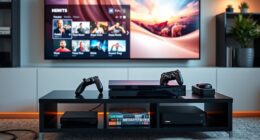
Connecting your device is straightforward but requires attention to detail. Use the right cables or wireless methods supported by your projector for seamless streaming. Many projectors now support wireless connections via Wi-Fi or Miracast, making it easier to connect your gaming device or streaming box. Once connected, make sure to set your projector’s input source correctly and verify that your device’s resolution matches the projector’s native resolution for the crispest image.
Frequently Asked Questions
What Internet Speed Is Recommended for Smooth Cloud Gaming?
For smooth cloud gaming, you should aim for at least 15-20 Mbps of Internet bandwidth, ensuring your connection can handle high-quality streams. Prioritize low latency to reduce lag, which is vital for responsive gameplay. Use latency optimization techniques like wired connections and closing background apps. This setup minimizes buffering and lag, giving you a seamless experience, especially when projecting on a large screen.
Can I Use Any Projector for Cloud Gaming?
You can’t use any projector for cloud gaming, as it requires specific features. Look for a projector with at least 1080p resolution for clear visuals and a brightness of 2,500 lumens or higher to combat ambient light. Make certain it has HDMI or USB-C ports for easy connection. A projector with good resolution and brightness ensures smooth gameplay and sharp images, making your cloud gaming experience enjoyable.
How Do I Minimize Latency When Gaming on a Projector?
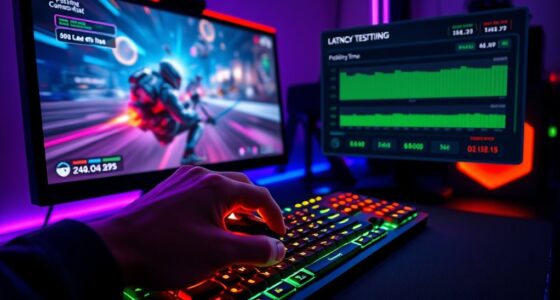
Minimize latency by maintaining meticulous display calibration and managing ambient lighting. You should optimize your projector’s settings for sharp, smooth visuals, reducing lag and motion blur. Dimming or controlling ambient lighting prevents screen glare, which can cause delays. By balancing brightness, contrast, and lighting, you create a clearer, more responsive gaming environment, ensuring your gameplay stays precise and pleasurable without pesky pauses or pixelations.
What Audio Options Are Available With Projector Cloud Gaming Setups?
You have several audio options with projector cloud gaming setups. You can connect via audio connectivity options like HDMI ARC or optical audio for high-quality sound. Alternatively, use Bluetooth to pair wireless speakers or headphones. Many projectors also support built-in speakers, but for better sound, consider external speaker options like soundbars or dedicated speakers connected through audio outputs. This guarantees immersive audio that complements your gaming experience.
Is a Special Projector Mount Needed for Gaming Setups?
You don’t need a special projector mount for gaming setups, but using gaming-specific mounts can elevate your experience. These mounts offer better stability, flexibility, and quick adjustments, making gameplay smoother than ever. Think of it as upgrading from a bicycle to a race car—your gaming visuals will stay steady even during intense moments. So, invest in a good projector mounting system to guarantee your cloud gaming sessions are flawless and immersive.
Conclusion
Setting up cloud gaming on your projector is an exciting way to enjoy high-quality games on a big screen. With over 60% of gamers now using cloud services, you’re joining a growing trend that offers flexibility and impressive visuals. Just make certain your internet speed stays above 25 Mbps for smooth gameplay. So, go ahead, connect your projector, and immerse yourself in seamless gaming experiences that make every session unforgettable.