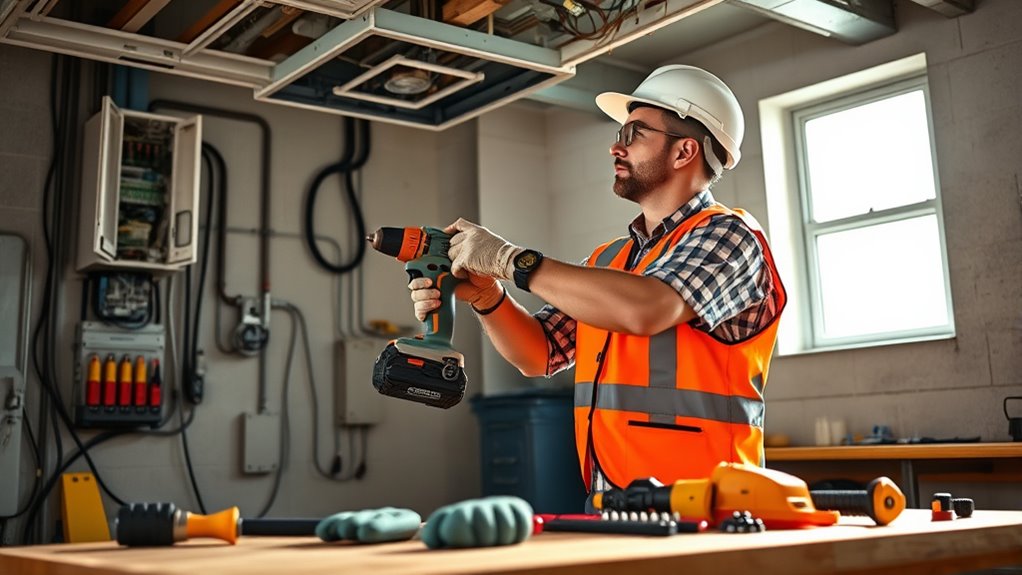

When doing your first installation, always wear the right PPE like safety goggles, gloves, and sturdy footwear to protect yourself. Perform electrical safety checks with a multimeter and switch off power before working. Keep your workspace organized and use insulated tools to avoid accidents. Follow safety protocols at every step, double-check connections, and restore power carefully. If you stay cautious and follow these tips, you’ll guarantee a safe and successful setup—more helpful advice awaits if you continue.
Key Takeaways
- Always wear appropriate PPE, including goggles, gloves, and sturdy footwear, before beginning installation.
- Conduct thorough safety checks and verify the power is off using a voltage tester.
- Keep the workspace organized and use insulated tools, especially when working with live wires.
- Double-check all connections during installation and ensure they are securely secured.
- Follow safety protocols consistently and restore power carefully after completing the work.

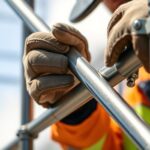
Starting a new installation can be exciting, but it’s essential to prioritize safety from the beginning. Whether you’re setting up a new electrical system or installing appliances, taking safety precautions ensures the process goes smoothly and helps prevent accidents. The first step is to always wear the appropriate personal protective equipment (PPE). This includes safety goggles to shield your eyes from sparks or debris, insulated gloves to protect against electrical shocks, and sturdy footwear to prevent slips or injuries. PPE acts as your first line of defense, so never skip this step, no matter how familiar you are with the work. Proper protective gear minimizes the risk of injuries and gives you confidence to handle tools safely.
Always wear PPE to ensure safety during installation and prevent injuries.
Before you even start working on the installation, it’s crucial to perform comprehensive electrical safety checks. These checks help identify potential hazards like faulty wiring, damaged outlets, or outdated circuits. Confirm that the power supply to the area is turned off before beginning any work. Use a voltage tester or multimeter to verify that no current is flowing through the wires you’ll be handling. This simple but essential step prevents accidental electrocution. Keep in mind that even if you’re experienced, old wiring or unseen faults can pose serious dangers, so thorough safety checks are non-negotiable. Additionally, understanding the support hours of local services can be helpful if you encounter issues that require professional assistance.
As you proceed, make sure your workspace is organized and free from clutter. A tidy area reduces tripping hazards and allows you to work more efficiently. Use insulated tools whenever possible, especially when working with live wires or near electrical components. Always follow manufacturer instructions and local codes to guarantee your installation is compliant and safe. If you’re unsure about any part of the process, don’t hesitate to consult a professional. It’s better to ask for help than to risk making a mistake that could lead to injury or system failure.
Throughout the installation, keep safety at the forefront. Regularly pause to review your work and double-check connections. After completing the installation, perform another round of electrical safety checks to confirm everything is properly connected and secure. Finally, restore power carefully and test your work thoroughly. Remember, safety isn’t just a one-time step; it’s an ongoing commitment that protects you and others. By wearing PPE, conducting electrical safety checks, and maintaining a cautious approach, you’ll ensure your first-time installation is not only successful but also safe.

Aeotec Smart Home Hub, Works as a SmartThings Hub, Z-Wave, Zigbee, Matter Gateway, Compatible with Alexa, Google Assistant, WiFi
Connect & control your smart home — Easily link thousands of compatible devices from leading brands to create...
As an affiliate, we earn on qualifying purchases.
Frequently Asked Questions
What Tools Are Essential for First-Time Installations?
For your first installation, you’ll need essential tools like a power drill to make holes and secure fixtures, wire strippers to safely remove insulation, safety gloves to protect your hands, and a voltage tester to guarantee circuits are de-energized before working. These tools help you work efficiently and safely, reducing risks of injury or mistakes. Make sure to use them properly and always follow safety guidelines during your first installation project.
How Can I Identify Faulty or Incompatible Equipment?
You can identify faulty or incompatible equipment by checking for faulty device indicators, like unusual noises, overheating, or error messages. Always verify equipment compatibility with your system specifications before installation. Look for physical damage, loose connections, or worn-out parts, which suggest faults. If something seems off, test the device separately or consult the manufacturer’s guidelines to guarantee it’s suitable, preventing potential damage or safety issues during setup.
What Are Common Hazards During Installations?
Think of installation as traversing a minefield—you must stay alert to avoid hazards. Common workplace hazards include electrical shocks, falling objects, and sharp tools. To stay safe, follow all safety precautions, such as wearing protective gear, ensuring proper tool handling, and securing work areas. Recognizing these dangers early helps you avoid accidents, making your installation smoother and safer for everyone involved.
When Should I Seek Professional Help?
You should seek professional help when DIY pitfalls seem overwhelming or when safety gear alone can’t mitigate risks. If the task involves complex electrical work, heavy lifting, or uncertain measurements, don’t hesitate to call experts. Using proper safety gear is essential, but professionals have the training to handle hazards safely. Prioritize safety over convenience to avoid accidents and ensure a successful, damage-free installation.
How Do I Ensure Proper Disposal of Old Equipment?
You guarantee proper disposal of old equipment by following local disposal regulations and prioritizing electrical safety. First, check if the equipment contains hazardous materials like batteries or chemicals, and handle those separately. Contact your local waste management authority for specific disposal guidelines. Avoid dumping electronics in regular trash to prevent environmental harm. Proper disposal not only keeps you safe but also contributes to environmental protection.
![SmartThings Hub 3rd Generation [GP-U999SJVLGDA] Smart Home Automation Hub Home Monitoring Smart Devices - Alexa Google Home Compatible - Zigbee, Z-Wave, Cloud to Cloud Protocols – White](https://m.media-amazon.com/images/I/21hChu0ounL._SL500_.jpg)
SmartThings Hub 3rd Generation [GP-U999SJVLGDA] Smart Home Automation Hub Home Monitoring Smart Devices - Alexa Google Home Compatible - Zigbee, Z-Wave, Cloud to Cloud Protocols – White
Monitor and control compatible devices in your home using a single smartphone app for your phone
As an affiliate, we earn on qualifying purchases.
Conclusion
As you step into your first installation, picture yourself confidently maneuvering a maze of wires and tools, each step secure and deliberate. With safety gear in place and careful attention, you create a sturdy foundation, like planting a tree that will stand tall for years. Embrace each moment with focus and care, knowing that your vigilance today ensures a safe, successful project tomorrow. Trust yourself—you’ve got this, and safety is your guiding light.

Amazon Echo Hub, 8” smart home control panel, Designed for Alexa+, Compatible with thousands of devices
Echo Hub — An easy-to-use Alexa-enabled control panel for your smart home devices—just ask Alexa or tap the...
As an affiliate, we earn on qualifying purchases.
![J-Tech Digital 8K HDMI Audio Extractor with eARC ARC 8K 60Hz 4K 120Hz, HDMI to Optical L/R Converter Adapter, HDCP 2.3 HDR CEC EDID [JTECH-8KAE]](https://m.media-amazon.com/images/I/31V94vBBJHL._SL500_.jpg)
J-Tech Digital 8K HDMI Audio Extractor with eARC ARC 8K 60Hz 4K 120Hz, HDMI to Optical L/R Converter Adapter, HDCP 2.3 HDR CEC EDID [JTECH-8KAE]
✅ 8K 60Hz | 4K 120Hz HDMI Audio Extractor: Extract audio from HDMI signal, send to external audio...
As an affiliate, we earn on qualifying purchases.