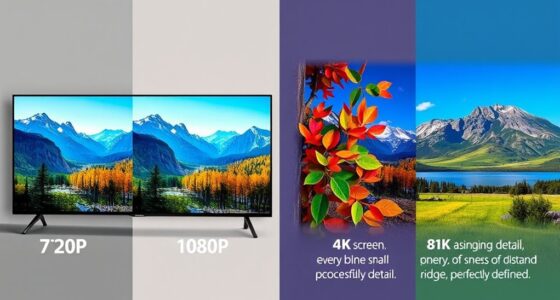
If you’re new to home theater, understanding terms like soundbar, projector resolution, pixels, and setup basics helps you make better choices. A soundbar enhances your TV’s audio, while projector resolution like 1080p or 4K affects picture sharpness. Pixels determine image clarity, and proper equipment setup ensures everything works smoothly. Knowing these basics can boost your entertainment experience. Keep exploring, and you’ll discover how to create an immersive home theater tailored just for you.

Get business pricing on your home office setup
- Business-only prices and quantity discounts
- Tax-exempt purchasing
- Multiple users, one account, clear invoices
Key Takeaways
- Understand common home theater components like soundbars, projectors, and screens for better equipment selection.
- Learn key terms such as resolution, pixel count, and image quality to evaluate display devices effectively.
- Familiarize with setup options, including wired and wireless connections for audio and video equipment.
- Recognize maintenance practices that ensure optimal projector performance and longevity.
- Know the importance of placement and configuration for maximizing viewing and listening experiences.
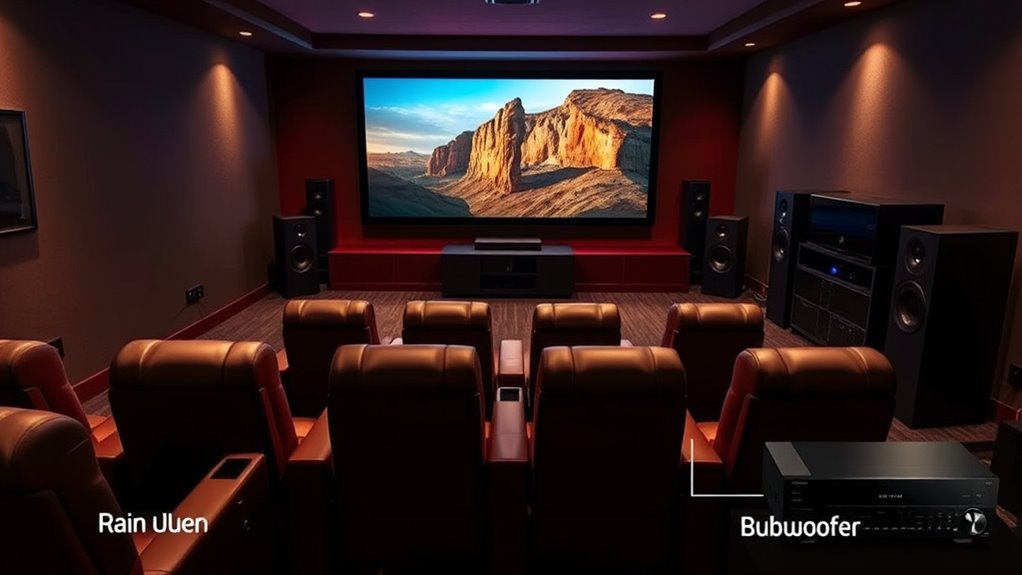
Are you curious about the terminology used in home theater setups? Understanding the key terms can make installing and enjoying your system much easier. Let’s start with the soundbar setup, which is a popular choice for many beginners. A soundbar is a slim speaker that sits in front of or below your TV, providing a significant upgrade from built-in speakers. When setting up a soundbar, you want to consider its placement for best sound quality, usually positioning it centered directly below or above your TV. Some soundbars connect via HDMI or optical cable, offering straightforward setups, while others might be wireless. A good soundbar setup can dramatically improve your audio experience, making dialogue clearer and music more immersive.
Next, let’s talk about projector resolution, an essential factor when choosing a projector for your home theater. Projector resolution refers to the number of pixels the projector can display, directly impacting picture clarity and detail. Common resolutions include 1080p, also known as Full HD, and 4K, which offers four times the pixel count for sharper images. When thinking about projector resolution, think about the size of your screen and the viewing distance; higher resolutions are better for larger screens and closer viewing positions because they prevent pixelation and blurring. Keep in mind that a higher resolution projector generally costs more but provides a more cinematic viewing experience. If you’re creating a dedicated home theater room, opting for a 4K projector can truly elevate your movie nights with crisp, vibrant visuals. Additionally, understanding projector bulb maintenance can help ensure your projector operates at optimal quality over time, preventing issues like dimming or color distortion that diminish your viewing experience.
Understanding these terms helps you make smarter choices when purchasing equipment. For example, knowing what a soundbar setup entails means you can select the right soundbar to complement your TV or home theater system, ensuring you get rich, room-filling sound. Similarly, grasping projector resolution helps you decide which projector fits your space and viewing preferences best, balancing image quality with your budget. As you explore more home theater equipment, you’ll encounter additional terms such as surround sound, HDMI ARC, and aspect ratio, but starting with the basics like soundbar setup and projector resolution sets a solid foundation. When you’re familiar with these concepts, you’ll find it easier to compare products, troubleshoot issues, and create an immersive entertainment environment tailored exactly to your tastes.
Frequently Asked Questions
How Do I Choose the Right Home Theater Size for My Room?
To choose the right home theater size, start by measuring your room dimensions to determine available space. Consider your seating arrangement and how many people will watch together. A larger room can accommodate a bigger screen and more seating, enhancing the experience. Make certain there’s enough space for speakers and equipment without crowding. Balancing screen size with room size and seating helps create a comfortable, immersive home theater.
What Is the Ideal Speaker Placement for Surround Sound?
Imagine you’re Captain Kirk steering the final frontier—your surround sound setup needs precise speaker positioning. Place front speakers at ear level, slightly angled toward you, and position surround speakers just behind and to the sides, about 1-2 feet above ear level. For the best immersive experience, keep speakers equidistant from your seating area, creating an even surround sound setup that makes you feel like you’re right there in the action.
How Do I Calibrate My Home Theater System?
To calibrate your home theater system, start by using calibration tools like a sound level meter or auto-calibration feature on your receiver. Follow the on-screen setup instructions, which guide you through adjusting speaker levels, distances, and equalization. This process guarantees sound enhancement, giving you balanced audio from all speakers. Regular calibration helps maintain peak sound quality, enhancing your viewing experience and making sure every scene sounds just right.
What Are the Benefits of Dolby Atmos?
Dolby Atmos offers immersive audio and multi-dimensional sound, making you feel like you’re right in the middle of the action. It adds height channels, so sounds can come from above, creating a more realistic and dynamic experience. With Dolby Atmos, you’ll enjoy clearer dialogue, richer music, and more precise sound effects. This technology elevates your home theater, delivering a cinematic experience that’s more engaging and lifelike.
How Can I Reduce Audio and Video Lag in My Setup?
Ever notice that moment when your audio and video seem out of sync? To fix this, you can adjust audio synchronization settings on your receiver or device. Also, consider hardware upgrades like faster processors or low-latency cables to reduce lag. Ensuring your firmware is up-to-date and connecting devices via HDMI can help streamline data flow, giving you a smoother, more immersive home theater experience.
Conclusion
Now that you’ve explored these home theater terms, imagine sinking into your favorite seat, the screen glowing softly before you. The rich sound surrounds you like a warm embrace, transforming your space into a cinematic oasis. With this knowledge, you’re ready to craft your perfect setup, where every detail—from speakers to screens—brings movies to life. Your home theater journey begins now, turning your living room into a haven of immersive entertainment.
Fall Picks
fall essentials
As an affiliate, we earn on qualifying purchases.