
To connect your soundbar to a projector via Bluetooth, first make certain both devices support Bluetooth connectivity. Activate Bluetooth on your projector and set it to discoverable mode, then put your soundbar into pairing mode by holding the Bluetooth button. Select the projector from the available devices on your soundbar, and once paired, enjoy improved audio quality. If you’re unsure about the steps, there’s more to explore to make your setup seamless.

Get business pricing on your home office setup
- Business-only prices and quantity discounts
- Tax-exempt purchasing
- Multiple users, one account, clear invoices
Key Takeaways
- Ensure both your projector and soundbar support Bluetooth or wireless audio connections.
- Activate Bluetooth pairing mode on the soundbar and enable discoverable mode on the projector.
- Select the projector from the soundbar’s device list to establish a wireless connection.
- Confirm successful pairing with indicator lights or tones on both devices.
- Test the audio output to ensure the soundbar is properly connected and functioning.
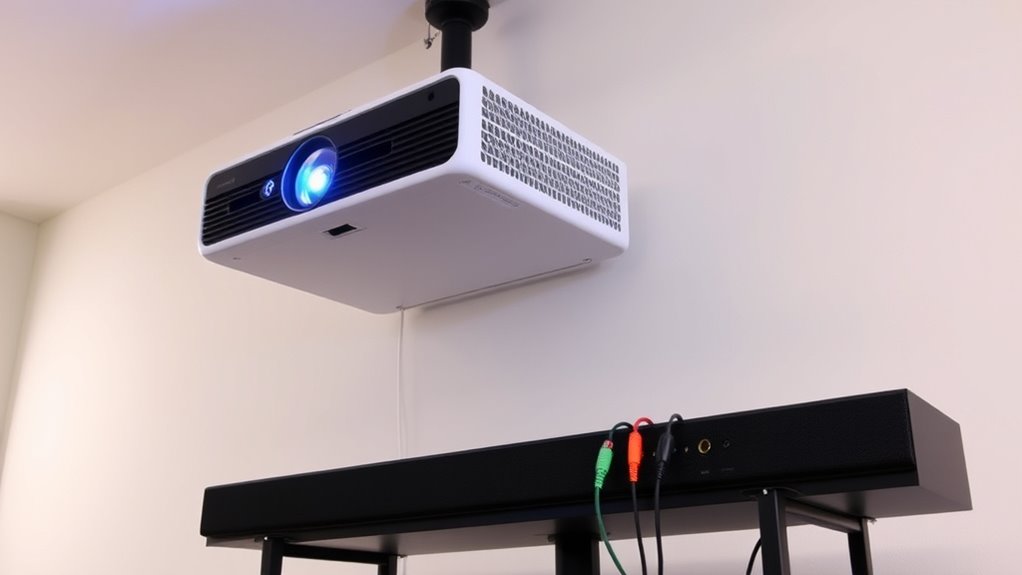
Have you ever wondered how to enhance your projector’s audio? If so, connecting a soundbar is one of the easiest ways to improve sound quality without cluttering your space. Today’s soundbars often support wireless audio, making setup smoother and more flexible. The most common method involves Bluetooth pairing, which allows you to connect your soundbar to your projector without messy wires. This setup not only reduces cable clutter but also provides a clean, modern look for your entertainment area.
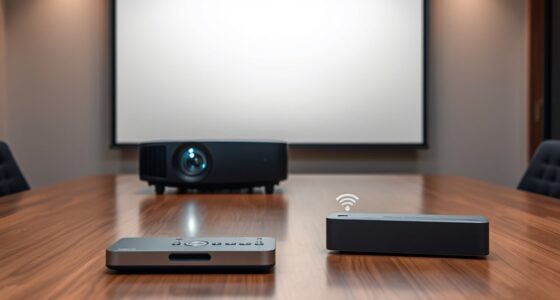
To start, verify your soundbar supports Bluetooth connectivity. Most modern models do, and they usually have a Bluetooth indicator light or a dedicated button for pairing. Next, turn on your projector and navigate to its settings menu. Find the Bluetooth options—these are often under audio or wireless settings. Enable Bluetooth on your projector and set it to discoverable mode. This makes your projector ready to find and connect with nearby Bluetooth-enabled devices like your soundbar.
Verify your soundbar supports Bluetooth and look for the pairing button or indicator light.
Once your projector is in pairing mode, activate Bluetooth pairing on your soundbar. Usually, you press and hold the Bluetooth button until the indicator light starts blinking, signaling it’s searching for devices. When your projector appears on the soundbar’s list of available devices, select it. The pairing process should complete within a few seconds, after which you’ll hear a confirmation tone or see a solid indicator light. At this point, your soundbar is connected wirelessly to your projector, and you should experience improved audio instantly.
Keep in mind, some projectors might have limited Bluetooth range, so make sure your soundbar is within close proximity for a stable connection. Once paired, your projector will automatically connect to the soundbar whenever both are powered on and within range, making your setup seamless for future use. If you encounter connection issues, try resetting the Bluetooth connection on both devices or restarting your projector and soundbar. Sometimes, removing previous Bluetooth pairings can also help resolve conflicts.
Using wireless audio and Bluetooth pairing not only simplifies your setup but also gives you more flexibility in placing your soundbar. You can position it where sound quality is ideal without worrying about running long cables across the room. This hands-free, cable-free connection makes your entertainment experience more streamlined and clutter-free. So, whether you’re watching a movie or giving a presentation, connecting your soundbar via Bluetooth provides richer audio and a cleaner look, elevating your overall viewing experience with minimal effort.
Additionally, understanding the importance of high-quality audio enhances your overall viewing experience, making your setup more immersive.
Frequently Asked Questions
Can I Connect Multiple Soundbars to One Projector?
Yes, you can connect multiple soundbars to one projector, but it requires careful setup for multi soundbars and audio synchronization. Use an HDMI splitter or a compatible audio processor to connect the projector’s audio output to both soundbars. Keep in mind that ensuring audio synchronization might be tricky, so opt for devices that support multi soundbars with built-in or external synchronization features. This way, you get immersive sound without lag.
What Is the Best Placement for a Soundbar With a Projector?
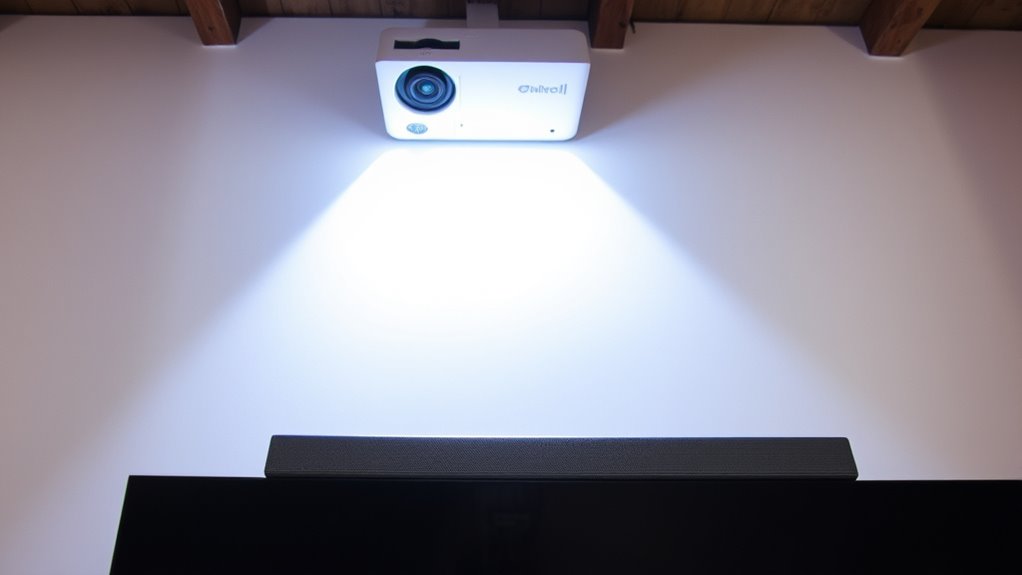
You should place your soundbar directly below or above your projector screen for ideal acoustic placement. Make certain the soundbar isn’t blocked by furniture or objects, which can affect room acoustics. Positioning it at ear level when seated enhances sound clarity. Experiment with slight angles to improve sound distribution, and consider room acoustics—adding rugs or curtains can reduce echo and improve overall audio quality.
Do All Projectors Support Audio Output Options?
Not all projectors support audio output options, which can lead to compatibility issues. You should check if your projector has audio output ports like HDMI ARC, audio out, or headphone jack before attempting to connect. If your projector lacks these features, you might need an external audio extractor or a compatible sound system. Always verify your device’s specifications to guarantee seamless audio connection and avoid frustration during setup.
Can I Connect a Wireless Soundbar to a Projector?
Yes, you can connect a wireless soundbar to a projector if they have wireless compatibility. Most wireless soundbars support Bluetooth pairing, making it easy to connect without cables. First, verify your projector has Bluetooth capability. Then, enable Bluetooth on both devices, put the soundbar into pairing mode, and select it from your projector’s Bluetooth menu. Enjoy enhanced audio without the clutter of wires.
What Should I Do if My Soundbar Isn’T Detected?
Troubleshooting issues with a soundbar not being detected involves checking compatibility, verifying connections, and restarting devices. First, ensure your soundbar and projector are compatible and properly connected. Next, double-check all cables or wireless settings. If still undetected, turn off both devices, wait a few seconds, then power them back on. Updating firmware or resetting your devices can also resolve detection problems. Always consult your device manuals for specific troubleshooting tips.
Conclusion
Now that you know how to connect your soundbar to your projector, you’re all set for an enhanced viewing experience. It’s a simple upgrade that can make your movies and gaming sessions more immersive. Isn’t it worth enjoying rich, clear sound alongside stunning visuals? With just a few connections, you’ll be ready to sit back, relax, and lose yourself in your favorite content like never before. Why settle for less when better sound is just a few steps away?
Fall Picks
fall essentials
As an affiliate, we earn on qualifying purchases.