To calibrate your Dolby Atmos system for total 3D sound immersion, start by carefully positioning your speakers, especially overhead or upward-firing units, to align with your seating area. Use a calibration microphone and auto-setup features, then fine-tune speaker levels, distances, and crossover settings. Adjust your room acoustics by adding soft furnishings or acoustic panels to reduce reflections. Proper calibration guarantees even sound distribution and enhances height cues, so continue exploring these steps to maximize your immersive audio experience.

Get business pricing on your home office setup
- Business-only prices and quantity discounts
- Tax-exempt purchasing
- Multiple users, one account, clear invoices
Key Takeaways
- Use a calibration microphone and auto-setup feature to analyze room acoustics and optimize speaker levels and positions.
- Ensure overhead and upward-firing speakers are properly aligned with seating areas for accurate height cues.
- Minimize reflections by positioning speakers away from walls and using acoustic treatments like panels or diffusers.
- Adjust crossover and level settings manually for balanced sound and clear 3D audio effects.
- Fine-tune speaker placement and room acoustics to enhance sound depth, clarity, and immersive Dolby Atmos experience.

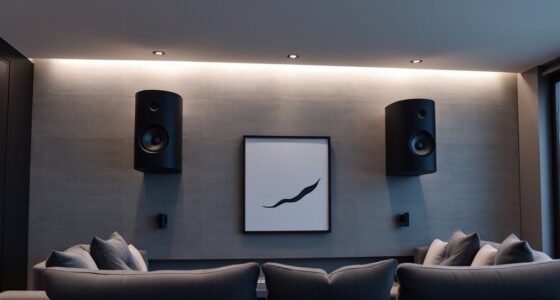
Calibrating your Dolby Atmos system is vital to guarantee you experience the immersive sound the technology promises. To do this effectively, you need to start with proper speaker placement and an understanding of your room’s acoustics. The placement of your speakers directly influences how sound moves through the space, impacting the sense of depth and height that Dolby Atmos aims to deliver. Position your speakers so that the overhead or upward-firing units are aligned with your seating area, creating a seamless 3D audio experience. Avoid placing speakers too close to walls or corners, as this can cause unwanted reflections or sound distortion, diminishing the clarity and immersion. Instead, aim for a balanced arrangement that distributes sound evenly around your listening zone.
Room acoustics also play an imperative role in achieving ideal Dolby Atmos performance. Hard surfaces like glass, tile, or bare walls tend to reflect sound, which can lead to echo and muddiness, reducing clarity. To counteract this, incorporate soft furnishings such as curtains, rugs, and upholstered furniture, which absorb excess sound waves and reduce reflections. Additionally, consider adding acoustic panels or diffusers to fine-tune how sound interacts with your space. The goal is to create a balanced acoustic environment where sound waves are evenly dispersed, allowing the system to accurately reproduce the intended 3D audio effects.
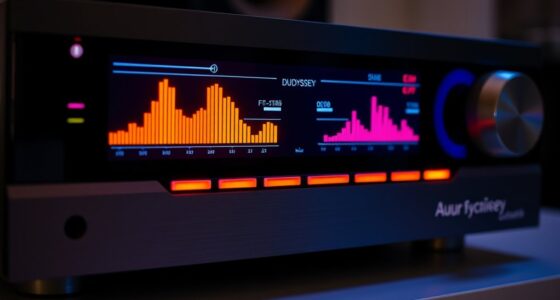
Once you’ve arranged your speakers and addressed room acoustics, it’s time to calibrate your system. Use a calibration microphone and an auto-setup feature, if available, to analyze how sound interacts within your room. This process adjusts speaker levels, distances, and crossover settings, ensuring each speaker contributes appropriately to the overall soundfield. Manual calibration can also help if you want more control; walk around your room and listen critically, making incremental adjustments to speaker volume and positioning until you notice a cohesive, enveloping soundscape.
Frequently Asked Questions
How Often Should I Recalibrate My Dolby Atmos System?
You should recalibrate your Dolby Atmos system every 6 to 12 months to maintain peak sound quality and guarantee calibration frequency aligns with system longevity. Regular calibration helps account for any speaker shifts, room changes, or equipment updates. By doing this, you prevent sound degradation, keep your immersive experience first-rate, and extend your system’s lifespan. Consistent calibration is key to enjoying the best 3D sound immersion over time.
Can I Calibrate Dolby Atmos Without Professional Equipment?
Sure, you can attempt DIY calibration without professional gear, but don’t expect Hollywood magic. With basic calibration tools like a smartphone app and a sound meter, you can tweak your Dolby Atmos system, though it’s like trying to paint a masterpiece with a crayon. For precise 3D sound immersion, investing in proper calibration tools makes all the difference, transforming your setup from decent to stunning.
What Is the Ideal Room Size for Dolby Atmos?
The ideal room size for Dolby Atmos depends on your space and preferences, but generally, a room of at least 150 square feet functions well. Good room acoustics are essential, so avoid too much echo or sound absorption. Proper speaker placement, including ceiling or upward-firing speakers, enhances immersion. Keep the room spacious enough to prevent sound congestion and ensure clear, dynamic 3D sound for the best Dolby Atmos experience.
How Do Ambient Noise Levels Affect Calibration Accuracy?
Ever notice how background noise can throw off your calibration? When ambient noise levels are high, they interfere with your system’s ability to measure sound accurately, leading to less precise calibration. This affects measurement accuracy, making it harder to achieve true 3D sound immersion. To get the best results, make sure your room is as quiet as possible during calibration, so background noise doesn’t skew your system’s settings.
Are There Differences in Calibration Procedures for Soundbars Versus Dedicated Setups?
Yes, there are differences in calibration procedures. For a soundbar, you focus on setting the correct placement, adjusting the built-in settings, and ensuring the soundbar’s upward-firing speakers are optimized. For a dedicated setup, you perform detailed calibration adjustments like speaker positioning, level balancing, and speaker distance settings. You’ll also use calibration tools or microphones more extensively to fine-tune the immersive sound experience for both setups.
Conclusion
Now that you’ve calibrated your Dolby Atmos system, you’ve unbarred a symphony of sound that envelops you like a velvet cloak. Think of your setup as a finely tuned orchestra, each speaker an essential instrument harmonizing to create a breathtaking 3D audio landscape. With your careful adjustments, you’re not just listening—you’re immersing yourself in a vivid, cinematic universe where every whisper and thunderclap dances in perfect harmony, elevating your home theater experience to new heights.
Fall Picks
fall essentials
As an affiliate, we earn on qualifying purchases.