
When using your projector, selecting the right color mode is essential for ideal image quality. Choose "Cinema" mode for dark environments, as it enhances color accuracy and depth. If you're in a bright room, switch to "Dynamic" mode to boost brightness and vibrancy. For casual viewing, "Standard" mode provides balanced performance for various content types. In business settings, use "Presentation" mode to improve clarity and contrast for text-heavy slides. Understanding these modes helps you make the best choice for your needs, and there's even more to explore regarding tips and settings for your projector!
Key Takeaways
- Use "Cinema" mode in dark rooms for optimal color accuracy and depth in films.
- Select "Dynamic" mode in bright environments to enhance brightness and color vibrancy.
- "Standard" mode is versatile and suitable for various types of content and lighting.
- For text-heavy presentations, choose "Presentation" mode to improve sharpness and contrast.
- Regularly calibrate projector settings to ensure consistent and accurate color reproduction across modes.

Aurzen Roku TV Smart Projector with Wifi and Bluetooth, Roku TV Built-in, 1080P FHD, DoIby Audio, Auto Focus & Keystone, Zoom, Movie Portable Outdoor Mini Projector for Soccer Football Game, White
A Roku account and internet connection are required for activation (Creating an account is free). Note: Power Supply:...
As an affiliate, we earn on qualifying purchases.
Understanding Projector Color Modes
Understanding projector color modes is essential for getting the best viewing experience out of your setup. These modes—like "Cinema," "Dynamic," and "Standard"—are tailored to optimize brightness, contrast, and image quality based on your viewing environment and content type.
Additionally, ensuring your home theater setup includes a quality audio system can greatly enhance the overall experience, as sound plays a vital role in immersion essential components.
In a dark room, the "Cinema" mode shines, offering a warmer color temperature and accurate color reproduction that enhances your movie-watching experience.
If you're in a well-lit space, the "Dynamic" mode is your best bet; it boosts brightness and dynamic contrast, ensuring vivid colors that grab attention during presentations or sports events.
Meanwhile, the "Standard" mode provides a balanced option for everyday use, delivering decent brightness and color accuracy for casual TV watching.
Many projectors also allow for fine-tuning within these modes. You can customize settings like saturation, hue, and gamma to achieve your desired look.
![[Built-in Apps/4K Support] Smart Outdoor Projector with WiFi and Bluetooth, Movie Projector, DoIby Audio with Dual Speaker, Auto Focus w/ YouTube&PrimeVideo Proyector, Upgrad P62 Pro](https://m.media-amazon.com/images/I/51yAGv8VI7L._SL500_.jpg)
[Built-in Apps/4K Support] Smart Outdoor Projector with WiFi and Bluetooth, Movie Projector, DoIby Audio with Dual Speaker, Auto Focus w/ YouTube&PrimeVideo Proyector, Upgrad P62 Pro
[Upgraded Classic – P62 Pro Movie Projector] Building on the reliability and low return rate of the classic...
As an affiliate, we earn on qualifying purchases.
Choosing the Right Mode
Selecting the right color mode for your projector can make a noticeable difference in your viewing experience. Most projectors come with several color modes, including Dynamic, Standard, Cinema, and Presentation, each designed for specific viewing conditions and content types.
Additionally, just like the importance of selecting the right names for your pets, understanding the capabilities of each mode can help you tailor your experience to your specific needs dog names and breeds.
If you're in a well-lit room, the Dynamic mode might be your best bet. It enhances brightness and saturation, guaranteeing you can see everything clearly.
On the other hand, if you're watching movies in a dark environment, the Cinema mode excels at delivering color accuracy and depth, greatly improving picture quality.
For general use, Standard mode strikes a balance between brightness and color fidelity, making it versatile for various content types.
If you're presenting text or graphics, consider using Presentation mode, which enhances sharpness and contrast to guarantee clarity in business settings.
Ultimately, choosing the right mode is vital. By aligning the color mode with your viewing conditions and content, you can greatly enhance the overall image, leading to a more enjoyable viewing experience.
Make sure to experiment with these modes to find what works best for you!
![Outdoor-Projector-4K with WiFi and Bluetooth:[3500 Bright/60W Dolby Audio/Official Licensed Apps],Smart-Projector with AI Auto Focus,ONOAYO ONO5Pro 2.0 Movie Projector for Indoor/Outdoor 2026New](https://m.media-amazon.com/images/I/41fylkjOTIL._SL500_.jpg)
Outdoor-Projector-4K with WiFi and Bluetooth:[3500 Bright/60W Dolby Audio/Official Licensed Apps],Smart-Projector with AI Auto Focus,ONOAYO ONO5Pro 2.0 Movie Projector for Indoor/Outdoor 2026New
[Hear the Difference–Hollywood-Grade Dual 60W Dolby Audio] Why spend more on a TV + soundbar or settle for...
As an affiliate, we earn on qualifying purchases.
Impact of Lighting Conditions
Lighting conditions play an important role in how well a projector performs, affecting everything from color vibrancy to contrast. In bright environments, ambient light can wash out colors and reduce perceived contrast, meaning you'll often want to use darker modes to enhance your viewing experience. High brightness levels may help keep images visible, but this can compromise color accuracy and lower contrast ratios.
Moreover, just as geothermal energy utilization can improve energy efficiency in various conditions, selecting the appropriate projector settings can maximize image quality based on your environment.
On the other hand, dark environments greatly boost projector performance. You'll notice better contrast and more vivid colors, especially when you use cinema modes designed for such settings. If you're aiming for ideal HDR performance, a light-controlled room is vital. Ambient light negatively impacts display contrast, which can lead to decreased image quality and detail visibility.
Additionally, choosing the right screen type can make a difference. High-contrast ambient light-rejecting screens can enhance image quality by maintaining color fidelity and contrast, even in less-than-ideal lighting conditions.

HAPPRUN Native 1080P Projector, Bluetooth Home Theater Movie Projector with Built-in Speaker, Compatible with Smartphone, HDMI, Fire Stick, PS5, Indoor & Outdoor Use - Without Google TV System
[ Native 1080P Full HD Resolution ] - Enjoy crystal-clear visuals with HAPPRUN H1's native 1920x1080 resolution, delivering...
As an affiliate, we earn on qualifying purchases.
Comparison of Color Modes
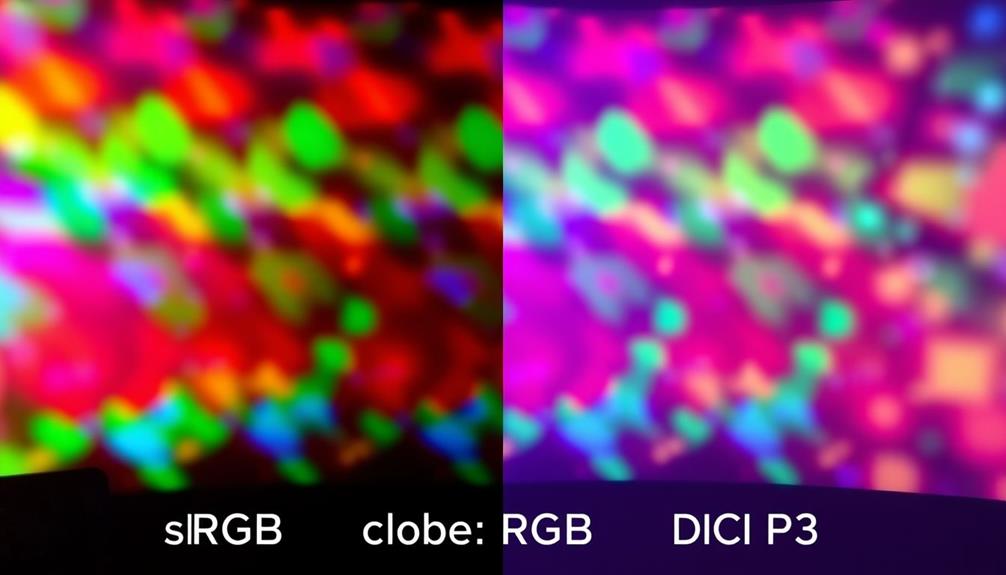
When you compare projector color modes, you'll find that each setting is tailored to enhance your viewing experience based on specific content and environments.
The Standard Mode offers a balanced color profile, making it versatile for everyday viewing in various lighting conditions.
If you're watching films in a dark room, the Cinema Mode optimizes color accuracy and depth, giving you an immersive experience.
For a cozy atmosphere, consider enhancing your space with modern farmhouse bedroom tips that incorporate cozy textiles and natural elements.
For gamers, the Game Mode is designed to minimize input lag while enhancing brightness, ensuring vibrant colors and quick response times for engaging gameplay.
In contrast, the Dynamic Mode boosts brightness and contrast, making it suitable for presentations or well-lit environments, but it may sacrifice some color accuracy.
Best Practices for Usage
Understanding how to best use projector color modes can greatly enhance your viewing experience. For home theater viewing, switch to "Cinema" or "Movie" mode. These settings typically deliver the most accurate color reproduction and better contrast ratios, especially when displaying films against a black background.
Additionally, being aware of the importance of privacy concerns in AI can help you choose a projector with smart features that respect user data.
If you're in a bright room, "Dynamic" or "Vivid" mode can help combat ambient light by boosting peak brightness and color saturation, making the image more visible.
For business presentations or educational settings, use "Presentation" mode, which improves clarity for text-heavy content in well-lit environments.
When watching HDR content, always set your projector to "HDR" mode. This allows you to fully utilize the wider color gamut and dynamic range that HDR provides, enhancing your viewing experience.
Lastly, don't forget to regularly calibrate your color settings whenever you switch modes. This step guarantees accurate color reproduction and maintains ideal performance tailored to the specific content you're viewing.
Conclusion
In the grand theater of life, choosing the right projector color mode can feel like picking the perfect star for your blockbuster hit! Don't underestimate its power—selecting the right mode can turn a bland presentation into a dazzling spectacle that leaves your audience gasping in awe. So, whether you're dazzling in daylight or enchanting in the dark, remember: the right color mode isn't just a choice; it's your secret weapon for unforgettable performances!