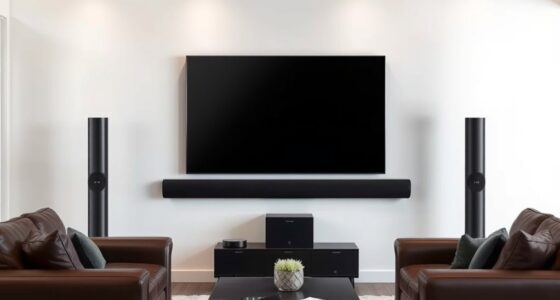
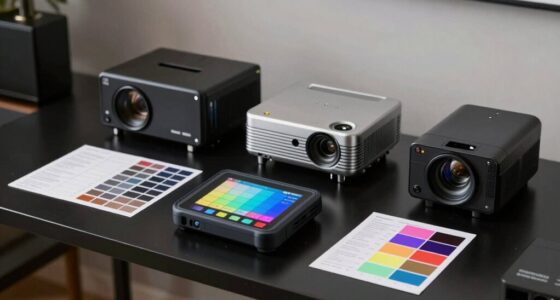
For a projector setup for a media room, my best overall pick is the Epson Home Cinema 3800, which pairs 4K PRO-UHD processing with 3LCD imaging for a dedicated movie space. The ViewSonic LS740HD stands out when room light is harder to control, while the HAPPRUN 1080p Bluetooth Projector offers an easy smart-TV-style starting point. The main tradeoffs are brightness versus image detail, fixed installation versus portability, and built-in streaming convenience versus a purpose-built home-theater image. Room dimensions, ambient light, and throw distance can matter as much as the projector’s headline resolution. Read on for the full comparison and guidance on matching a model to your room.

Get business pricing on your home office setup
- Business-only prices and quantity discounts
- Tax-exempt purchasing
- Multiple users, one account, clear invoices
Complete the kit


Key Takeaways
- The Epson Home Cinema 3800 leads for dedicated movie rooms because its 4K PRO-UHD approach and 3LCD design prioritize detailed, colorful home-theater viewing over portability.
- The ViewSonic LS740HD and LS901-4K fill a different role from the Epson home-cinema models: their laser light sources and high-brightness positioning suit rooms where light control or installation flexibility matters more.
- Smart features are most useful when they simplify the setup you actually want. Roku, Google TV, VIDAA, and built-in apps can reduce extra devices, but they do not replace checking the projector’s placement and image performance.
- Compact smart projectors trade installation simplicity for room-filling performance. Models such as the P67, Aurzen D1R, and ONOAYO ONO5Pro emphasize portability or automatic setup, while fixed-room buyers may prefer a dedicated home-cinema model.
- The Epson EX3290 and EX3280 are presentation-oriented alternatives, not direct home-theater substitutes. Their WXGA or XGA formats can make sense for mixed-use rooms, but movie-focused buyers should prioritize the dedicated 1080p and 4K-class choices.
| HAPPRUN 1080p Bluetooth Projector with Licensed Google TV |  | Best for Built-In Streaming Flexibility | Native resolution: 1920 × 1080 | Display type: LCD | Brightness: 400 lumens listed; 350 ANSI lumens also listed | VIEW LATEST PRICE | See Our Full Breakdown |
| Epson Home Cinema 3800 4K PRO-UHD 3-Chip 3LCD Projector with HDR |  | Best for Bright, Dedicated Media Rooms | Projection technology: 3-chip 3LCD | Resolution processing: 4K PRO-UHD pixel shifting | Brightness: 3,000 lumens, color and white | VIEW LATEST PRICE | See Our Full Breakdown |
| P67 Smart Mini Projector, Native 1080p with 4K Support, Wi-Fi 6, Bluetooth 5.4, Auto Focus and 270° Rotating Stand |  | Best Compact Pick for Flexible Placement | Native resolution: 1080p; 4K content displayed at 1080p | Operating system: Whale TV Smart OS | HDR: HDR10 | VIEW LATEST PRICE | See Our Full Breakdown |
| Aurzen D1R Portable Roku Projector |  | Best for Straightforward Roku Setup | Native resolution: 1920 × 1080 | Display type: LCD | Screen size: 40–150 inches | VIEW LATEST PRICE | See Our Full Breakdown |
| TCL C2R Smart Projector with Roku TV, 1080p |  | Best for Easy Aiming and Room Adaptation | Native resolution: 1920 × 1080 | Display type: LCD | Brightness: 350 ISO lumens | VIEW LATEST PRICE | See Our Full Breakdown |
| Epson EX3290 WXGA 3LCD Video Projector |  | Best for Bright, Flexible Rooms | Native resolution: 1280 × 800 (WXGA) | Brightness: 4,000 lumens, color and white | Contrast ratio: 16,000:1 | VIEW LATEST PRICE | See Our Full Breakdown |
| ViewSonic LS740HD 1080p Laser Projector, 5,500 ANSI Lumens |  | Best for Permanent, Bright-Room Installation | Resolution: 1920 × 1080 (Full HD) | Brightness: 5,500 ANSI lumens | Light source: Laser phosphor | VIEW LATEST PRICE | See Our Full Breakdown |
| TOPTRO A2 Smart Projector with VIDAA, Native 1080p, 4K Decoding, Wi-Fi 6 and Voice Control |  | Best Compact Smart Projector | Native resolution: 1080p | Brightness: 650 ANSI lumens | HDR: HDR10 | VIEW LATEST PRICE | See Our Full Breakdown |
| Epson Home Cinema 1080 3-Chip 3LCD 1080p Home Theater Projector |  | Best Full HD Home-Theater Balance | Resolution: 1920 × 1080 (Full HD) | Brightness: 3,400 lumens | Contrast ratio: 16,000:1 | VIEW LATEST PRICE | See Our Full Breakdown |
| NexAurea Smart Projector with Native 1080p, 4K Decoding, Wi-Fi 6, Bluetooth 5.4, Dolby Audio, and Auto Focus |  | Best for Easy Smart-Projector Setup | Native resolution: 1080p | Video decoding: 4K | HDR: HDR10+ | VIEW LATEST PRICE | See Our Full Breakdown |
| YGSKK Mini Projector with Wi-Fi 6, Bluetooth 5.3, Built-In Apps, and Electric Focus |  | Best Compact Setup | Native resolution: 1080p | Brightness: 300 ANSI lumens | Screen size: 50–200 inches | VIEW LATEST PRICE | See Our Full Breakdown |
| Epson EX3280 3-Chip 3LCD XGA Projector |  | Best for Bright, Presentation-Led Rooms | Native resolution: 1024 x 768 | Display technology: 3-chip 3LCD | Brightness: 3,600 lumens | VIEW LATEST PRICE | See Our Full Breakdown |
| Epson Home Cinema 980 1080p 3LCD Projector | 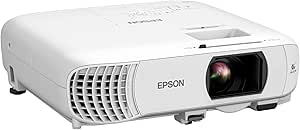 | Best Bright-Room Full HD Pick | Native resolution: 1920 x 1080 | Display technology: 3-chip 3LCD | Brightness: 4,000 lumens | VIEW LATEST PRICE | See Our Full Breakdown |
| ONOAYO ONO5Pro 2.0 Smart Projector with 4K Support, Wi-Fi 6, Bluetooth, and Auto Calibration |  | Best Automated Smart Setup | Resolution support: 4K support; native resolution not specified | Operating system: Smart TV Pro OS 3.0 | Audio: Dual 80W Dolby Audio | VIEW LATEST PRICE | See Our Full Breakdown |
| ViewSonic LS901-4K 4K UHD Laser Projector |  | Best Premium 4K Installation | Native resolution: 3840 x 2160 | Brightness: 5,500 ANSI lumens | Refresh rate: 240Hz | VIEW LATEST PRICE | See Our Full Breakdown |
| projector setup for media room | Native resolution | Brightness | Connectivity |
|---|---|---|---|
| HAPPRUN 1080p Bluetooth Projec | 1920 × 1080 | 400 lumens listed; 350 ANSI lumens also listed | Wi-Fi 6, Bluetooth 5.2, HDMI, USB, 3.5 mm jack |
| Epson Home Cinema 3800 4K PRO- | — | 3,000 lumens, color and white | — |
| P67 Smart Mini Projector | 1080p; 4K content displayed at 1080p | — | — |
| Aurzen D1R Portable Roku Proje | 1920 × 1080 | — | Wi-Fi, Bluetooth 5.2, HDMI, USB, audio |
| TCL C2R Smart Projector with R | 1920 × 1080 | 350 ISO lumens | — |
| Epson EX3290 WXGA 3LCD Video P | 1280 × 800 (WXGA) | 4,000 lumens, color and white | 2 HDMI ports, USB |
| ViewSonic LS740HD 1080p Laser | — | 5,500 ANSI lumens | Dual HDMI 1.4, USB Type-A, RS232, 3.5 mm audio out |
| TOPTRO A2 Smart Projector with | 1080p | 650 ANSI lumens | — |
| Epson Home Cinema 1080 3-Chip | — | 3,400 lumens | 2 HDMI, USB, Micro USB Type A/B, VGA, 3.5 mm jack |
| NexAurea Smart Projector with | 1080p | — | Wi-Fi 6, two-way Bluetooth 5.4, HDMI eARC |
| YGSKK Mini Projector with Wi-F | 1080p | 300 ANSI lumens | — |
| Epson EX3280 3-Chip 3LCD XGA P | 1024 x 768 | 3,600 lumens | HDMI |
| Epson Home Cinema 980 1080p 3L | 1920 x 1080 | 4,000 lumens | Dual HDMI, USB |
| ONOAYO ONO5Pro 2.0 Smart Proje | — | — | Wi-Fi 6, Bluetooth, HDMI 2.1, HDMI-CEC |
| ViewSonic LS901-4K 4K UHD Lase | 3840 x 2160 | 5,500 ANSI lumens | HDMI, USB 2.0 Type-A, 3.5mm audio, LAN |
More Details on Our Top Picks
HAPPRUN 1080p Bluetooth Projector with Licensed Google TV
For a media room where streaming access matters as much as the projector itself, the HAPPRUN’s licensed Google TV keeps apps and voice search onboard, reducing the need for a separate streaming box. Its native 1080p resolution is a clear limit: 4K content can be decoded, but it is not shown in 4K. Compared with the Epson Home Cinema 3800, this is a more portable, self-contained choice, not a match for that model’s brighter 3,000-lumen output or 4K pixel-shifting presentation. The HAPPRUN offers flexible ceiling, tabletop, tripod, and wall mounting, though its brightness listings conflict between 400 lumens and 350 ANSI lumens. That modest output makes a darkened room the safer fit, and the built-in 5 W speaker is best treated as a convenience rather than a room-filling sound system.
Pros:- Licensed Google TV provides built-in streaming apps and voice assistant access.
- Multiple mounting options suit flexible media-room layouts or occasional outdoor use.
- Wi-Fi 6, Bluetooth 5.2, HDMI, USB, and a 3.5 mm jack support varied connections.
- Adjustable image size supports projections from 50 to 300 inches.
Cons:- Native display resolution is 1080p; 4K is decoded rather than displayed at 4K.
- Brightness is listed inconsistently as 400 lumens and 350 ANSI lumens.
- The built-in 5 W speaker may not provide the impact many media rooms need.
Best for: Media-room viewers who want Google TV apps and voice control built into a portable projector, and who can watch with the lights dimmed.
Not ideal for: Buyers seeking bright images for daytime viewing, true 4K display, or audio that can fill a larger room without external speakers.
- Native resolution:1920 × 1080
- Display type:LCD
- Brightness:400 lumens listed; 350 ANSI lumens also listed
- Contrast ratio:2000:1 listed; 20,000:1 also listed with picture enhancement
- Image size:50–300 inches
- Connectivity:Wi-Fi 6, Bluetooth 5.2, HDMI, USB, 3.5 mm jack
- Audio:Built-in 5 W speaker; Dolby sound effects
- Mounting options:Ceiling, tabletop, tripod, wall
Our verdict“Choose the HAPPRUN if built-in Google TV and flexible placement matter more than high brightness or 4K display.”
Epson Home Cinema 3800 4K PRO-UHD 3-Chip 3LCD Projector with HDR
The Epson Home Cinema 3800 is the strongest fit here for a dedicated media room built around a large, bright picture. Its 3,000-lumen color and white brightness gives it a substantial advantage over the portable HAPPRUN and TCL C2R, whose listed outputs point toward darker viewing conditions. Epson’s 4K PRO-UHD pixel shifting and 10-bit HDR processing also make it the lineup’s more theater-focused choice, though it is not native 4K. A precision glass lens and horizontal and vertical lens shift help place the image without relying solely on digital correction, useful when a room’s projector position is fixed. The tradeoff is a less self-contained streaming setup than the Roku-equipped Aurzen D1R or TCL C2R. Its dual 10 W speakers cover basic playback, but a media room designed for immersive sound will likely need an external audio system.
Pros:- 3,000 lumens of both color and white brightness suit larger images and less-than-blackout rooms.
- 4K PRO-UHD pixel shifting and 10-bit HDR support bring more detail and tonal range than the 1080p portable picks.
- Horizontal and vertical lens shift make fixed-room image placement more flexible.
- 18 Gbps HDMI 2.0 supports 4K HDR content at up to 60 Hz.
Cons:- 4K PRO-UHD uses pixel shifting rather than a native 4K imaging panel.
- Built-in stereo speakers are intended for simple audio needs, not theater-scale sound.
- Active 3D viewing requires compatible active 3D glasses.
Best for: Viewers building a dedicated media room who want a bright large-screen image, HDR support, and flexible lens placement.
Not ideal for: Buyers who need a lightweight portable projector with built-in streaming apps, or those expecting built-in speakers to replace a home audio system.
- Projection technology:3-chip 3LCD
- Resolution processing:4K PRO-UHD pixel shifting
- Brightness:3,000 lumens, color and white
- HDR:Full 10-bit HDR
- Contrast ratio:Up to 100,000:1
- HDMI:18 Gbps HDMI 2.0; 4K HDR at 60 Hz
- Lens:Multi-element precision glass; vertical and horizontal lens shift
- Audio and 3D:Dual 10 W stereo speakers, aptX Bluetooth, active 3D
Our verdict“Pick the Epson if your media room prioritizes a bright HDR picture and flexible optical placement over portability and built-in streaming.”
P67 Smart Mini Projector, Native 1080p with 4K Support, Wi-Fi 6, Bluetooth 5.4, Auto Focus and 270° Rotating Stand
When a media room has limited shelf space or the projector needs to move between rooms, the P67 earns its place through compact size and a 270° rotating stand. Its 1.94-pound build, auto focus, and auto keystone correction reduce setup work, while the 1.0:1 throw ratio makes an 80-inch image possible from 5.8 feet. The rotating mount also supports ceiling-facing projection, a flexibility the fixed-room Epson Home Cinema 3800 does not prioritize. The compromise is scale and brightness: the P67’s stated projection range tops out at 120 inches, and its own guidance favors dark or low-light viewing. Whale TV supplies built-in apps, but the projector remains 1080p native; 4K decoding does not produce a 4K image. Choose it for adaptable placement, not for the largest or brightest cinematic presentation.
Pros:- Light 1.94-pound design and a 270° rotating stand make placement and repositioning easier.
- Auto focus and auto keystone correction simplify setup when the projector moves.
- Whale TV Smart OS includes streaming apps and free live TV channels.
- Wi-Fi 6, Bluetooth 5.4, AirPlay, Miracast, HDMI, and USB offer broad connection options.
Cons:- 4K content is decoded and displayed at native 1080p.
- Projection size is specified up to 120 inches, below the HAPPRUN’s listed 300-inch maximum.
- Best picture quality requires a dark or low-light environment.
Best for: Apartment dwellers and multi-use-room owners who need a lightweight projector with quick adjustment and flexible aiming.
Not ideal for: Buyers planning a large-screen dedicated theater or viewing in a bright room, or anyone who expects 4K decoding to mean 4K display.
- Native resolution:1080p; 4K content displayed at 1080p
- Operating system:Whale TV Smart OS
- HDR:HDR10
- Throw ratio:1.0:1
- Projection size:80 inches from 5.8 feet; up to 120 inches from 8.7 feet
- Image adjustment:Auto focus, auto keystone correction, 50%–100% zoom
- Wireless connectivity:Wi-Fi 6, Bluetooth 5.4, AirPlay, Miracast
- Weight and mounting:1.94 lbs; 270° rotating stand; standard 1/4-inch tripod screw
Our verdict“Choose the P67 for a compact, easy-to-reposition setup in a small, dim media room rather than a large-screen theater.”
Aurzen D1R Portable Roku Projector
The Aurzen D1R makes the most sense for a media room where familiar streaming access and easy repositioning matter more than premium image performance. Roku streaming is built in, while autofocus and automatic keystone correction can reduce manual adjustment when moving the unit between tabletop, floor, or ceiling positions. Its 1080p image and 40–150-inch range make it a more conventionally sized option than the small P67, but it does not offer the Epson Home Cinema 3800’s 3,000-lumen output or 4K pixel-shifting processing. The dual 5 W speakers and Dolby Audio provide a convenient starting point, not a substitute for a media-room sound system. Activation requires both a Roku account and internet access, and the listed fan noise may be distracting during quiet scenes. Side and rear clearance, plus periodic lens cleaning, also add upkeep.
Pros:- Built-in Roku streaming avoids the need for a separate streaming device.
- Autofocus and automatic keystone correction help speed setup after repositioning.
- Tabletop, foldable stand, floor stand, and ceiling mounting options support varied layouts.
- Dual-band Wi-Fi, Bluetooth 5.2, AirPlay, HDMI, and USB provide flexible connectivity.
Cons:- Activation requires a Roku account and internet connection.
- Cooling fan noise may be noticeable during quiet viewing.
- Lens cleaning and clearance around the sides and rear require ongoing attention.
Best for: Viewers who want a portable 1080p projector with Roku streaming and automatic image correction for a modest, darkened media room.
Not ideal for: Buyers who cannot use an internet connection or Roku account during activation, or who need a quiet projector and brighter 4K-class image.
- Native resolution:1920 × 1080
- Display type:LCD
- Screen size:40–150 inches
- Throw distance:3.71–18.58 feet
- Audio:Dual 5 W speakers with Dolby Audio
- Connectivity:Wi-Fi, Bluetooth 5.2, HDMI, USB, audio
- Weight:2.1 kg
- Mounting options:Tabletop, foldable stand, floor stand, ceiling mount
Our verdict“Choose the Aurzen D1R if built-in Roku and portable, automatic setup matter more than bright-room performance or quiet operation.”
TCL C2R Smart Projector with Roku TV, 1080p
The TCL C2R is the better fit than the Aurzen D1R when the projector has to aim around shelves, furniture, or shifting seating: its 285° gimbal, obstacle avoidance, autofocus, and keystone correction all support flexible placement. Built-in Roku TV and AirPlay cover streaming and phone mirroring, while a 10 W Dolby Audio speaker gives it more stated speaker power than the Aurzen’s dual 5 W speakers. That does not make it a replacement for external media-room audio. Its 350 ISO lumens and 1500:1 contrast ratio point toward a darkened room, especially beside the much brighter Epson Home Cinema 3800. The sealed optical engine is a practical advantage for a projector that may be moved around, but setup still needs Wi-Fi and a Roku account. It is a convenience-first 1080p option, not a high-brightness theater projector.
Pros:- The 285° gimbal provides more aiming flexibility than a conventional fixed tabletop position.
- Autofocus, keystone correction, and obstacle avoidance reduce manual picture adjustment.
- Built-in Roku TV and AirPlay support streaming and phone mirroring.
- IP5X-sealed optical engine helps protect the optics from dust.
Cons:- Listed brightness of 350 ISO lumens suits darker viewing conditions better than bright rooms.
- Initial setup requires Wi-Fi and a Roku account.
- Native resolution is 1080p, and the built-in speaker may not replace external room audio.
Best for: Viewers with a compact or changing room layout who want Roku streaming, phone mirroring, and flexible projector aiming.
Not ideal for: Buyers who watch with room lights on, want 4K display, or need built-in audio to deliver a full theater sound experience.
- Native resolution:1920 × 1080
- Display type:LCD
- Brightness:350 ISO lumens
- Contrast ratio:1500:1
- Image size:40–150 inches
- Throw distance:3.77–13.52 feet
- Audio:10 W speaker with Dolby Audio
- Connectivity and positioning:Dual-band Wi-Fi, Bluetooth 5.2, HDMI, USB, 3.5 mm jack; 285° gimbal
Our verdict“Choose the TCL C2R if flexible aiming and Roku features are priorities for a dark media room, but look to the Epson for a brighter, theater-focused image.”
Epson EX3290 WXGA 3LCD Video Projector
Bright-room visibility is the EX3290’s main advantage for a media room that also serves as a family room or presentation space. Its 4,000 lumens of color and white brightness can make a large image more watchable with some ambient light than the Epson Home Cinema 1080, though the tradeoff is clear: the EX3290’s 1280 × 800 WXGA resolution is below that model’s Full HD detail. Two HDMI ports simplify connecting a streaming device and another source, while the portable design and built-in speaker suit rooms where the projector is not permanently installed. It can project up to 300 inches, but that maximum is more useful for occasional large displays than a typical dedicated movie setup. Choose it for flexible, bright-room viewing; skip it if fine film detail is your priority.
Pros:- 4,000 lumens of color and white brightness help keep images visible in rooms with ambient light.
- Three-chip 3LCD imaging produces color without rainbow effects.
- Two HDMI ports make it easier to keep multiple media sources connected.
- Portable design and built-in speaker support flexible room use.
Cons:- Native WXGA resolution has less detail than the Full HD Epson Home Cinema 1080.
- The built-in speaker may not provide the sound scale expected for movie nights.
- Streaming devices require a wireless network connection of at least 5 Mbps.
Best for: Buyers who need a portable projector for a multipurpose media room with ambient light and value brightness over Full HD resolution.
Not ideal for: Dedicated home-cinema viewers who want native 1080p detail for films or plan to rely on built-in streaming without a compatible network connection.
- Native resolution:1280 × 800 (WXGA)
- Brightness:4,000 lumens, color and white
- Contrast ratio:16,000:1
- Maximum image size:300 inches
- Projection technology:Three-chip 3LCD
- Connectivity:2 HDMI ports, USB
- Throw distance:1–10 feet
Our verdict“Choose the EX3290 for bright, multipurpose viewing and flexible placement, but pick the Epson Home Cinema 1080 if movie detail matters more than extra brightness.”
ViewSonic LS740HD 1080p Laser Projector, 5,500 ANSI Lumens
For a media room that needs a permanently installed projector and must cope with ambient light, the LS740HD brings a useful combination of Full HD resolution and 5,500 ANSI lumens. It is substantially brighter than the portable Epson Home Cinema 1080, making it a stronger fit for a large screen or a room that cannot be fully darkened. Its laser light source avoids routine lamp replacement, while optical zoom and corner adjustments give an installer more placement flexibility than a basic tabletop model. The tradeoffs are its stationary, installation-focused design and HDMI 1.4 connectivity; it is less appealing for casual repositioning or a setup built around newer HDMI features. For everyday media use, its 15 W speaker is convenient, but an external sound system will suit a theater-focused room better.
Pros:- 5,500 ANSI lumens support viewing in rooms with ambient light.
- Native Full HD resolution gives it more image detail than the Epson EX3290.
- Laser light source is rated for up to 30,000 hours in Dynamic Eco mode.
- Optical zoom, keystone, and four-corner adjustment support flexible installation.
Cons:- Stationary, ceiling-mount-oriented design is inconvenient for frequent repositioning.
- HDMI 1.4 may limit compatibility with some newer source-device features.
- The 15 W speaker is unlikely to replace a dedicated media-room sound system.
Best for: Media-room owners planning a fixed ceiling installation who need Full HD images and strong brightness for a large screen or some room lighting.
Not ideal for: Renters and buyers who want to move the projector between rooms, or those seeking a compact unit with newer HDMI connectivity.
- Resolution:1920 × 1080 (Full HD)
- Brightness:5,500 ANSI lumens
- Light source:Laser phosphor
- Light-source life:Up to 30,000 hours in Dynamic Eco mode
- Image size:30–300 inches
- Throw ratio:1.13–1.47
- Connectivity:Dual HDMI 1.4, USB Type-A, RS232, 3.5 mm audio out
- Installation adjustments:1.3× optical zoom, H/V keystone, four-corner adjustment, portrait and 360-degree projection
Our verdict“Choose the LS740HD for a fixed, bright Full HD installation, and skip it if portability or newer HDMI features matter more.”
TOPTRO A2 Smart Projector with VIDAA, Native 1080p, 4K Decoding, Wi-Fi 6 and Voice Control
The TOPTRO A2 is the compact, self-contained choice for a media room where easy setup and built-in entertainment matter more than maximum brightness. VIDAA apps and live TV channels reduce dependence on an external streamer, while the 200-degree rotating stand helps aim the image without a conventional fixed mount. Its native 1080p resolution is a better match for films than the WXGA Epson EX3290, but 4K decoding does not make it a native 4K projector. At 650 ANSI lumens, it is also far less suited to ambient light than the ViewSonic LS740HD; its specified 100-inch image distance of about 2.2 meters points toward a modest, dimmer-room setup. The Dolby Audio speakers and wireless options add convenience, though serious movie watching may call for external audio.
Pros:- VIDAA OS includes streaming apps and live TV channels.
- Native 1080p resolution provides more detail than the WXGA Epson EX3290.
- The 200-degree rotating stand supports varied projection angles.
- Wi-Fi 6, Bluetooth 5.2, AirPlay 2, and Miracast offer flexible connections.
Cons:- 650 ANSI lumens are a poor match for rooms with substantial ambient light.
- 4K content is decoded and displayed at native 1080p.
- The supplied setup information is incomplete, and the stated viewing guidance favors a limited distance range.
Best for: Buyers setting up a compact, dim-room media space who want built-in streaming, native 1080p, and an adjustable stand without a fixed mount.
Not ideal for: Viewers with a bright room, those seeking native 4K detail, or anyone planning a large-screen setup that needs high brightness.
- Native resolution:1080p
- Brightness:650 ANSI lumens
- HDR:HDR10
- 4K support:4K decoding; displays at native 1080p
- Throw ratio:1.0:1
- Screen size and distance:100 inches from approximately 2.2 m
- Audio:36 W Dolby Audio, dual 18 W speakers
- Wireless connectivity:Wi-Fi 6, two-way Bluetooth 5.2
- Stand:200-degree rotatable
Our verdict“Choose the A2 for compact, app-based 1080p viewing in a dim room, not for bright-room or native 4K performance.”
Epson Home Cinema 1080 3-Chip 3LCD 1080p Home Theater Projector
The Home Cinema 1080 is the most straightforward fit here for a media room centered on Full HD movies. Its native 1920 × 1080 resolution offers visibly more image detail than the Epson EX3290’s WXGA output, while 3,400 lumens and 3-chip 3LCD make it a flexible option for rooms that are not completely dark. Dual HDMI ports help keep a streamer and another source connected, and automatic vertical keystone correction can simplify tabletop setup. Compared with the fixed-installation ViewSonic LS740HD, this Epson is easier to position as a portable tabletop projector, but it gives up brightness, laser illumination, and installation adjustments. The built-in speaker helps with basic viewing, not a full theater sound experience; plan on external audio if sound quality is a priority.
Pros:- Native 1920 × 1080 resolution suits Full HD films better than the WXGA Epson EX3290.
- 3-chip 3LCD technology provides accurate color without rainbow effects.
- Dual HDMI and multiple other inputs support a range of media sources.
- Portable tabletop form and vertical keystone correction simplify setup.
Cons:- Tabletop form factor offers less installation flexibility than the ViewSonic LS740HD.
- The built-in speaker may not satisfy buyers seeking theater-quality audio.
- Native resolution is Full HD rather than 4K.
Best for: Movie-focused buyers who want native Full HD, straightforward tabletop placement, and enough brightness for a media room with some ambient light.
Not ideal for: Buyers planning a permanent ceiling installation with extensive lens or placement adjustment, or those seeking native 4K resolution.
- Resolution:1920 × 1080 (Full HD)
- Brightness:3,400 lumens
- Contrast ratio:16,000:1
- Maximum image size:300 inches
- Light-source life:12,000 hours
- Throw distance:2–11.1 feet
- Connectivity:2 HDMI, USB, Micro USB Type A/B, VGA, 3.5 mm jack
- Keystone correction:Vertical, up to 9 inches
Our verdict“Choose the Home Cinema 1080 for an accessible, tabletop Full HD movie setup, but look to the LS740HD for a brighter fixed installation.”
NexAurea Smart Projector with Native 1080p, 4K Decoding, Wi-Fi 6, Bluetooth 5.4, Dolby Audio, and Auto Focus
The NexAurea makes the most sense when a media room needs simple placement and built-in streaming rather than a traditional projector-plus-streamer arrangement. Auto focus, 6D keystone correction, obstacle avoidance, and electronic zoom can make setup less dependent on precise positioning than with the Epson Home Cinema 1080, which uses vertical keystone correction. Its dual 25 W speakers, Dolby Audio, DTS decoding, and eARC give it more audio flexibility on paper than the TOPTRO A2, especially for buyers who may add external sound equipment. The main image limitation is native 1080p: 4K decoding is not 4K projection, and no brightness figure is supplied for judging performance in a lit room. Treat its 300-inch maximum as a supported size, not a guarantee of a bright, theater-like image at that scale.
Pros:- Built-in streaming apps can reduce the need for a separate streaming device.
- Auto focus, 6D keystone, obstacle avoidance, and electronic zoom simplify placement.
- Dual 25 W speakers and eARC support both built-in and external audio setups.
- Wi-Fi 6 and two-way Bluetooth 5.4 support wireless connections.
Cons:- Native image resolution is 1080p; 4K is decoded rather than displayed natively.
- No brightness figure is provided, making lit-room suitability difficult to judge.
- Some advertised features depend on compatible content or devices.
Best for: Buyers who want a smart 1080p projector with automated focusing and alignment, strong built-in speakers, and the option to connect external audio through eARC.
Not ideal for: Viewers who require native 4K detail or need verified brightness figures before choosing a projector for a room with ambient light.
- Native resolution:1080p
- Video decoding:4K
- HDR:HDR10+
- Audio:Dolby Audio, DTS decoding
- Built-in speakers:Dual 25 W
- Connectivity:Wi-Fi 6, two-way Bluetooth 5.4, HDMI eARC
- Setup features:Auto focus, 6D keystone correction, automatic obstacle avoidance
- Electronic zoom:50%–100%
- Maximum display size:300 inches
Our verdict“Choose the NexAurea for automated setup and integrated smart features, but skip it if native 4K or a documented brightness level is a requirement.”
YGSKK Mini Projector with Wi-Fi 6, Bluetooth 5.3, Built-In Apps, and Electric Focus
For a media room where flexible placement and built-in streaming matter more than bright-room performance, the YGSKK keeps setup simple. Its streaming apps, electric focus, and 210-degree rotating base make it easier to aim at a wall or ceiling than a fixed tabletop projector. Native 1080p also gives it a sharper picture than the Epson EX3280’s XGA resolution, though that Epson is a much stronger fit when the room has ambient light. The YGSKK’s 300 ANSI lumens call for a darkened room and a modest image size if you want a watchable picture. Built-in speakers and several connections are convenient, but they are not a substitute for a dedicated sound system. I’d pick it for an adaptable, casual setup, not as the main projector for a large shared media room.
Pros:- Native 1080p resolution for Full HD content
- Built-in streaming apps reduce reliance on a separate player
- Rotating base and electric focus simplify flexible placement
- HDMI, USB, and 3.5mm audio connections support varied devices
Cons:- 300 ANSI lumens limits performance in rooms with ambient light
- Android mirroring requires an app, and Bluetooth does not support smartphone connections
- Built-in stereo speakers may fall short for immersive room audio
Best for: Viewers setting up a compact, darkened media room who want built-in apps, remote focus, and the option to project onto a ceiling.
Not ideal for: Buyers planning daytime viewing, a very large screen, or straightforward Android phone mirroring without an extra app.
- Native resolution:1080p
- Brightness:300 ANSI lumens
- Screen size:50–200 inches
- Wireless connectivity:Wi-Fi 6; 5 GHz and 2.4 GHz
- Bluetooth:Bluetooth 5.3; supports Bluetooth audio devices
- Ports:HDMI, USB, 3.5mm audio
- Focus and placement:Electric focus; 210-degree rotating base
- Warranty:3 years
Our verdict“Choose the YGSKK for a dim, space-conscious media room where easy placement and onboard apps matter more than brightness.”
Epson EX3280 3-Chip 3LCD XGA Projector
The EX3280 is the lineup’s practical choice when a media room also hosts presentations or viewing with some lights on. Its 3,600 lumens and 3-chip 3LCD design favor a visible, color-consistent image over fine detail; XGA resolution is the clear compromise. Compared with the Epson Home Cinema 980, it gives up Full HD sharpness and brightness, but the EX3280 still has enough output for a multipurpose room where text, slides, and casual video share the screen. Automatic vertical keystone correction and a built-in speaker make basic setup less fussy, while HDMI keeps connections simple. I would not choose it for a film-first room where viewers sit close to a large screen: the 1024 x 768 image is less suited to modern widescreen movies than the 1080p alternatives.
Pros:- 3,600 lumens of color and white brightness suit brighter multipurpose rooms
- 3-chip 3LCD image avoids distracting rainbow effects
- Automatic vertical keystone correction helps with quick setup
- Portable design and built-in speaker support basic use without extra gear
Cons:- 1024 x 768 XGA resolution is less detailed and less suitable for widescreen films than 1080p models
- Only one HDMI port is listed
- Wireless streaming requires a network connection of 5 Mbps or faster
Best for: Households or community rooms that switch between presentations, spreadsheets, and casual video, especially when full light control is not practical.
Not ideal for: Movie-focused buyers who want Full HD detail on a large widescreen image or need multiple HDMI inputs.
- Native resolution:1024 x 768
- Display technology:3-chip 3LCD
- Brightness:3,600 lumens
- Contrast ratio:15,000:1
- Connectivity:HDMI
- Maximum image size:300 inches
- Throw distance:1.44–1.95 meters
- Mounting and form:Tabletop mount; portable
- Warranty:1-year limited warranty
Our verdict“Pick the EX3280 when room brightness and presentation clarity take priority over Full HD movie detail.”
Epson Home Cinema 980 1080p 3LCD Projector
The Home Cinema 980 is the more balanced choice for a media room that needs Full HD sharpness and substantial brightness. Its 1080p resolution suits movies and games better than the Epson EX3280’s XGA image, while 4,000 lumens give it more flexibility when the room cannot be fully darkened. The 3-chip 3LCD design presents color without rainbow effects, and dual HDMI ports make it easier to leave a streaming player and game console connected at once. Its listed image range starts at 34 inches and reaches 337 inches, but a very large picture still depends on suitable room conditions and placement. The built-in speaker is useful for basic viewing, though a media-room sound system will make a more convincing upgrade. This is a practical middle ground, not a 4K alternative to the ViewSonic LS901-4K.
Pros:- Native 1920 x 1080 resolution for detailed Full HD viewing
- 4,000 lumens of color and white brightness add flexibility in varied lighting
- 3-chip 3LCD technology avoids rainbow effects
- Dual HDMI ports and USB power accommodate connected media devices
Cons:- Full HD resolution is below the ViewSonic LS901-4K’s native 4K output
- Built-in speaker is limited for immersive media-room sound
- Some wireless content requires a network connection of 5 Mbps or faster
Best for: Families building a Full HD media room that needs to handle movies, casual gaming, and some ambient light without moving to a laser 4K model.
Not ideal for: Buyers seeking native 4K detail, immersive built-in audio, or a projector with a stated wireless connectivity feature set.
- Native resolution:1920 x 1080
- Display technology:3-chip 3LCD
- Brightness:4,000 lumens
- Contrast ratio:16,000:1
- Connectivity:Dual HDMI, USB
- Image size:34–337 inches
- Throw distance:1–9 feet
- Light source life:6,000 hours
- Mounting:Ceiling mount
Our verdict“Choose the Home Cinema 980 for bright, flexible Full HD viewing with more detail than the EX3280 but without a 4K laser setup.”
ONOAYO ONO5Pro 2.0 Smart Projector with 4K Support, Wi-Fi 6, Bluetooth, and Auto Calibration
The ONO5Pro 2.0 is aimed at buyers who want a smart, self-aligning projector rather than a manual installation project. Automatic focus, keystone correction, obstacle avoidance, and screen-fit can reduce the fiddling involved in moving the unit around a media room. Built-in apps and Chromecast add streaming options, while HDMI 2.1 and an 18 ms input latency give it a stated gaming-friendly connection profile. Its dual 80W Dolby Audio is a more ambitious onboard sound offering than the basic speakers in the Epson Home Cinema 980. The tradeoff is specification uncertainty: “4K support” does not establish native 4K resolution, and no numeric brightness figure is provided. I’d favor it for convenience and integrated features, but choose a projector with stated resolution and brightness figures when image performance is the main buying criterion.
Pros:- Built-in streaming apps and Chromecast support simplify content access
- Automatic focus, keystone, obstacle avoidance, and screen-fit ease placement
- HDMI 2.1, HDMI-CEC, and Bluetooth support flexible device control
- Dual 80W Dolby Audio offers more onboard audio capacity than basic projector speakers
Cons:- 4K support is listed, but native resolution is not specified
- Brightness output is not given as a numeric value
- The provided data does not establish how its image compares in brightness with the Epson Home Cinema 980 or ViewSonic LS901-4K
Best for: Buyers who want integrated streaming, automatic image alignment, and convenient device control in a flexible media-room setup.
Not ideal for: Viewers who need confirmed native 4K resolution or a numeric brightness rating to plan a large-screen, light-controlled installation.
- Resolution support:4K support; native resolution not specified
- Operating system:Smart TV Pro OS 3.0
- Audio:Dual 80W Dolby Audio
- Connectivity:Wi-Fi 6, Bluetooth, HDMI 2.1, HDMI-CEC
- Input latency:18 ms
- Auto calibration:Focus, keystone correction, obstacle avoidance, screen-fit, orientation detection
- Color gamut:98% NTSC
- Dynamic zoom:50%–100%
- Built-in features:Streaming apps, Chromecast, ambient light sensor, game mode
Our verdict“Choose the ONO5Pro 2.0 when automatic setup and smart features matter more than having fully specified image performance.”
ViewSonic LS901-4K 4K UHD Laser Projector
For a dedicated media room built around image detail, high output, and flexible mounting, the LS901-4K is the lineup’s premium installation pick. Native 4K UHD, HDR/HLG support, and 5,500 ANSI lumens give it a substantial specification advantage over the Full HD Epson Home Cinema 980, particularly for buyers planning a larger screen or gaming use. Its 240Hz refresh rate and 4.2ms input lag are also unusually specific gaming credentials, while optical zoom, lens shift, keystone correction, and 360-degree projection offer more placement flexibility than compact smart models. The cost in setup complexity is real: it is a ceiling-mount projector, and its maximum throw distance of 10.96 meters calls for a room with enough depth. I’d skip it for casual portable viewing; its strengths make more sense in a planned installation.
Pros:- Native 3840 x 2160 resolution with HDR/HLG support
- 5,500 ANSI lumens suit high-output media-room use
- 240Hz refresh rate and 4.2ms input lag target fast-moving games
- Optical zoom, lens shift, keystone correction, and 360-degree projection support flexible installation
Cons:- Maximum throw distance of 10.96 meters may not suit shallow rooms
- Ceiling mounting can require a compatible installation setup
- Its installation-focused feature set is less practical for portable or frequently moved use
Best for: Home theater and gaming enthusiasts planning a permanent ceiling-mounted setup who want native 4K, high brightness, and installation adjustment options.
Not ideal for: Renters, small-room buyers with limited mounting options, or anyone wanting a portable projector with built-in streaming apps.
- Native resolution:3840 x 2160
- Brightness:5,500 ANSI lumens
- Refresh rate:240Hz
- Input lag:4.2ms
- Aspect ratio:21:9
- Optical zoom:1.7x
- Throw distance:1–10.96 meters
- Light source life:20,000 hours
- Connectivity:HDMI, USB 2.0 Type-A, 3.5mm audio, LAN
Our verdict“Pick the LS901-4K for a permanent media-room installation where native 4K, high brightness, and fast gaming response justify the added setup demands.”
How We Picked
I evaluated all 15 options through the needs of a media room: image capability for films and shows, stated resolution and image processing, brightness positioning, light-source type, placement flexibility, and how much extra equipment a buyer may need. I also weighed setup aids and smart features against the basics of a lasting room installation, including whether a model is better suited to a fixed screen, occasional use, or moving between spaces. Product names and advertised features guided the comparison; I do not treat a feature label alone as proof of real-world image quality.
The ranking favors models with a stronger fit for dedicated viewing first, then gives distinct places to bright laser projectors, accessible home-cinema options, smart all-in-one models, and portable units. The Epson Home Cinema 3800 ranks highest for its home-theater-focused feature mix, while the ViewSonic laser models rank well for buyers with different light and installation demands. Entry-level smart models remain useful picks, but rank below dedicated home-cinema options when movie-room performance is the priority. The Epson EX3290 and EX3280 sit lower for film-first rooms because their listed WXGA and XGA formats point toward broader presentation use rather than a modern home-cinema image.
Factors to Consider When Choosing Projector Setup For Media Rooms
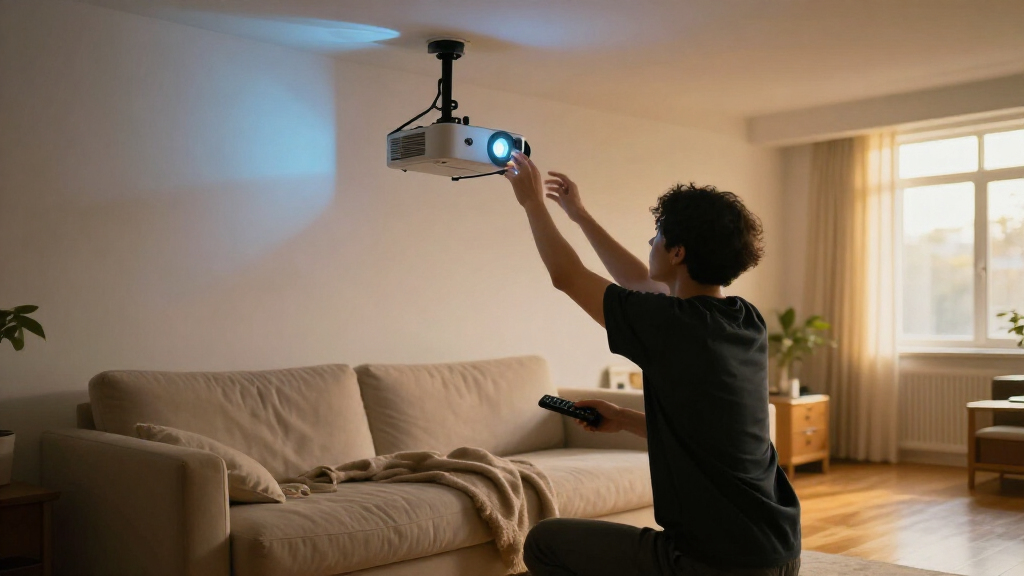
Choosing a projector for a media room starts with the room, not the feature list. I would settle the screen size, seating position, light control, and mounting plan before deciding whether smart features or a higher resolution deserve the next share of the budget.
Match Brightness to Light Control
Brightness needs depend on whether the room can go dark and how large the image will be. A dedicated room with controlled lighting can make a home-cinema projector a better fit than a model chosen mainly for high brightness. In a multipurpose room, daylight or lamps can wash out dark scenes even when a projector advertises strong output. A common mistake is buying for a bright image in a small setup, then discovering the room itself is the limiting factor. Before choosing, decide whether you can add curtains or dimmable lighting; improving the room may deliver more viewing benefit than changing projector classes. Laser options in this roundup are worth comparing when installation demands and light conditions make brightness a priority.
Measure Throw Distance Before Picking a Screen
Throw distance determines whether a projector can create your desired screen size from the shelf or ceiling position you have available. Measure from the planned lens position to the screen, then check the model’s projection range rather than assuming every projector can fill the same wall. Zoom and lens shift can give a fixed installation more placement freedom, while compact models with rotating stands or automatic correction favor flexible placement. Those conveniences can help with temporary setups, but automatic geometry correction may reduce usable image area or require compromises in alignment. Avoid choosing a screen size first and hoping the projector will fit; verify the placement plan as a pair. Ceiling height, cable paths, and access to power belong in that check too.
Choose Resolution for Screen Size and Viewing Distance
Resolution matters most when the image is large and viewers sit close enough to notice fine detail. A 4K-class model can be appealing for a dedicated cinema screen, while a well-matched 1080p projector may be a sensible choice for a smaller image or a more modest viewing setup. Check what a product means by 4K support: decoding a 4K signal is not the same claim as native 4K display. Buyers can also overlook the source, since streaming quality, bandwidth, and content availability affect what reaches the projector. Compare the full signal path—projector, streaming device, and content—before paying more for resolution. For a mixed-use room, clear text and everyday viewing needs may matter alongside movie detail.
Treat Smart Features as a Convenience, Not a Picture Upgrade
Built-in Google TV, Roku, VIDAA, or other apps can reduce setup clutter and make casual viewing easier. Their value depends on the services you use, the interface you prefer, and whether the projector receives the apps and updates you need. A separate streaming player can be easier to replace than an entire projector if software support changes. Smart features also do not solve weak room placement, limited sound, or unsuitable brightness. Before choosing an all-in-one model, confirm the connections you need for a console, receiver, or disc player. If the projector will feed a surround-sound system, plan how video and audio will connect rather than relying only on built-in speakers.
Plan Sound and Connections Alongside the Image
Projector speakers may work for informal viewing, but a media room often benefits from a soundbar or receiver with separate speakers. Check available HDMI connections and audio output options against the devices you already own, including consoles and streaming players. Bluetooth can help with some audio setups, yet it may introduce delay or limit the formats a home theater system can use. Decide where the receiver, projector, and source devices will sit before installation so cable runs do not become an afterthought. Wireless connections are convenient, but a reliable wired video path is often simpler for a permanent setup. Budget space and power for the whole system, not just the projector.
Pay More for a Meaningful Room Benefit
A higher-tier projector makes sense when its advantages address a real constraint: a larger screen, brighter room, more demanding image detail, or a fixed installation that needs placement flexibility. If the room is small and dark, a premium laser model may offer capabilities you will rarely use. On the other hand, choosing only by initial simplicity can create frustration if the projector cannot reach your screen size or connect cleanly to your audio system. Compare the cost of the full setup, including mount, screen, cables, and sound equipment. A lower-cost projector paired with a suitable screen and controlled lighting may outperform an expensive model placed poorly. Spend on the limitation you can identify, not on the longest feature list.
Frequently Asked Questions
Is a 4K-support projector the same as a native 4K projector?
No. A projector described as supporting or decoding 4K may accept a 4K input without displaying a native 4K image. Check the product’s stated display resolution and image-processing method before comparing it with a model marketed as 4K UHD. This distinction matters more on a large screen or when seats are close to the image. If most of your sources are 1080p, weigh the full picture and room fit rather than choosing from the label alone.
Can I use a media-room projector with lights on?
Some projectors are better suited to brighter rooms, but ambient light still reduces contrast and can flatten dark movie scenes. The ViewSonic LS740HD is a more relevant option in this lineup for buyers prioritizing high brightness, while dedicated movie viewing benefits from dimmable lights or curtains. Screen size also affects how bright the image appears, so a very large screen can make a room feel less forgiving. If you cannot control the light, prioritize brightness and accept that cinematic black levels may be harder to achieve.
Should I buy a smart projector or add a streaming device?
Choose built-in streaming when reducing device clutter and simplifying casual use are your main goals. A separate streaming player can be a better fit if you want to choose or replace the platform independently of the projector. Check app availability, network needs, and connection options before deciding, since software features vary by model. For a permanent room with a receiver and several sources, the projector’s inputs and audio routing may matter more than its built-in apps.
Are the Epson EX3290 and EX3280 good choices for movie watching?
They can display video, but their listed WXGA and XGA formats make them less aligned with a film-first media room than the dedicated 1080p and 4K-class models in this roundup. Their appeal is stronger for buyers who want one projector for presentations or mixed work and entertainment. On a large screen, lower resolution can be more apparent, especially with detailed film content or nearby seating. If movies are the main purpose, I would compare the home-cinema models first and choose a presentation-oriented projector only when its broader use matters.
What should I measure before ordering a projector?
Measure the screen width you want, the distance from the planned lens position to the screen, and the height available for a shelf or ceiling mount. Then check the projector’s throw range and any zoom or lens-shift capabilities against those measurements. Include space for power, HDMI cables, ventilation, and access for maintenance. A model with automatic focus or keystone correction can make flexible placement easier, but it does not remove the need to check whether the image can fit your screen cleanly.
Conclusion
For a dedicated movie room, I recommend the Epson Home Cinema 3800 as the best overall because its 4K PRO-UHD and 3LCD feature mix is aimed at home-theater viewing. Choose the Epson Home Cinema 1080 or Epson Home Cinema 980 as more straightforward 1080p alternatives when you do not need the 3800’s higher-end format. Buyers prioritizing a bright laser setup should compare the ViewSonic LS740HD, while the ViewSonic LS901-4K is the premium laser option in this group. For beginners who value integrated streaming and a simpler start, the HAPPRUN with Google TV is a clear first place to look; for portable, adjustable placement, compare the P67, Aurzen D1R, and ONOAYO ONO5Pro. The best value depends on your room and use: I would favor a dedicated 1080p home-cinema model for film-first viewing, and consider a compact smart model only when easy setup and portability matter more than a permanent, high-performance installation.