TL;DR

Get business pricing on your home office setup
- Business-only prices and quantity discounts
- Tax-exempt purchasing
- Multiple users, one account, clear invoices
Strings found in HomeView Software 27.2 describe using the display’s built-in camera for HomeKit Secure Video, including motion detection, live viewing and recording controls. Apple has not confirmed the feature, and details about availability, sleep detection and household permissions remain unknown.
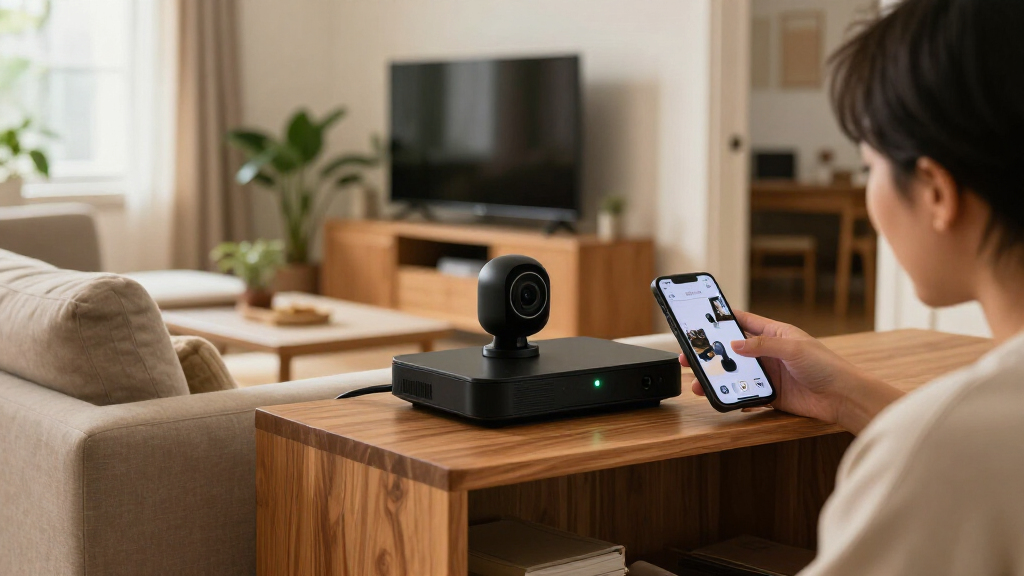
Software strings found in a build of Apple’s forthcoming HomeView smart home display describe a mode that would let its built-in camera work as a HomeKit Secure Video camera, according to Homekit News and Reviews. The strings point to motion detection, live viewing and recording options, but Apple has not confirmed that the feature will ship.
The report says the strings were found in the Settings app bundles for HomeView Software 27.2, after Reddit user u/pdfu first reported the discovery. One setup message reads, “Your HomeView can be used as a security camera with HomeKit Secure Video.” The wording is evidence of a feature described in software, not an official product announcement.
The settings reportedly describe four modes: turning off security functions, detecting motion without streaming, allowing live viewing without recording, or enabling both streaming and recording. They also refer to three household states — When Home, When Away and When Asleep — which could let users vary camera behaviour. The report does not explain how the device would determine that household members are asleep.
HomeView is reported to have a 12-megapixel Center Stage camera for FaceTime and facial recognition. If the security-camera mode is released, the same hardware could serve a second purpose. The report says options such as facial recognition and Activity Zones would be managed through the Home app on an iPhone, while household members’ Apple devices may help determine whether people are home or away.
A Display With a Second Camera Role
Turning a camera-equipped display into a security camera could reduce the need for a separate device and bring live viewing or recording into Apple’s existing smart-home setup. It could also make camera controls more closely tied to household routines, with distinct settings for when people are home, away or asleep. Those possibilities depend on the feature being released and on how Apple implements it.
The placement of a display creates a different privacy question from that of a camera installed specifically for security. HomeView may sit in a living room, kitchen or bedroom, where family members and visitors spend time. A person who uses the display may not be the only person in view, and technical safeguards cannot by themselves establish whether everyone in the household agrees to recording.
The report says the software describes an on-screen green indicator and an audible sound when someone accesses a live stream or recording begins. It also refers to notifications when HomeKit Secure Video settings change, under a protection described as “No Silent Changes.” These measures could make camera activity more visible, though their effectiveness would depend on where the display sits and how occupants notice the signals.
Products Worth Considering

Blueair Blue Pure 511i Max Smart Air Purifier

Shark PowerDetect Corded Stick Vacuum with HEPA Filtration, Purple (HZ4001AMZ)

Philips Hue Smart LED Candle Bulbs, B39, E12, 2-Pack
As an affiliate, we earn on qualifying purchases.
What the Software Strings Describe
HomeKit Secure Video is Apple’s system for managing compatible security cameras through the Home app. The reported HomeView strings describe a similar set of functions: activity detection, live streaming and recording, with settings that vary according to household presence. The report says only home members would be able to access streams and recordings, but does not establish exactly how existing camera permissions would apply to this device.
The strings also refer to refreshing a camera preview when a household member opens the Home app on another device. According to the report, a green indicator would appear during this activity. A refreshed preview is distinct from deliberately opening a live stream, but it could still mean the camera captures a still image. The report compares this with preview behaviour in existing HomeKit cameras and says the HomeView implementation has not been demonstrated.
“Your HomeView can be used as a security camera with HomeKit Secure Video.”
— HomeView setup text quoted in the Homekit News and Reviews report
Key Features Still Unconfirmed
Apple has not publicly confirmed that HomeView will include this camera mode, when the display might launch, or whether the software strings reflect features planned for release. The report does not provide a demonstration or describe final hardware and software behaviour. Discovery in a software build alone does not establish that a feature will reach consumers.
Several practical details are also unresolved: how HomeView would detect the “When Asleep” state; how users could manage individual household members’ access; whether existing Home app permissions would apply unchanged; and how recording, storage and notifications would work in the finished product. The report describes safeguards against remote activation while people are home, but the exact restriction has not been tested publicly.
Nor is it clear how often preview images would refresh, who would be notified, or whether an indicator and sound would accompany every preview capture. The available information does not establish how occupants or visitors would provide consent, or whether they could control the camera independently of the person managing the home.
Awaiting Apple’s Product Details
The next firm milestone would be an announcement from Apple confirming HomeView’s specifications, release timing and camera functions. Until then, the reported settings should be treated as indications in software rather than a promise of a shipping feature. If Apple does confirm the mode, details about household permissions, recording rules, preview capture and the “When Asleep” setting will determine how it works in practice.
For now, readers considering a HomeView should wait for Apple’s final privacy and setup information before assuming the display can replace a dedicated security camera. The report gives no confirmed launch date or pricing, and neither is established by the software strings.
Key Questions
Has Apple confirmed that HomeView can act as a security camera?
No. Homekit News and Reviews reported that software strings describe a HomeKit Secure Video mode, but Apple has not confirmed that it will be available in a released product.
What camera functions do the strings describe?
The strings reportedly refer to motion detection, live viewing and recording, with four modes ranging from security functions off to streaming and recording enabled.
How would HomeView signal that its camera is active?
The report describes a green on-screen indicator and an audible sound when someone accesses a live stream or recording begins. It also says household members would receive notifications when security settings change.
What does “When Asleep” mean?
The strings reportedly list When Asleep alongside When Home and When Away, but the report does not explain how HomeView would determine that people are asleep.
When will HomeView be released?
The source material gives no confirmed launch date. The feature and the device’s release plans remain unconfirmed by Apple.
Source: homekitnews.com