TL;DR

Get business pricing on your home office setup
- Business-only prices and quantity discounts
- Tax-exempt purchasing
- Multiple users, one account, clear invoices
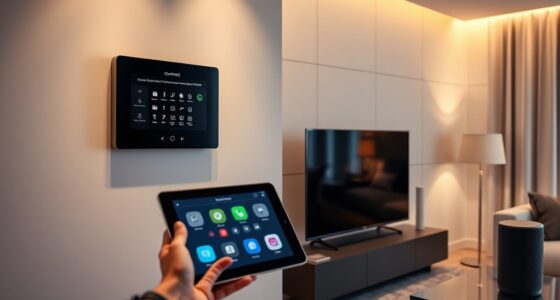
Apple has revealed HomeView, a smart home display, alongside a new Apple TV 4K and other home devices. The company says accessories can be set up with one tap on an iPhone and managed in the Apple Home app, but the products have not yet been tested by the CNET writer and key details remain unclear.
Apple has revealed HomeView, a smart home display, alongside a new Apple TV 4K and other devices including thermostats, doorbells and security cameras. The company says the accessories will be simple to set up with an iPhone and managed through the Apple Home app, a pitch that could appeal to people frustrated by juggling separate apps and accounts.
Apple says setup for the new accessories can begin with one tap on an iPhone, with no separate app or account required. The company also says its Home app will be the place to manage them. Those are product claims; the CNET writer said they had not yet handled or tested any of the new devices.
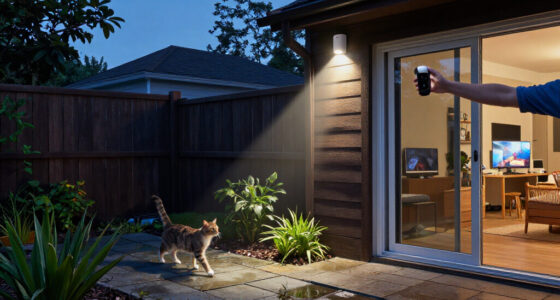
The writer described a smart home setup that includes a Hive thermostat, a Google Nest video doorbell and Nest cameras. Getting those products working involved separate apps and accounts, scanning camera QR codes and connecting devices to Wi-Fi. After changing internet providers, the writer had to adjust router settings; some products reconnected automatically, while others did not.
Apple’s camera offering is also set to work with iCloud Plus for video history, according to the report. The writer said they already subscribe to the service, which could reduce the need to pay for another camera storage plan. Apple’s broader lineup includes a new Apple TV 4K, but the source does not give specifications or explain how it fits into the HomeView system.
One App for Home Devices
If Apple’s setup and management claims hold up in use, the lineup could reduce some of the routine friction of a connected home: installing devices, switching among apps and keeping accounts current. The CNET writer’s experience illustrates those tasks, including the extra work that can follow a router change.
Unified control and storage may also matter to households already using Apple products and iCloud Plus. But the approach ties more of a user’s home to Apple’s platform. The writer acknowledged that adding the devices could deepen reliance on an ecosystem that already includes their HomePod, Apple TV, iPad and MacBook.
Products Worth Considering

Philips Hue Festavia Outdoor Globe String Lights, 8 Bulbs, 22 ft

Hisense E6SR Series 55-Inch 4K UHD Hi-QLED Roku Smart TV

Google Nest Cam Indoor/Outdoor Battery Security Camera
As an affiliate, we earn on qualifying purchases.
A Fragmented Smart Home Setup
The report is framed around one writer’s experience, rather than independent testing of Apple’s products. Their household has used devices from several brands, including Hive, Google Nest, Philips Hue and Nanoleaf, each with its own app or account requirements. They said the number of services made the phone’s smart home folder feel cluttered.
The writer also recalled that Nest cameras once required a subscription for each camera, before the company changed how subscriptions were managed. They said that managing several services can still mean multiple monthly charges. Apple’s support for smart home products from other companies could help bring some devices into Apple Home, though the source does not specify which models or features will be compatible.
“These new accessories are simple to set up, starting with one tap with [the] iPhone, and everything is managed through the Apple Home app — no separate app or account required.”
— Apple, as quoted in the CNET report
Setup Claims Await Testing
Real-world setup and reliability remain unverified in the source. The writer had not used the devices, so it is not yet clear whether setup will be as simple as Apple describes or how consistently the products will work after network changes.
The report does not provide prices, release dates, full specifications or detailed compatibility information for third-party devices. It also does not say whether all camera features will require iCloud Plus, what storage limits apply, or how Apple’s subscriptions compare in cost with other services.
Product Details and Hands-On Testing
The next useful evidence will come from product availability details and hands-on reviews. Testing will show how HomeView works as a central control point, how quickly Apple’s accessories connect, and whether third-party products can be managed without separate apps or accounts.
Potential buyers will also need details on pricing, launch timing, compatibility and video storage terms. Until those are available and the devices have been tested, Apple’s announcement sets out a proposed experience rather than confirming how well it works in everyday homes.
Key Questions
What is Apple HomeView?
HomeView is a smart home display Apple revealed as part of a new lineup of home devices. The source does not provide further specifications.
What other products did Apple reveal?
The report lists a new Apple TV 4K, thermostats, doorbells and security cameras alongside HomeView.
How does Apple say setup will work?
Apple says setup can begin with one tap on an iPhone and that devices will be managed in the Apple Home app, with no separate app or account required. The report does not confirm this through hands-on testing.
Will Apple’s cameras use iCloud Plus?
According to the report, Apple’s cameras will work with iCloud Plus to store video histories. Storage limits and any associated terms are not specified.
Source: rss