When watching fast-motion scenes on a projector, it handles motion by using frame interpolation, which creates extra frames between the originals, making movement appear smoother. Many projectors also have adjustable refresh rates that help reduce blur and artifacts during rapid action. If the motion still looks blurry, tweaking settings or choosing a higher refresh rate can improve clarity. To find out more about how these features work together to enhance fast scenes, keep exploring further.
Key Takeaways
- Projectors often struggle with fast-moving scenes, causing blurriness and motion artifacts due to rapid object movement.
- Frame interpolation generates additional frames between original ones to smooth out fast motion.
- Higher refresh rates in projectors reduce motion blur and improve handling of quick scenes.
- Adjusting projector settings and enabling motion enhancement features can improve fast-motion clarity.
- Combining higher refresh rates with frame interpolation offers the best performance for fast-motion scenes.
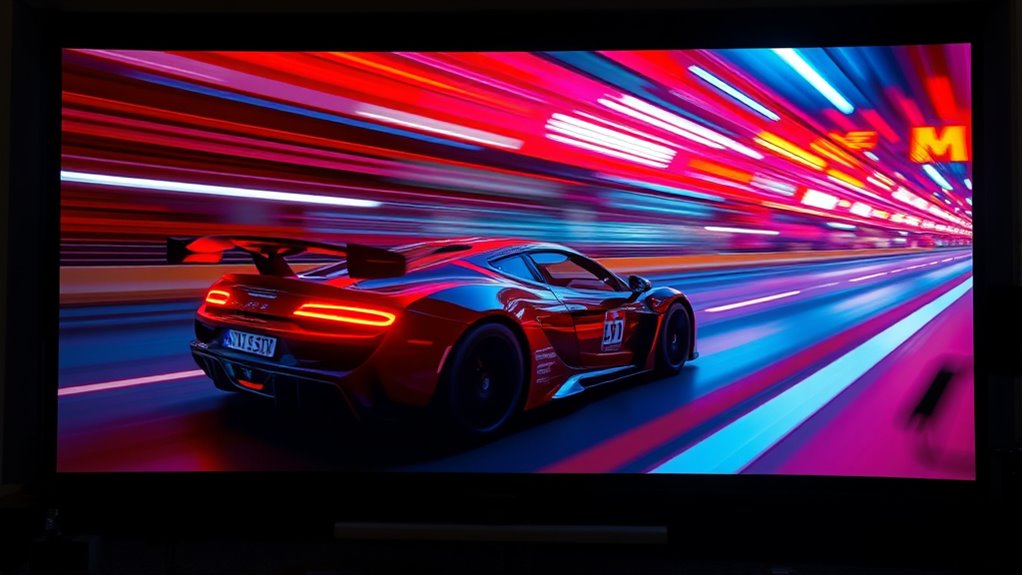
Fast-motion scenes can pose a challenge for projector users, often resulting in blurred images or motion artifacts that diminish the viewing experience. When objects move rapidly across the screen, your projector might struggle to keep up, leading to motion blur that makes fast-moving scenes appear smeared or unclear. This issue is especially noticeable in action movies, sports, or video games, where quick movements are essential to the experience. To combat this, many projectors incorporate techniques like frame interpolation, which involves generating additional frames between the original ones to smooth out motion. Frame interpolation can considerably reduce motion blur, making fast actions appear sharper and more fluid. However, it’s not a perfect solution—some viewers find the added frames create a “soap opera effect,” making the picture look overly artificial or distracting.
Understanding how motion blur occurs helps you appreciate what frame interpolation aims to achieve. Motion blur happens because standard projectors display each frame for a set duration, and when objects move faster than the projector’s refresh rate, the images become smeared. Frame interpolation works by analyzing the movement between existing frames and creating new intermediate frames that fill in the gaps. This process results in a more continuous and natural-looking motion. Many modern projectors come equipped with motion enhancement features that automatically activate frame interpolation during fast scenes. These features are adjustable, allowing you to find the right balance between smoothness and naturalness. Additionally, choosing a projector with a higher refresh rate can inherently improve motion handling, reducing the reliance on interpolation.
If you’re concerned about motion artifacts, adjusting the settings or testing different modes can help optimize your viewing experience.

HAPPRUN Native 1080P Projector, Bluetooth Home Theater Movie Projector with Built-in Speaker, Compatible with Smartphone, HDMI, Fire Stick, PS5, Indoor & Outdoor Use -With Google TV System
[ Built-in Official Licensed Google TV ] - Without additional equipment, the smart projector can directly access Netflix,...
As an affiliate, we earn on qualifying purchases.
Frequently Asked Questions
Do All Projectors Support Fast-Motion Scenes Equally?
Not all projectors support fast-motion scenes equally. Some models feature motion interpolation and frame doubling, which smooth out fast movements and reduce blurring. If you want sharp, fluid scenes, look for projectors with these features. Lower-end models might struggle with fast motion, leading to ghosting or judder. So, check the specs carefully to make certain your projector handles quick scenes well, especially for sports or fast-paced movies.
How Does Motion Smoothing Affect Image Quality?
Motion smoothing can make scenes look unnaturally smooth, often reducing image quality. About 60% of viewers find it distracting because frame interpolation creates a soap opera effect, introducing motion artifacts that distort realism. This feature improves fast-motion scenes but can blur details or cause ghosting. To enjoy the best quality, you might want to turn off motion smoothing, especially when watching movies or fast-paced sports.
Can Adjusting Refresh Rates Improve Fast-Motion Clarity?
Adjusting refresh rates can improve fast-motion clarity by reducing motion blur and making motion appear smoother. When you increase the refresh rate, the projector updates images more frequently, which helps with frame interpolation. This minimizes streaking and judder during quick movements. However, too high a refresh rate may introduce artifacts, so find a balance that reduces motion blur without causing flickering or unnatural motion, ensuring clearer fast-moving scenes.
Are There Specific Projector Features for Sports Viewing?
For sports viewing, you’ll want a projector with motion interpolation features, which smooth out fast-motion scenes and reduce image flickering. Look for models with high refresh rates and low input lag, as these enhance clarity during rapid action. Some projectors also offer dedicated sports modes that optimize contrast and brightness. These features guarantee you experience seamless, vibrant sports action without distracting flickering or blurriness, making your viewing more immersive.
What’s the Impact of Lens Shift on Fast-Motion Performance?
Think of lens shift as your projector’s secret dance move, smoothly repositioning the image without distorting it. When fast-motion scenes unfold, this feature helps maintain sharpness and stability, preventing image distortion that can ruin the experience. Without it, you might see shaky images or loss of clarity. So, lens shift keeps your fast-paced action clear and vibrant, ensuring your viewing stays smooth, just like the scene’s momentum.

2000 ANSI 4K Decoding Projector with WiFi and Bluetooth, HAPPRUN Movie Home Theater with Auto Focus, 300'' Display for Indoor/Outdoor, Smart Proyector Compatible with Phone/TV Stick/PC/PS5
[EASIER OPERATION: AI Smart Screen Adjustment] HAPPRUN projector comes with auto focus and 6D auto-keystone technology, enjoy a...
As an affiliate, we earn on qualifying purchases.
Conclusion
By understanding how projectors manage fast-motion scenes, you can enjoy smoother visuals and less blur during intense action sequences. For example, imagine watching a high-speed car chase where motion blur ruins the experience—using a projector with good motion handling transforms that into crisp, clear scenes. When you choose the right projector settings or models, you guarantee every fast-paced moment is as immersive and sharp as possible, elevating your overall viewing experience.

Epson Home Cinema 980 3-Chip 3LCD 1080p Projector 4,000 Lumens Color and White Brightness, Streaming/Gaming/ Media Room, Built-In Speaker, Auto Picture Skew, 16000:1 Contrast, 2 HDMI Ports
Exceptional Picture Quality — Provides stunning, detailed 1080p images and fast data processing that’s optimized for fast-action sports,...
As an affiliate, we earn on qualifying purchases.

GooDee 4K Smart Projector with 5G WiFi and Bluetooth, Built-in Streaming Apps, Dolby Audio 400" Outdoor Movie Projector for Home Theater, Compatible with TV Stick, iOS, Android
【Smart Streaming Experience - No Extra Devices!】: Enjoy your favorite content with a Smart Projector that is Compatible...
As an affiliate, we earn on qualifying purchases.