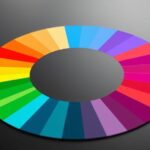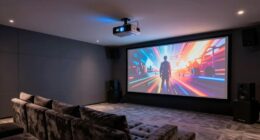
A color gamut defines the range of colors your home theater display can produce, affecting how vibrant and realistic images appear. A wider gamut, like DCI-P3 or Rec. 2020, lets you see richer reds, greens, and blues, creating more immersive visuals. Your display’s native gamut impacts overall color accuracy and how well it fits your content. To get the best results, proper calibration is key. Keep exploring to find out how to optimize your setup.
Key Takeaways
- Color gamut defines the range of colors a display can reproduce, impacting image vibrancy and realism in home theaters.
- Wider gamuts like DCI-P3 or Rec. 2020 enable richer, more saturated colors for enhanced HDR content.
- Native display technology (OLED, LED) determines the maximum achievable color gamut.
- Proper calibration ensures the display accurately reproduces its color spectrum, preventing dull or oversaturated images.
- Selecting the right color gamut and calibrating your system optimizes visual quality for movies, TV shows, and gaming.
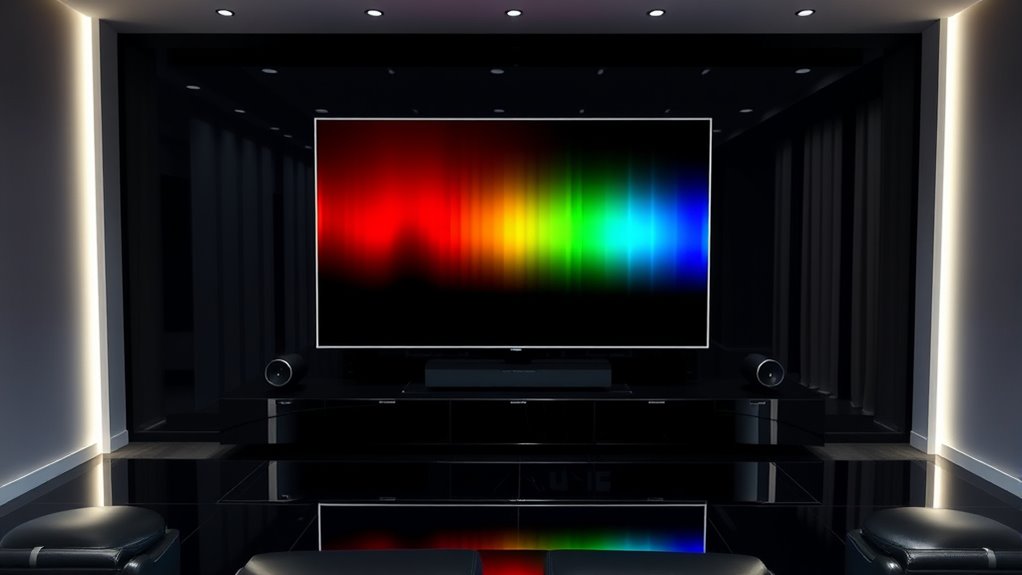
Choosing the right color gamut is essential for delivering stunning visuals in your home theater. Your display technology plays a vital role in how accurately and vividly colors appear on the screen. To maximize this potential, you’ll need to understand calibration techniques that fine-tune your display’s color output. These calibration techniques help you achieve the most accurate color reproduction possible, ensuring that what you see on screen matches the filmmaker’s intent. Without proper calibration, even the most advanced display technology can fall short, resulting in dull or oversaturated images that diminish your viewing experience.
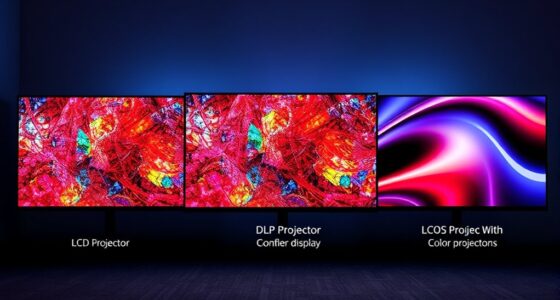
When selecting a display technology, consider its native color gamut. Technologies like OLED and high-end LED/LCD panels typically offer broader gamuts, such as DCI-P3 or Rec. 2020, allowing for richer, more lifelike colors. A wider color gamut means your display can reproduce a larger portion of the visible color spectrum, which translates to more vibrant reds, greens, and blues. This makes scenes look more realistic and immersive, especially in HDR content where color accuracy is crucial. However, just having a display with a wide gamut isn’t enough—you need to calibrate it correctly to ensure it delivers on its promise.
Calibration techniques are your secret weapon for optimizing color performance. Using tools like colorimeters or spectrophotometers, you can measure how your display reproduces colors and then adjust settings such as color temperature, gamma, and white balance. Many professional calibration methods involve creating custom color profiles that align your display’s output with industry standards like Rec. 709 or DCI-P3. This process removes inaccuracies caused by factory default settings, ambient lighting conditions, or aging components. By performing regular calibration, you maintain consistent color accuracy over time, preventing image degradation and ensuring your home theater always looks its best.
Understanding display technology and calibration techniques together empowers you to make informed decisions about your setup. You’ll be able to select a display with the right native gamut, then fine-tune it for optimal performance. This combination guarantees that every movie, TV show, or game is displayed with vibrant, true-to-life colors. You won’t have to settle for washed-out or overly saturated images; instead, you’ll enjoy a visual experience that’s as close to the filmmaker’s vision as possible. When you prioritize the right color gamut and proper calibration, you transform your home theater into a true cinematic sanctuary, where colors pop, and images feel more immersive than ever. Additionally, understanding the importance of contrast ratio can significantly enhance the perceived depth and realism of your images.

2000 ANSI 4K Decoding Projector with WiFi and Bluetooth, HAPPRUN Movie Home Theater with Auto Focus, 300'' Display for Indoor/Outdoor, Smart Proyector Compatible with Phone/TV Stick/PC/PS5
[EASIER OPERATION: AI Smart Screen Adjustment] HAPPRUN projector comes with auto focus and 6D auto-keystone technology, enjoy a...
As an affiliate, we earn on qualifying purchases.
Frequently Asked Questions
How Does Color Gamut Affect Overall Picture Quality?
A wider color gamut improves your overall picture quality by enhancing color accuracy and depth. When your display covers more colors, images look more vibrant and true-to-life. This means you’ll notice richer reds, greens, and blues, making scenes more immersive. You’ll enjoy sharper contrast and better detail, especially in colorful scenes. So, a broader color gamut directly boosts your viewing experience by delivering more realistic, vivid images with impressive color depth.
What Is the Ideal Color Gamut for a Home Theater?
Imagine your home theater’s colors as a vibrant rainbow stretching across your screen. The ideal color gamut is DCI-P3 or Rec. 2020, offering rich, accurate hues. By calibrating settings properly, you guarantee color accuracy, making every scene pop like a painter’s masterpiece. This wider gamut creates immersive visuals, drawing you into the story with true-to-life colors that elevate your viewing experience to cinema quality.
Can a Wider Color Gamut Improve Gaming Experiences?
Yes, a wider color gamut can improve your gaming experience. It enhances color accuracy, making visuals more vibrant and lifelike. With better HDR compatibility, you’ll notice richer contrast and more detail in dark and bright scenes. This creates an immersive environment that brings game worlds to life. So, upgrading to a display with a broader color gamut boosts not only image quality but also your overall enjoyment during gaming sessions.
How Do I Check My Projector or Tv’s Color Gamut Specification?
You can check your projector or TV’s color gamut specification by consulting the user manual or product specs online. For precise results, use calibration techniques and color calibration tools like a colorimeter or spectroradiometer. These tools help you verify if your device covers the desired color space. Regular calibration guarantees accurate color reproduction, enhancing your viewing experience and making sure your device displays colors as intended.
Is a Higher Color Gamut More Important Than Resolution?
Think of your home theater as a painter’s canvas. A higher color gamut is like more vibrant, accurate colors that bring scenes to life, making your viewing more immersive. While resolution sharpens details, a wider color gamut enhances color accuracy and richness, essential for quality color grading. So, if you’re choosing between the two, prioritize a higher color gamut for a visually stunning experience that captures the true essence of every scene.

Official Licensed Google TV Smart Projector, HAPPRUN 4K UHD Home Theater with Dolby Sound, Wi-Fi & Bluetooth, Built-in Streaming Apps, Compatible with Games Consoles & Smartphone, Indoor & Outdoor Use
[ Built-in Official Licensed Google TV ] - Without additional equipment, the smart projector can directly access Netflix,...
As an affiliate, we earn on qualifying purchases.
Conclusion
Understanding color gamut helps you choose the best home theater setup. Did you know that the Rec. 2020 standard covers about 75% of the visible colors humans can see? By aiming for a wider color gamut, you’ll enjoy richer, more vibrant images. Remember, your viewing experience depends on how well your equipment reproduces these colors. So, invest in high-quality displays to truly bring your favorite movies and shows to life with stunning color accuracy.

Epson Home Cinema 980 3-Chip 3LCD 1080p Projector 4,000 Lumens Color and White Brightness, Streaming/Gaming/ Media Room, Built-In Speaker, Auto Picture Skew, 16000:1 Contrast, 2 HDMI Ports
Exceptional Picture Quality — Provides stunning, detailed 1080p images and fast data processing that’s optimized for fast-action sports,...
As an affiliate, we earn on qualifying purchases.

【2200ANSI & Officially-Licensed APP】Smart 4K Projector with WiFi and Bluetooth, VISSPL 3D Dolby Audio and Auto Focus Portable Outdoor Projector, Movie Home Theater Proyector with 360° Adjustable Stand
[ Compatible with Netflix - No Extra Devices Needed ] - VISSPL Smart Projector: Hollywood in the palm...
As an affiliate, we earn on qualifying purchases.